Keychron Mechanical Keyboards
Keychron is one of the most approachable keyboard brands if you want better build quality, hot-swappable switches, and layouts that go beyond a generic gaming board. Whether you want a 65 percent keyboard, a premium aluminum 75%, a low-profile board, or an Alice layout, there is now a stronger Keychron option for almost every desk.
Shop Keychron on Amazon
Best Keychron Keyboards by Use Case
These are the Keychron models most worth shortlisting if you are comparing layouts, switch feel, and upgrade potential.
Best for first custom keyboard buyers
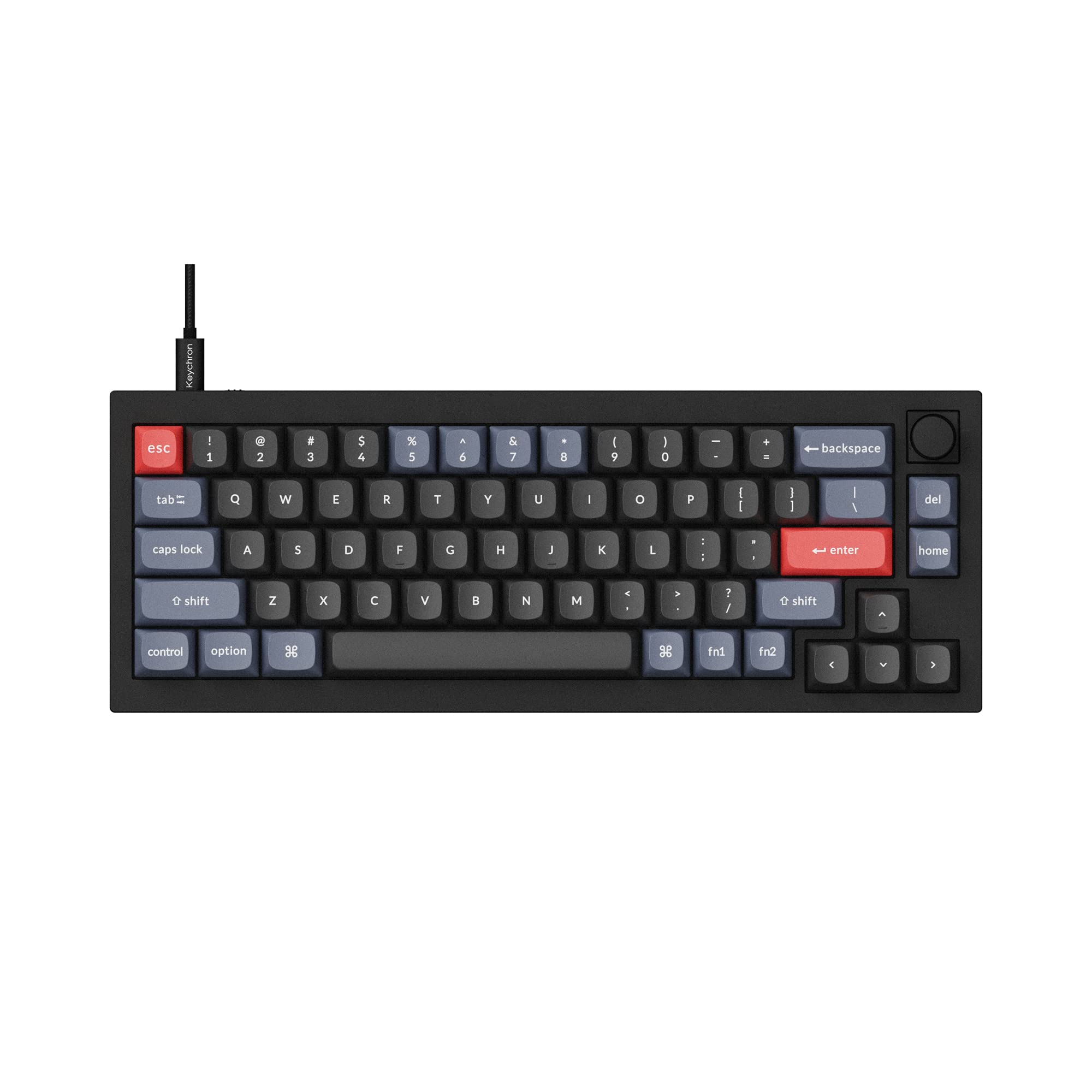
Keychron V2
The Keychron V2 is one of the easiest recommendations if you want a 65 percent keyboard with hot-swap support, QMK/VIA programmability, and a starter-friendly price.
- 65 percent keyboard layout with arrow keys
- Hot-swappable PCB
- QMK/VIA support
- Knob version, fully assembled
Best for a refined 75% without modding
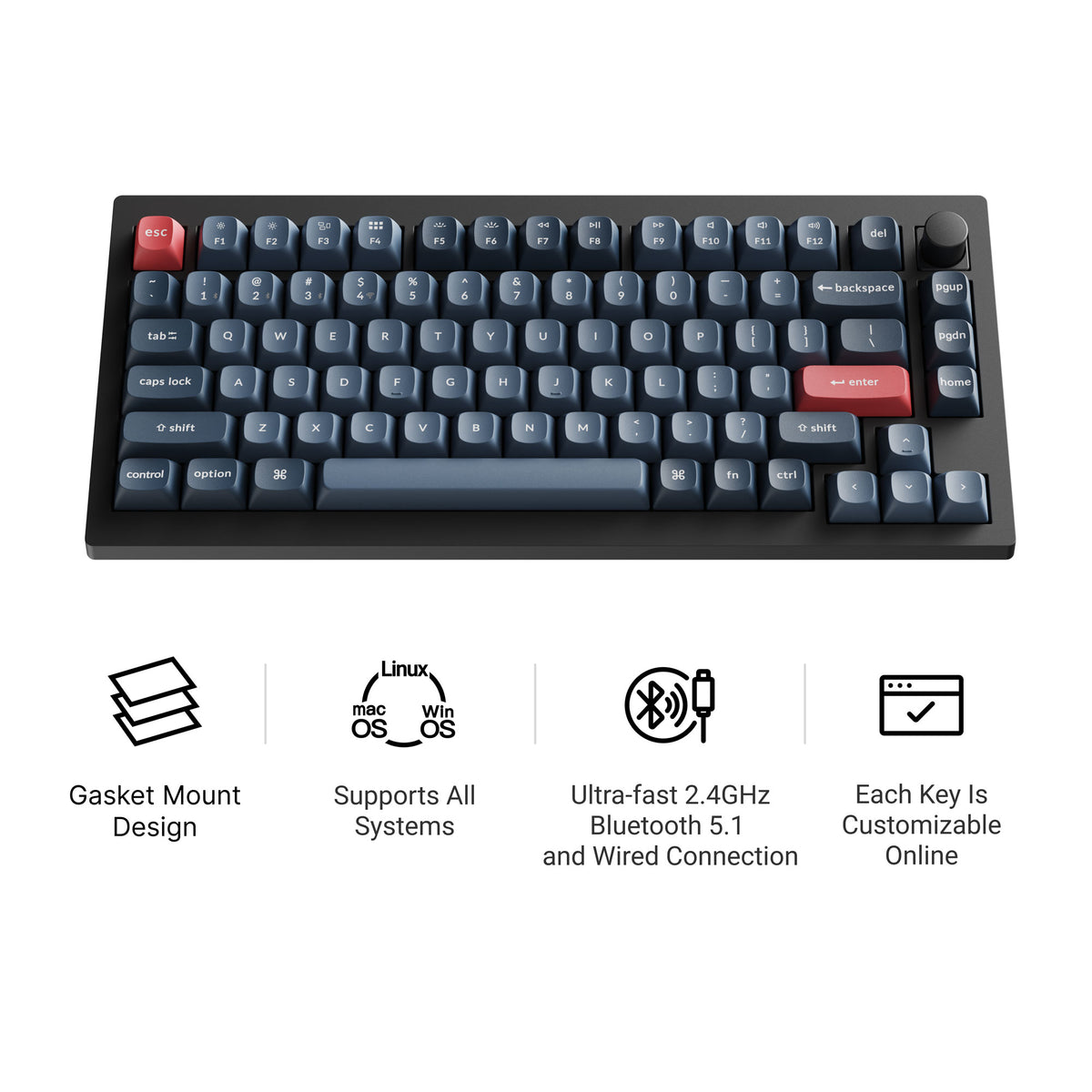
Keychron V1 Max
The Keychron V1 Max is the 75% to shortlist if you want a tuned feel straight out of the box: a double-gasket design, factory pre-lubed switches, screw-in stabilizers, tri-mode wireless, and QMK/VIA.
- 75% layout with function row
- Double-gasket design
- Pre-lubed switches, screw-in stabilizers
- Tri-mode wireless, hot-swap, QMK/VIA
Best for gaming and rapid-trigger style input
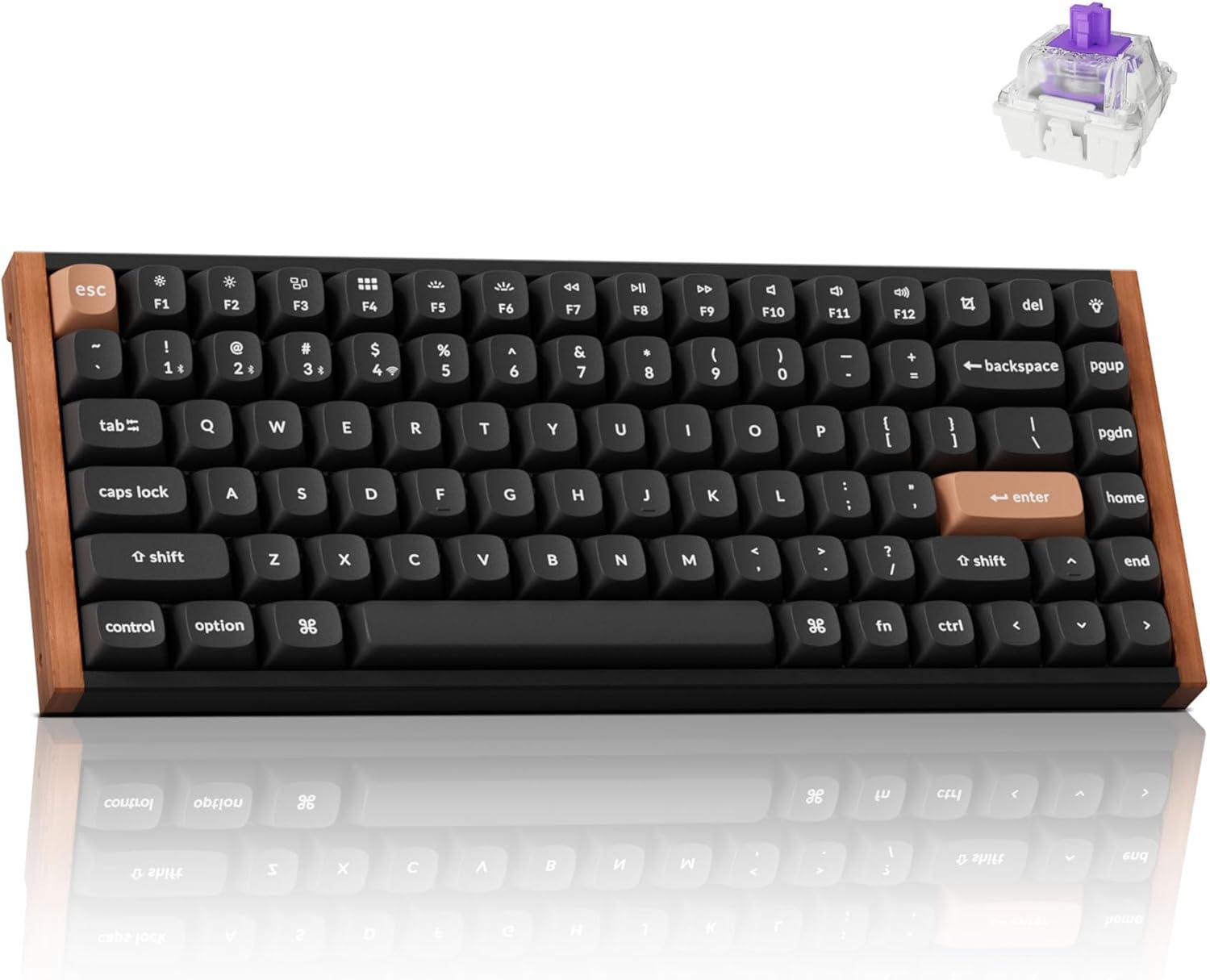
Keychron K2 HE
The Keychron K2 HE is the best Keychron pick here for gamers who want magnetic switches, adjustable actuation, and wireless flexibility without leaving the Keychron ecosystem.
- Hall-effect magnetic switches
- Wireless and wired modes
- Compact 75% footprint
- Excellent fit for gaming and streaming setups
Best low-profile Keychron pick
Keychron K3 Max
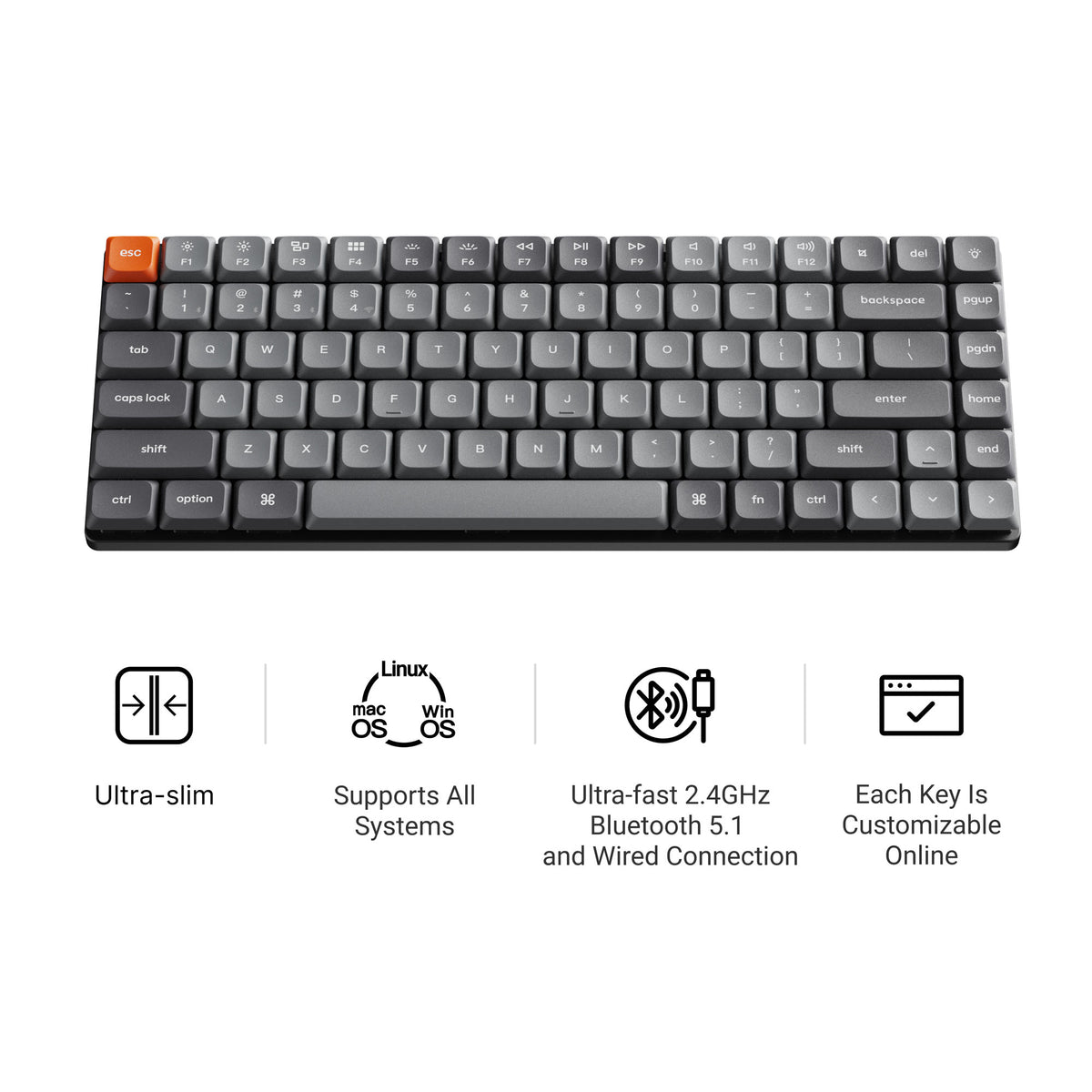
The Keychron K3 Max is the low-profile Keychron to compare first if you want a slimmer 75% layout, QMK/VIA support, and wireless flexibility without moving into generic office keyboards.
- Low-profile 75% layout
- QMK/VIA support
- 2.4 GHz, Bluetooth, and wired modes
- Hot-swappable low-profile switches
Best Keychron Alice layout
Keychron Q8 Max
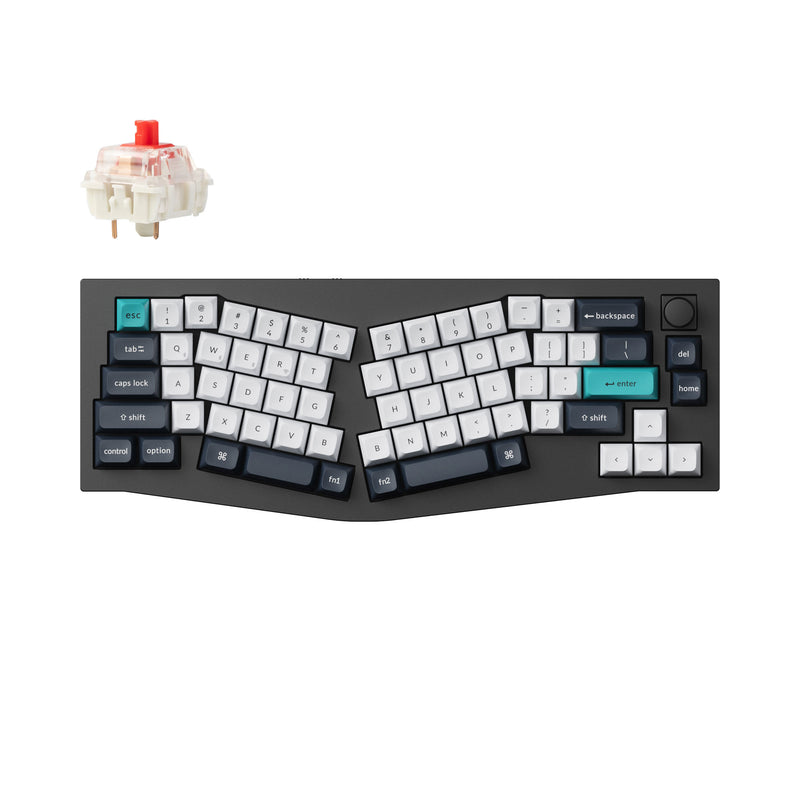
The Keychron Q8 Max is the Alice-layout Keychron to shortlist if you want a more ergonomic shape without giving up a premium metal case, wireless support, or QMK/VIA control. It is the 65 percent Alice, so it angles your wrists without adding the desk width of a full-size ergonomic board.
- 65% Alice layout with split-angled alphas
- Full aluminum gasket-mount case
- Tri-mode wireless plus wired
- Hot-swappable and QMK/VIA ready
Best premium hall-effect Keychron
Keychron Q1 HE
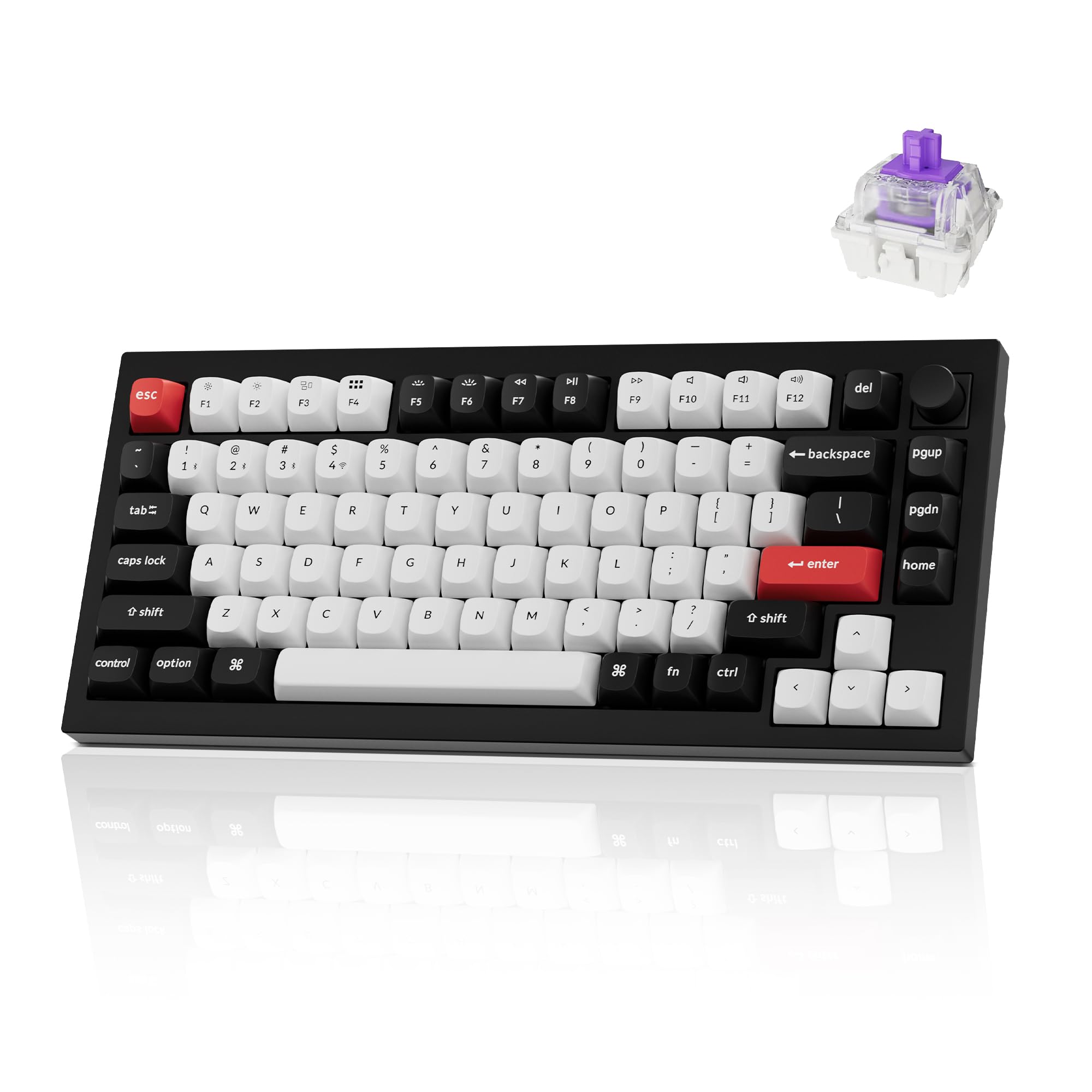
The Keychron Q1 HE pairs the premium Q1 chassis with hall-effect magnetic switches and Rapid Trigger. Best Keychron pick if you want enthusiast build quality with HE gaming features baked in.
- 75% layout with knob
- Hall-effect magnetic switches
- Rapid Trigger and per-key actuation
- Wireless plus wired modes
Best Keychron 60% wireless pick
Keychron Q4 Pro
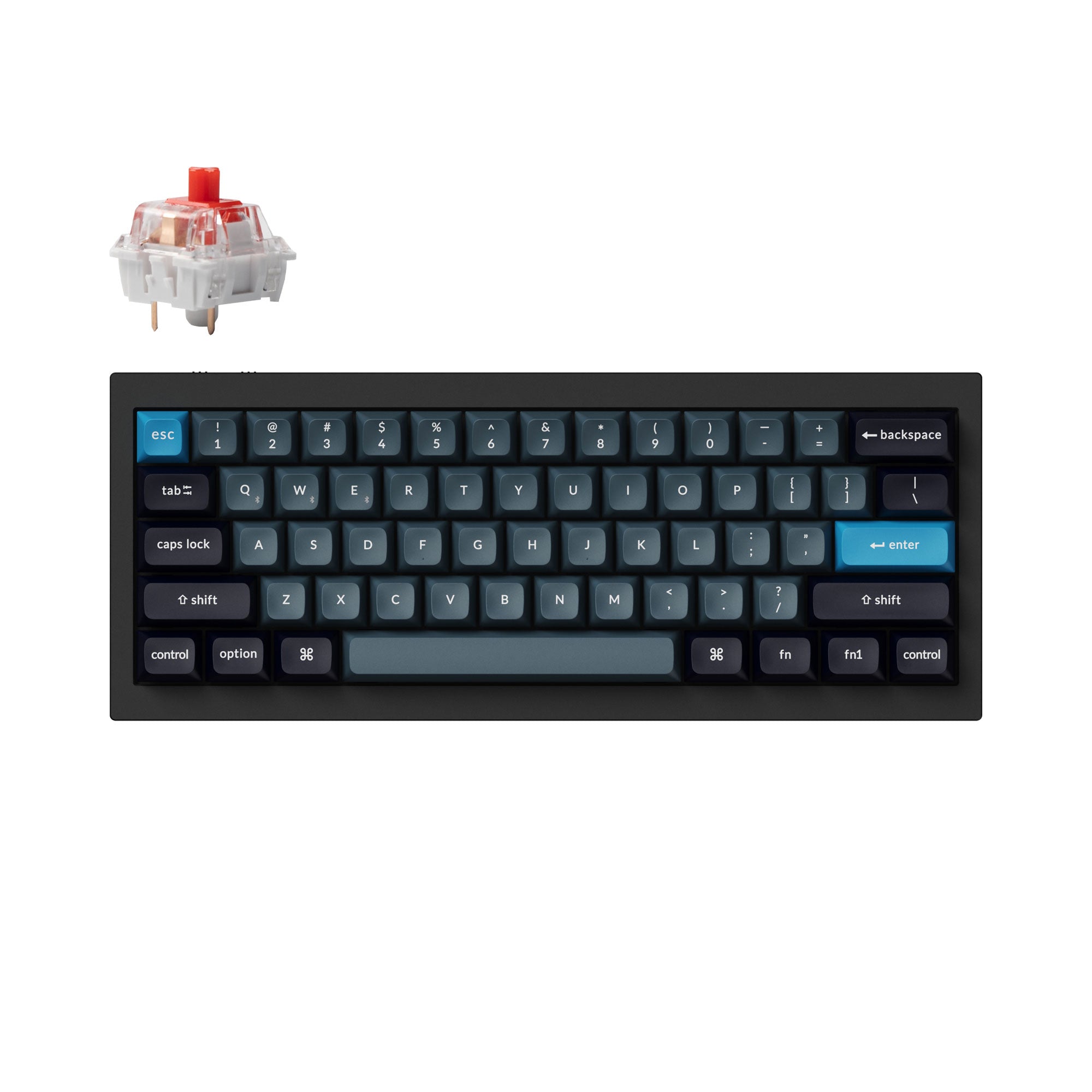
The Keychron Q4 Pro is the wireless 60% enthusiast option from Keychron. Best fit if you want an aluminum 60% with QMK/VIA and Bluetooth without leaving the Keychron ecosystem.
- Aluminum 60% layout
- QMK/VIA support
- Hot-swappable PCB
- Wireless and wired modes
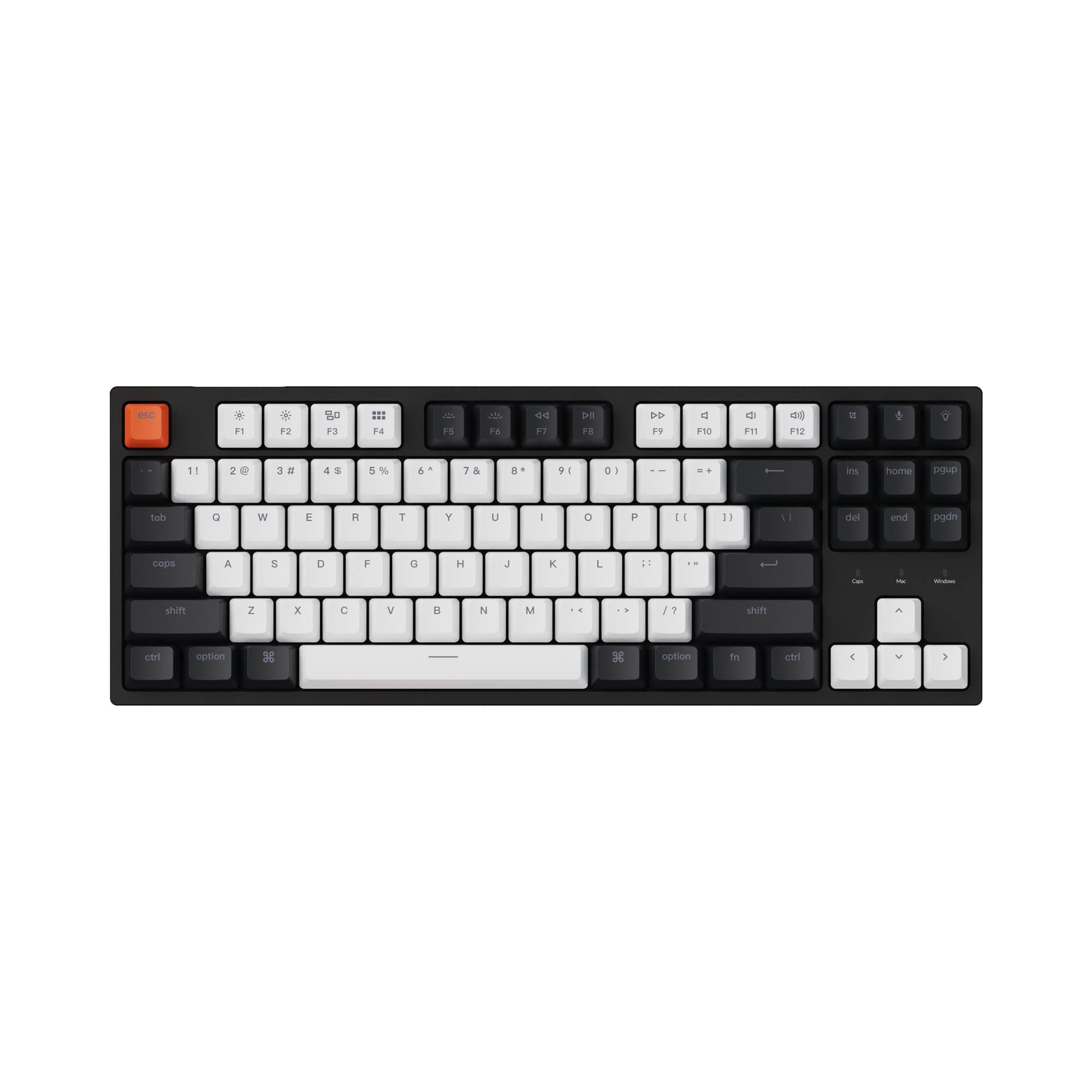
Best budget Keychron TKL
Keychron C1 Hot-Swap TKL
The C1 is the cheapest TKL Keychron worth recommending. Best fit when you want a tenkeyless Keychron with hot-swap support but don't need wireless or aluminum.
- TKL layout with full function row
- Hot-swappable PCB
- Gateron G Pro Red switches
- Wired-only, budget-friendly
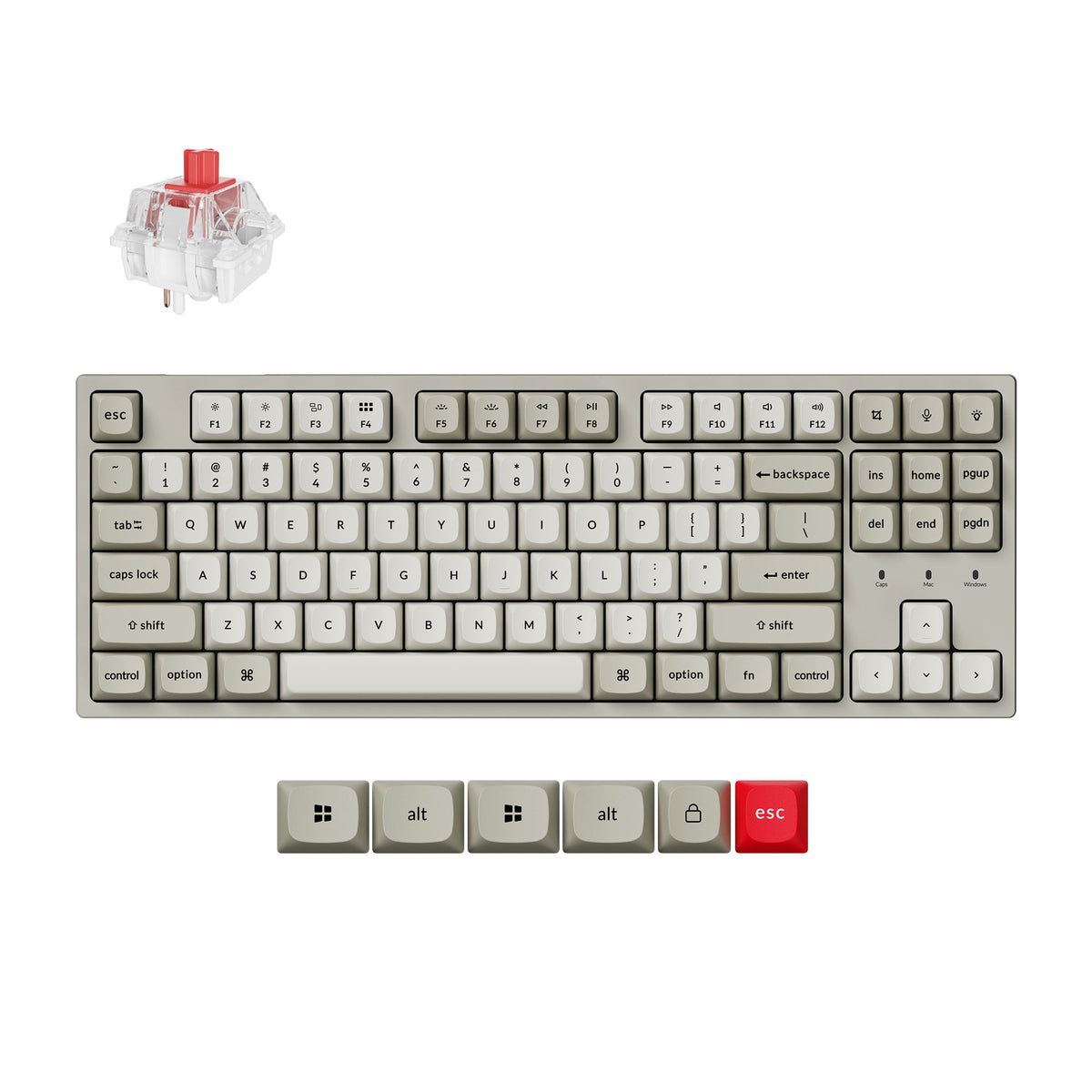
Best wired Keychron TKL for gaming
Keychron C1 Pro 8K
The C1 Pro 8K is the C1's wired TKL idea with an 8000 Hz polling rate and QMK firmware, remapped in the Keychron Launcher web app. Pick it over the original C1 if you game on a wired TKL and want lower input latency and full remapping, still in a plastic case at a low price.
- TKL (80%) layout, wired, 8000 Hz polling
- QMK firmware, Keychron Launcher remapping
- Hot-swap for 3- and 5-pin switches
- Double-shot PBT keycaps, south-facing RGB
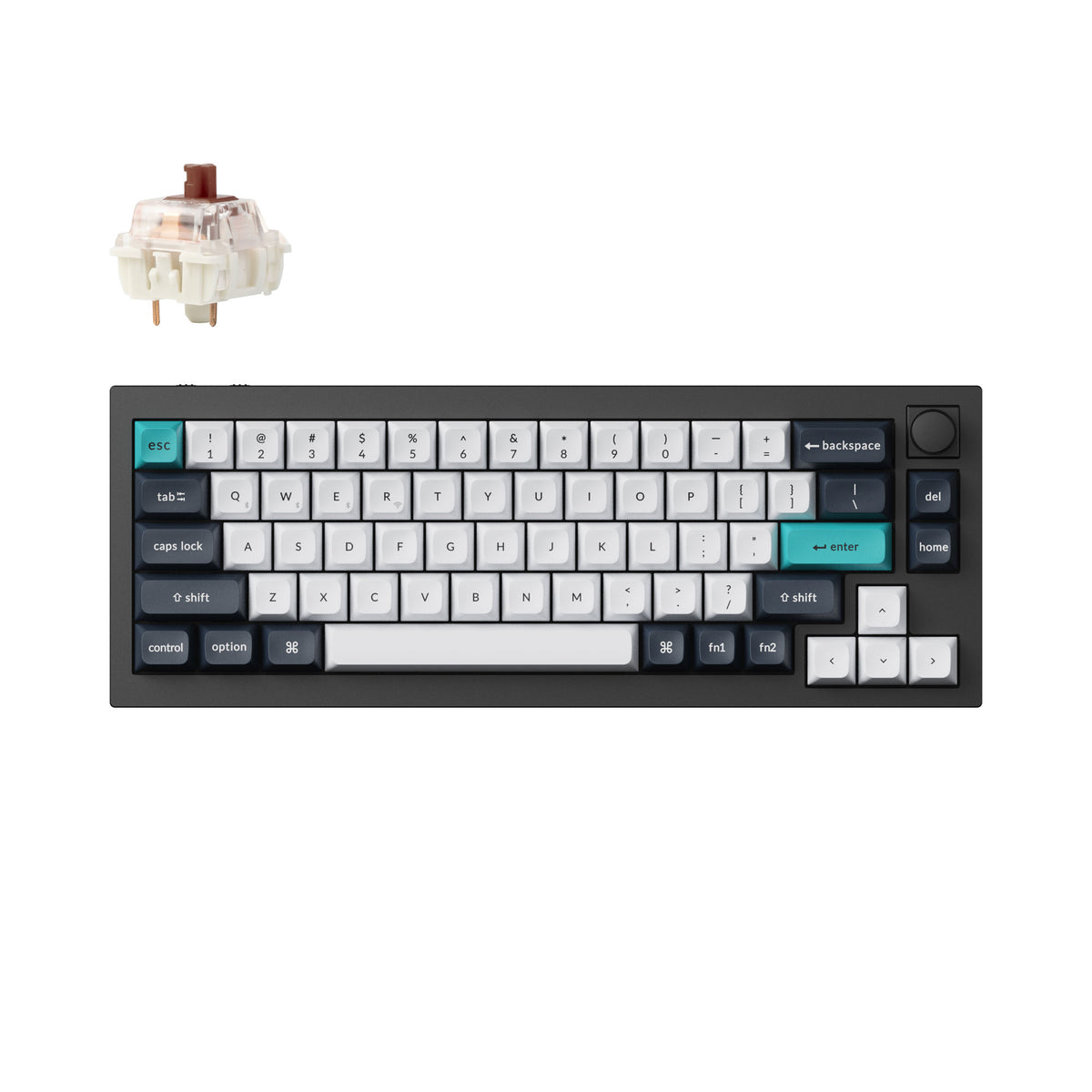
Best premium Keychron 65%
Keychron Q2 Max
The Q2 Max is the full-aluminum step up from the V2: the same 65% layout with a knob, but a double-gasket mount, layered acoustic foam and tri-mode wireless. It is heavy (about 1.5 kg assembled), so it is a desk board, not one to carry around.
- 65% layout with knob, full aluminum case
- Double-gasket mount, PC plate, acoustic foam
- 2.4 GHz, Bluetooth 5.1 and wired
- Hot-swap Gateron Jupiter switches, QMK/VIA
Keychron Number Pads
Most Keychron boards worth buying are 75%, 65% or TKL, so the numpad is the first thing to go. If you still type numbers all day, a separate number pad gets it back without moving up to a full-size board, and it can sit on whichever side of the keyboard suits you. Not sure which size you need? Our keyboard sizes guide covers it.
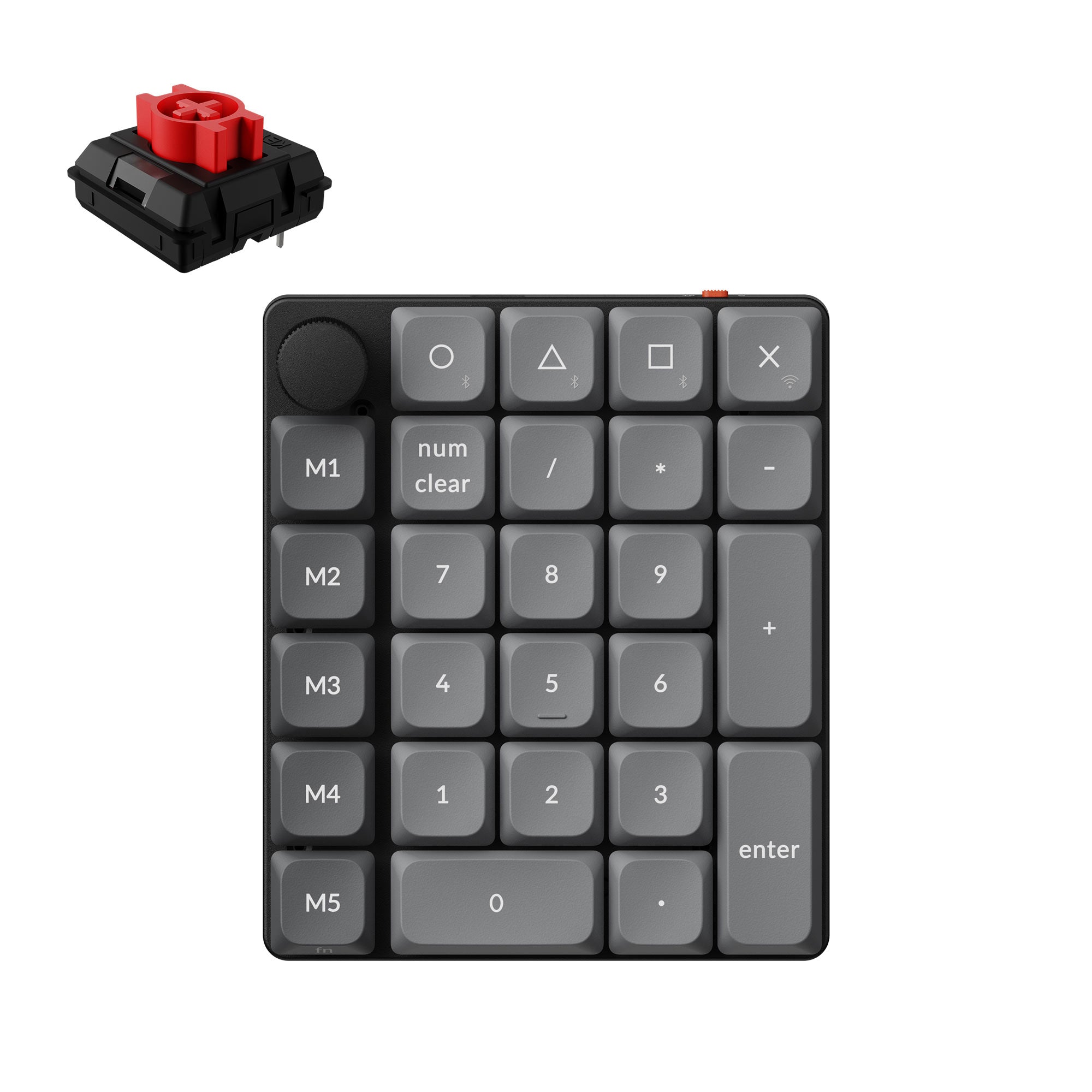
Best budget Keychron numpad
Keychron K0 Max
An ultra-slim 27-key wireless number pad with a knob and a left-hand macro column. Light enough to carry with a laptop, and the budget way to add a numpad back to a 75% or TKL.
- Low-profile, hot-swappable Keychron Milk POM switches
- 2.4 GHz, Bluetooth 5.3 and wired
- QMK firmware, remapped in the Keychron Launcher web app
- Rotary knob and macro column
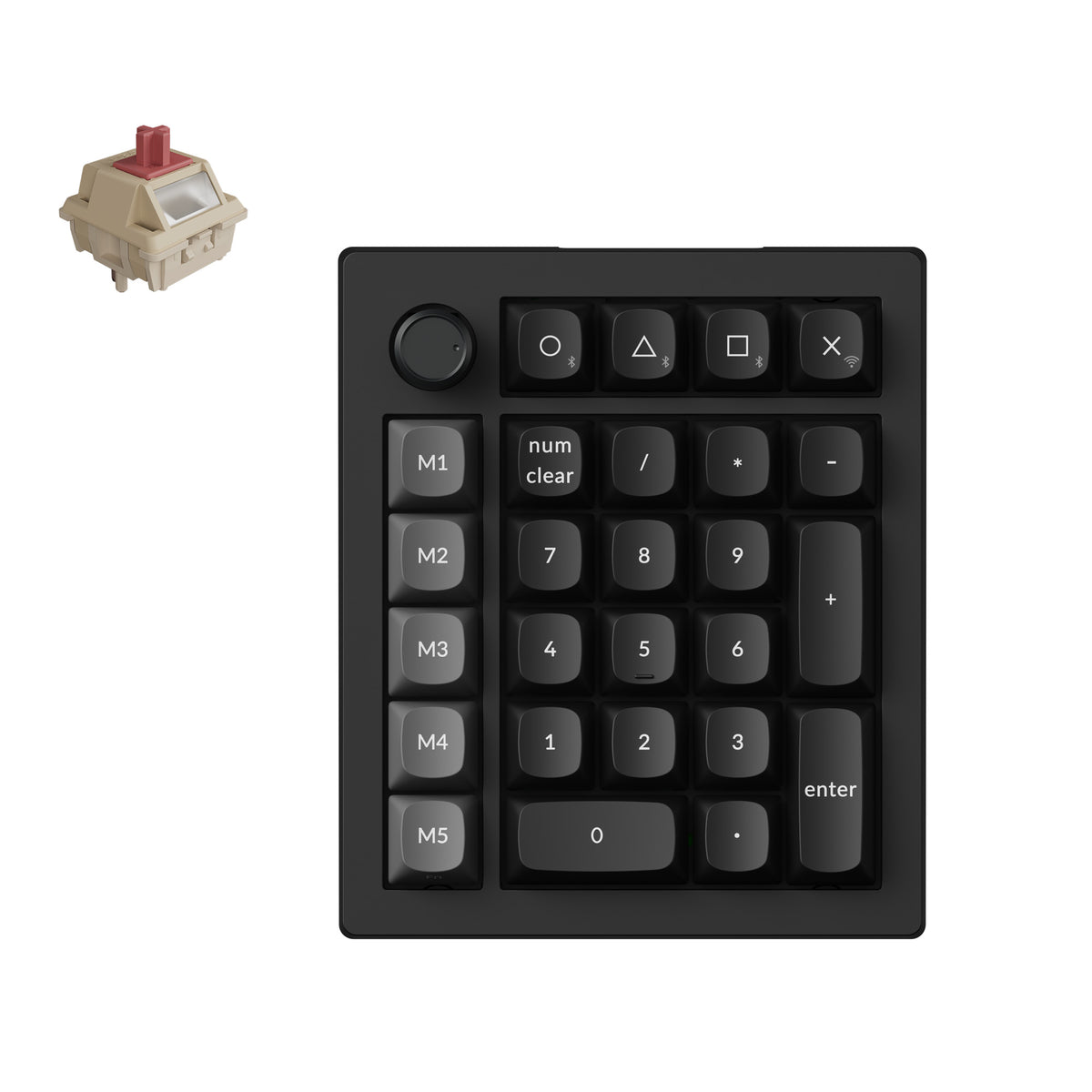
Best mid-range Keychron numpad
Keychron V0 Ultra 8K
The mid-priced Keychron numpad, between the slim K0 Max and the aluminum Q0 HE: hot-swappable Silk POM switches, a gasket-mounted plate with acoustic foam, and 8000 Hz polling over 2.4 GHz. In October 2026 only the Banana-switch version was in stock; Red and Brown were on backorder.
- Hot-swappable Keychron Silk POM switches
- 8000 Hz over 2.4 GHz, plus Bluetooth and wired
- Gasket-mounted PC plate with acoustic foam
- Knob and five-key macro column
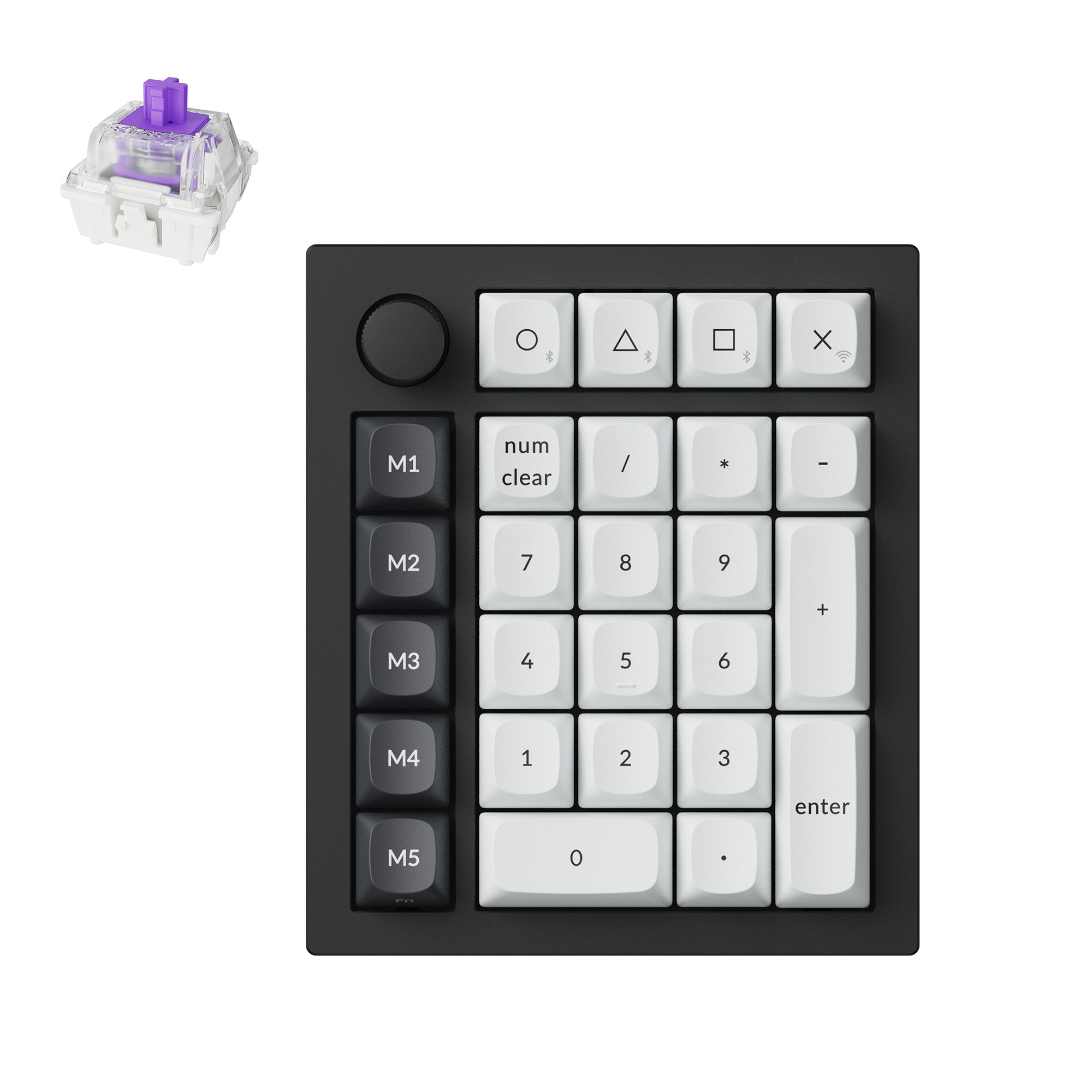
Best premium Keychron numpad
Keychron Q0 HE
A full-aluminum, gasket-mount number pad on Gateron magnetic switches, with rapid trigger and adjustable actuation. The numpad to pair with a Keychron HE board like the K2 HE or Q1 HE.
- Hall-effect switches, actuation from 0.2 to 3.8 mm
- Aluminum gasket-mount body
- 2.4 GHz, Bluetooth and wired
- Knob and five-key macro column
How to Choose the Right Keychron
Start with layout first. If you want the cleanest compact desk setup, a 65 percent keyboard like the Keychron V2 is usually the easiest place to begin, and the Q2 Max is the same layout in full aluminum. If you want a TKL for wired gaming, the C1 Pro 8K adds 8000 Hz polling and QMK to the C1 formula. If you need a function row and want a more refined sound and feel, the Keychron V1 Max is the better fit, and the Q1 HE is the full-aluminum step up.
Then think about switch feel. Keychron boards are a good match for both linear switches and tactile switches because many models are hot-swappable. That means you can start with one switch and change later once you know whether you prefer smooth travel, heavier tactility, or a deeper thocky keyboard sound.
Finally, decide whether you are optimizing for a special use case. The K2 HE is the Keychron to compare first for hall-effect gaming features, the K3 Max is the low-profile route, and the Q8 Max is the Alice-layout option if comfort matters more than sticking with a standard straight board. If you want to go all the way to two halves, compare the best split keyboards.