Mechanical keyboards have surged in popularity, especially among programmers and gamers. But with so many options, finding the perfect one can be daunting. This guide explores some of the best mechanical keyboards tailored for coding marathons and intense gaming sessions, focusing on features that enhance both productivity and performance. Let's dive in!
Why Mechanical Keyboards?
Before we jump into specific models, let’s quickly cover why mechanical keyboards are preferred over membrane keyboards:
- Tactile Feedback: Each keypress provides distinct feedback, improving typing accuracy and speed.
- Durability: Mechanical keyboards are built to last, often rated for 50 million keypresses or more.
- Customization: From keycaps to switches, mechanical keyboards offer extensive customization options.
- Comfort: The ergonomic design and satisfying feel can reduce fatigue during long hours of use.
Top Picks for Programmers and Gamers
Keychron K2 HE: The High-Performance Hybrid
The Keychron K2 HE stands out with its Hall-Effect Gateron double-rail magnetic switches. What does this mean for you? Ultra-responsive input and customizable actuation points anywhere from 0.2 to 3.8 mm! This is a game-changer for both fast-paced gaming and precise coding.
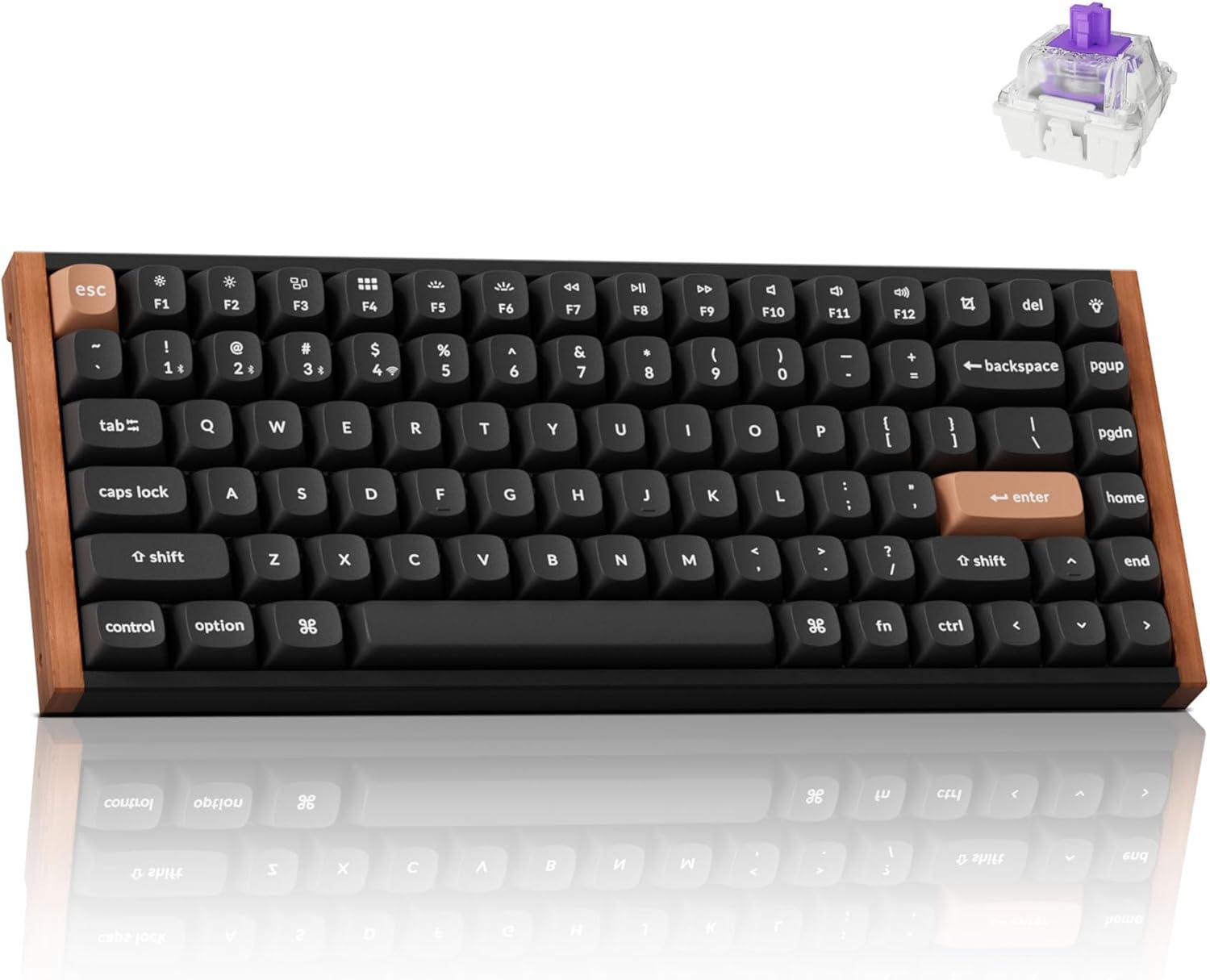
It also boasts tri-mode connectivity (2.4GHz wireless, Bluetooth 5.2, and USB-C), QMK/VIA programmability, and hot-swappability for magnetic switches. The aluminum and wood frame gives it a premium feel, while the gasket-mounted design ensures a comfortable typing experience. The double-shot PBT keycaps are durable and resistant to shine, and the 4000mAh battery keeps you going for extended periods.
Pros:
- Unmatched responsiveness with Hall-Effect switches
- Highly customizable actuation points
- Premium build quality
- Tri-mode connectivity
Cons:
- Price may be a barrier for some
- Magnetic switches might feel different initially
Keychron V1 Max
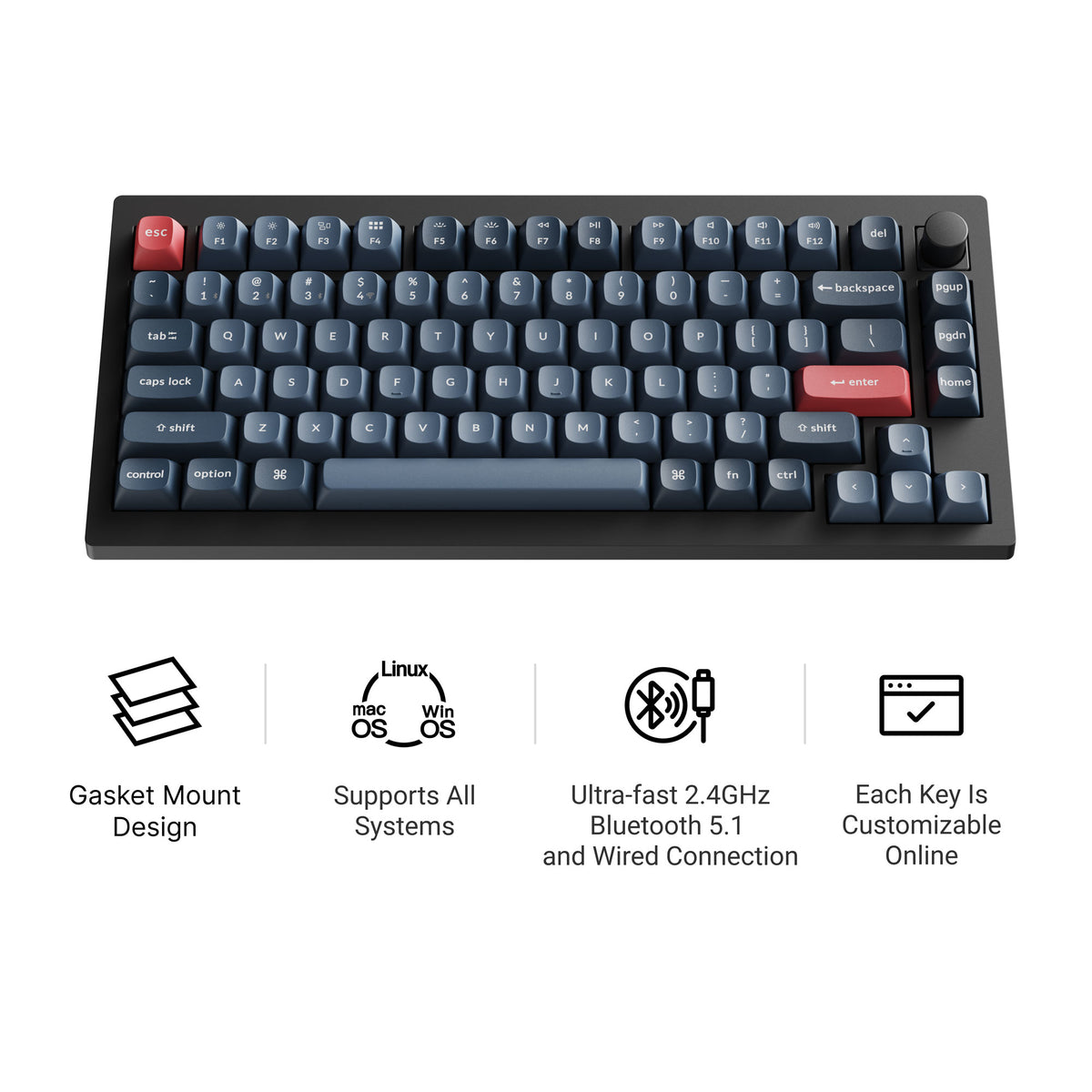
The Keychron V1 Max is a 75% hot-swappable board with tri-mode connectivity (2.4 GHz wireless, Bluetooth, and wired), a double-gasket design, factory pre-lubed switches, and screw-in stabilizers. It supports QMK/VIA and has south-facing RGB, so it feels tuned straight out of the box and stays easy to remap. Current versions all include a rotary knob; our Keychron V1 Max guide covers the full specs.
AULA F99: Compact Powerhouse
The AULA F99 is a compact 96% mechanical keyboard that doesn't compromise on features. It boasts tri-mode connectivity (Bluetooth 5.0, 2.4GHz wireless, and USB-C) and a massive 8000mAh battery for long-lasting performance.
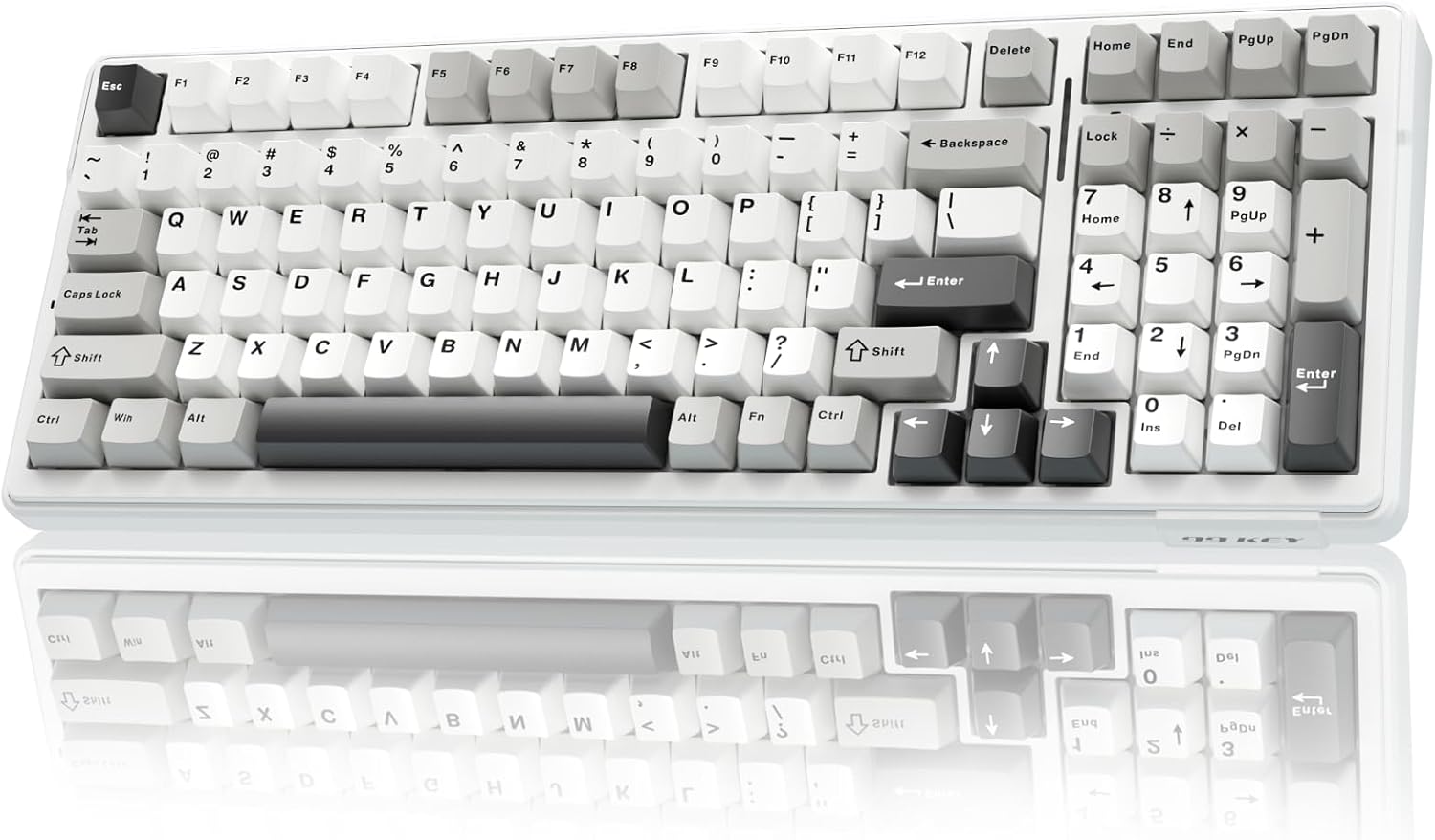
Its gasket-mounted structure, five-layer sound dampening, and pre-lubed linear switches provide a soft, responsive typing experience with rich acoustics. The hot-swappable switch sockets and customizable macros make it a versatile option for both typing and gaming.
Pros:
- Excellent battery life
- Compact yet functional layout
- Soft and responsive typing feel
- Customizable macros
Cons:
- 96% layout might take some getting used to
- Limited availability of replacement keycaps
WOBKEY Rainy 75: The Minimalist Masterpiece
For those who appreciate a clean aesthetic, the WOBKEY Rainy 75 is a standout choice. This minimalist mechanical keyboard features a solid aluminum case, five-layer acoustic dampening, and a gasket-mounted design for soft, quiet keystrokes.
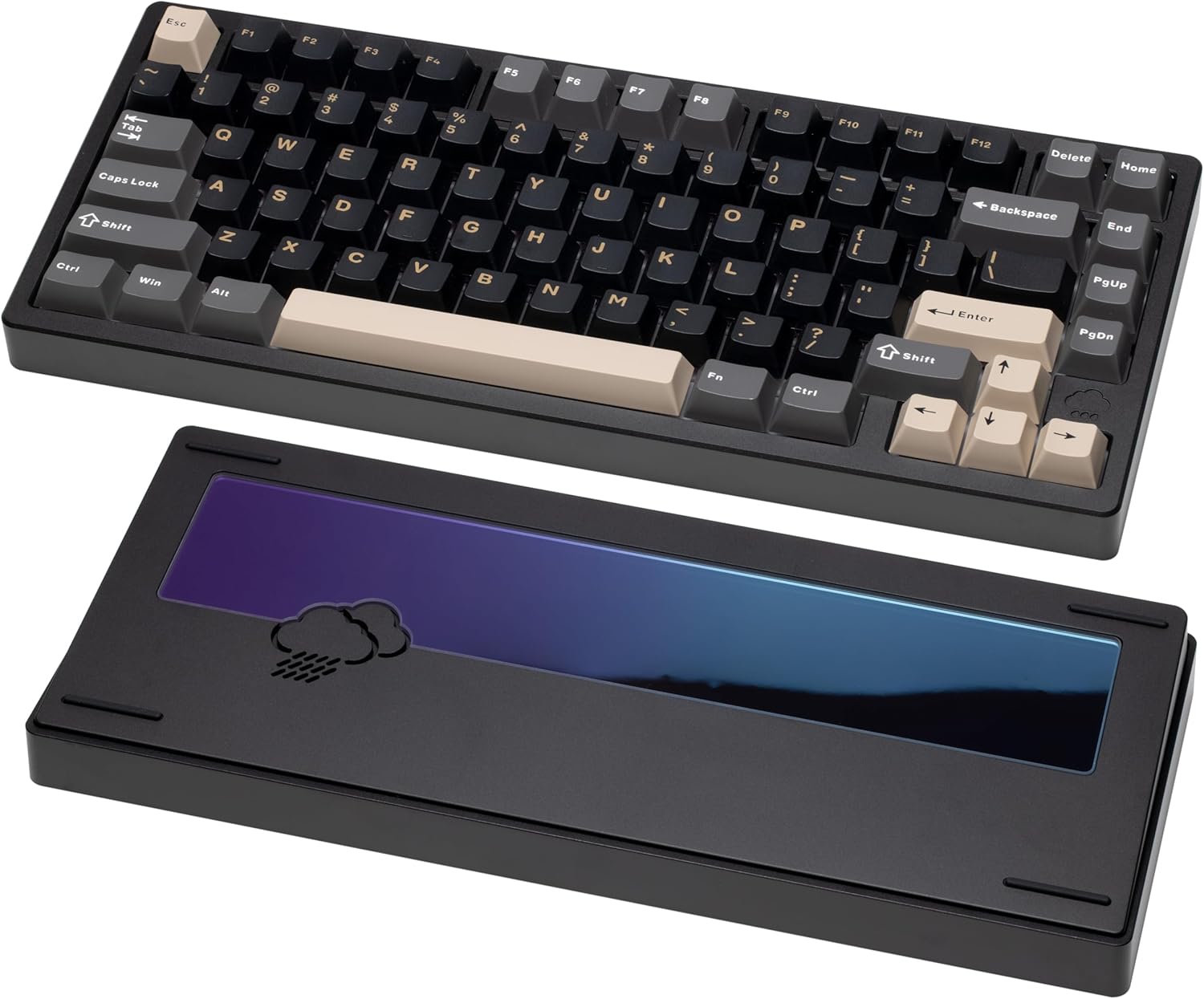
It offers tri-mode connectivity (Bluetooth, 2.4GHz wireless, and USB-C wired), making it adaptable to any setup. The hot-swappable switches, south-facing RGB lighting, and high-quality keycaps deliver a refined, customizable experience ideal for both work and play.
Pros:
- Premium build quality
- Excellent sound dampening
- Clean and minimalist design
- Versatile connectivity options
Cons:
- Higher price point
- Minimalist design might not appeal to everyone
Keychron K2 Max: The Mac-Ready Marvel
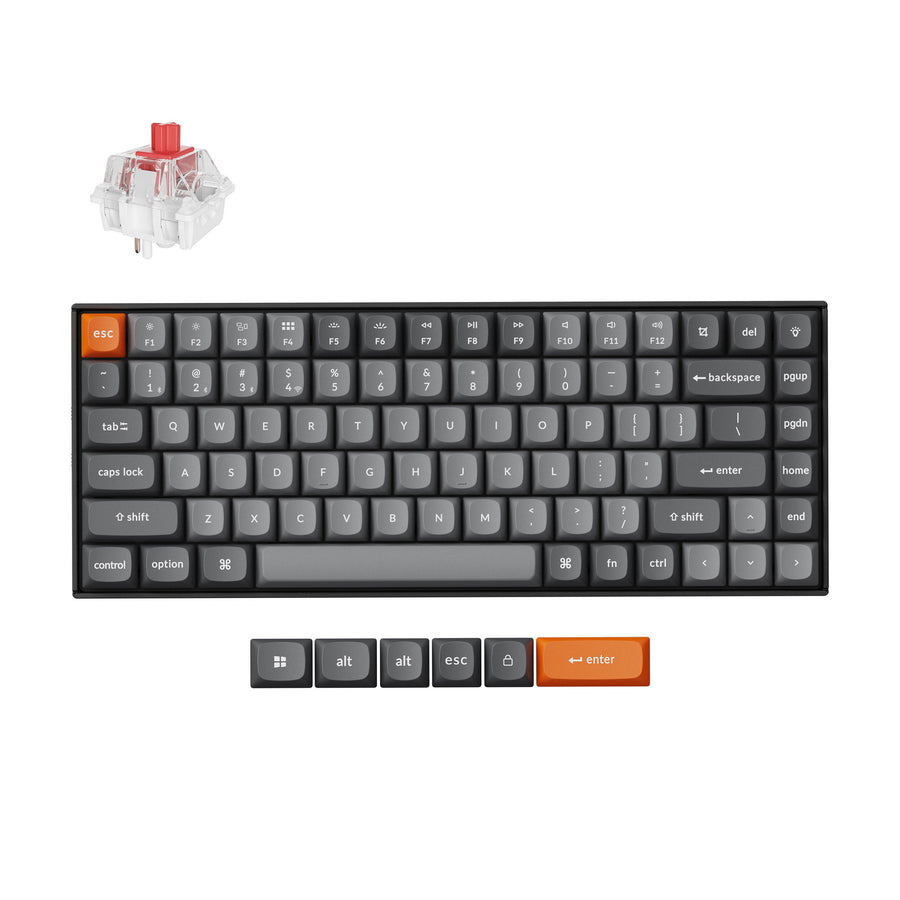
The Keychron K2 Max is a 75% tri-mode keyboard that connects over 2.4 GHz, Bluetooth, or USB-C and ships with keycaps for both Windows and macOS, so Command and Option are labeled correctly out of the box. It supports QMK/VIA, remaps through the Keychron Launcher web app, has RGB backlighting, and comes in hot-swappable versions with an optional aluminum frame.
Choosing the Right Switches
Switches are the heart of any mechanical keyboard. Here’s a quick overview of popular switch types:
- Linear Switches: Smooth and consistent keypress with no tactile bump. Ideal for gamers who need fast and responsive keys.
- Tactile Switches: Provide a tactile bump when the key is actuated. Great for typists who want feedback with each keypress.
- Clicky Switches: Similar to tactile switches but with an audible click. Preferred by those who enjoy the sound and feel of each keypress.
Consider including a visual switch chart here
Layout Considerations
- Full-Size: Includes all keys, including the numpad. Best for users who need all functions readily available.
- Tenkeyless (TKL): Omits the numpad for a more compact design. Popular among gamers who want more desk space.
- 75%: A compact layout that retains function keys. A good balance between size and functionality.
- 60%: The most compact layout, omitting function keys and arrow keys. Requires using function layers to access these keys.
Consider including a visual layout chart here
Final Thoughts
Choosing the right mechanical keyboard is a personal decision. Consider your budget, typing style, and intended use. Whether you’re a programmer seeking enhanced productivity or a gamer craving lightning-fast response times, there’s a mechanical keyboard out there for you. Explore the options, read reviews, and don’t be afraid to experiment with different switches and keycaps. Happy typing!
Which keyboard are you most excited to try? Let us know in the comments below!