Alice Keyboard Layout Explained
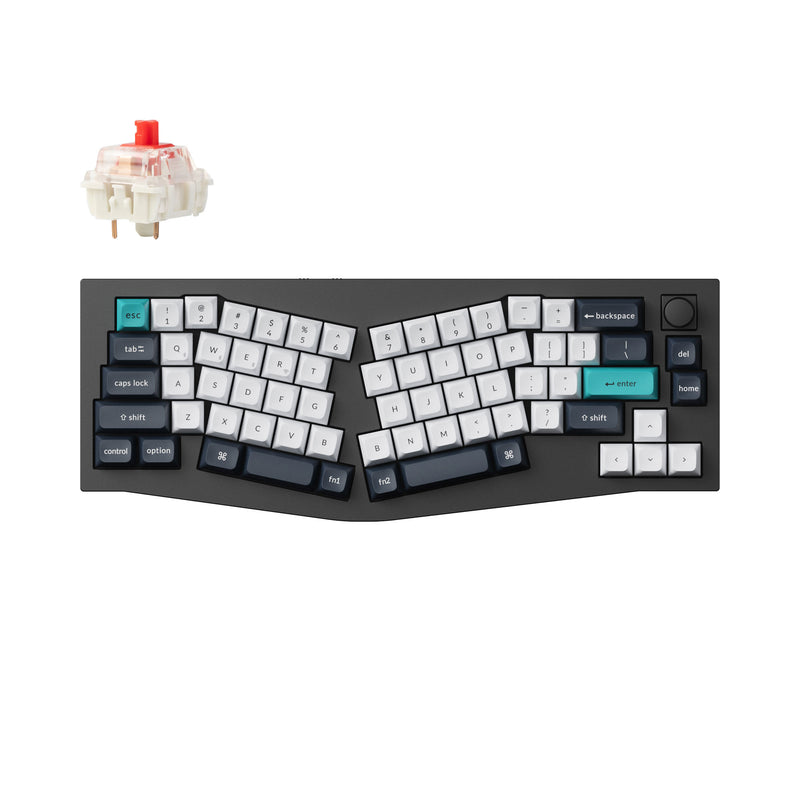
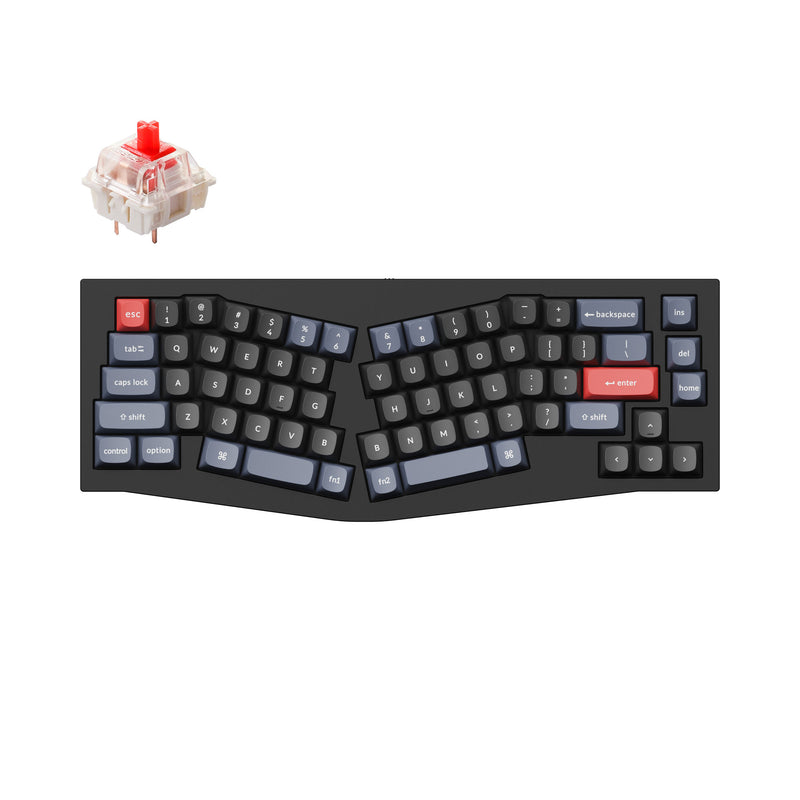
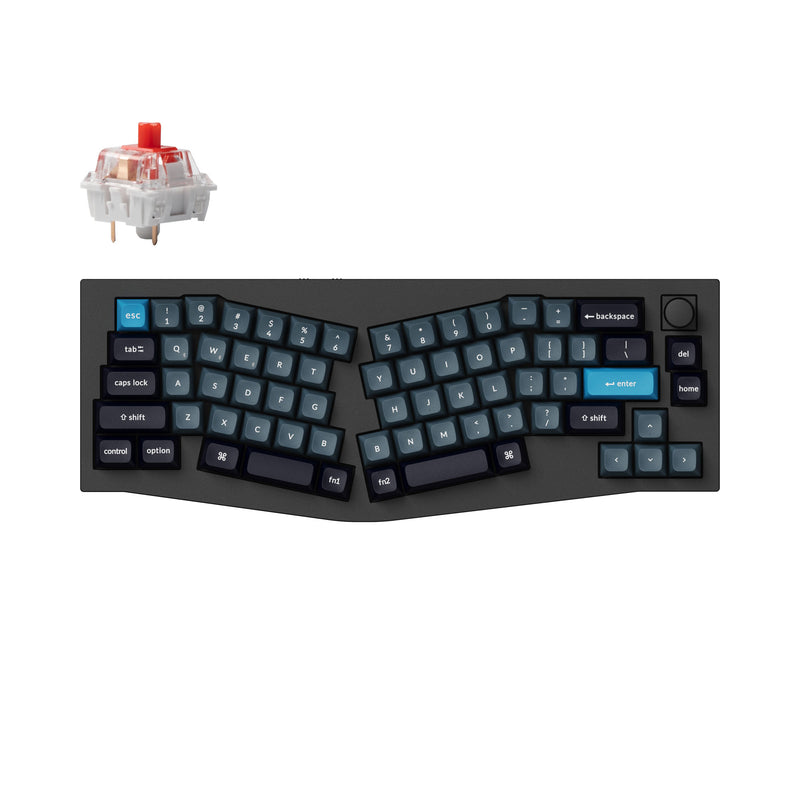
An Alice keyboard splits the alpha cluster down the middle and angles each half outward, so your wrists rotate naturally instead of bending inward. It's the most ergonomic mechanical layout that still works as a one-piece keyboard.
Key features
- Split alpha cluster with outward angle.
- Doubled spacebar (one for each thumb).
- Stays as a single physical board.
What makes Alice ergonomic
On a standard keyboard, your wrists bend inward (ulnar deviation) to keep your fingers on home row. Over hours of typing, that's a meaningful source of repetitive strain. An Alice layout angles each half of the alpha cluster outward, letting your wrists stay straighter without needing to separate the two halves of the keyboard.
The doubled spacebar is functional, not decorative — it lets each thumb hit space cleanly without crossing over the centerline of the board.
Who Alice is for
- Long-session typists who already feel wrist strain.
- People curious about ergonomic boards but not ready for a full split.
- Touch typists who don't look at the keys (Alice rewards muscle memory).
Who Alice is NOT for
- People who hunt-and-peck — angled layouts are harder to read visually.
- Gamers who use WASD — the angled layout shifts WASD position uncomfortably.
- Anyone who shares the keyboard — Alice has a steeper learning curve for guests.
Alice vs. full split keyboards
A full split keyboard separates the two halves entirely, with a cable or wireless link between them. Alice keeps the ergonomic benefit of an outward angle but stays as a single physical object — no cabling between halves, no risk of losing one piece, easier to move between desks.
Full splits give you more flexibility (you can position each half independently, even at different heights) but Alice delivers most of the comfort with much less complexity. Our roundup of the best split keyboards covers the full-split side.
If you want to try the full-split side of that trade, the Keychron Q11 is the closest equivalent to the boards above — the same aluminum build, QMK/VIA and hot-swap sockets, cut into two halves joined by a TRRS cable.
For the classic ErgoDox layout with column stagger and thumb clusters, read our ErgoDox 76 Hot Dox V2 review. Alice is a good step to take before a board like that.
Not sure Alice is right?
Alternatives
- Want a normal layout? — 75% keeps function row and arrows in a similar size.
- Want full split ergonomics? — Alice is one-piece. The Keychron Q11 separates the halves entirely.
- Just want comfort tweaks? — A wrist rest and tilted keyboard can deliver a lot of the comfort gain.