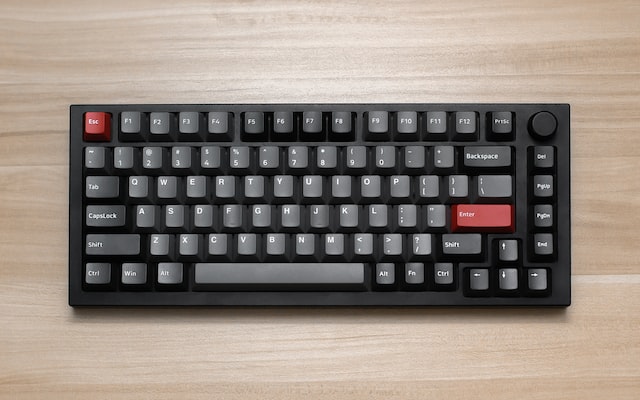
The Keychron Q4 Pro is the kind of 60% keyboard that makes compact boards easy to take seriously. It pairs a full CNC aluminum case with a double-gasket design, hot-swappable PCB, Bluetooth 5.1, and QMK programmability, then wraps it all in a layout that saves a lot of desk space without feeling cheap or compromised.
If you want a small keyboard that still feels like an enthusiast board, this is one of the strongest options in Keychron's lineup. The current product page lists the Q4 Pro from $143.99 for barebone kits and $159.99 for fully assembled versions, which keeps it competitive for the amount of hardware you get.
What Makes the Keychron Q4 Pro Stand Out?
The Q4 Pro is a 60% layout board, so you get the main typing block and modifiers without a function row, nav cluster, or numpad. That smaller footprint is the obvious draw, but the real reason this board stands out is how little Keychron cut to hit the format.
You still get:
- a full 6063 CNC-machined aluminum body
- a flexible PC plate
- a double-gasket internal structure
- hot-swap support for most 3-pin and 5-pin MX switches
- Bluetooth 5.1 for up to three paired devices
- wired USB-C mode with a 1000 Hz polling rate
- QMK support with browser-based remapping in Keychron Launcher
That is a serious spec sheet for a 60% keyboard, especially if you care about both typing feel and long-term modding potential.
Build Quality and Typing Feel
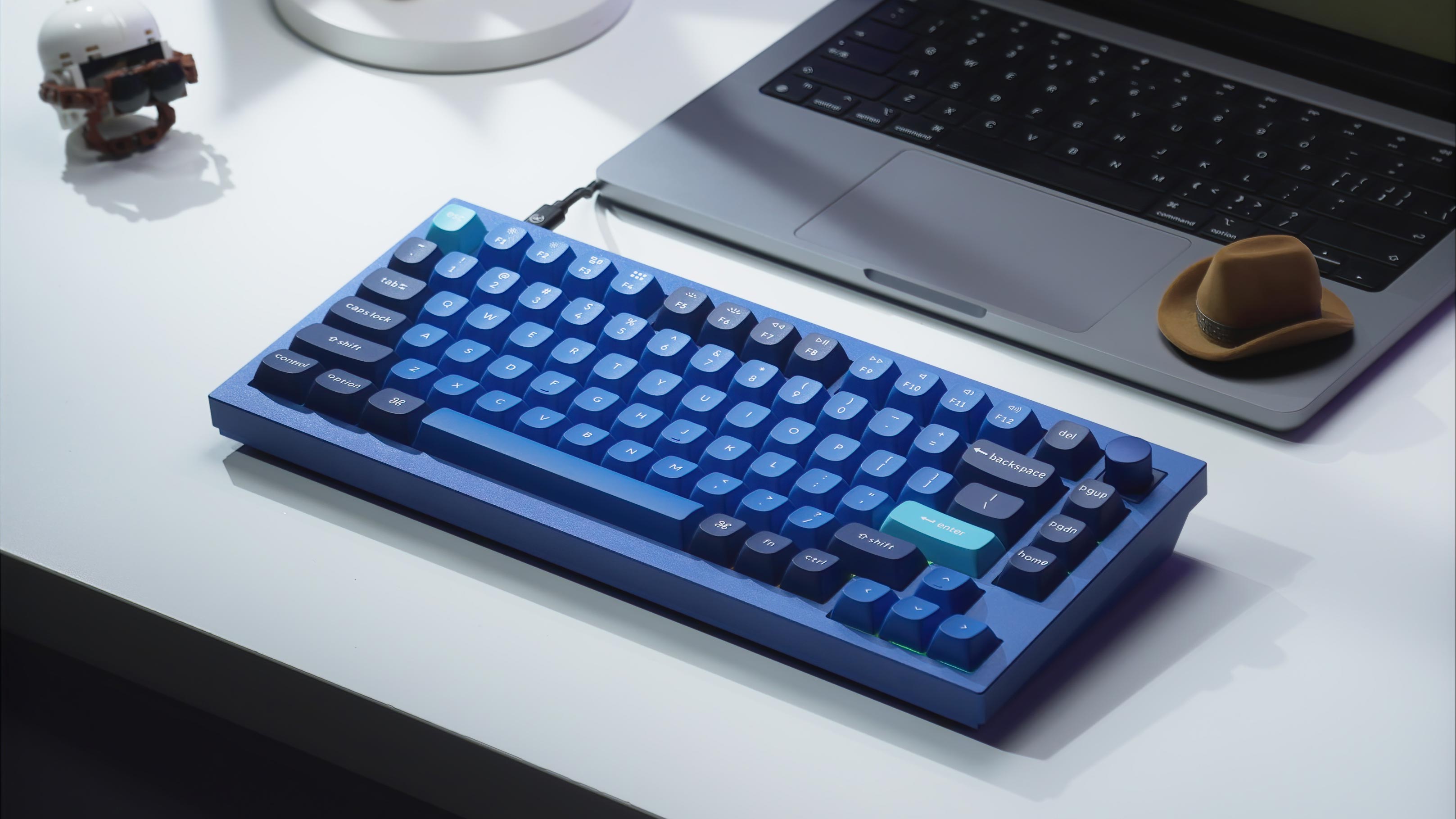
The case is the first thing you notice. Keychron says the Q4 Pro body is made from 6063 aluminum and goes through CNC machining, polishing, anodizing, sandblasting, and more than 24 manufacturing stages. In practice, that translates to a dense, planted keyboard that feels closer to a custom kit than a mainstream prebuilt.
The fully assembled version weighs about 1351 g, so this is not a travel board. It is a desk keyboard meant to stay put. That weight, plus the metal case, gives the Q4 Pro a premium feel before you even start talking about switches or sound.
The double-gasket design matters just as much as the case material. Keychron uses gaskets on the plate and adds silicone pads between the top and bottom case halves to cut down on metal-on-metal resonance. Combined with the polycarbonate plate, the result is a softer, more cushioned typing feel than you get from many tray-mount or stiffer aluminum boards.
Wireless, Battery Life, and Everyday Use
The Q4 Pro supports Bluetooth 5.1 and can pair with up to three devices, which is useful if you move between a desktop, laptop, and tablet during the day. There is also a standard USB-C wired mode when you want the most stable connection or need to recharge.
For battery life, Keychron lists a 4000 mAh rechargeable battery rated for up to 300 hours with the backlight off, or up to 100 hours with RGB at the lowest brightness. Real-world battery life always depends on your lighting settings and usage, but those numbers are solid for a metal wireless keyboard in this size.
Performance is good where it matters. Wired polling rate is 1000 Hz, while wireless polling rate is 90 Hz. For typing, coding, and general productivity, the wireless mode is more than fast enough. If you are buying this mainly for gaming, wired mode is the one to use.
Hot-Swap Support and Switch Options
The hot-swap feature is a big part of the Q4 Pro's appeal. You can swap in most 3-pin or 5-pin MX-style switches without soldering, which makes the board far more flexible than a fixed-switch prebuilt.

Fully assembled versions come with Keychron K Pro Red, K Pro Brown, or K Pro Banana switches. That gives you a decent stock range:
- K Pro Red for a lighter linear feel
- K Pro Brown for a mild tactile bump
- K Pro Banana for a more pronounced tactile option
If you already know you prefer something else, the Q4 Pro is easy to tune around your preferences. That is exactly what makes it a good long-term board for enthusiasts who like to experiment.
Keycaps, RGB, and Platform Support
Keychron includes KSA double-shot PBT keycaps on the fully assembled version. They are durable, oil-resistant, and not shine-through, which is usually the better choice if you care more about feel and long-term wear than bright legends at night.
The board uses south-facing RGB and offers 22 lighting effects. You can adjust hue, saturation, brightness, speed, and mode, which is enough customization for most people without turning the keyboard into a gimmick.
The Q4 Pro also ships with Mac and Windows keycaps and supports macOS, Windows, and Linux. Keychron includes a system toggle so it is straightforward to move between platforms, and the keyboard can store separate layouts for Mac and Windows use. If you are shopping specifically for a mechanical keyboard for Mac, that roundup covers the same feature in larger layouts.
QMK and Keychron Launcher
One of the best reasons to buy into Keychron's Q series is programmability. The Q4 Pro uses QMK firmware and is configured through Keychron Launcher, Keychron's browser-based remapping tool.
That means you can remap keys, build layers, assign macros, and tweak lighting without being locked into a closed desktop app. For a 60% layout in particular, this matters because the smaller key count makes smart layer design much more important.
Who Should Buy the Keychron Q4 Pro?
Buy it if you:
- want a premium 60% keyboard instead of a budget compact board
- care about aluminum build quality and a softer gasket-style feel
- want wireless for daily use but still want a wired performance option
- plan to test different switches over time
- value QMK programmability on a small layout
Look elsewhere if you:
- need dedicated arrow keys or a function row all the time
- want a lightweight keyboard for travel
- are shopping strictly on price and do not care about premium materials
Keychron Q4 Pro Specs at a Glance
| Spec | Detail |
|---|---|
| Layout | 60% |
| Case | Full CNC 6063 aluminum |
| Mount | Double-gasket |
| Plate | Polycarbonate (PC) |
| Connectivity | Bluetooth 5.1 / USB-C wired |
| Paired Devices | Up to 3 |
| Battery | 4000 mAh |
| Battery Life | Up to 300 hrs backlight off / 100 hrs RGB low |
| Polling Rate | 1000 Hz wired / 90 Hz wireless |
| Hot-Swap | Yes, 3-pin and 5-pin MX support |
| Switches | K Pro Red / Brown / Banana |
| Keycaps | KSA double-shot PBT |
| RGB | South-facing, 22 effects |
| OS Support | macOS / Windows / Linux |
| Price | From $143.99 barebone / $159.99 assembled |
Final Verdict
The Keychron Q4 Pro gets a lot right for people who want a serious 60% keyboard. The full aluminum case feels premium, the double-gasket and PC plate help the typing feel, and the hot-swap plus QMK combination gives it room to grow with you instead of getting replaced once your preferences change.
It is not the cheapest compact board on the market, but it is one of the more complete ones. If you want a wireless 60% keyboard that still feels enthusiast-grade, the Q4 Pro is an easy board to keep on your shortlist.