If you want the satisfying feel of mechanical switches without disturbing your coworkers or household, a quiet mechanical keyboard is the answer. Modern silent switches use rubber dampeners to eliminate both the bottom-out clack and the return ping — delivering a smooth, muted keystroke that's often quieter than a standard membrane keyboard. Whether you work in an open office or just prefer a calmer desk setup, the keyboards below are the best quiet options on the market right now.
What Makes a Mechanical Keyboard Quiet?
Not all mechanical keyboards are loud. Quietness comes from a combination of factors working together:
- Silent switches — stems fitted with rubber dampeners that absorb impact at both the top and bottom of the keystroke
- Gasket mounting — a floating PCB supported by soft gaskets rather than screwed rigidly to the case, reducing resonance and vibration
- Acoustic foam layers — internal foam or tape dampening that absorbs sound between the PCB and the chassis
- Case material — aluminum and polycarbonate cases with internal dampening produce less hollow echo than bare ABS plastic shells
- Plate material — polycarbonate or POM plates flex slightly, softening the overall sound signature
The keyboards below use one or more of these techniques. Several are hot-swappable, meaning you can pair them with any dedicated silent switch for an even quieter result.
Best Quiet Mechanical Keyboards for 2026
Logitech G915 TKL
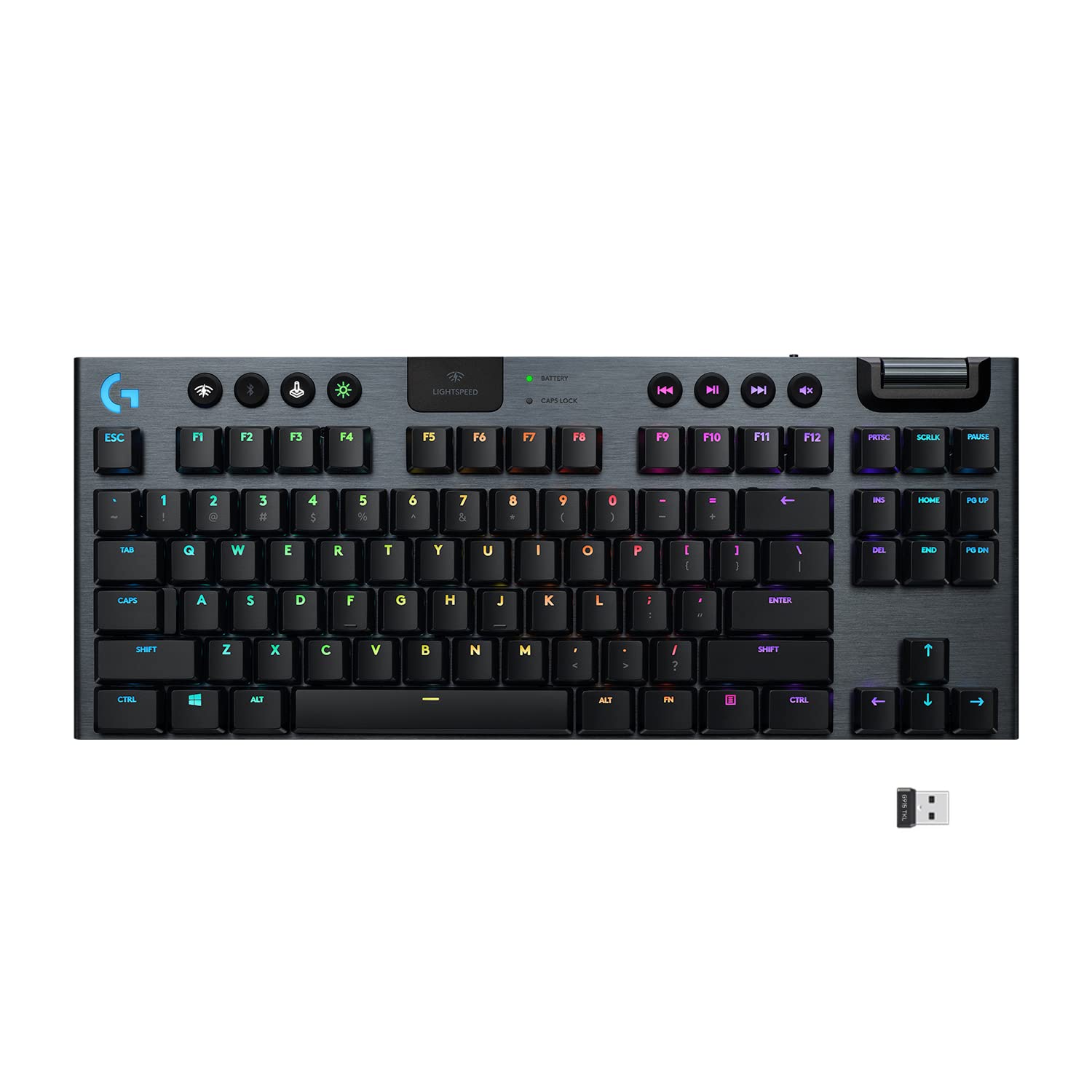
The Logitech G915 TKL is one of the quietest out-of-box mechanical keyboards available. Its ultra-thin GL switches have a dramatically shorter actuation path than standard switches — less travel means less noise on every keystroke. The GL Tactile and GL Linear variants are both whisper-quiet, making this a standout choice for shared workspaces. LIGHTSPEED wireless, Bluetooth, a 40-hour battery, and LIGHTSYNC RGB round out a feature set that few keyboards at this tier can match.
Pros: Exceptionally quiet GL switches, dual wireless modes, slim low-profile design, premium build Cons: Proprietary switch design limits modding, no hot-swap sockets
WOBKEY Rainy 75
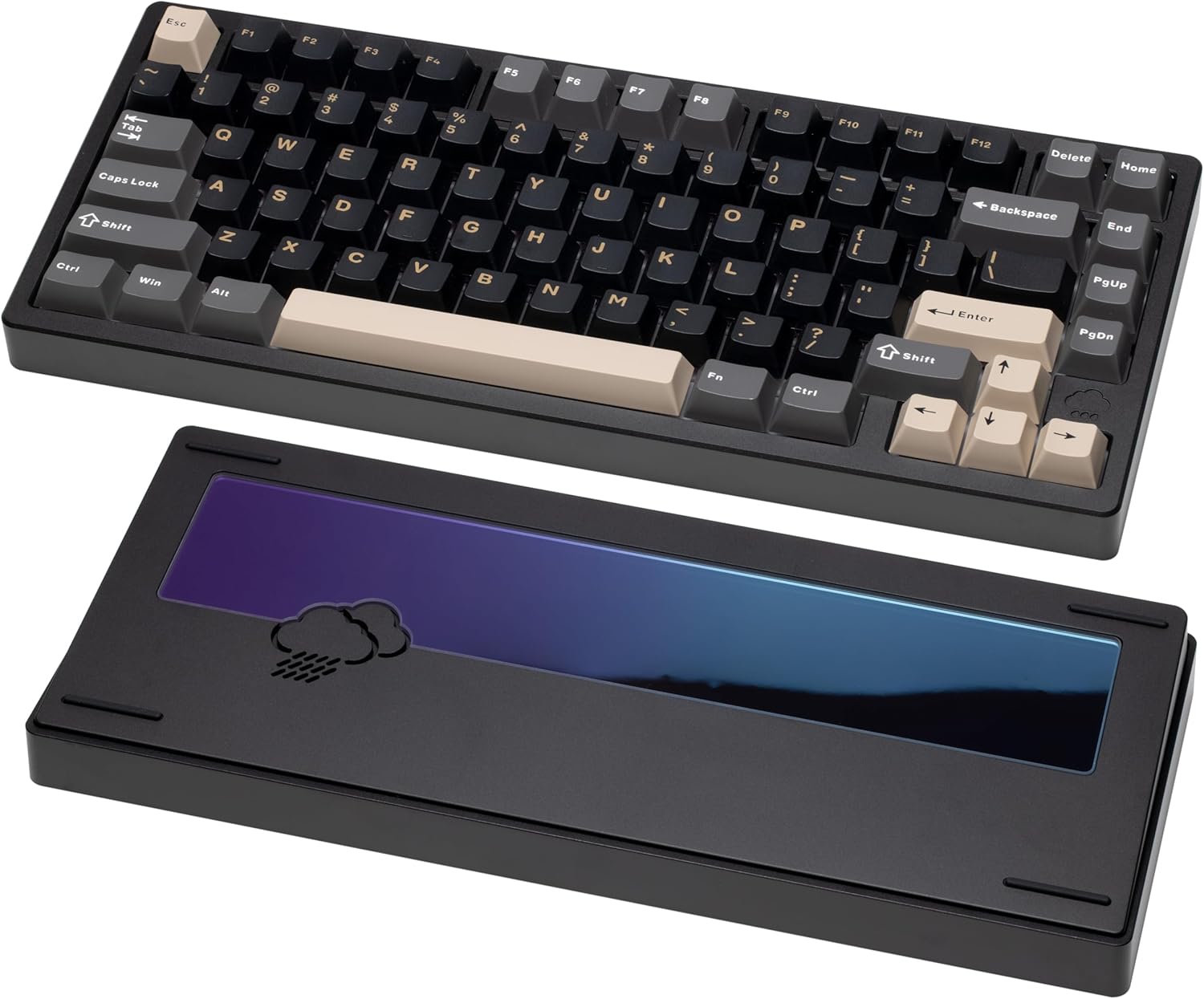
The WOBKEY Rainy 75 is built from the ground up for a quiet, premium typing experience. Its five-layer acoustic dampening system — combining foam, silicone, and a gasket-mounted PCB — absorbs sound at every level of the build. The result is a keyboard that types noticeably quieter and more cushioned than most competitors in its price range. A solid aluminum case, south-facing RGB, and tri-mode wireless connectivity (USB-C, Bluetooth, 2.4 GHz) make this a well-rounded choice for enthusiasts who want quiet without sacrificing build quality.
Pros: Five-layer dampening, gasket mount, aluminum case, tri-mode wireless Cons: Heavier than plastic-case competitors, no dedicated volume knob
YUNZII Y68 Wireless 65%
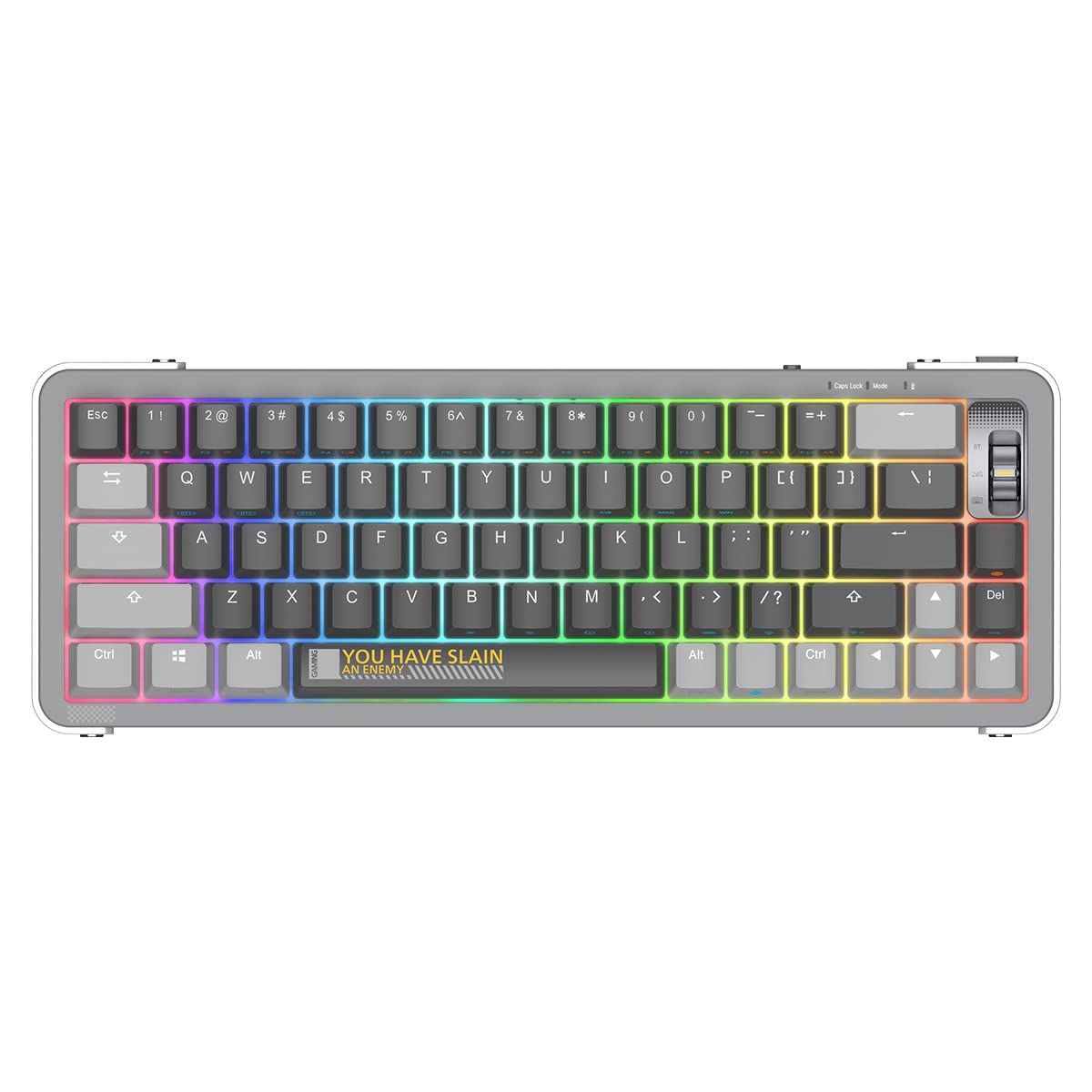
The YUNZII Y68 is a compact 65% keyboard with a hot-swappable PCB — which makes it a strong platform for quiet mechanical typing. Drop in a set of Gateron Silent Yellow or Durock Dolphin switches and this keyboard becomes genuinely office-friendly without any soldering. Tri-mode wireless connectivity and per-key RGB are included at a price that's hard to argue with. If you're willing to swap the stock switches, the Y68 delivers excellent value for a quiet desk setup.
Pros: Hot-swappable PCB, tri-mode wireless, compact 65% layout, RGB backlight, affordable Cons: Stock switches are not silent — a swap is recommended for quietest results
YUNZII C68 Wireless 65%
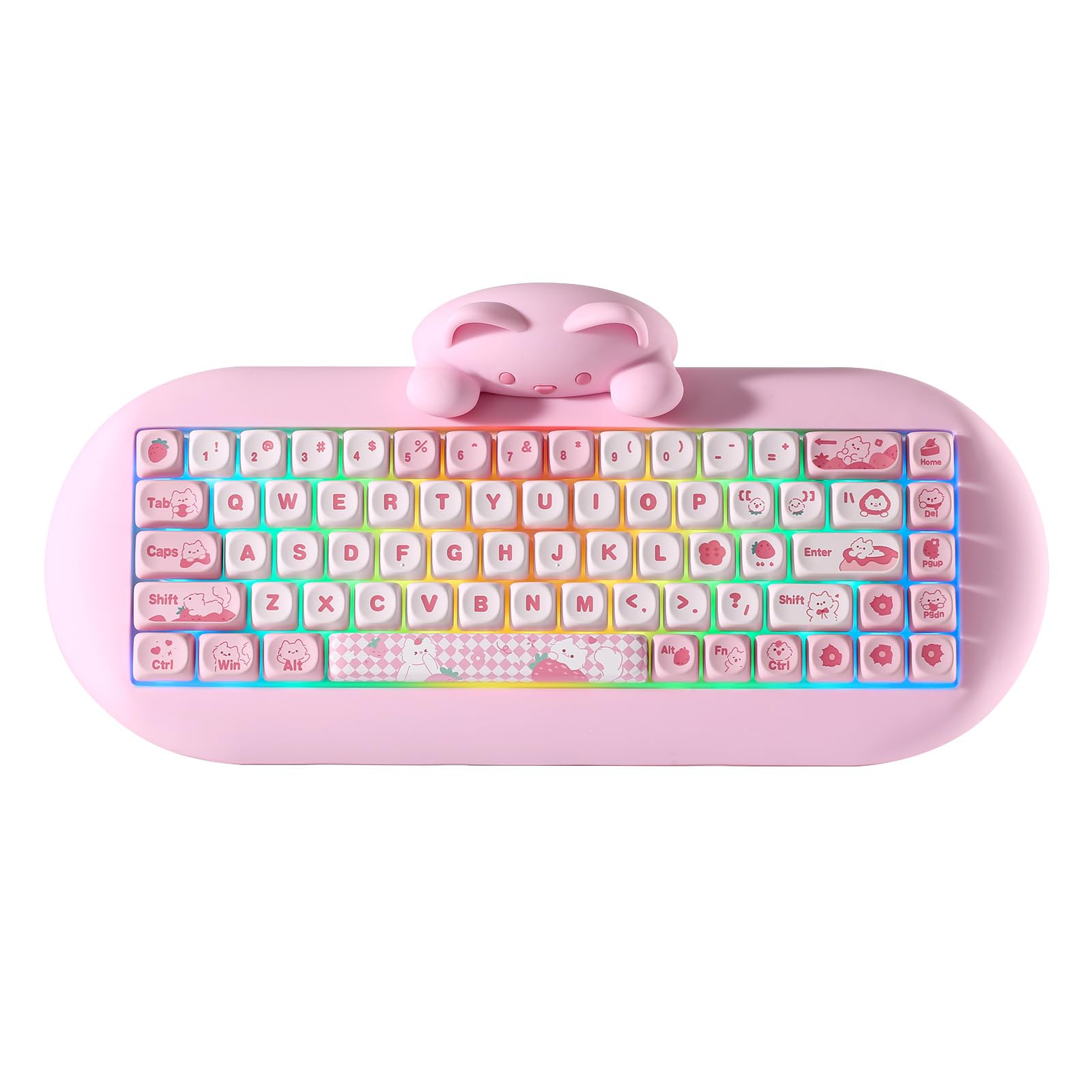
The YUNZII C68 shares the same hot-swap versatility as the Y68 in a slightly different package, with a cat-themed aesthetic and triple-mode connectivity (Bluetooth 5.0, 2.4 GHz, and USB-C wired). Like its sibling, its real advantage for quiet typists is the ability to install dedicated silent switches without soldering. The RGB shines brightly through south-facing LEDs, and the overall value-to-feature ratio makes it a consistent bestseller for users building a quiet, aesthetic desk setup on a budget.
Pros: Hot-swappable, three wireless modes, RGB, cute aesthetic, great price Cons: Plastic case resonates more than aluminum, stock switches are not silent
Logitech MX Mechanical Mini Wireless
Designed with the professional office environment in mind, the Logitech MX Mechanical Mini is a compact wireless keyboard that connects to up to three devices simultaneously via Bluetooth and switches between them with a single keypress. It uses Kailh switches and a minimalist design that integrates cleanly into productivity setups. While not as whisper-quiet as the G915, it's a significant step down in volume from clicky switches and pairs naturally with the broader MX ecosystem of mice and accessories.
Pros: Multi-device Bluetooth, compact professional design, comfortable keycap profile, long battery life Cons: No hot-swap, switches can't be changed, pricier than similarly spec'd competitors
Keychron Q4 Pro
The Keychron Q4 Pro is the enthusiast pick on this list — a 60% wireless keyboard machined from CNC aluminum with a hot-swap PCB, pre-installed sound dampening foam, and full QMK/VIA firmware support. It ships with Gateron G Pro switches that are solid but not silent; the hot-swap sockets mean you can install any silent switch you prefer later. The aluminum case and gasket-adjacent mounting give it a dense, resonance-free typing feel that makes every keystroke sound controlled and deliberate. If you want a quiet mechanical keyboard you can refine and customize over time, this is the build to start with.
Pros: CNC aluminum build, hot-swap, QMK/VIA firmware, wireless, internal foam dampening Cons: 60% layout removes dedicated arrow keys, higher price point for the category
Higround Crystal Opal Basecamp 65%
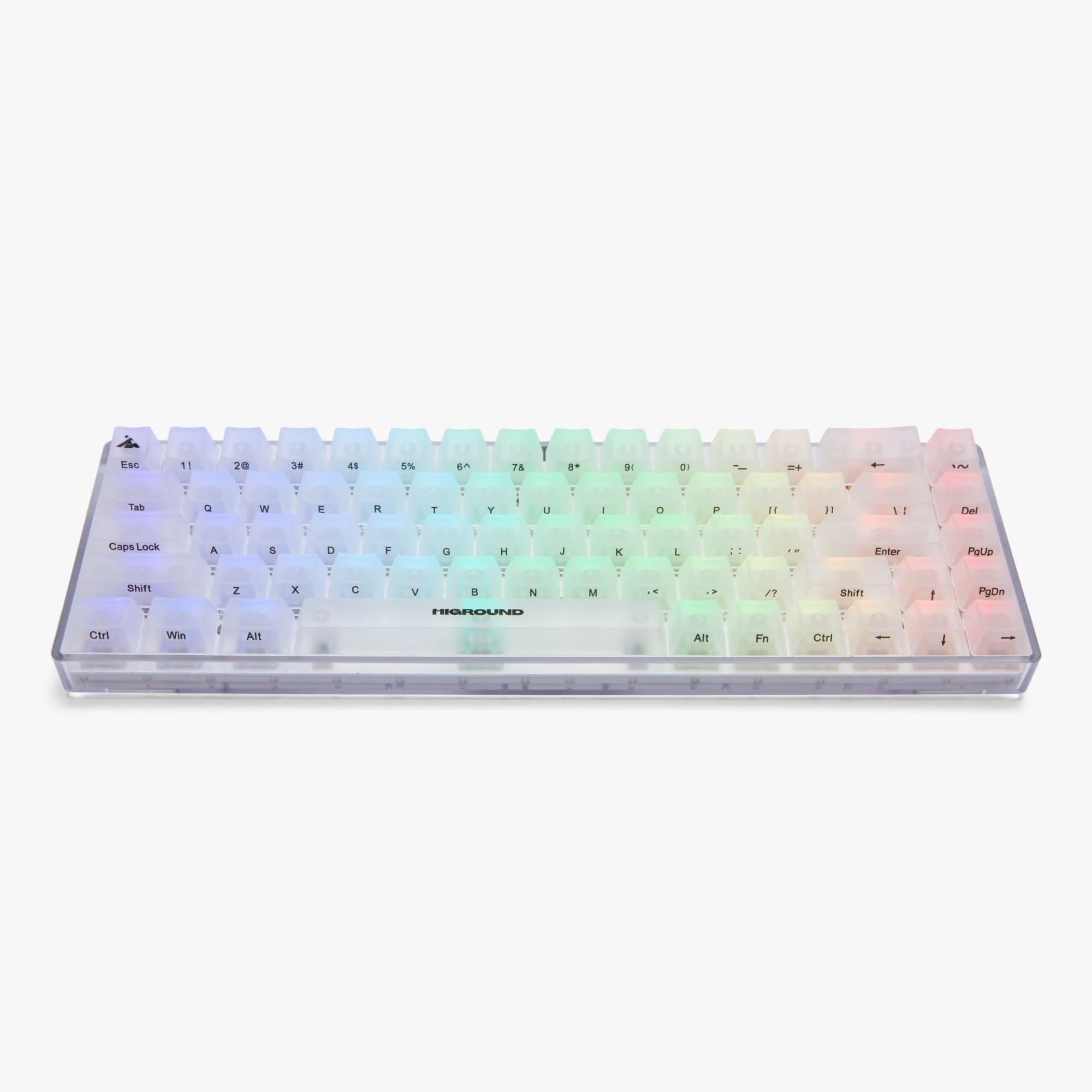
The Higround Crystal Opal Basecamp is the rare gaming 65% that ships with silent switches already installed: Higround's Silent Glacier switches. That makes it one of the quietest compact keyboards you can buy without swapping anything, and its design-forward look stands apart from typical gaming brands.
Pros: Silent switches out of the box, compact 65% layout with arrows, distinctive aesthetic Cons: Fewer customization options than a hot-swap enthusiast board
AULA F99
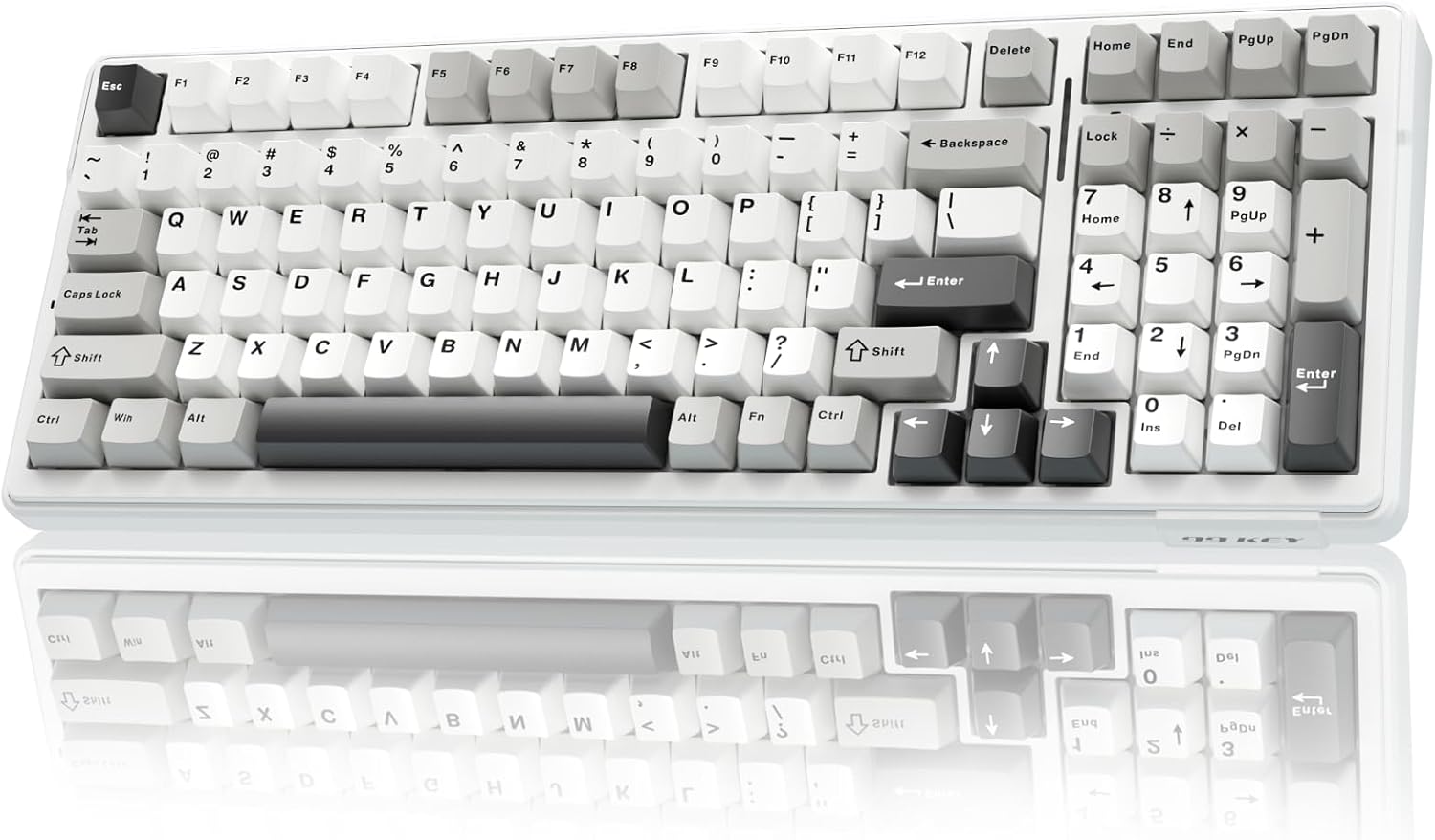
The AULA F99 is the pick if you need a numpad. It is a 96% board with five-layer sound dampening, tri-mode wireless and hot-swap sockets. It is not silent on its own, but the dampened case makes it noticeably quieter than typical prebuilts in its price range, and the hot-swap sockets let you finish the job with silent switches.
Pros: Keeps the numpad, five-layer dampening, tri-mode wireless, hot-swappable Cons: Stock switches are not silent; larger footprint than the 65% picks
Redragon K631 Gery 65%
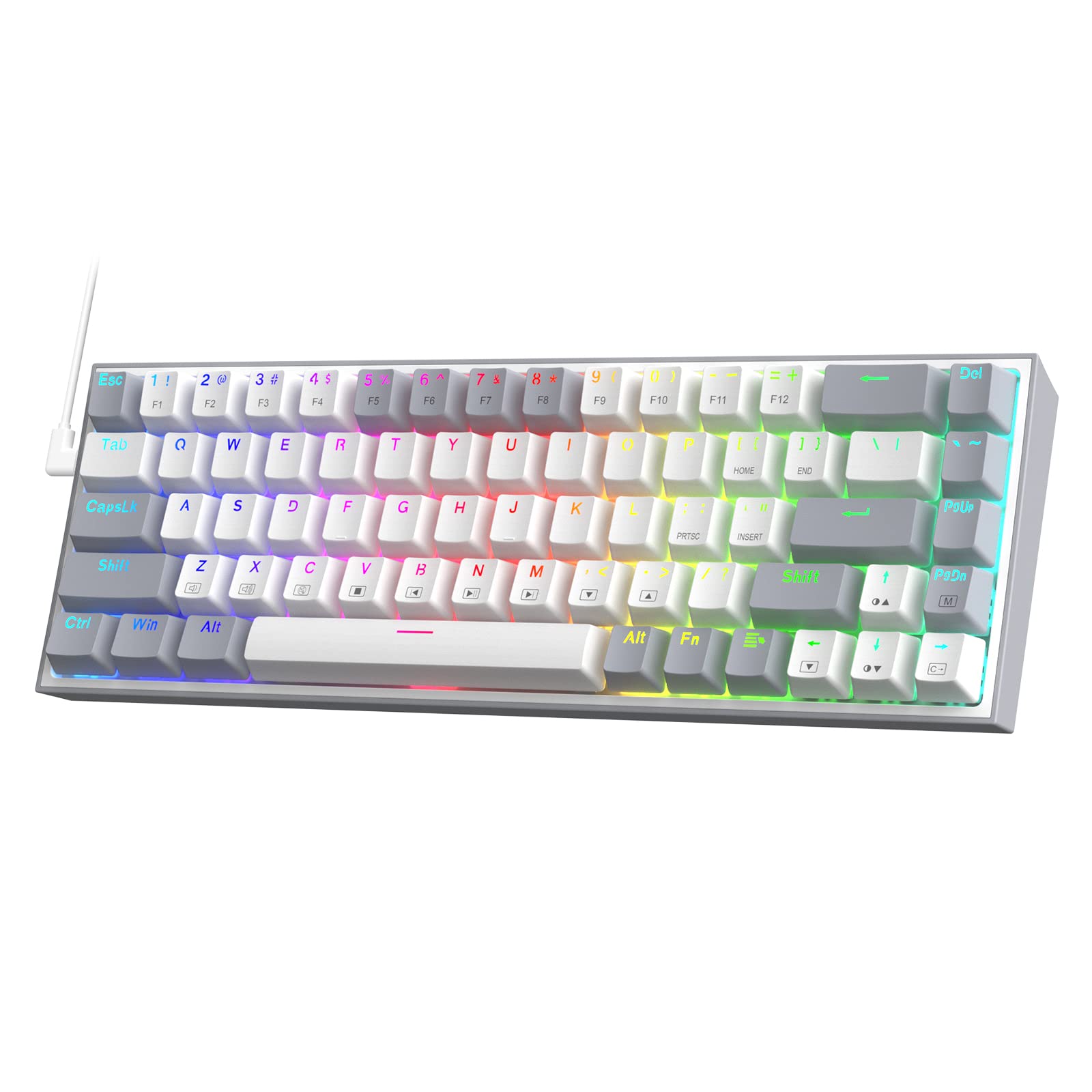
The Redragon K631 Gery is the budget route to a quiet board. It is a wired 65% with hot-swap sockets and arrow keys, so a set of silent linear switches turns it into a genuinely quiet daily driver for very little money.
Pros: Very affordable, hot-swap sockets for silent switch upgrades, 65% layout with arrows Cons: Wired only, basic build quality, stock switches are not silent
What to Look for in a Quiet Mechanical Keyboard
Silent switches vs. quieter switches: True silent switches have rubber dampeners built into the stem — they're measurably quieter than standard linear or tactile switches. Regular linear switches (Cherry MX Red, Gateron Yellow) are smoother than clicky switches but still produce audible sound at the desk.
Hot-swap compatibility: If a keyboard doesn't come with silent switches pre-installed, hot-swap sockets let you add them later without any soldering. The YUNZII boards and Keychron Q4 Pro on this list are all hot-swappable, giving you flexibility to upgrade over time.
Size and layout: Compact 60%–75% keyboards often sound quieter than full-size boards because there's less case surface area to resonate. A smaller footprint also fits more naturally on tight office desks.
Case and mounting: An aluminum case with internal foam significantly outperforms a hollow plastic shell. Gasket mounting adds a layer of isolation between the PCB and case that reduces the percussive impact of each keystroke reaching the desk. Polycarbonate cases tend to sound softer; aluminum can ring slightly unless it is paired with gasket mounting and foam.
Wireless vs. wired: A minor factor, but a wireless board removes cable rattle, which is a real (if small) source of noise.
Silent Switch Recommendations
If you're using a hot-swappable keyboard and want the quietest possible result, these switch families are worth considering:
- Gateron Silent Yellow / Silent Red — factory-lubed, widely available, budget-friendly, great for offices
- Boba U4 — silent tactile with a round, satisfying bump; popular among typists who want feedback without noise
- Durock Dolphins — a highly regarded smooth silent linear with excellent factory lubrication
- Cherry MX Silent Red — the reliable office standard; widely compatible and easy to find
- Gateron INK V2 Silent Black — the silent version of the INK V2 Black linear, keeping its 60cN force and 4.0mm travel while damping bottom-out and return noise
Pairing any hot-swappable keyboard on this list with a dedicated silent switch is the most effective way to achieve genuinely office-safe quietness without compromising the mechanical feel. Our silent keyboard switches guide compares them in more depth.
How to Make Any Mechanical Keyboard Quieter
Already own a keyboard? You can cut typing noise without replacing the whole board:
- Swap to silent switches — hot-swappable boards like the YUNZII, AULA and Redragon picks above take silent switches without soldering
- Add o-rings — small rubber rings installed under the keycaps cushion the bottom-out sound
- Install foam — case foam or switch pads placed on the PCB or inside the case cut hollow resonance
- Use a desk mat — a large cloth mat under the keyboard absorbs sound that would otherwise bounce off your desk
Find Your Quiet Build
A quiet mechanical keyboard doesn't mean settling for a lesser typing experience — it means matching the right switch and case to your environment. The Logitech G915 TKL is the easiest out-of-box option, while the Keychron Q4 Pro and the WOBKEY Rainy 75 reward anyone willing to invest a little more in build quality. If you need a numpad, the AULA F99 is the quietest-leaning full layout here, and the Higround Crystal Opal is the quietest compact board straight out of the box. For more switch options to pair with any of these boards, see our guide to best linear switches, or explore hot-swappable keyboards with tri-mode connectivity for more flexible wireless picks.