A hot swappable mechanical keyboard lets you pull out switches and press in new ones in seconds — no soldering iron, no desoldering wick, no ruined PCB traces. Whether you're building your first custom or upgrading a work setup, hot-swap sockets give you the freedom to dial in typing feel over time as your preferences evolve. These seven picks cover every layout from compact 60% to full-size 100%, across a range of budgets and case materials.
What Makes a Keyboard Hot-Swappable?
Hot-swap sockets grip switch pins mechanically rather than soldering them to the PCB, so any compatible switch can be removed with a switch puller in under a minute. Most budget boards support 3-pin (PCB-mount) switches; the better ones accept both 3-pin and 5-pin (plate-mount) options, which matters when you start exploring premium switch options. Hall Effect keyboards like the Keychron K2 HE use magnetic switches and are technically hot-swappable only within that switch family.
Best Hot Swappable Mechanical Keyboards
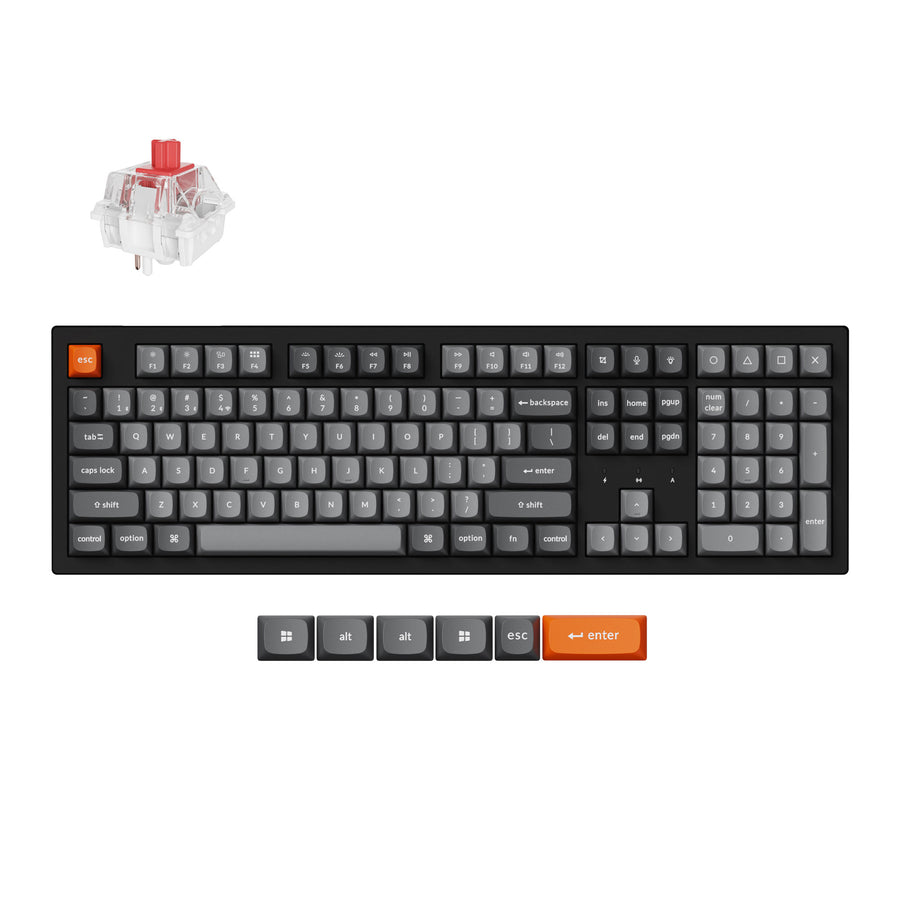
Keychron K10 Max
The Keychron K10 Max is the pick if you need a numpad. It is a full-size 100% layout, so spreadsheets and data entry don't need a separate number pad on the desk. The hot-swappable versions accept any normal-profile MX switch, QMK/VIA handles remapping, and it connects over 2.4 GHz, Bluetooth, or a cable. Windows and macOS keycaps come in the box.
Pros:
- Full-size layout with a dedicated numpad
- Hot-swap sockets for normal-profile MX switches
- Tri-mode: 2.4 GHz, Bluetooth, and wired
- QMK/VIA programmability, Mac and Windows keycaps included
Cons:
- Takes the most desk space of any board here
- Only the "Hot-Swappable" versions have swappable sockets, so check the variant before you order
Keychron K2 HE
The Keychron K2 HE pairs hot-swap convenience with Hall Effect magnetic switches, letting you dial actuation from a hair-trigger 0.1 mm all the way to a deliberate 4.0 mm. The 75% layout keeps arrow keys and a function row, and tri-mode wireless (2.4 GHz + Bluetooth 5.1 + USB-C) covers every connection scenario.
Pros:
- Adjustable actuation from 0.1–4.0 mm per key
- 4000 mAh battery for weeks of wireless use
- Tri-mode connectivity
- QMK/VIA programmable
Cons:
- Hall Effect switch pool is smaller than MX-compatible options
- Not compatible with standard MX switches
Keychron K3 Max
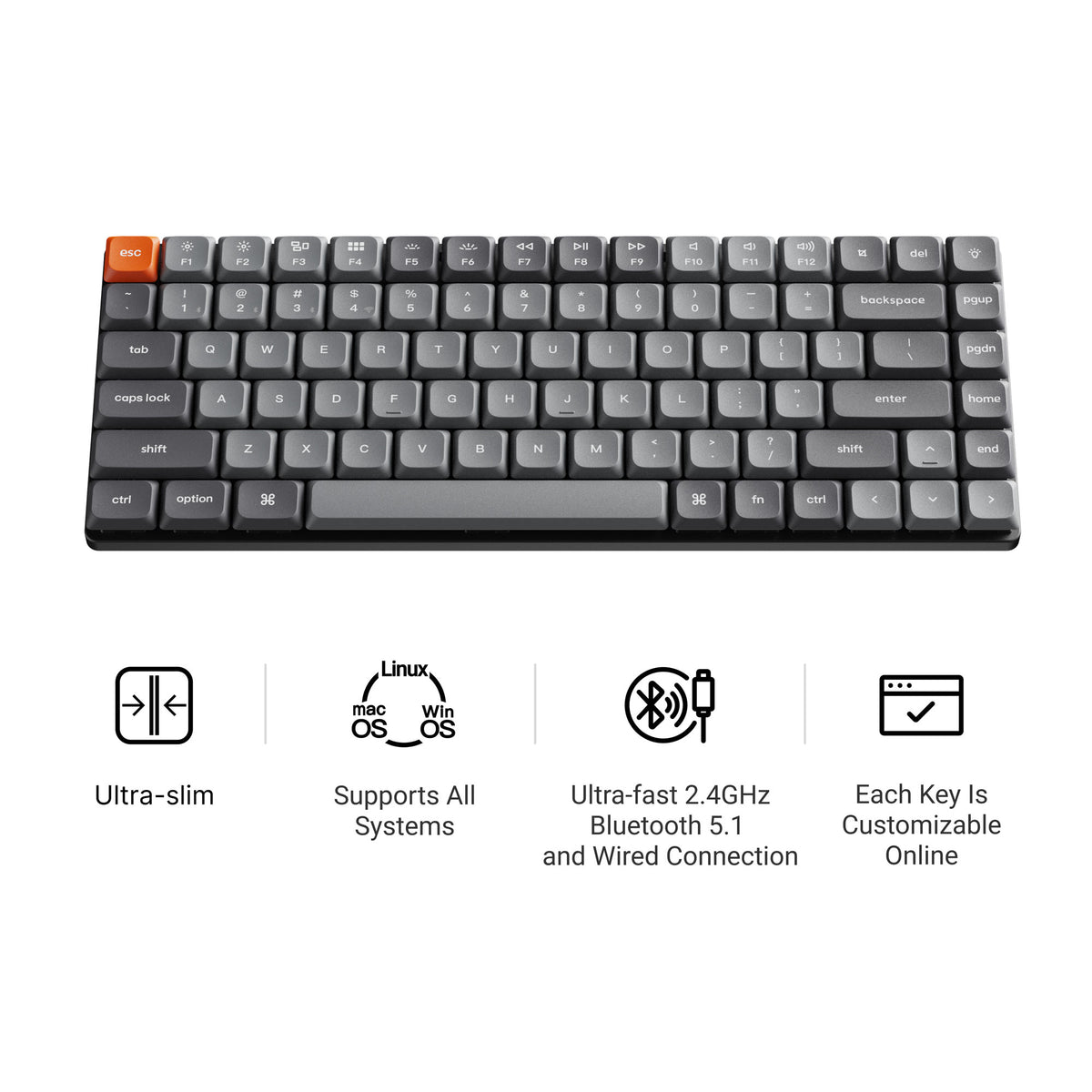
The Keychron K3 Max delivers a hot-swappable wireless keyboard in a slim, low-profile package — a strong pick for minimalist desks, MacBook pairing, or anyone who spends hours traveling with their board. QMK/VIA support and 2.4 GHz + Bluetooth 5.1 dual wireless round out a surprisingly feature-rich spec sheet for the price.
Pros:
- Low-profile design, easy to carry and use on a laptop stand
- Wireless with 2.4 GHz dongle and Bluetooth 5.1
- QMK/VIA for full remapping
- Hot-swap sockets for low-profile switches
Cons:
- Low-profile MX switch selection is narrower than full-height
- Not as acoustically rich as thicker aluminum builds
GMK67 65% Tri-Mode Kit
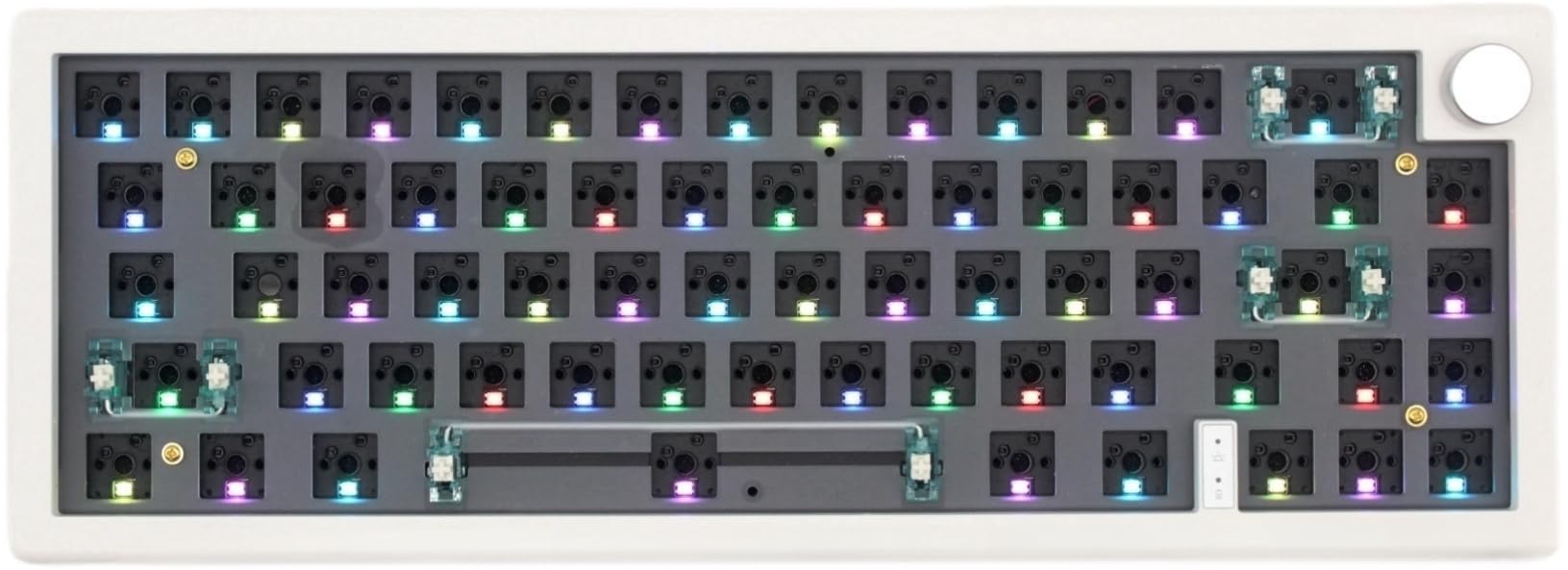
The GMK67 is one of the best value hot swap keyboard kits available: gasket mount, south-facing RGB, tri-mode wireless, and a 65% layout all at a budget-friendly price. It ships as a kit, so you choose your own switches and keycaps — a perfect starting point for building your first custom without overcommitting on budget.
Pros:
- Gasket mount delivers much better sound than typical budget boards
- Tri-mode wireless (2.4 GHz, Bluetooth, USB-C)
- South-facing RGB for even, per-key lighting
- Affordable entry point into the custom keyboard hobby
Cons:
- 65% layout drops the function row
- Build refinement falls short of aluminum Keychron boards
WhiteFox Eclipse (Aluminum Low Profile)
The WhiteFox Eclipse takes the same 65% hot-swap idea and puts it in a CNC aluminum case instead of plastic, in a choice of two heights. The Low Profile version keeps a flatter typing angle; the case itself is where this one earns its price over the GMK67 and Redragon-tier kits — real aluminum instead of plastic, at a discount that regularly runs during Apos sales.
Pros:
- CNC aluminum case, not plastic
- 65% hot-swap layout
- Frequently discounted well below list price
- A step up in build quality from budget hot-swap kits
Cons:
- Costs more than plastic-case 65% boards even on sale
- Also sold in a High Profile case — check which height you're buying

Keychron Q4 Pro
The Keychron Q4 Pro packs a fully-featured hot-swappable PCB into a minimal 60% body — CNC aluminum, gasket mount, wireless QMK/VIA, and both 3-pin and 5-pin switch support. It's one of the most capable small keyboards available, suited for gamers who want maximum mouse space or desk setups where every centimeter counts.
Pros:
- Aluminum gasket mount build with excellent acoustics
- Wireless QMK/VIA (2.4 GHz + Bluetooth)
- 3-pin and 5-pin hot-swap compatibility
- Very compact 60% footprint
Cons:
- No dedicated arrow keys or F-row — requires layer-switching
- Barebone version needs separate switches and keycaps
Keychron Q4 Pro
Keychron V1 Max
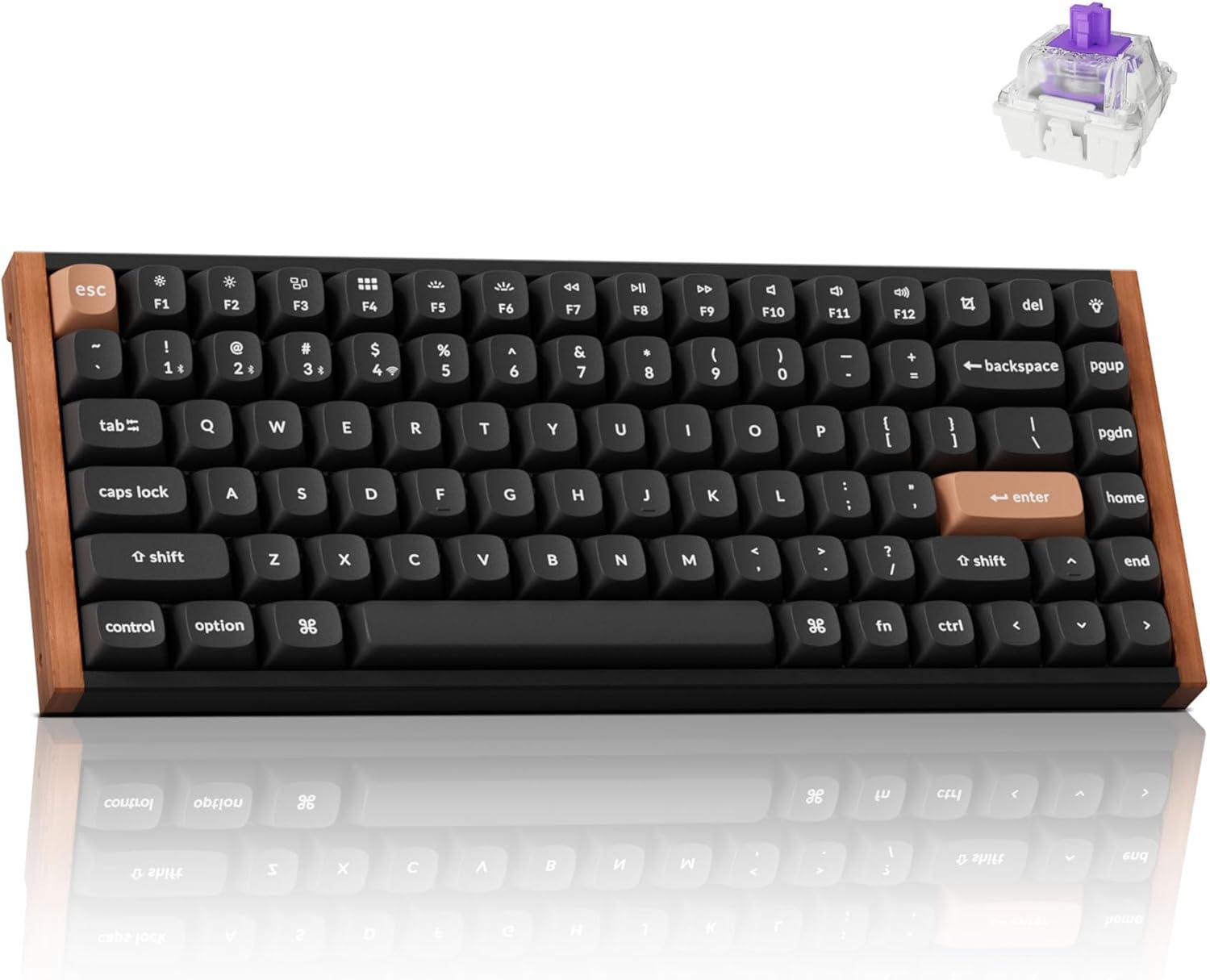
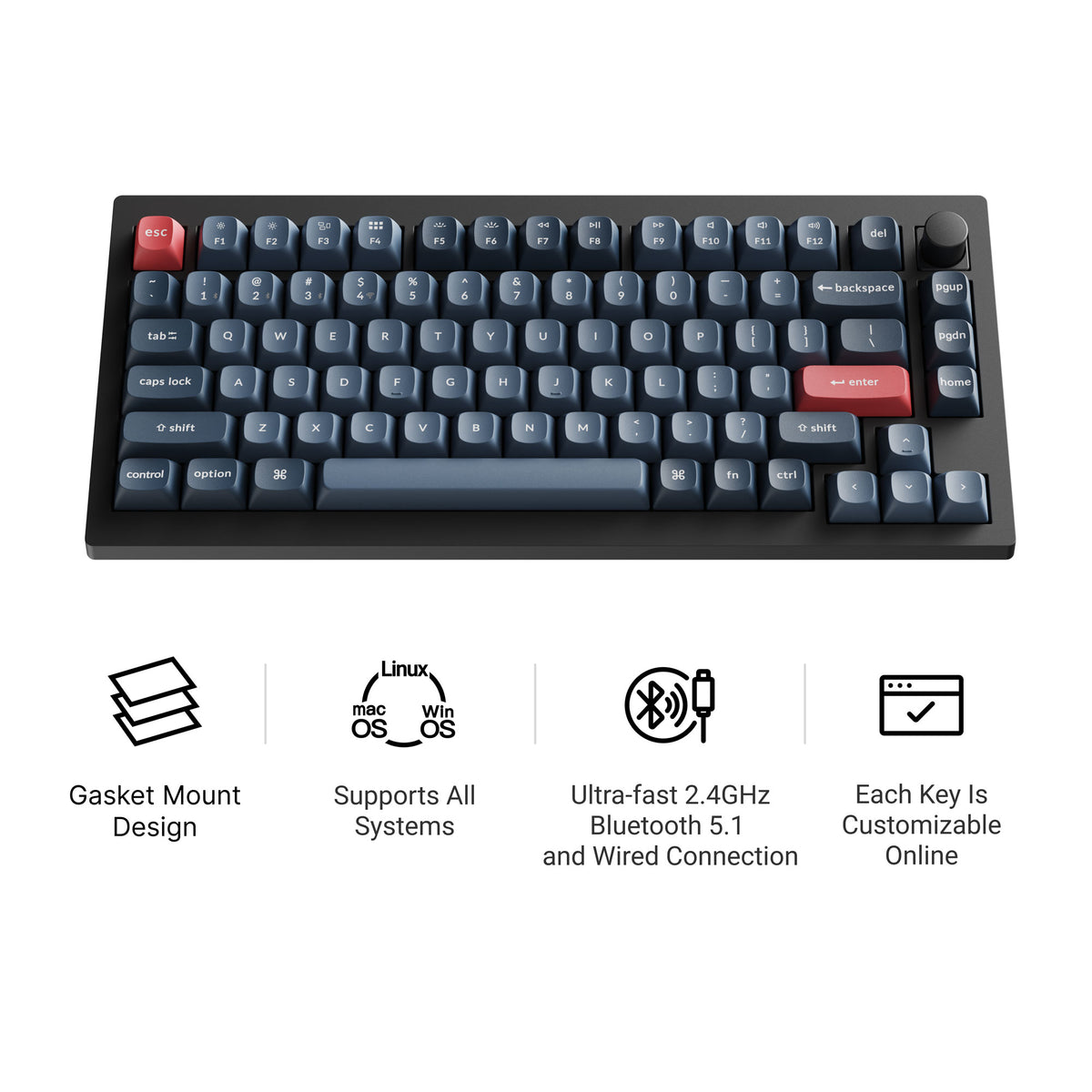
The Keychron V1 Max puts a rotary knob on a 75% hot-swap board — useful for volume, brush size in Photoshop, or any macro you want at a spin. It uses a double-gasket design, ships with factory pre-lubed switches and screw-in stabilizers, and connects over 2.4 GHz, Bluetooth, or a cable. QMK/VIA makes it easy to remap once you've installed your preferred switches. Our Keychron V1 Max guide goes deeper.
Pros:
- Rotary knob for quick macro/volume/media control
- Double-gasket design with pre-lubed switches and screw-in stabilizers
- Tri-mode: 2.4 GHz, Bluetooth, and wired
- Full QMK/VIA programmability
Cons:
- Plastic case, not aluminum
- Fewer colourway and switch combinations in stock than most boards here
What to Look For When Buying
3-pin vs 5-pin support — Boards that accept both formats give you access to more switches. Budget boards are often 3-pin only; the Keychron Q series handles both.
Layout size — 60% (Q4 Pro) maximizes desk space; 65% (GMK67) adds arrow keys; 75% (K2 HE, K3 Max, V1 Max) includes a function row; full-size (K10 Max) keeps the numpad. Pick the smallest layout that still covers everything you need daily.
Wireless vs wired — Wireless adds flexibility and a cable-free desk at the cost of charging and (slightly) higher latency. The K2 HE, K3 Max, Q4 Pro, GMK67, K10 Max, and V1 Max all go wireless.
Gasket vs top/tray mount — Gasket-mounted boards have a layer of silicone between the plate and case that absorbs keystroke impact, producing a softer, less hollow sound. If acoustics matter, prioritize gasket-mount options like the Q series and GMK67.
Frequently Asked Questions
Do hot-swap keyboards work with all switches? Most hot-swap PCBs support MX-compatible switches from Cherry, Gateron, Kailh, and others. Hall Effect boards like the K2 HE only work with HE switches. Always verify compatibility before ordering a new switch pack.
Is swapping switches difficult? Not at all. A basic switch puller (usually included or under $10) clips onto each switch, you squeeze the two retention clips, and pull straight up. A full keyboard takes 15–30 minutes. No tools, no heat, no risk.
Does hot-swap affect typing feel vs soldered? Modern hot-swap sockets add negligible wobble, especially on gasket-mount boards. The trade-off — nearly zero — is well worth the flexibility you gain.
Start Customizing Without the Learning Curve
A hot swappable mechanical keyboard removes the biggest barrier to switch experimentation: soldering. Pick a layout you'll use every day, start with a well-reviewed linear or tactile switch, and swap your way to the perfect feel from there. If you're still deciding which switches to try first, check out our roundup of best creamy keyboard switches for smooth, satisfying linear options, or our guide to best quiet mechanical keyboards if noise is a priority.