Knowing how to remove keyboard switches is the first skill you need for any mechanical keyboard mod — whether you want to swap in new switches, lube what you have, or fix a broken key. The process is quick on a hot-swap board and takes a bit more patience on a soldered one.
Hot-Swap vs. Soldered: Know Your Board First
Before touching anything, figure out whether your keyboard is hot-swappable or soldered.
- Hot-swap keyboards hold switches in sockets that grip the switch pins. You can pop switches in and out without any tools beyond a switch puller.
- Soldered keyboards have switches attached directly to the PCB with solder. You'll need a soldering iron and desoldering pump (or wick) to remove them.
Check your keyboard's product listing or specs page if you're unsure. Most modern budget and enthusiast boards advertise hot-swap capability prominently. Popular brands like Keychron, EPOMAKER, Redragon, and GMK67 all offer hot-swap models as standard.
What You Need to Remove Keyboard Switches
For a hot-swap board:
- A switch puller (usually included in the box; a $5–$10 purchase otherwise)
- A keycap puller (to clear keycaps before reaching the switch)
- A silicone work mat to protect your desk and catch small parts
For a soldered board, add:
- A temperature-controlled soldering iron (set around 300–350°C)
- Desoldering pump or desoldering wick
- Flux (optional but helpful for stubborn joints)
Keycap Puller and Brushes
You need to remove keycaps before you can reach the switches — a dedicated wire keycap puller does this safely without cracking the cap stems. This set includes a stainless steel puller and a cleaning brush for the PCB once switches are out.
Pros: Affordable, gentle on keycap stems, cleaning brush included Cons: Switch puller may not be included — check the listing
Keycap Puller and Brushes
How to Remove Switches from a Hot-Swap Keyboard
Step 1: Unplug the keyboard. Always start with the keyboard disconnected from your PC.
Step 2: Remove the keycaps. Use a wire keycap puller — hook it under the keycap and pull straight up. Never use a screwdriver or flat tool, which risks cracking the cap or snapping the stem. See the full keycap puller guide if you want the step-by-step for the stabilized keys.
Step 3: Place the keyboard on a flat surface. A silicone mat keeps the board from sliding and gives you a clean space to set parts.
Step 4: Position the switch puller. Clip the puller's two prongs around the top and bottom of the switch housing, compressing the small locking tabs on each side.
Step 5: Pull straight up with steady, even pressure. Do not twist or rock side to side. If the switch resists, check that both tabs are fully compressed before pulling harder.
Step 6: Set switches aside in order if you plan to reuse them. Laying them out in a grid matching your keyboard makes reassembly faster.
The most common mistake is pulling at an angle, which bends the switch pins or cracks the hot-swap socket. Straight up, every time.
Silicone Work Mat
A silicone mat is the easiest upgrade to your modding workspace. It keeps your board stable, protects your desk from solder heat for soldered jobs, and gives you a clean spot to sort screws and switches without losing them.
Pros: Non-slip, heat-resistant, easy to wipe clean, inexpensive Cons: May be oversized for compact desks depending on which variant you pick
Silicone Work Mat (alternate)
How to Remove Soldered Keyboard Switches
Desoldering takes longer, but it's not as difficult as it looks once you've done a few switches.
Step 1: Remove keycaps and open the case. Most boards have screws under the keycaps or on the bottom panel. Keep screws sorted — a work mat or small cups help.
Step 2: Heat the solder joint. Place the soldering iron tip against one of the switch's two solder points on the back of the PCB. Hold it for 2–3 seconds until the solder melts.
Step 3: Remove the solder. While the joint is still liquid, press the desoldering pump tip against it and trigger the pump. Repeat for the second pin on the same switch.
Step 4: Lift the switch out. Once both pins are clear, the switch should come free with gentle upward pressure. If it sticks, reheat and try again — forcing it risks tearing a pad off the PCB, which is a harder repair.
Step 5: Inspect and clean the holes. Check each pad with a bright light. If solder remains in the hole, reheat and wick it out before installing new switches.
Large Silicone Tool Mat
For a full board desoldering job, a larger work surface is worth having. This mat gives you room for the keyboard, scattered switches, and your iron tools all at once without crowding.
Pros: Plenty of surface area, heat-safe, stays flat Cons: More than needed for single-switch jobs
Large Silicone Tool Mat
Can You Remove Switches Without a Switch Puller?
Yes — with care. Use two thin flathead screwdrivers (or butter knife tips) to compress the top and bottom tabs simultaneously while pulling up. The risk is scratching the switch housing or slipping and damaging the PCB. A dedicated switch puller costs $5–$10 and eliminates this risk entirely.
What to Install After Removing Your Switches
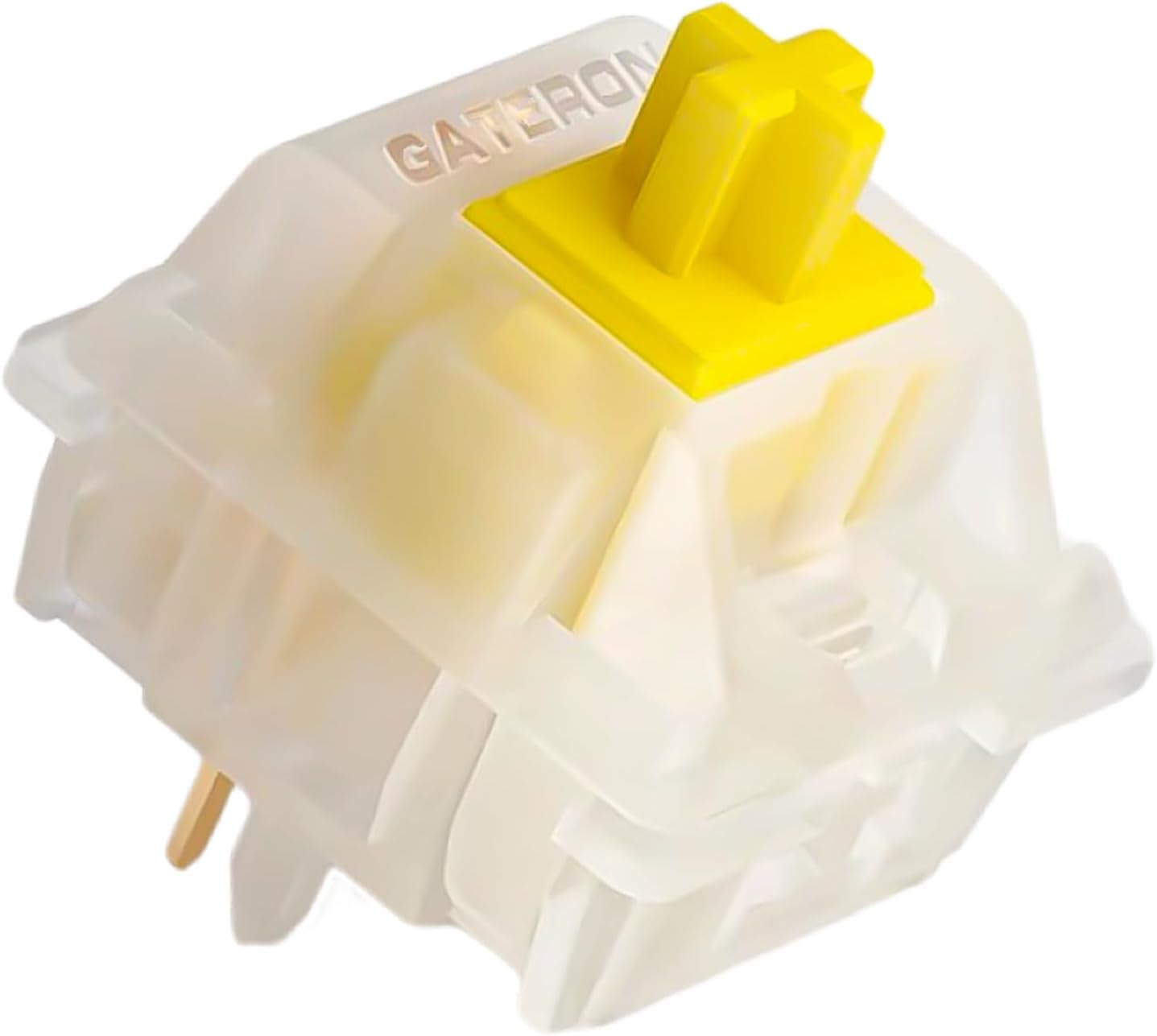
Once the board is clear, you have a blank canvas. Gateron Yellow switches are among the most recommended starting points for anyone trying linear switches — light 35g actuation, smooth travel, and a quiet sound profile that works well in shared spaces.
Gateron Yellow Switches
Gateron Yellows are the default recommendation for a first linear swap after removing stock switches. Light actuation, consistent feel across the keystroke, and budget-friendly pricing make them a low-risk way to try the linear category.
Pros: Very smooth for the price, widely available, 3-pin and 5-pin variants Cons: May feel too light for typists who prefer heavier switches
Tips for a Clean Switch Swap
- Work in good lighting. Bent pins are easy to miss on a dark PCB.
- Check pin count before buying replacements. Hot-swap sockets are either 3-pin or 5-pin. A 5-pin switch can be clipped down to 3-pin, but not the other way.
- Lube while you have switches out. If you plan to lube eventually, now is the time — it costs no extra disassembly. The switch lubing guide covers the opener, brushes and lube to use.
- Ground yourself. Touch a grounded metal surface before starting. Static discharge can damage PCB components, and the precaution takes two seconds.
If you're looking for a hot-swap board that makes switch removal as easy as possible, see our picks for the best hot swappable mechanical keyboards. Removing keyboard switches is one of the most satisfying upgrades you can make — once you've done it on a hot-swap board, the whole process takes under ten minutes.