If you want the satisfying feel of a mechanical keyboard without the towering height of a traditional board, a low profile mechanical keyboard is exactly what you're looking for. These slim boards use shorter switches with less travel distance — typically 2.5–3mm versus the 4mm of standard switches — giving you faster actuation, a flatter typing angle, and a desk setup that looks clean and minimal. The chassis is thinner too, so many people can type on a slim mechanical keyboard without a wrist rest.
Whether you're working in a quiet office, traveling between meetings, or just want something that sits closer to your desk surface, there's a low profile option here for you.
What Makes a Keyboard "Low Profile"?
Low profile keyboards use purpose-built switches that are shorter than standard Cherry MX-style switches. Brands like Keychron, NuPhy, Akko, and Logitech use their own low-profile switch variants to achieve that slim form factor without sacrificing the tactile or linear feel you'd expect from a mechanical keyboard.
The trade-off is real: keycap selection is narrower than for standard MX boards — standard-height sets won't fit, so you'll want a set made specifically for slim boards, like the ones in our low profile keycaps guide — and the switches themselves can feel different from what enthusiasts are used to. But for everyday typing and office use, the comfort and portability benefits are hard to beat.
Who Should Buy a Low Profile Mechanical Keyboard?
- Laptop users who want an upgrade — low profile keyboards feel familiar if you're used to notebook keys
- Office workers — slim boards sit flat on a desk and are much quieter than most standard mechanical switches
- Frequent travelers — thinner and lighter boards take up less space in a bag
- Mac users — the flat aesthetic pairs perfectly with Apple setups
If you're a dedicated enthusiast who prioritizes switch feel above everything else, you might prefer a standard-height board. But for most people who type a lot and want comfort, a low profile mechanical keyboard hits the sweet spot.
Best Low Profile Mechanical Keyboards
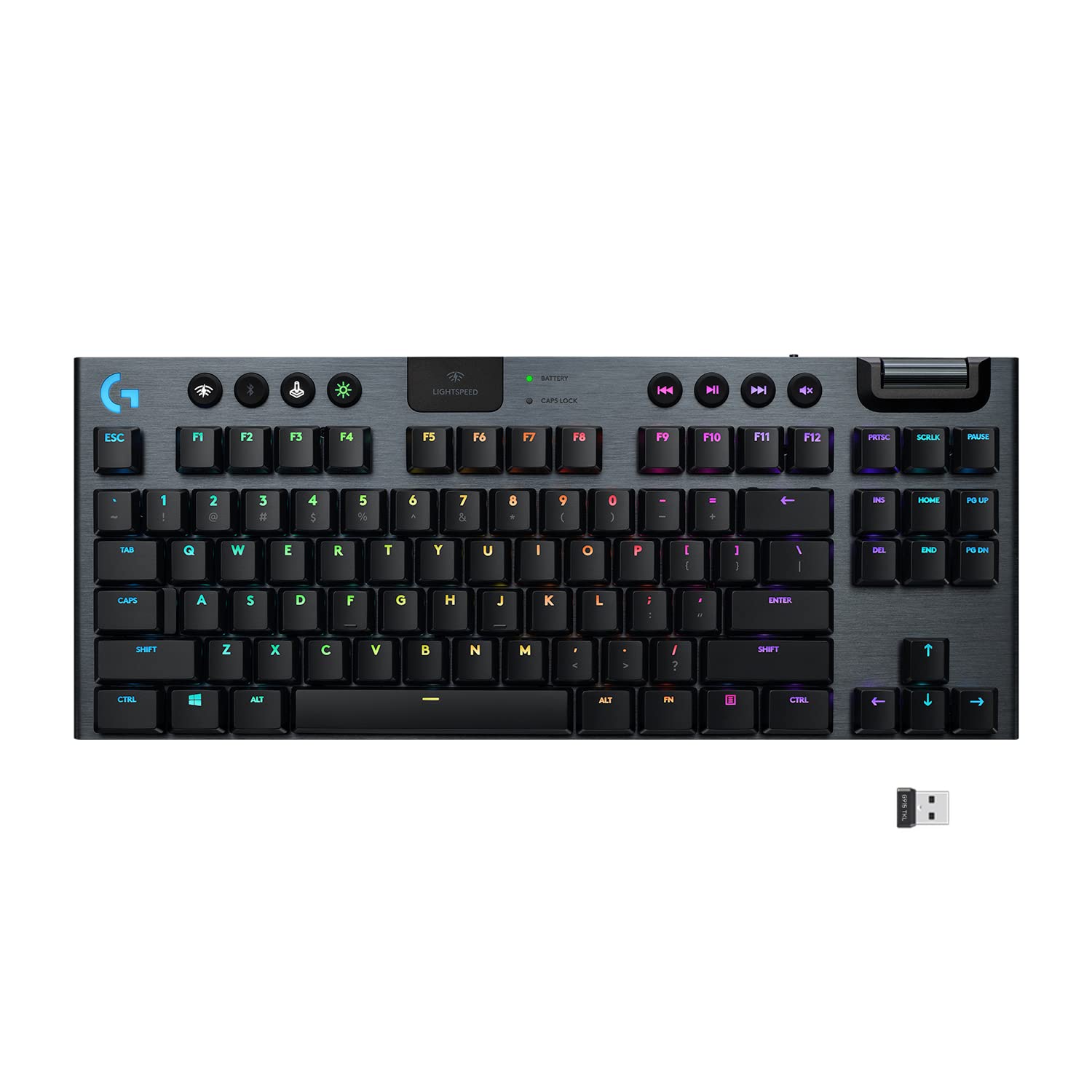
Logitech G915 TKL
The Logitech G915 TKL is the premium pick for anyone who wants a polished, wireless low profile mechanical keyboard with no compromises. It uses Logitech's proprietary GL switches — available in Linear, Tactile, and Clicky variants — which have a shorter 2.7mm travel and feel smooth and responsive right out of the box. LIGHTSPEED wireless delivers a lag-free connection with a single USB dongle, while Bluetooth is available for pairing with a second device.
The G915 TKL clocks in at just 17mm at its thinnest point and the aluminum-reinforced frame feels genuinely premium — this is not a budget board. At 40 hours of battery life with RGB on and up to 1000 hours with it off, it's also one of the most practical daily drivers in the low profile category.
Pros:
- LIGHTSPEED + Bluetooth dual wireless
- GL switches available in all three types
- LIGHTSYNC RGB with per-key lighting
- Aluminum top case feels solid and premium
Cons:
- No hot-swap support
- GL switches are proprietary — can't swap to third-party switches
- Higher price point
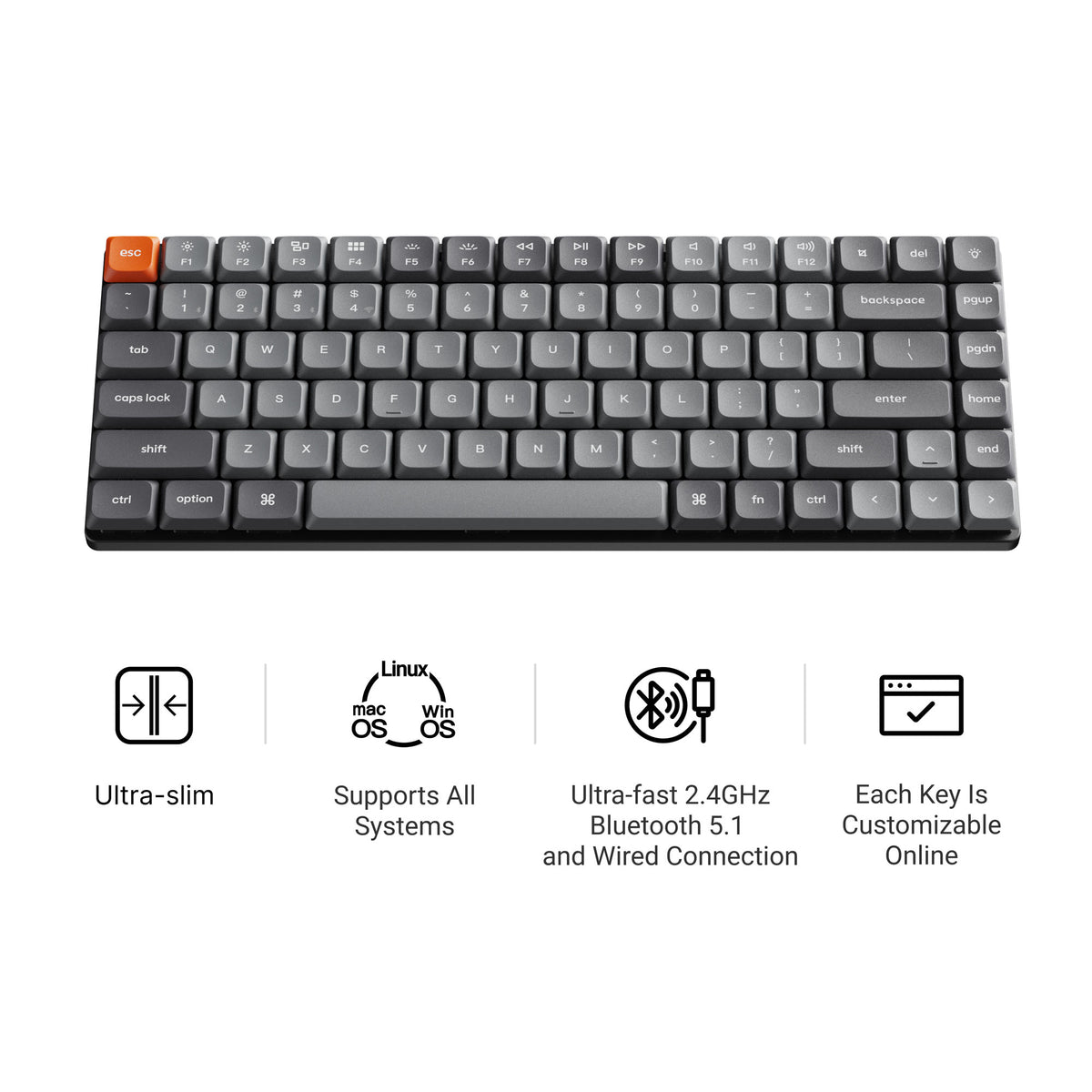
Keychron K3 Max
The Keychron K3 Max is the most well-rounded low profile mechanical keyboard for most people. It's a 75% layout — so you keep your function row and arrow keys — with hot-swappable low-profile Gateron or Keychron switches, triple connectivity (USB-C, 2.4GHz, Bluetooth 5.1), and full QMK/VIA firmware support for remapping every key.
Where the G915 TKL locks you into proprietary switches, the K3 Max lets you swap in any compatible low-profile switch whenever you want a change. It works natively with both Mac and Windows, and the aluminum frame keeps weight down while still feeling solid. For anyone coming from the Keychron ecosystem — or looking for their first serious mechanical keyboard — the K3 Max is an easy recommendation.
Pros:
- Hot-swappable low-profile switches
- QMK/VIA support for full remapping
- Tri-mode wireless (USB, 2.4GHz, BT 5.1)
- Mac and Windows compatible out of the box
Cons:
- Keychron-branded switches aren't as well-known as Cherry or Gateron full-size switches
- Keychron's site required for purchase (not always on Amazon)
NuPhy Air75 V2
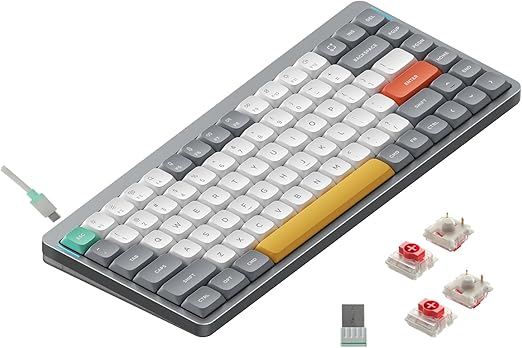
The NuPhy Air75 V2 has earned a loyal following for good reason: it packs gasket-mount construction, RGB backlighting, hot-swappable sockets, and tri-mode wireless into one of the most portable 75% boards on the market. The gasket mount is genuinely rare at this price point in the low profile category — it gives the board a slightly softer, less harsh typing sound compared to plate-mounted competitors.
Compatibility with Windows, Mac, and Linux is built in, and the compact 75% layout ensures you have a full number row and function row without any wasted desk space. For buyers who want a low profile mechanical keyboard that feels premium without paying Logitech G915 prices, the Air75 V2 is a strong value.
Pros:
- Gasket-mount design for improved sound
- Hot-swappable switches
- Tri-mode wireless (USB-C, 2.4GHz, BT)
- Cross-platform compatibility including Linux
Cons:
- NuPhy switches are less familiar to most buyers
- No QMK/VIA support
Akko Air 01
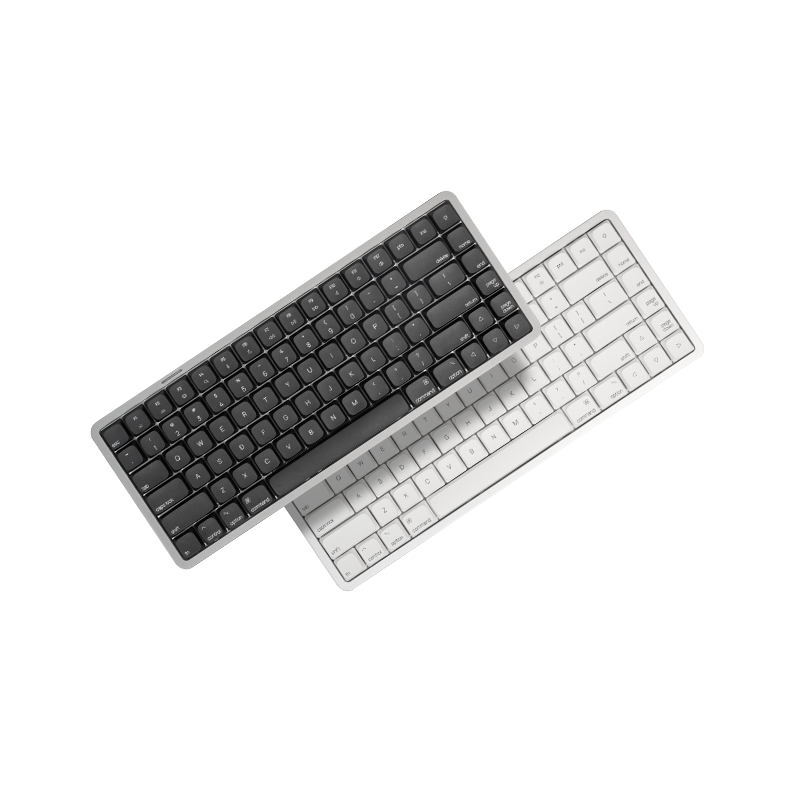
The Akko Air 01 is Akko's dedicated entry into the low profile mechanical keyboard space, and it makes an immediate impression with its CNC-machined aluminum case. The build quality here punches above its price point, and the tri-mode wireless (wired, 2.4GHz, Bluetooth) makes it easy to use with multiple devices. The flat, minimal look is especially at home on Mac-style desks.
For buyers who care about aesthetics as much as function, the Air 01's clean aluminum finish and slim profile deliver a premium look without the premium price of the G915 TKL. It's a solid alternative if you want something that looks like it belongs next to a MacBook.
Pros:
- CNC aluminum case with a premium feel
- Tri-mode wireless
- Slim, minimal aesthetic
- Competitive price for the build quality
Cons:
- Less community coverage and reviews compared to Keychron or Logitech
- Switch options are limited
Logitech MX Mechanical Mini
The Logitech MX Mechanical Mini is the office-first low profile pick. It pairs with up to three devices over Bluetooth and switches between them with one key, which matters more than hot-swap sockets or enthusiast tuning if you move between a laptop, a desktop and a tablet all day. It fits naturally into the rest of Logitech's MX lineup.
Pros:
- Multi-device Bluetooth switching
- Clean, professional design
- Low-profile mechanical feel suits laptop users
Cons:
- No hot-swap; switches can't be changed
- Less customizable than the Keychron or NuPhy picks
Logitech MX Mechanical Mini
WhiteFox Eclipse (Aluminum Low Profile Case)
The WhiteFox Eclipse takes a different route to a slim keyboard. Here the low profile is the case: it is the lower of the two CNC aluminum case heights WhiteFox offers for the Eclipse, on a 65% hot-swap layout. It suits enthusiasts who want a thinner, flatter board without committing to a proprietary low-profile switch ecosystem.
Pros:
- CNC aluminum case
- 65% hot-swap layout with arrow keys
- Enthusiast build from Apos Audio
Cons:
- Taller than the true low-profile-switch boards above
- 65% drops the function row

What to Look for in a Low Profile Mechanical Keyboard
Switch type — Low profile keyboards use proprietary switches, so once you choose a board, you're largely committed to that brand's switch ecosystem. The Keychron K3 Max and NuPhy Air75 V2 both support hot-swap, which gives you more flexibility.
Connectivity — Wireless boards in this category almost all support Bluetooth plus a faster 2.4GHz dongle option. If you need zero-latency wireless, LIGHTSPEED on the G915 TKL or the 2.4GHz mode on the Keychron K3 Max are your best bets.
Layout — The picks above are 65%, 75% or TKL. If you need a numpad, low profile options are more limited — a standard mechanical board with a 100% or 96% layout may serve you better. For a comparison of compact layouts, see our guide to hot swappable mechanical keyboards.
Sound profile — Low profile keyboards tend to be quieter than full-height boards by default thanks to shorter switch travel, but boards with gasket mounts (like the NuPhy Air75 V2) take that a step further. If noise level is your primary concern, also check out our list of best quiet mechanical keyboards.
Keycaps — Standard-height keycaps won't fit a low-profile-switch board. Sets are made either for Kailh Choc stems or for low-profile MX-style stems, so match the set to your switches; our low profile keycaps picks cover both.
Which Low Profile Mechanical Keyboard Should You Buy?
- Best overall / most flexible: Keychron K3 Max — hot-swap plus QMK/VIA is hard to beat
- Best wireless gaming: Logitech G915 TKL — LIGHTSPEED wireless and a premium build
- Best portable value: NuPhy Air75 V2 — gasket mount, hot-swap and tri-mode wireless
- Best premium look for the money: Akko Air 01 — CNC aluminum case
- Best for multi-device office work: Logitech MX Mechanical Mini
- Best slim enthusiast board: WhiteFox Eclipse low profile case
Final Thoughts
The best low profile mechanical keyboard for most people is the Keychron K3 Max — it balances hot-swap flexibility, QMK/VIA support, and reliable wireless at a price that's easy to justify. If budget isn't a concern, the Logitech G915 TKL is the most polished experience you can get. And if you want something with premium build quality at a mid-range price, the NuPhy Air75 V2 and Akko Air 01 are both worth a serious look.
Whichever you pick, a low profile mechanical keyboard is one of the easiest upgrades you can make to your daily typing setup.