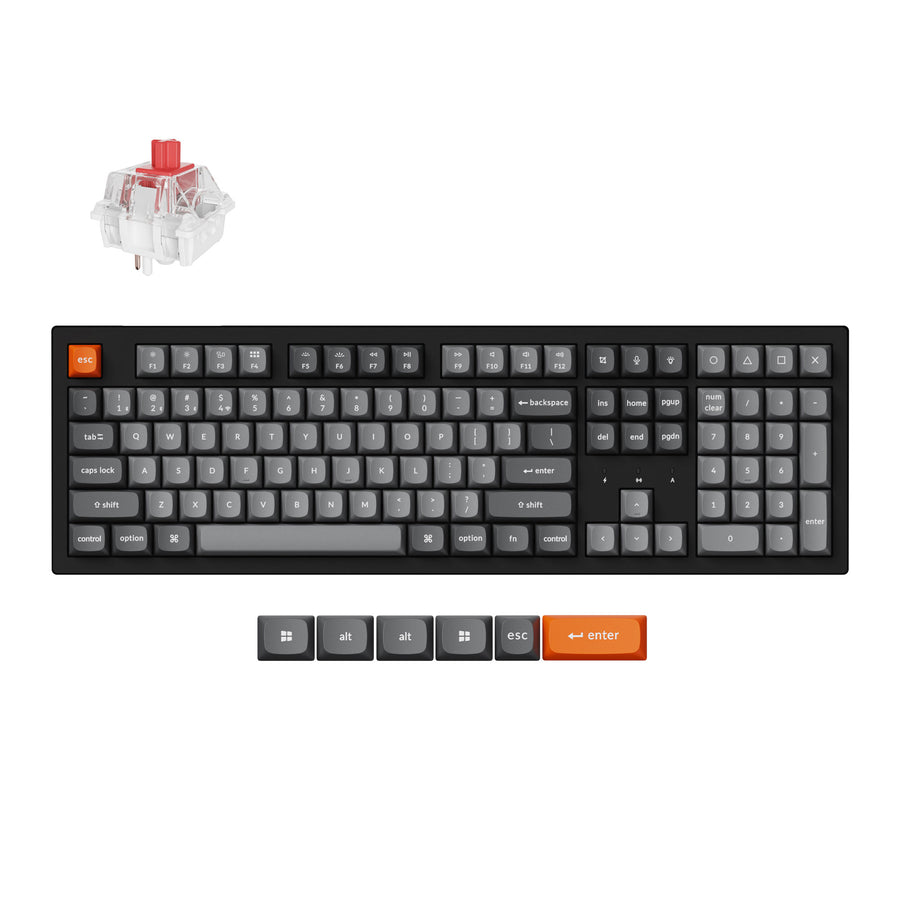
Full-size (100%) example
Keychron K10 Max
Full-size tri-mode board with Windows and macOS keycaps in the box.
Check PriceKeyboard sizes are named by percentage: how much of a full-size board is left. Each step down removes a block of keys, from the numpad to the function row to the arrows. Here is every common size, how many keys each typically has, and what you give up.
Quick pick
Key counts are typical US (ANSI) figures; see ANSI vs ISO for how the European layout differs. Individual boards vary by a few keys, especially at 75% and below, where each maker squeezes the right-hand column differently.
| Size | Typical keys | What it drops | Best for |
|---|---|---|---|
| Full-size (100%) | Typically 104 (ANSI) or 105 (ISO) | Nothing: function row, navigation cluster, arrows and numpad | Spreadsheets, data entry, anyone who uses the numpad daily |
| 96% (1800 compact) | Typically about 96 to 100 | The gaps: keeps the numpad, but squeezes the navigation keys into a column | Numpad users who want a smaller footprint |
| Tenkeyless (TKL / 80%) | Typically 87 (ANSI) or 88 (ISO) | The numpad | Gaming and general use with more mouse room |
| 75% | Typically about 84 | The numpad, and the navigation cluster collapses into a single column | A compact board that still has a function row |
| 65% | Typically about 68 | The function row and numpad; keeps arrows and a column of navigation keys | Small desks that still need dedicated arrows |
| 60% | Typically about 61 | Function row, arrows, navigation cluster and numpad | Minimal setups, travel, custom builds |
| 40% | Roughly 40 to 50 | Everything above: also the number row | Enthusiasts who are comfortable living on layers |
| Alice and split | Varies by board (the ErgoDox Hot Dox V2 has 76) | Depends on the base size; the change is the shape, not the key count | Wrist and shoulder comfort |
Typically 104 (ANSI) or 105 (ISO)
The standard office keyboard. Everything has its own key and nothing lives on a layer, but it is also the widest option, which pushes your mouse further out from your shoulder.
Drops: Nothing: function row, navigation cluster, arrows and numpad.
Full-size (100%) example
Full-size tri-mode board with Windows and macOS keycaps in the box.
Check PriceTypically about 96 to 100
A 96% keeps nearly every key of a full-size board by removing the empty space between clusters. You keep the numpad and lose only a few navigation keys, in a noticeably narrower case.
Drops: The gaps: keeps the numpad, but squeezes the navigation keys into a column.
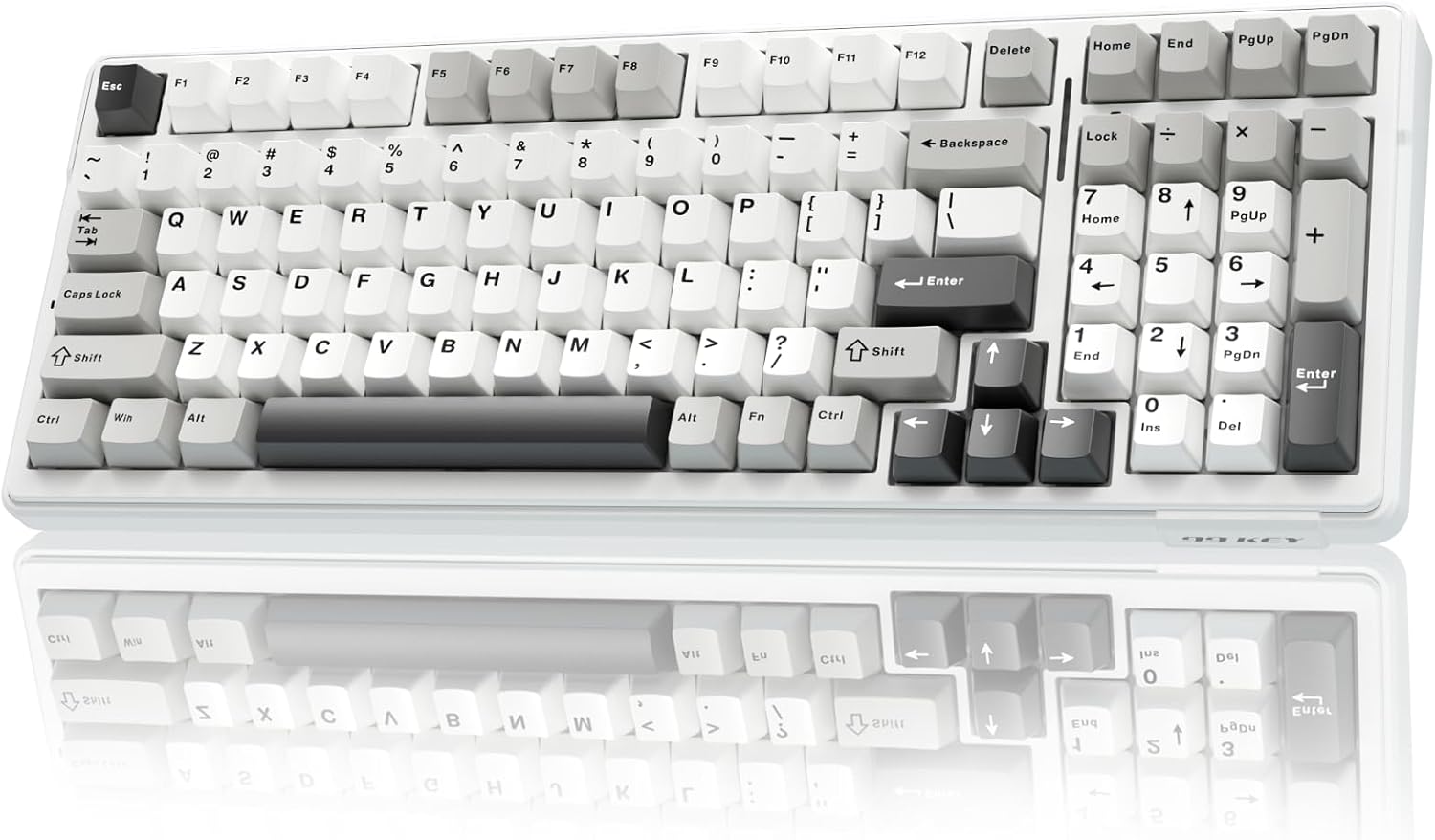
96% (1800 compact) example
96% tri-mode board with five-layer dampening and hot-swap sockets.
Check PriceTypically 87 (ANSI) or 88 (ISO)
TKL removes the numpad and keeps everything else in its usual place, including the function row, the six-key navigation cluster and full arrow keys. It is the easiest size to move to from full-size.
Drops: The numpad.
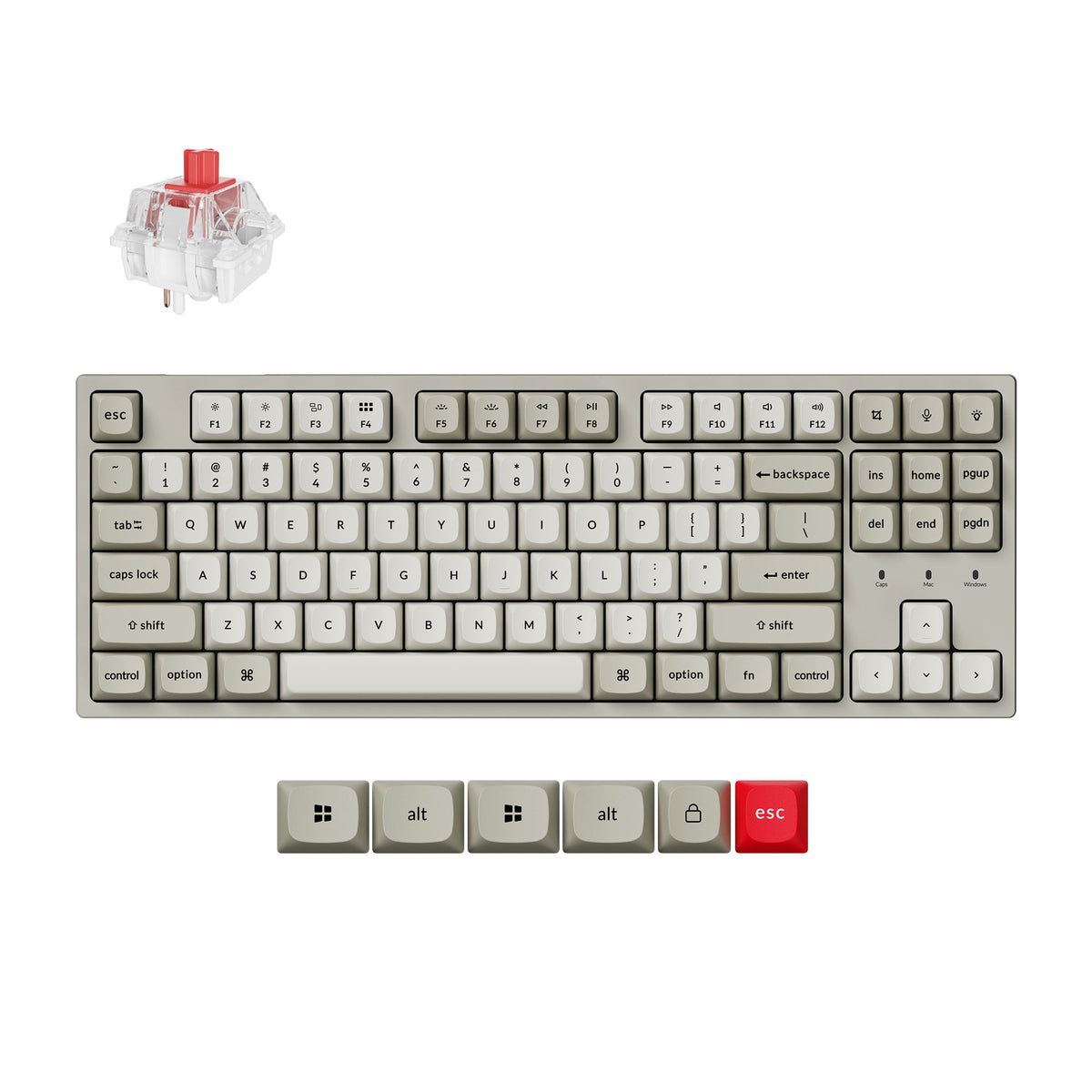
Tenkeyless (TKL / 80%) example
Wired tenkeyless board with hot-swap sockets and Windows and macOS keycaps.
Check PriceTypically about 84
A 75% keeps the function row and arrow keys but packs them tight against the main keys, with navigation keys like Page Up and Page Down stacked down the right edge. It keeps almost everything a TKL has in a noticeably narrower case.
Drops: The numpad, and the navigation cluster collapses into a single column.
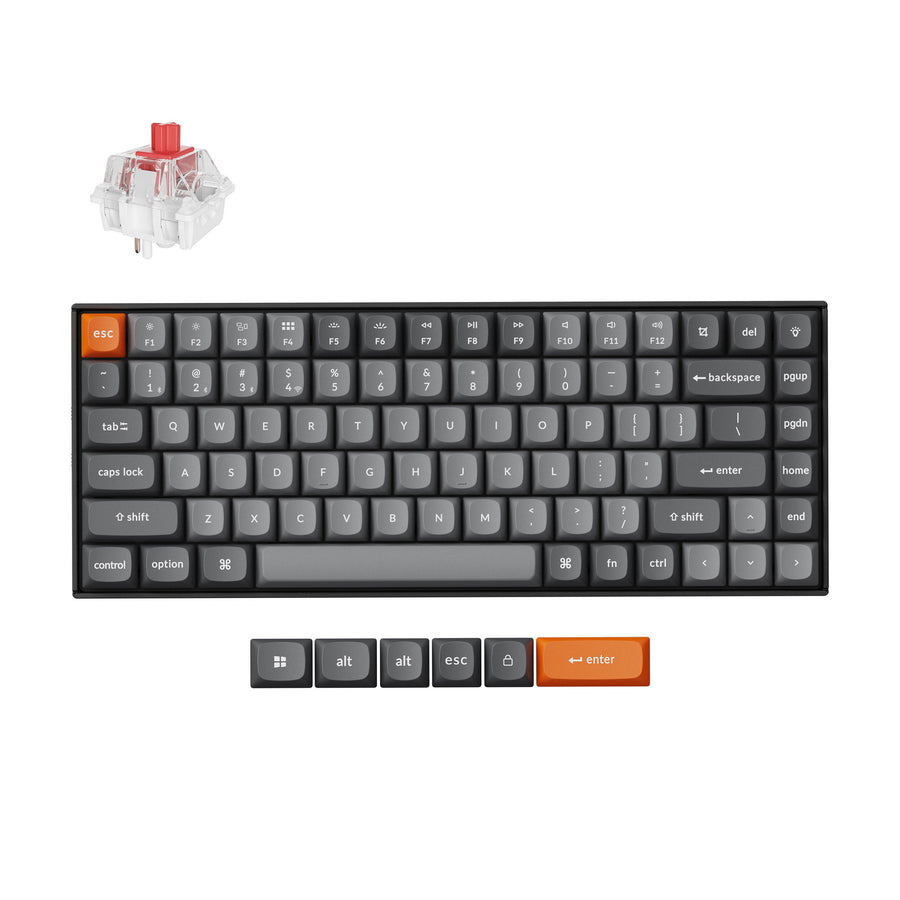
Typically about 68
A 65% removes the function row, so F-keys move to a layer, but keeps dedicated arrow keys and usually Delete and Page Up/Down on the right. It is the smallest size most people can use without learning layers for everyday keys.
Drops: The function row and numpad; keeps arrows and a column of navigation keys.
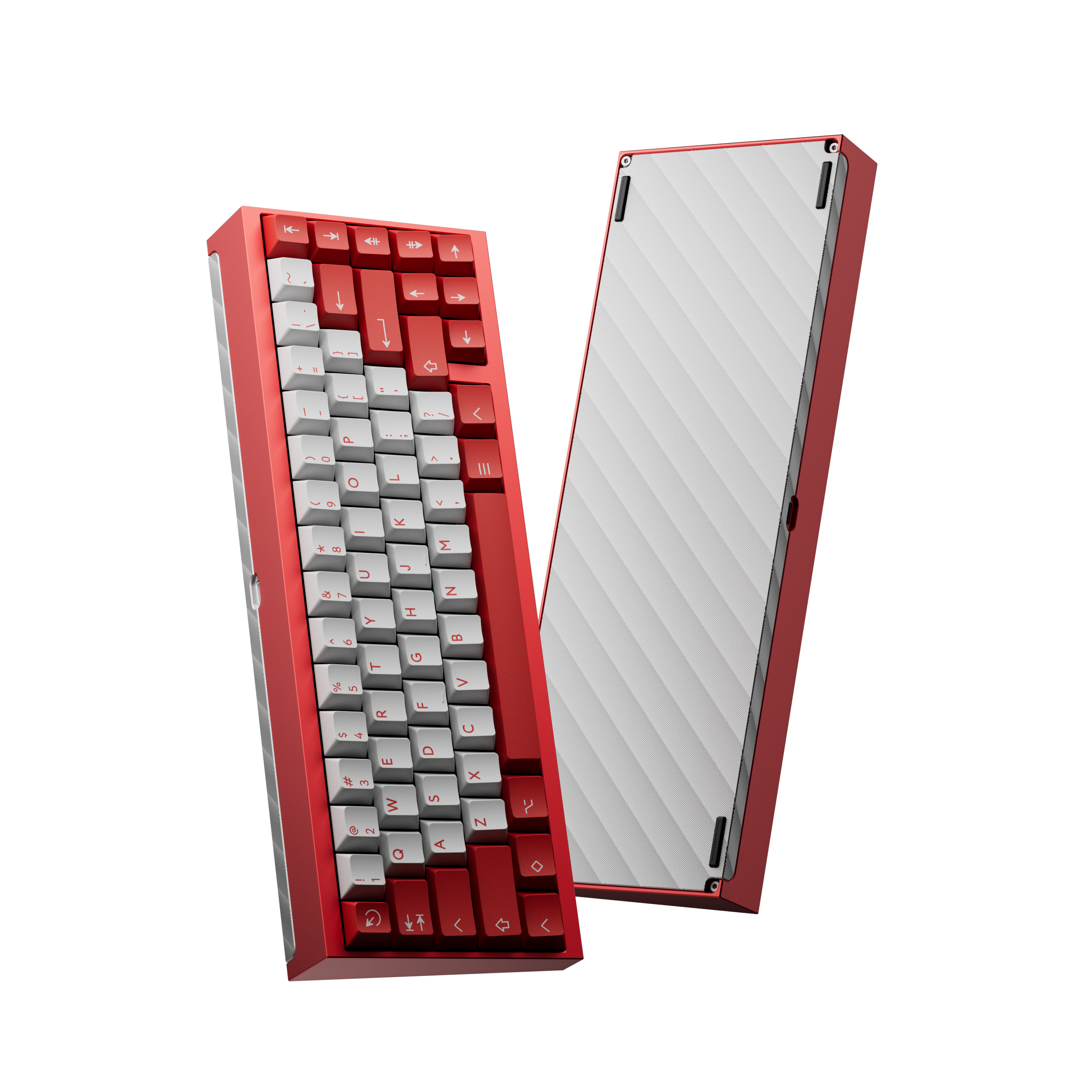
65% example
A 65% hot-swap kit: add your own switches and keycaps.
Check Price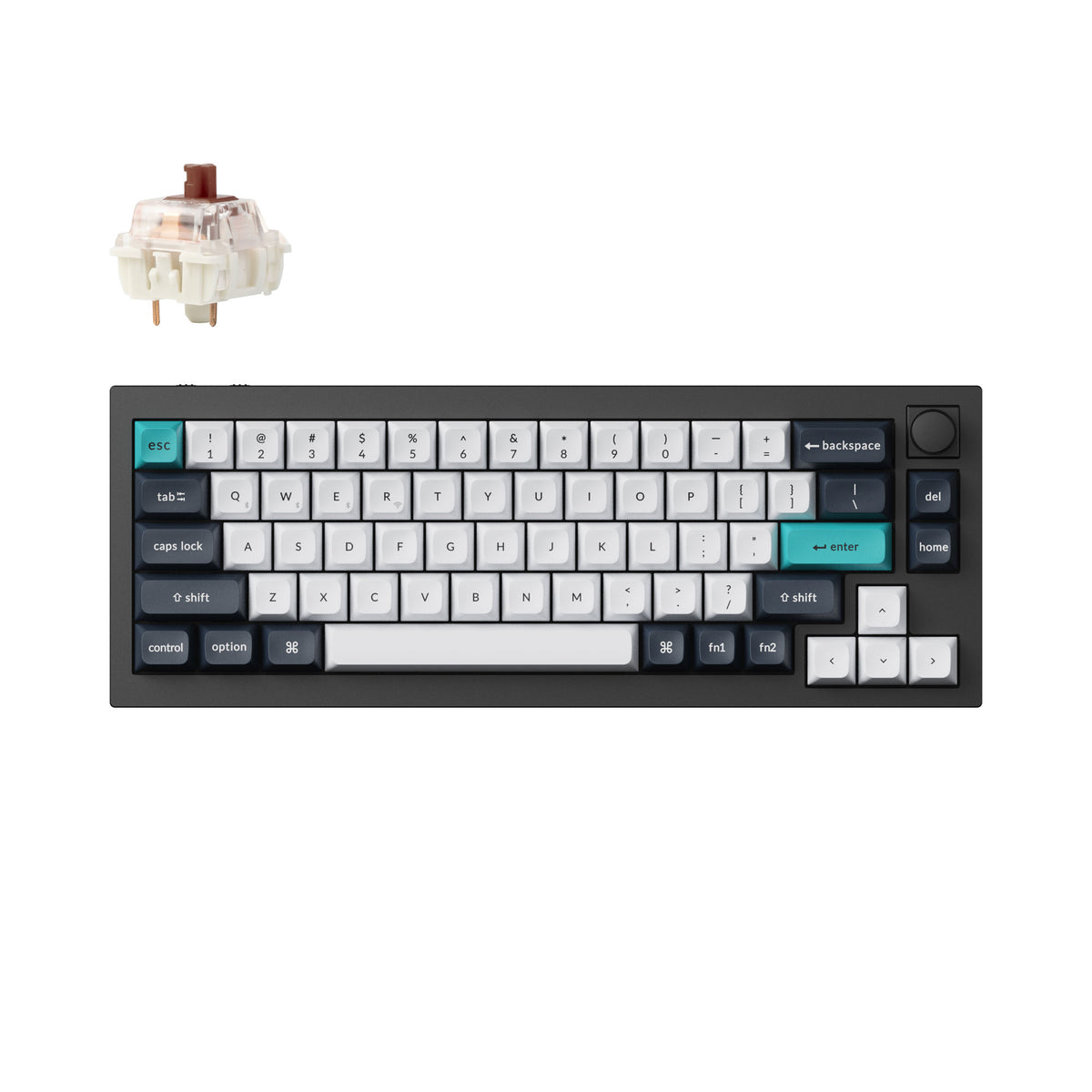
Rather buy it built? A fully assembled aluminum 65% with a knob, tri-mode wireless and QMK/VIA. It is heavy, at about 1.5 kg.
Check PriceTypically about 61
A 60% is just the main typing block. Arrows, F-keys and navigation all live on a function layer. It takes the least desk space of the mainstream sizes and has the widest choice of custom cases.
Drops: Function row, arrows, navigation cluster and numpad.
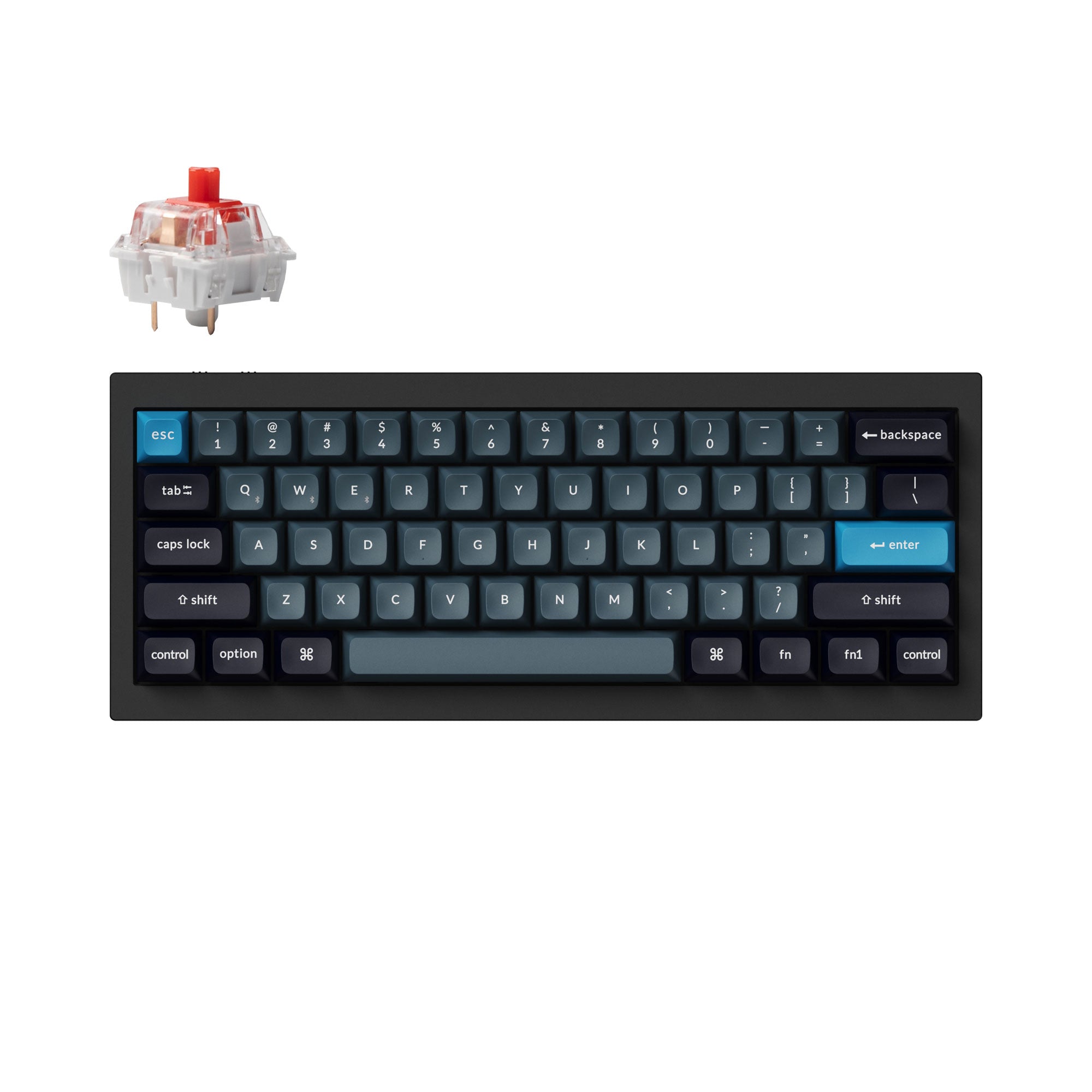
Roughly 40 to 50
A 40% drops the number row as well, so numbers and symbols come from layers. It is a hobbyist size rather than a daily driver for most people, and we do not currently list a 40% board.
Drops: Everything above: also the number row.
Varies by board (the ErgoDox Hot Dox V2 has 76)
Alice and split boards are ergonomic shapes rather than sizes. An Alice board angles the two halves of the keys inside one case, usually at about 65% size. A split board separates them into two halves you place independently.
Drops: Depends on the base size; the change is the shape, not the key count.
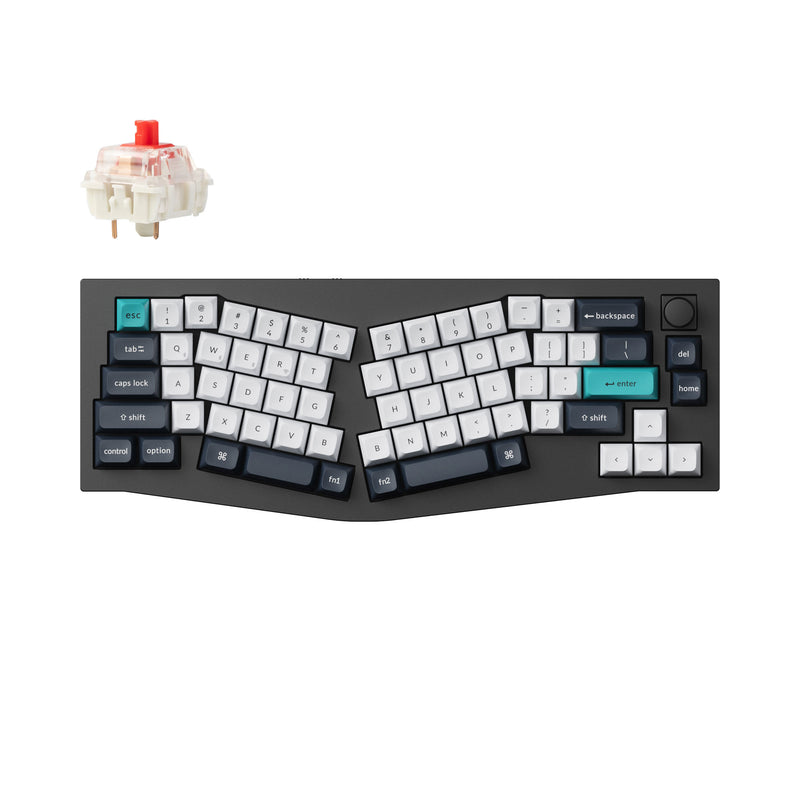
Alice and split example
65% Alice layout with tri-mode wireless and QMK/VIA.
Check PriceAdd-on
Every size below full-size and 96% drops the numpad, but you can add it back. A separate number pad lets you keep a TKL or 75% for the mouse room and still type numbers quickly, and it can sit on either side of the keyboard or go in a drawer when you don't need it.
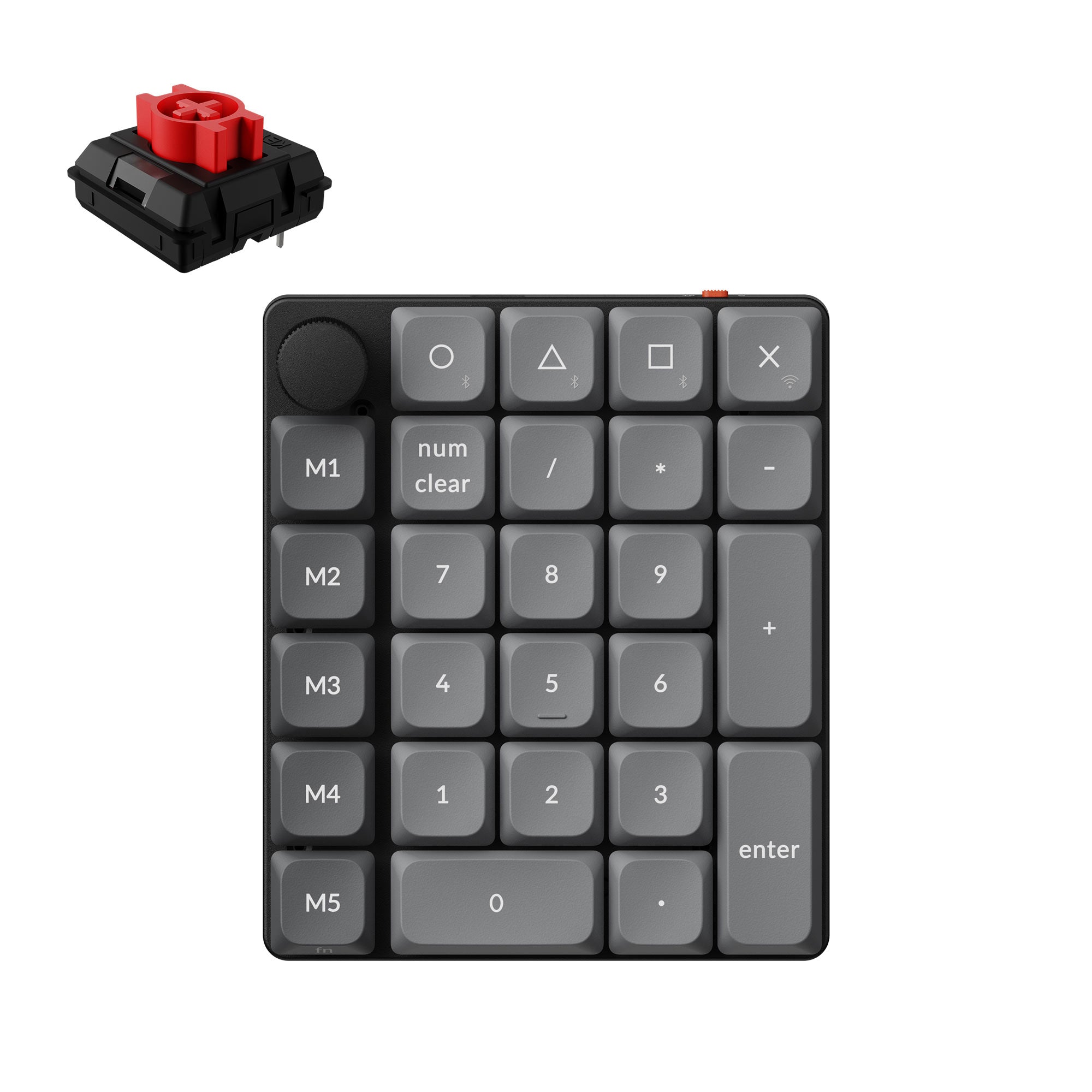
Ultra-slim 27-key wireless numpad with a knob and macro column, on low-profile hot-swap switches. The light, budget option.
Check Price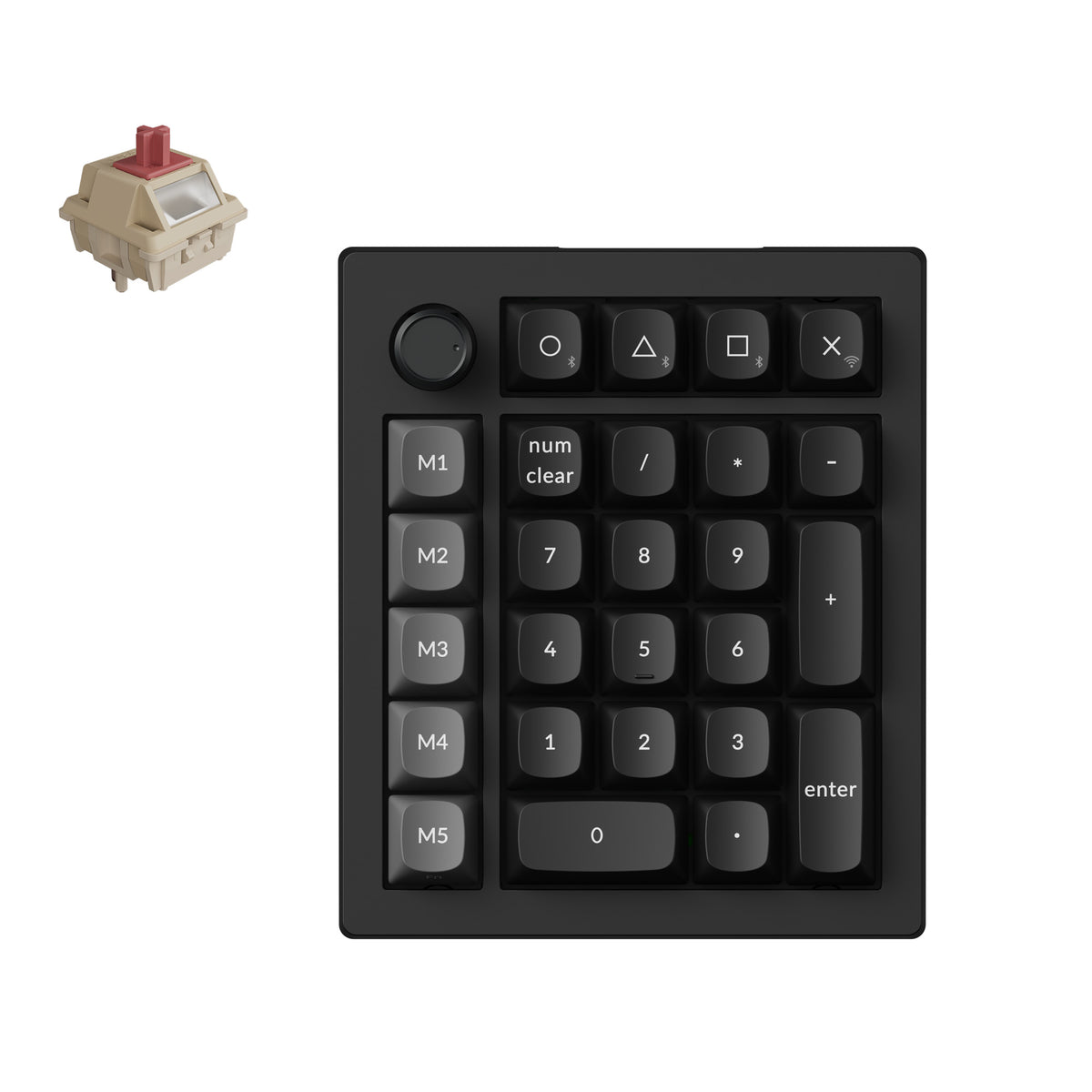
Fully assembled wireless numpad with a knob and five-key macro column, 8000 Hz polling and hot-swap Silk POM switches. The mid-range option between the two.
Check Price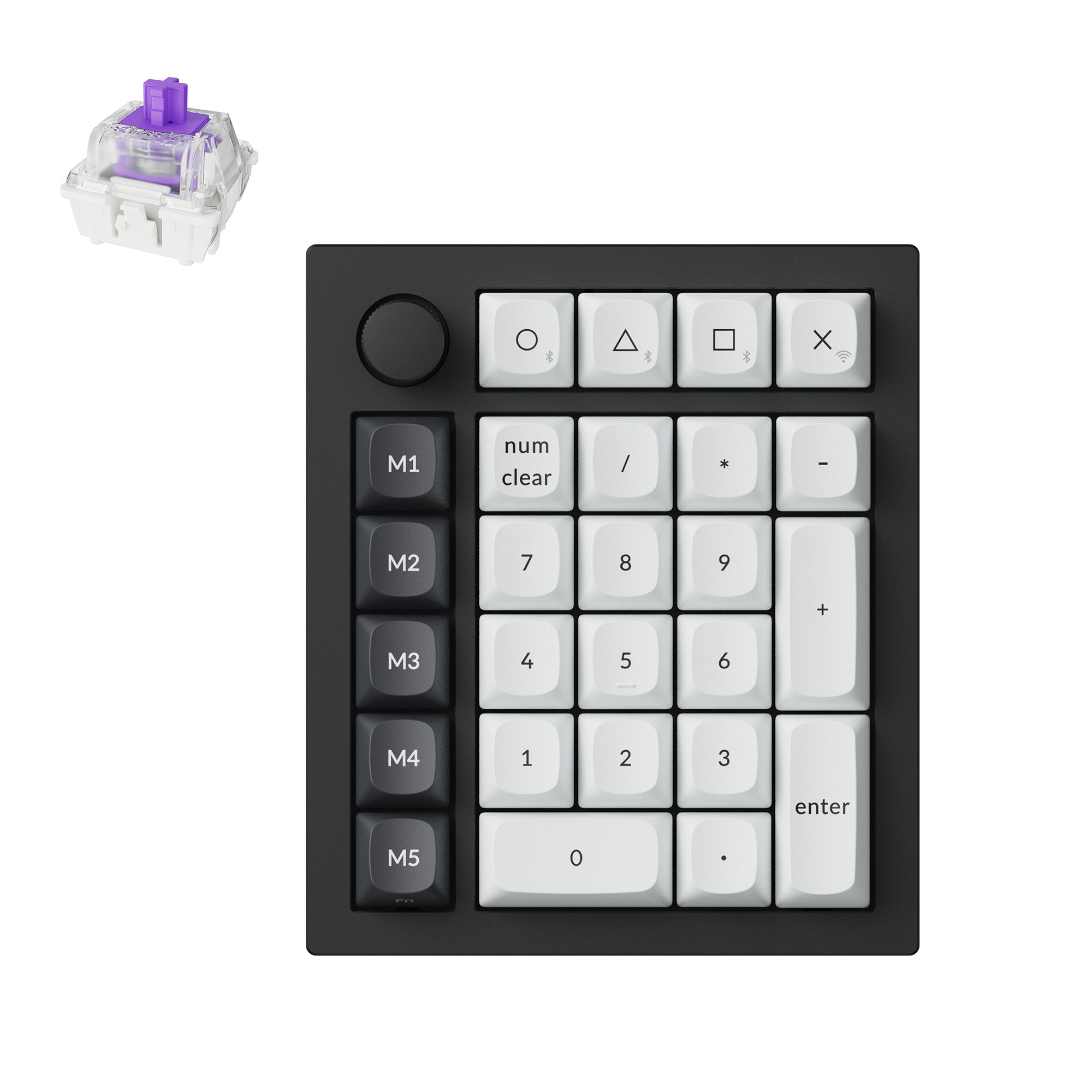
Aluminum gasket-mount wireless numpad on magnetic switches with rapid trigger. The premium option to match a hall-effect board.
Check PriceA standard full-size US keyboard (ANSI layout) typically has 104 keys. The ISO layout used in the UK and much of Europe typically has 105, because it adds a key next to the left Shift. Smaller sizes have fewer: a TKL typically has 87, a 75% about 84, a 65% about 68 and a 60% about 61.
The percentage is a rough measure of how much of a full-size keyboard is left. A 100% board has every key, a TKL (80%) drops the numpad, a 75% also compacts the navigation keys, a 65% drops the function row, and a 60% drops the arrows and navigation cluster too. The numbers are naming conventions, not exact key-count ratios.
Both drop the numpad and keep the function row and arrows. A TKL keeps the navigation cluster in its usual block with gaps around it; a 75% removes the gaps and stacks those keys in a single column, so the board is narrower.
TKL, 75% and 65% are the usual gaming picks. They keep the keys most games use and give your mouse more room. A 60% gives even more room if you do not need dedicated arrows or F-keys.
Not quite. A 96% keeps the numpad and nearly every key, but removes the gaps between clusters and drops or relocates a few navigation keys, so it is noticeably narrower than a full-size board.
The function row. A 75% keeps a row of F-keys above the numbers; a 65% removes it and puts the F-keys on a layer. Both keep dedicated arrow keys.
Size is how many keys a board keeps (100%, TKL, 75% and so on). Layout is how those keys are arranged and labelled: ANSI is the common US arrangement, while ISO, used in the UK and much of Europe, has a taller Enter key and an extra key beside the left Shift. Any size can come in either layout.
Answer four questions. Do you need a numpad? If yes, full-size or 96%, or a smaller board plus a separate number pad. Do you use the function row every day? If yes, TKL or 75%. How much desk space do you have? Smaller boards give your mouse more room. Are you willing to learn function layers? If yes, 65% or 60% will work; if not, stay at 75% or larger.