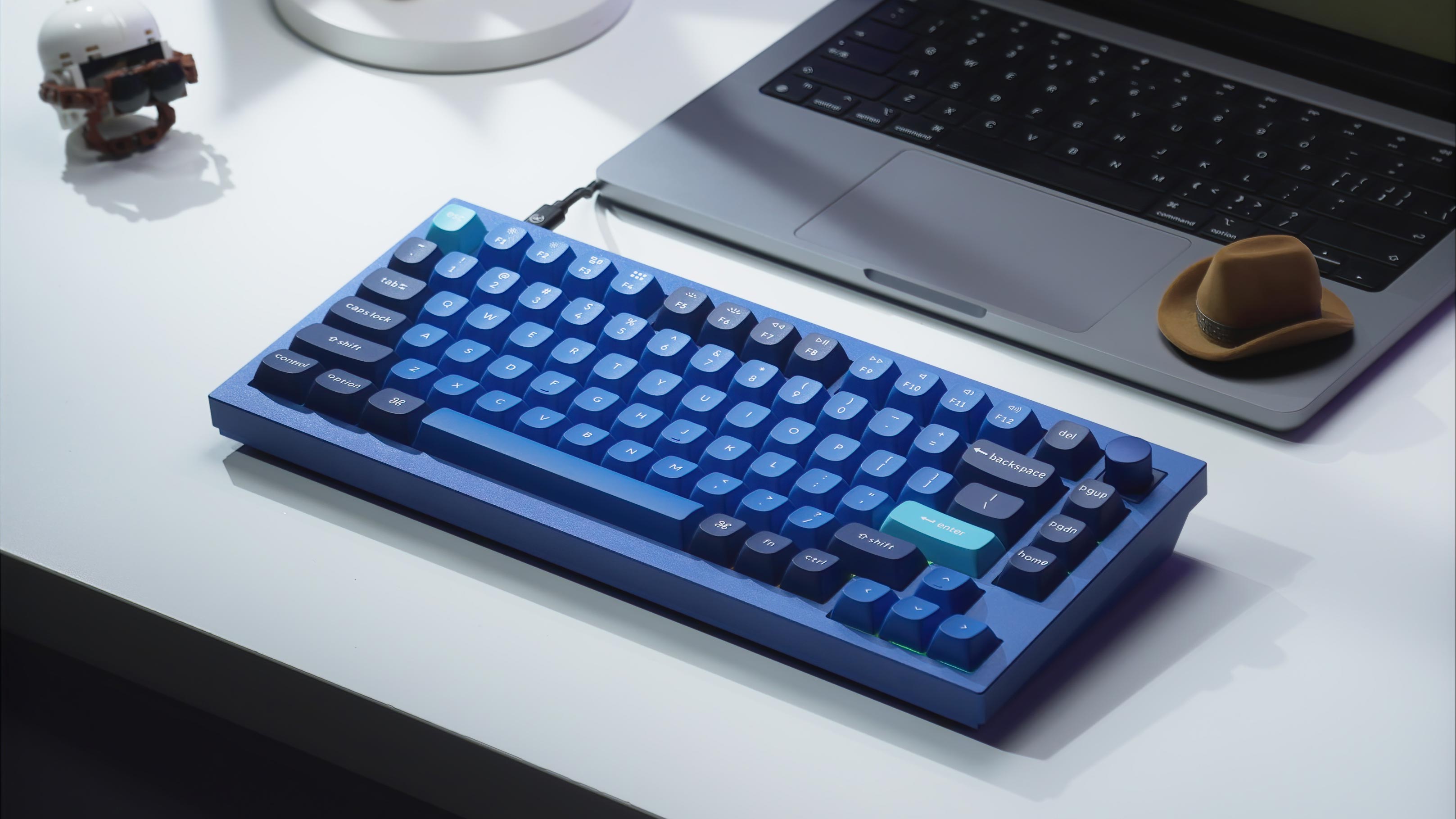
Availability update (October 1, 2026): The Keychron Q1 Knob listing we linked is currently unavailable on Amazon, and Amazon says it does not know when or if it will be back in stock. We have kept this guide up for reference. If you want a 75%-style keyboard with a knob today, see the in-stock alternatives at the end of this guide.
The Keychron Q1 Knob became popular because it hits a rare mix of features: premium metal case, 75% layout, hot-swap flexibility, QMK/VIA support, and a knob that actually earns its space.
Why the Keychron Q1 Knob Stands Out
The biggest reasons people bought the Q1 Knob:
- aluminum case with a more premium feel than entry-level boards
- 75% layout that keeps the function row without taking over your desk
- hot-swappable sockets for linear, tactile, or clicky experimentation
- rotary encoder knob for volume, zoom, brush size, or macros
Who Was the Keychron Q1 Knob For?
This board suited:
- users who want a premium prebuilt they can keep modding
- people who like a 75% layout
- creators who will actually use a knob
- anyone chasing a more refined sound than cheap plastic boards
If you want a smaller board, look at the Keychron lineup. If you want a bigger layout with a numpad, a full-size board like the Keychron K10 Max is the better fit.
Is the Q1 Knob Good for Sound?
Yes. The Q1 Knob is a much better starting point for a deeper, more refined keyboard sound than most entry-level boards. It is not magic on its own, but it responds well to switch swaps, keycap changes, foam, and tuning.
If that is your main goal, also read Best Thocky Switches.
Final Take
The Q1 Knob set the template for a premium 75% keyboard with a rotary encoder knob. With the listing unavailable, the boards below keep the same idea: a knob, QMK/VIA and hot-swap sockets.
In-Stock Alternatives to the Keychron Q1 Knob
We checked that each of these had buyable knob versions on keychron.com on October 1, 2026.
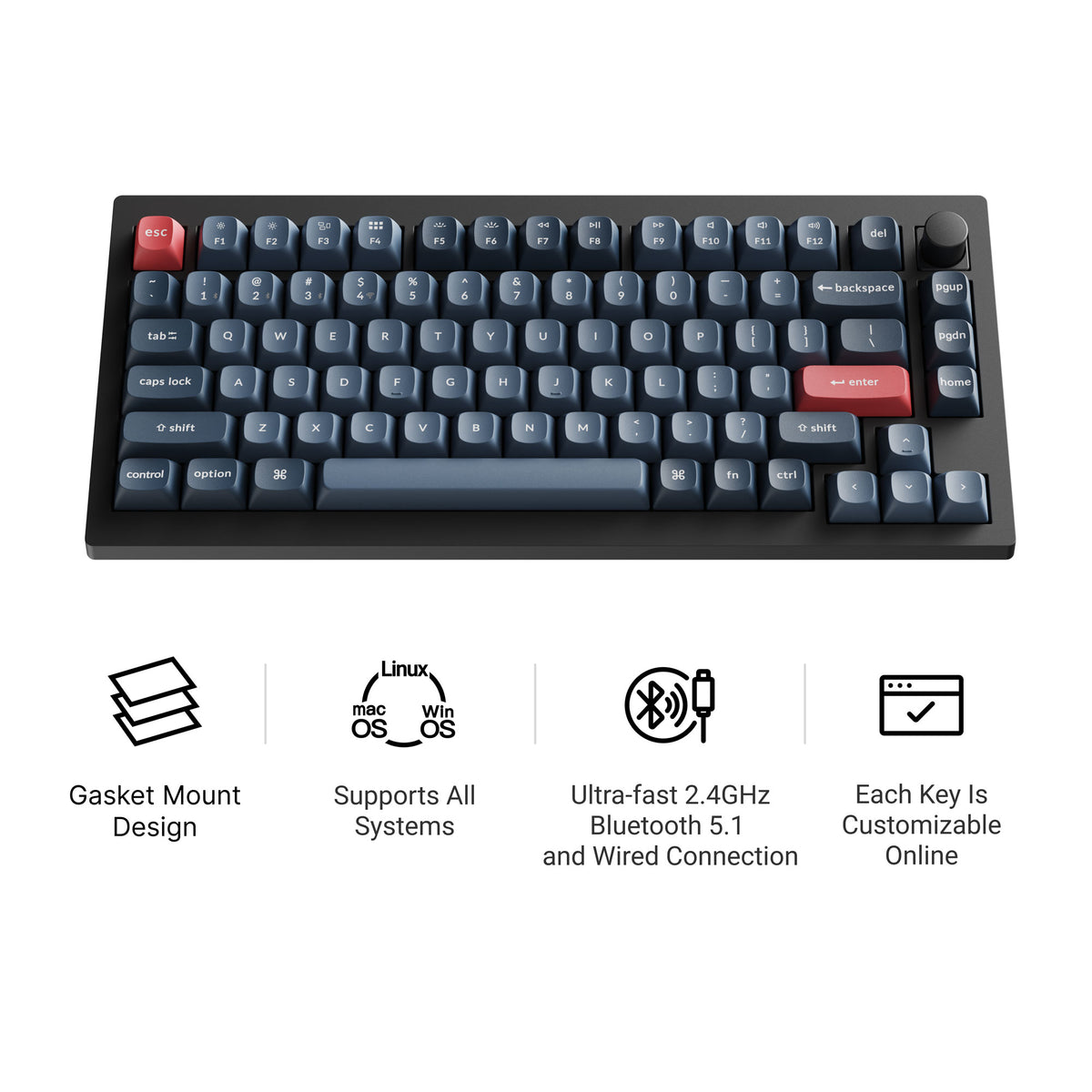
Keychron V1 Max
The closest match in layout. The Keychron V1 Max is a 75% hot-swappable board with a rotary knob, QMK/VIA, a double-gasket design, factory pre-lubed switches, screw-in stabilizers and tri-mode connectivity (2.4 GHz wireless, Bluetooth, and wired). Its case is plastic rather than aluminum, so it is lighter than the Q1. Our Keychron V1 Max guide covers the full specs.
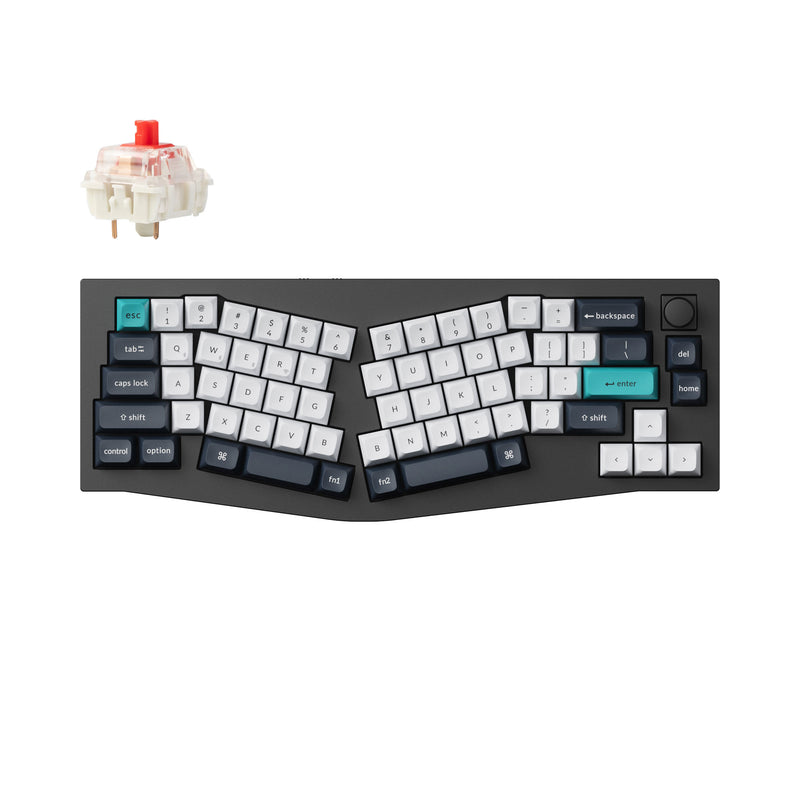
Keychron Q8 Max
If the aluminum case is what drew you to the Q1, the Keychron Q8 Max keeps it: a full aluminum gasket-mount case, QMK/VIA, hot-swap south-facing sockets, double-shot PBT keycaps and tri-mode wireless, with an optional knob. The difference is the layout. It is a 65% Alice board, with split-angled alphas that let you type with your wrists straighter.
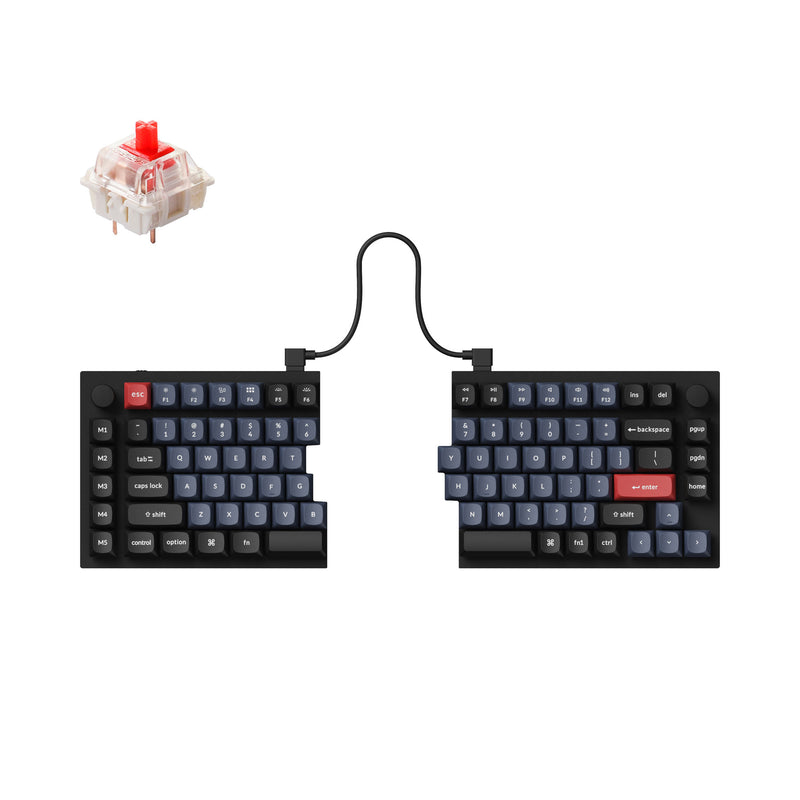
Keychron Q11
A true split 75%: two independent aluminum halves joined by a TRRS cable, with QMK/VIA, hot-swap sockets, double-shot OSA PBT keycaps and an optional knob on the right half. It is wired only, like the original Q1, and it is the step to take if you want real separation between your hands.
For more knob boards, see our guide to rotary encoder knobs and the mechanical keyboards with rotary knobs roundup.
Keep Comparing
If you are still narrowing the field, these are the most useful next pages: