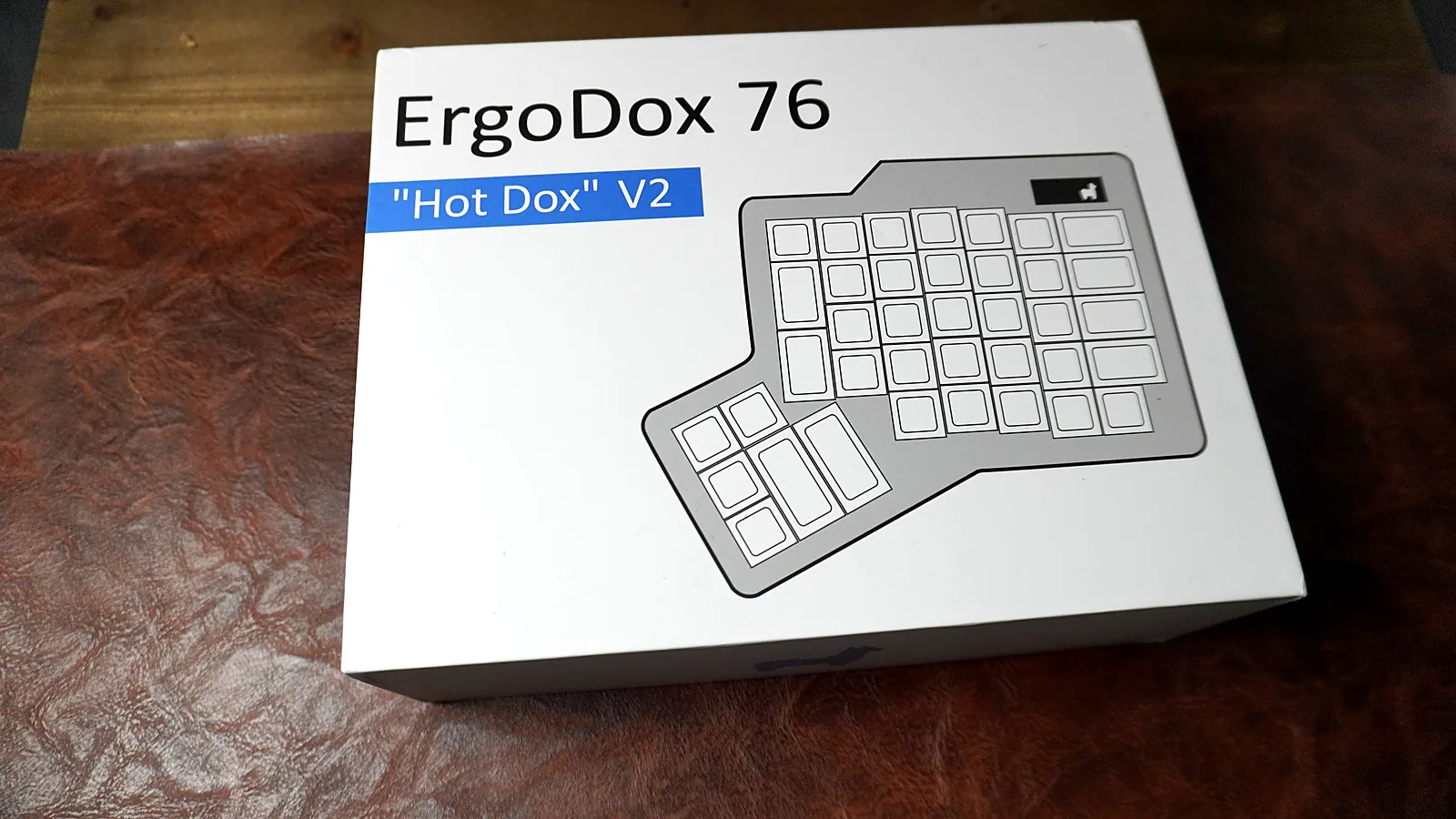
ErgoDox 76 Hot Dox V2 retail box with the split keyboard outline on the lid
Side of the ErgoDox 76 Hot Dox V2 box showing the Alpaca Keyboards llama logo
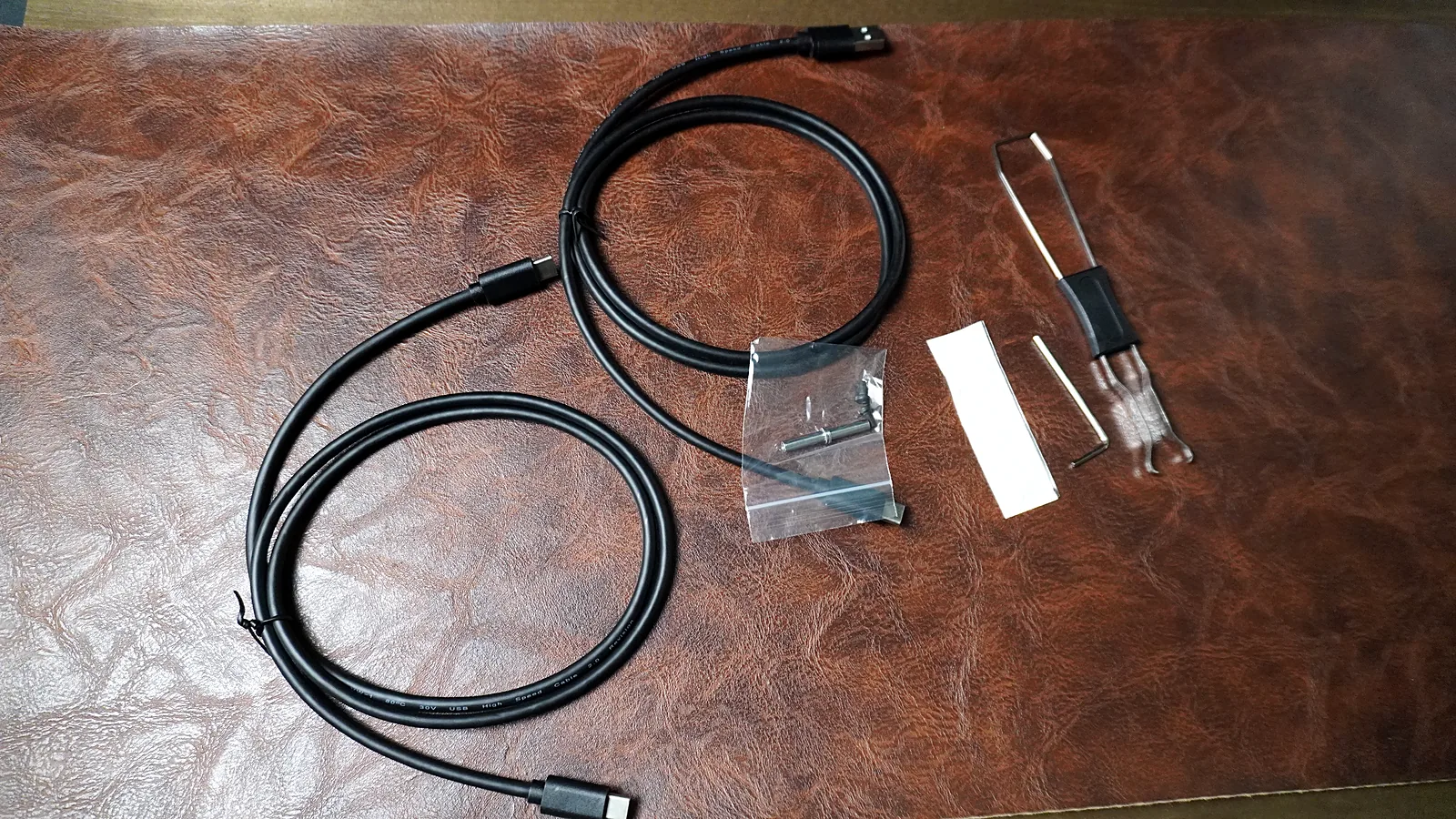
ErgoDox 76 Hot Dox V2 accessories: two USB-C cables, a switch and keycap puller, and small spare parts
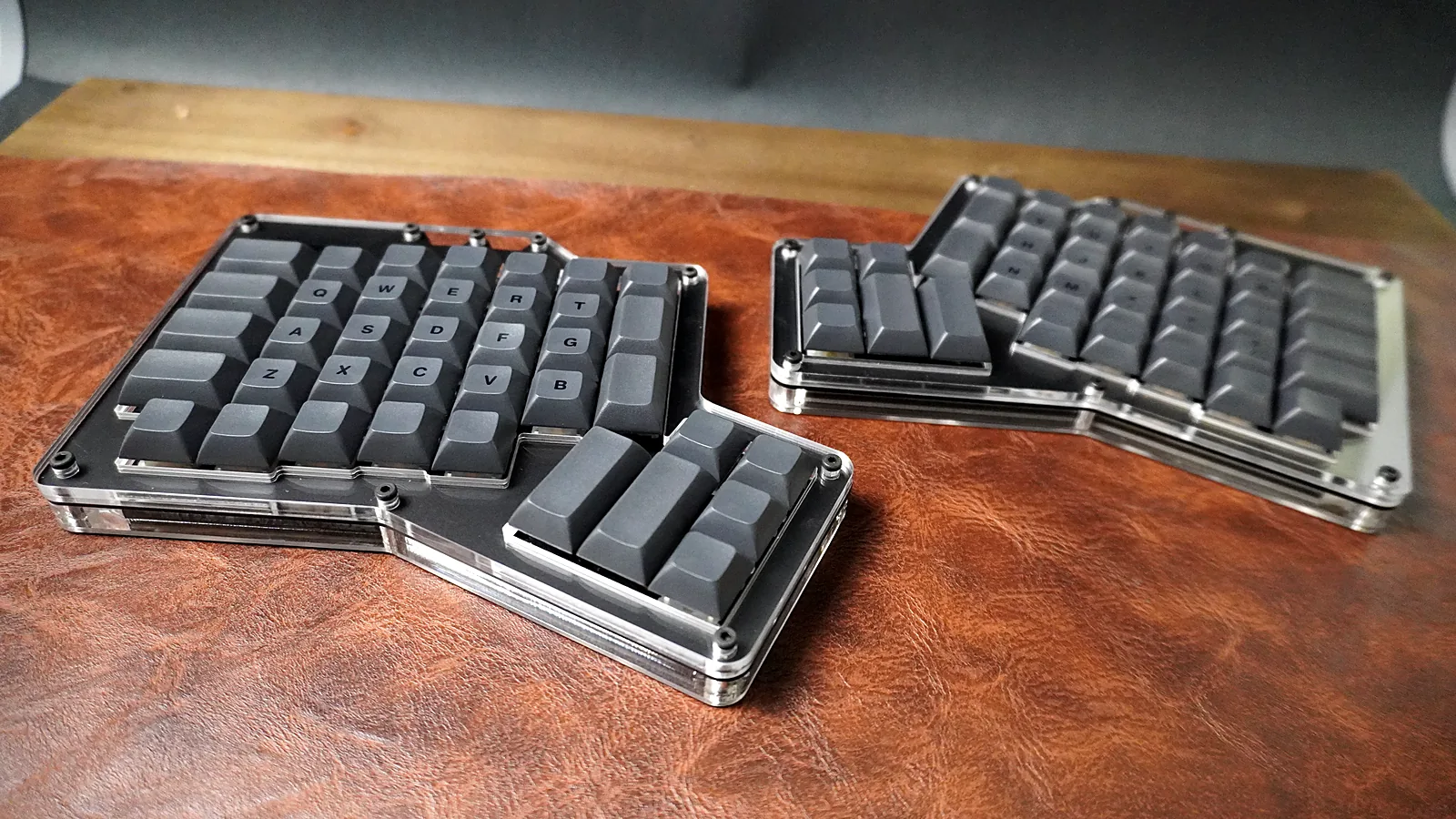
Both halves of the ErgoDox 76 Hot Dox V2 at an angle, showing the stacked acrylic case layers
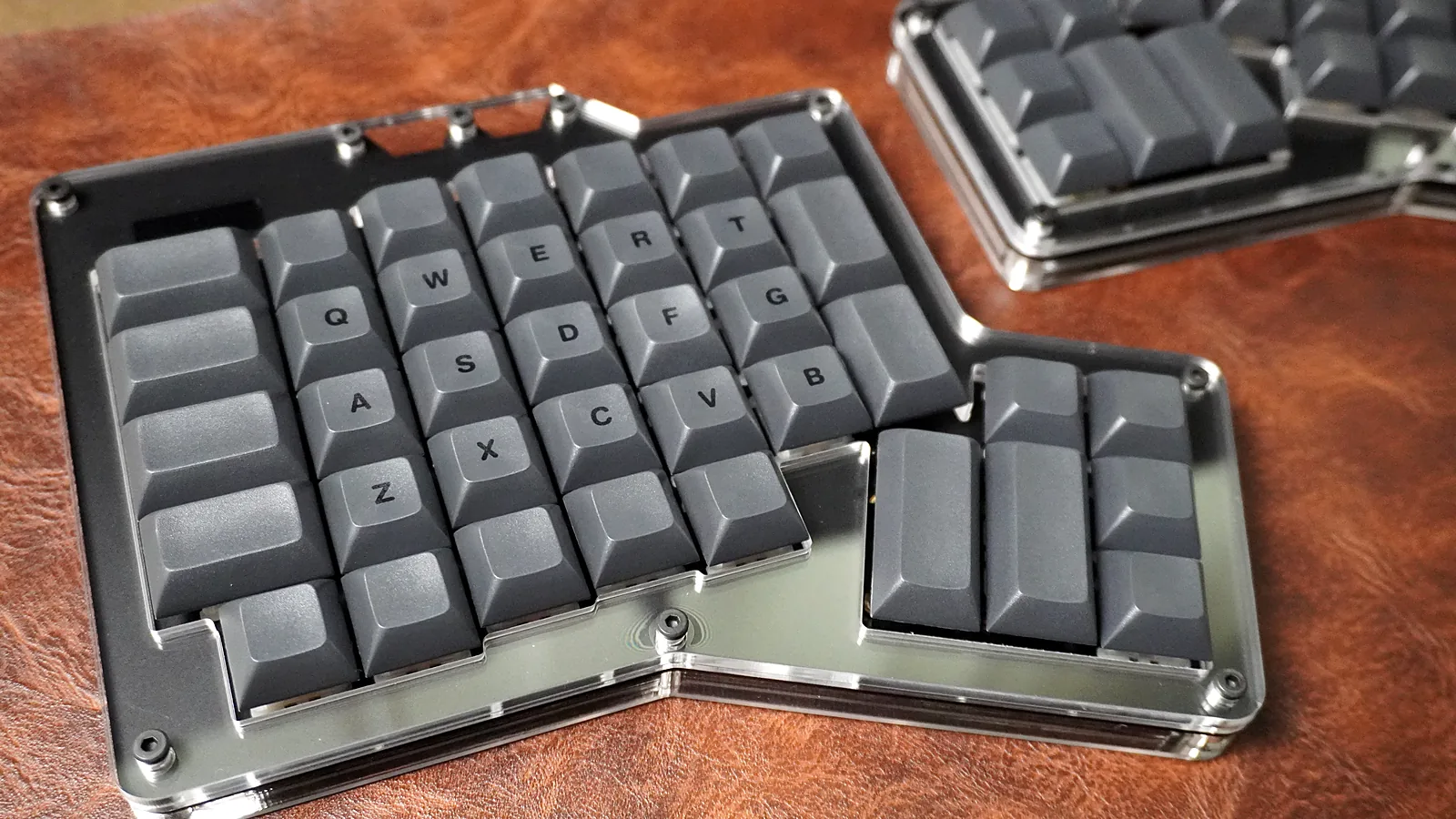
Close-up of the ErgoDox 76 Hot Dox V2 left half with QWERTY legends and the thumb cluster
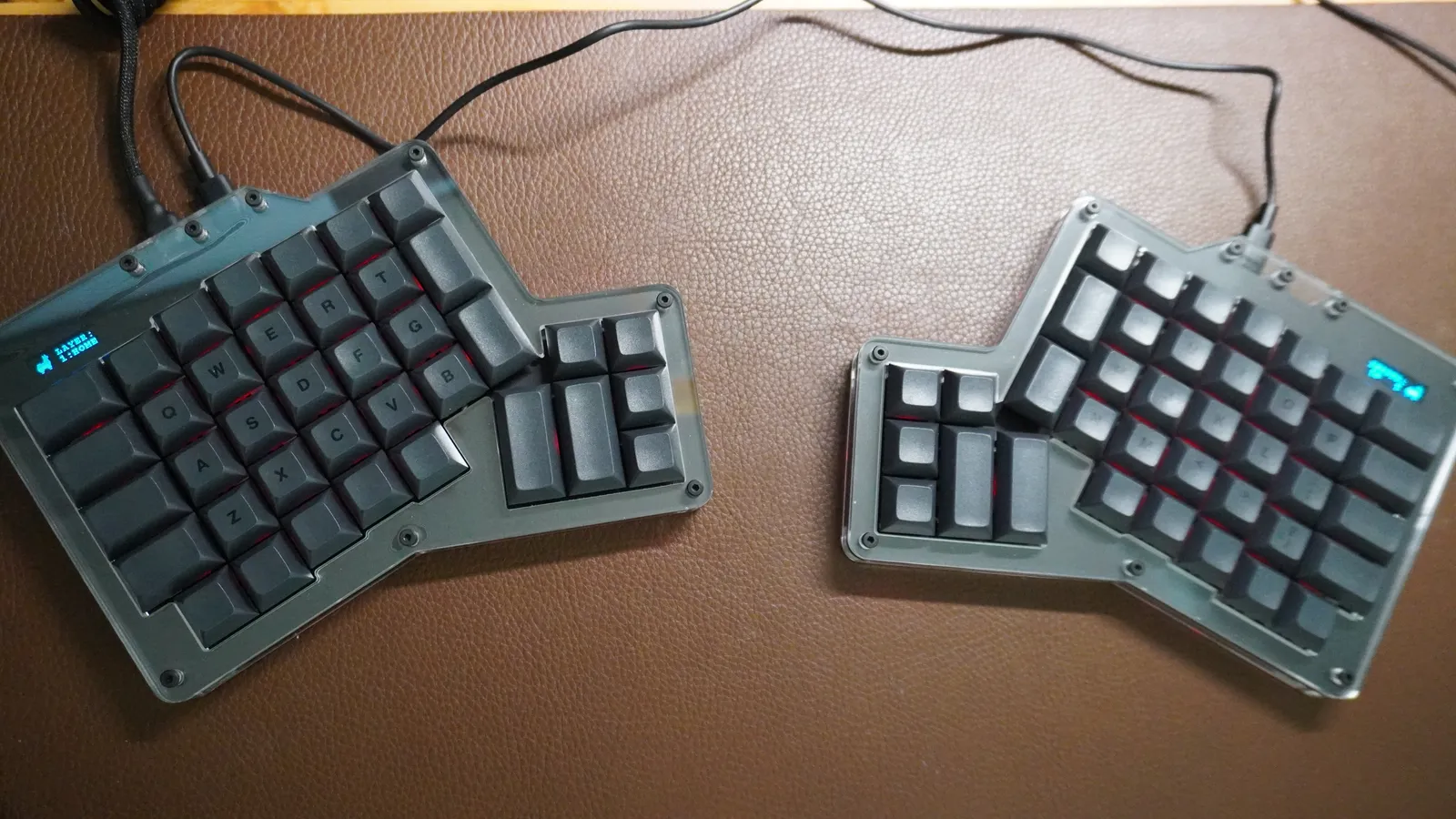
Top-down view of both ErgoDox 76 Hot Dox V2 halves showing the column stagger and a 6-key thumb cluster on each half
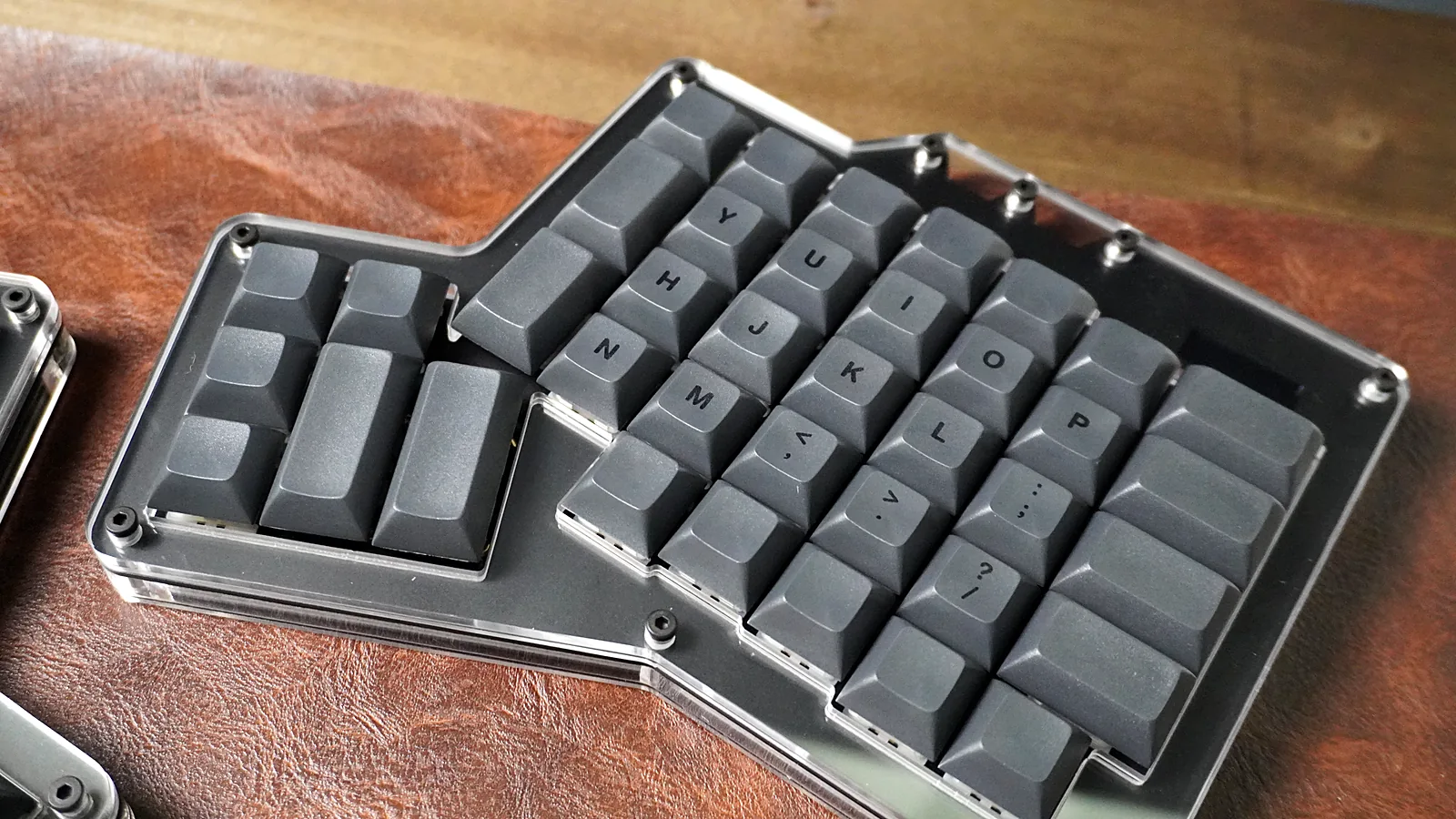
ErgoDox 76 Hot Dox V2 right half showing column stagger and the 6-key thumb cluster
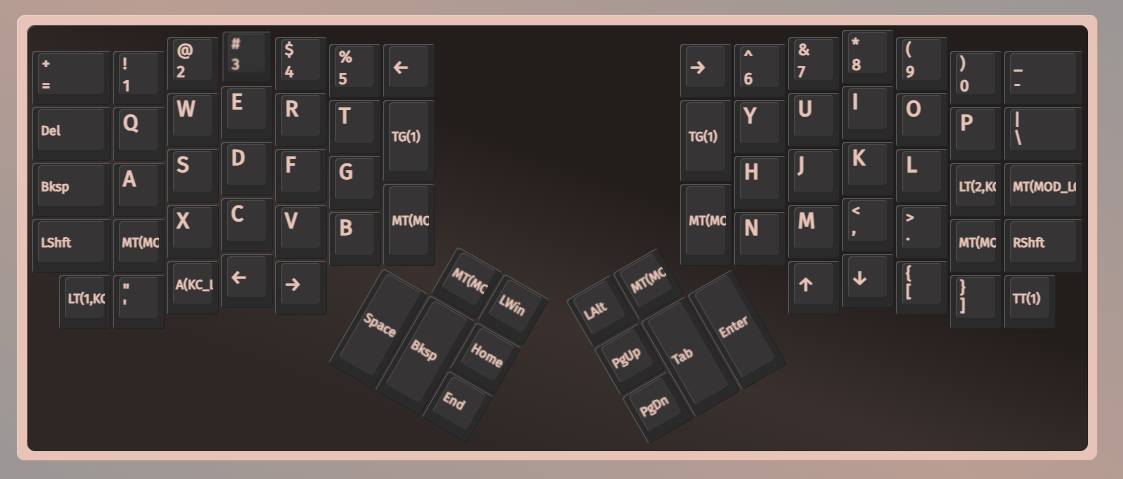
ErgoDox 76 Hot Dox V2 keymap in VIA with Space and Backspace on the left thumb cluster and Tab and Enter on the right thumb cluster
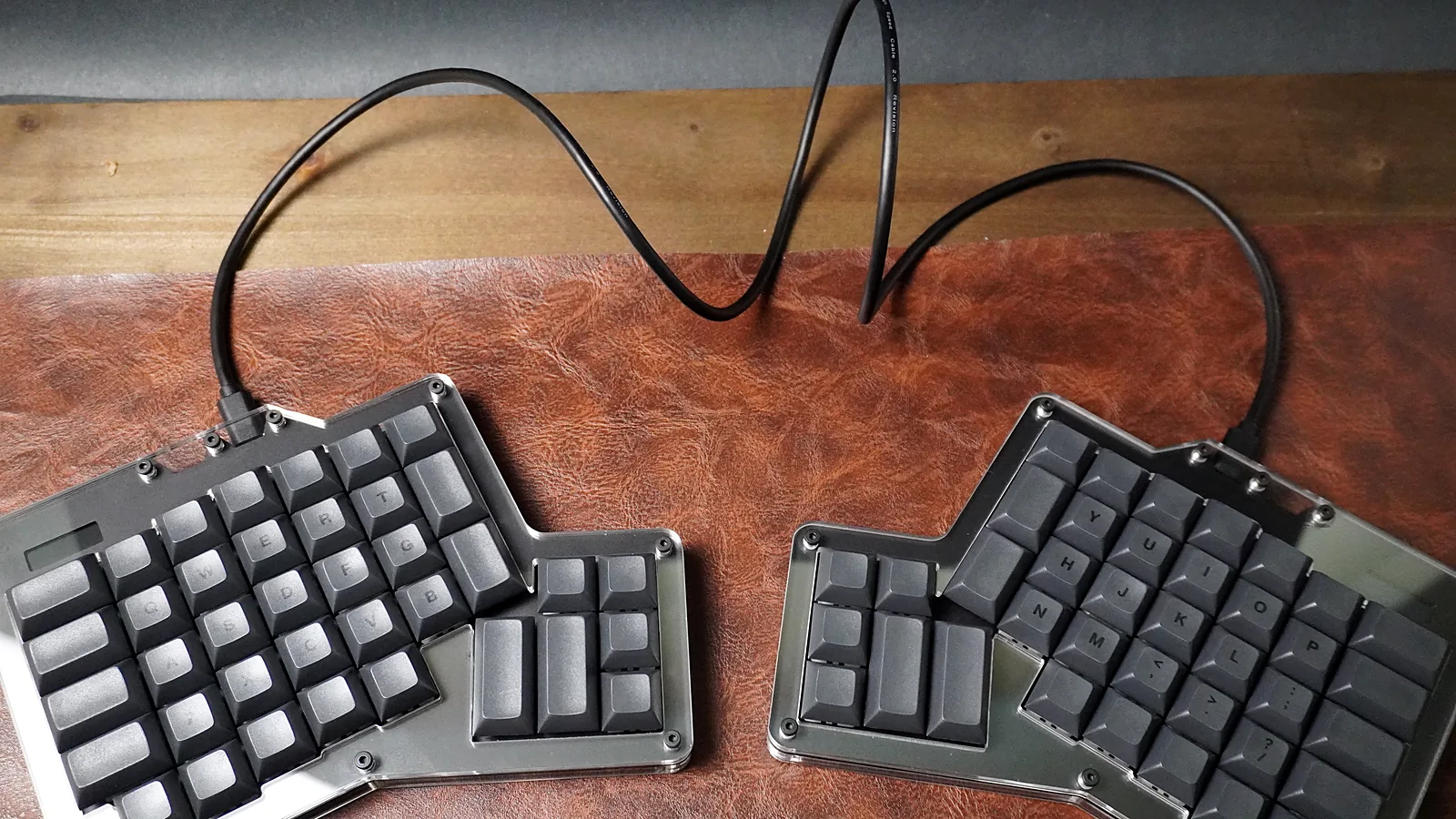
ErgoDox 76 Hot Dox V2 halves spaced apart with a USB-C cable linking them
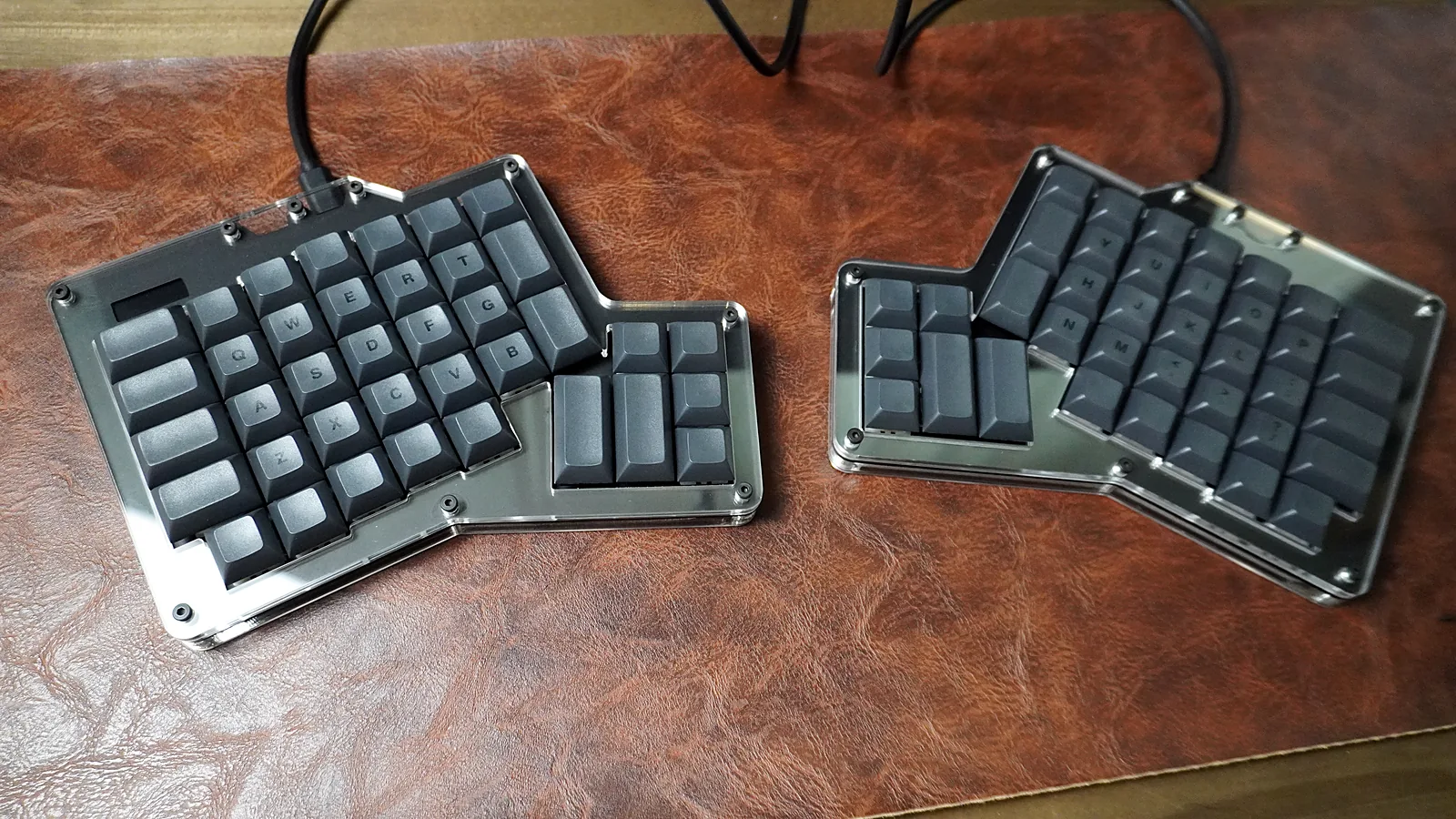
ErgoDox 76 Hot Dox V2 set up on a desk with both halves cabled
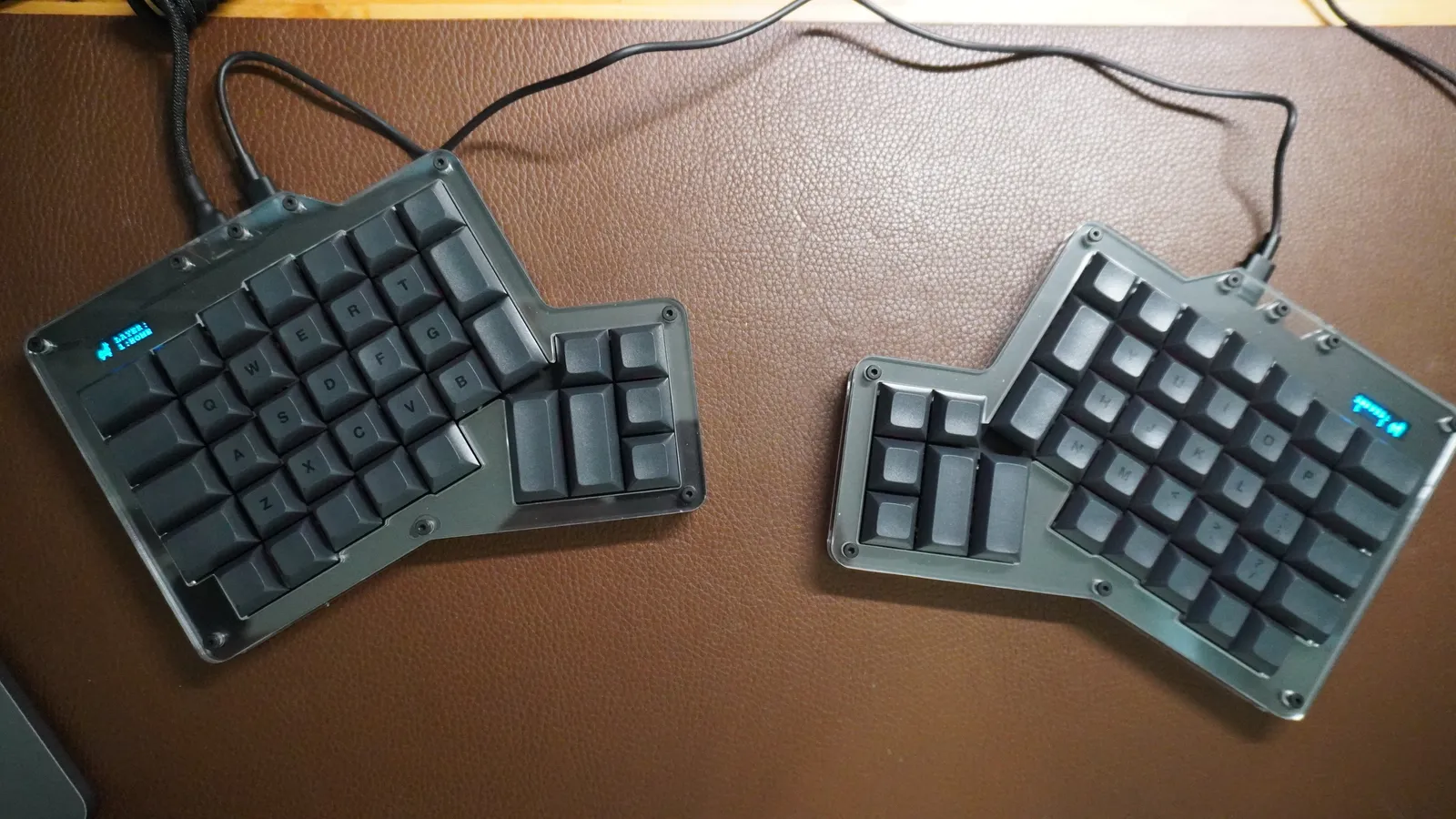
ErgoDox 76 Hot Dox V2 halves set apart on a leather desk mat, each with its own USB-C cable
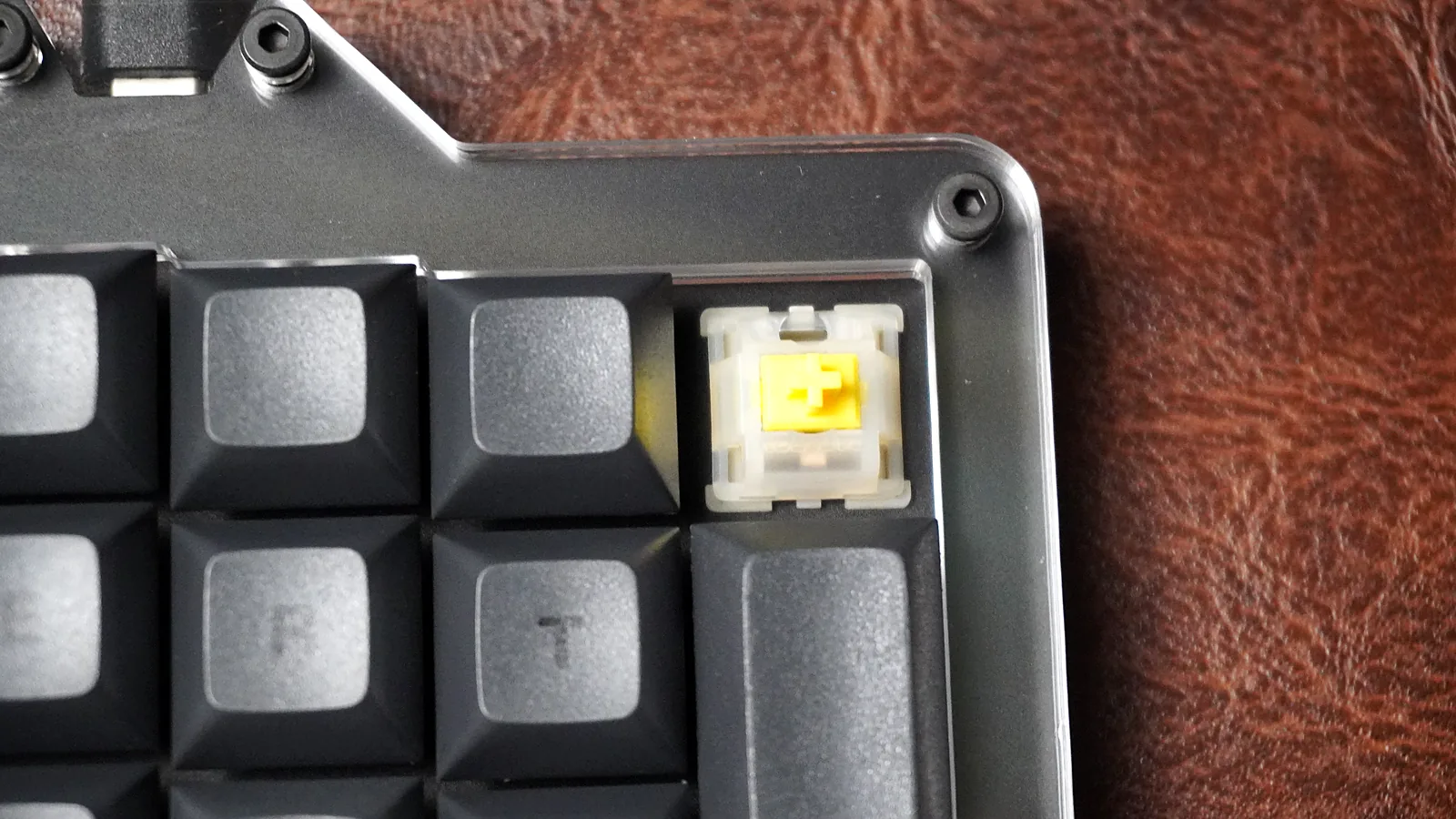
Gateron Milky Yellow Pro linear switch on the ErgoDox 76 Hot Dox V2 with the keycap removed
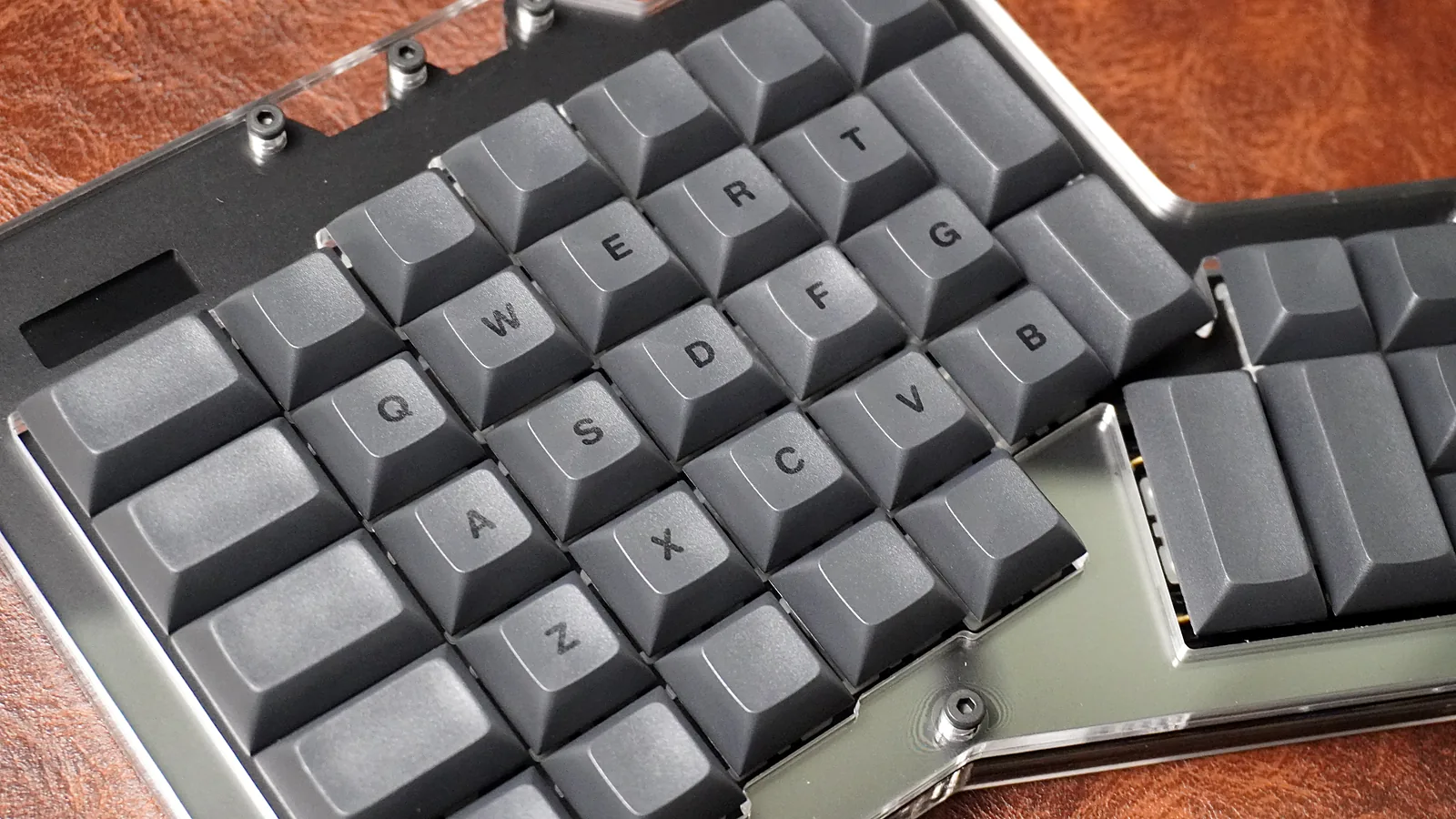
Close-up of dark grey DSA dye-sub PBT keycaps on the ErgoDox 76 Hot Dox V2
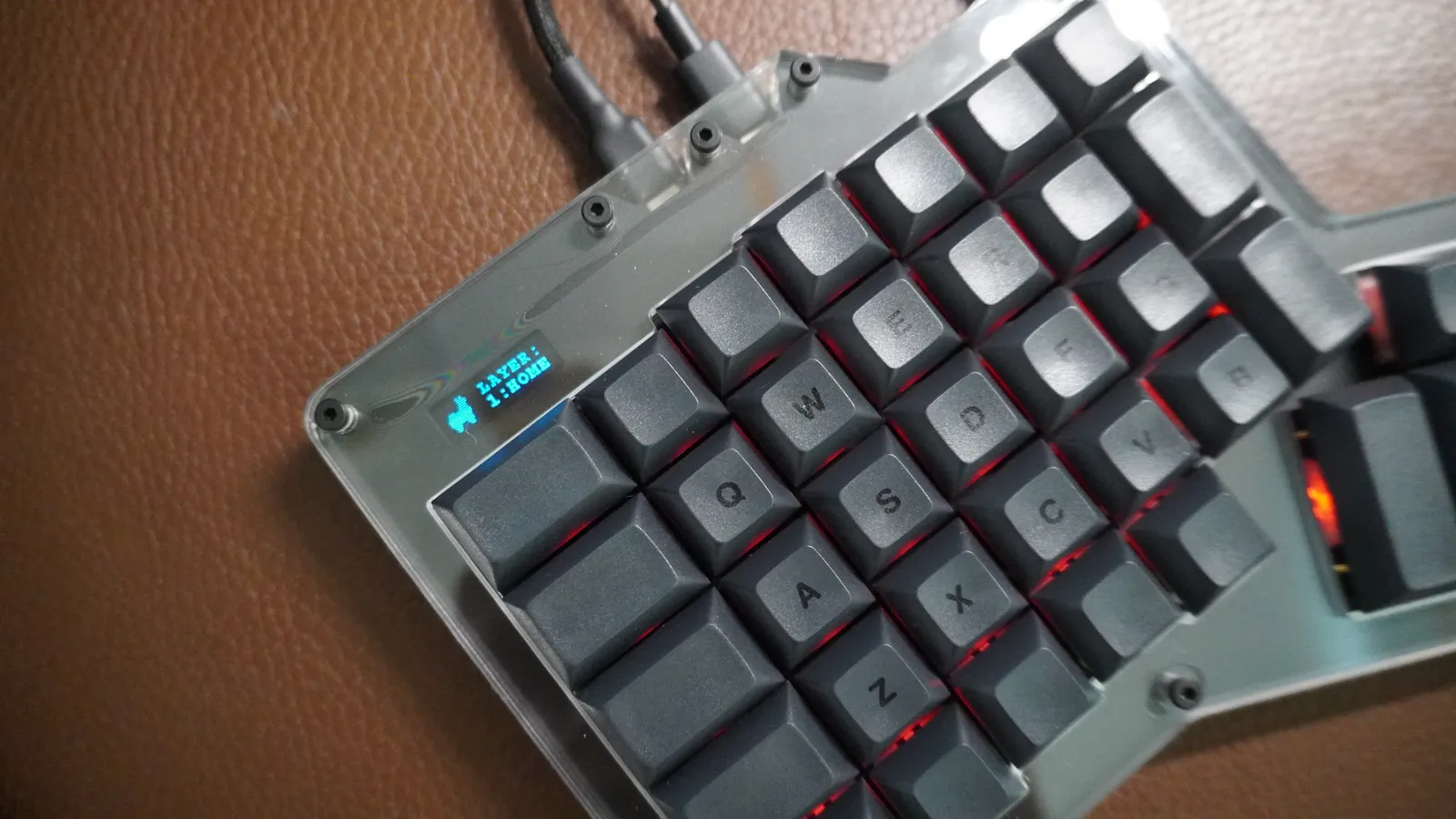
ErgoDox 76 Hot Dox V2 left half with the screen showing the active layer, 1:HOME, and red RGB backlighting
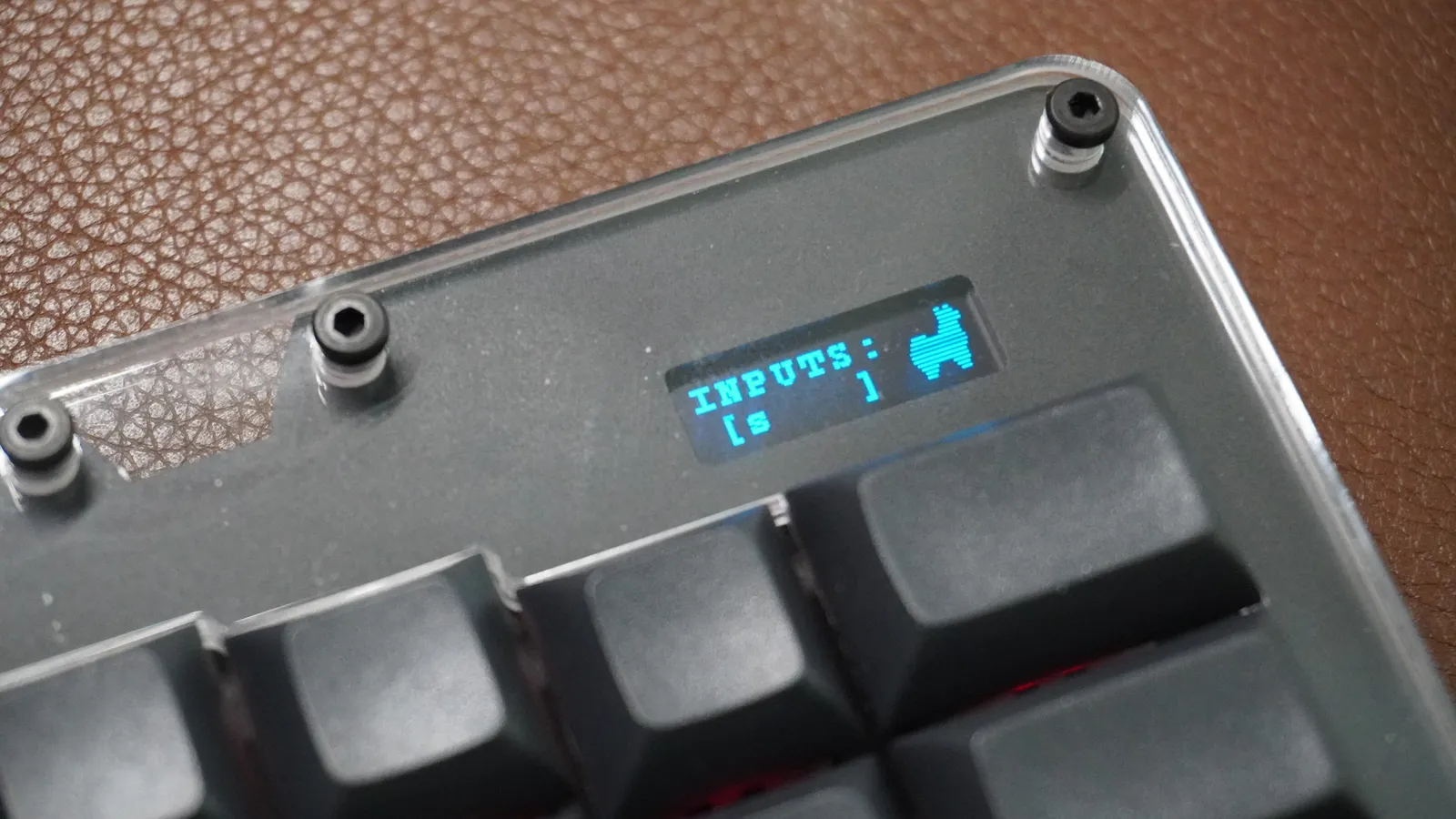
Close-up of the ErgoDox 76 Hot Dox V2 right-half screen showing recent keypresses under INPUTS
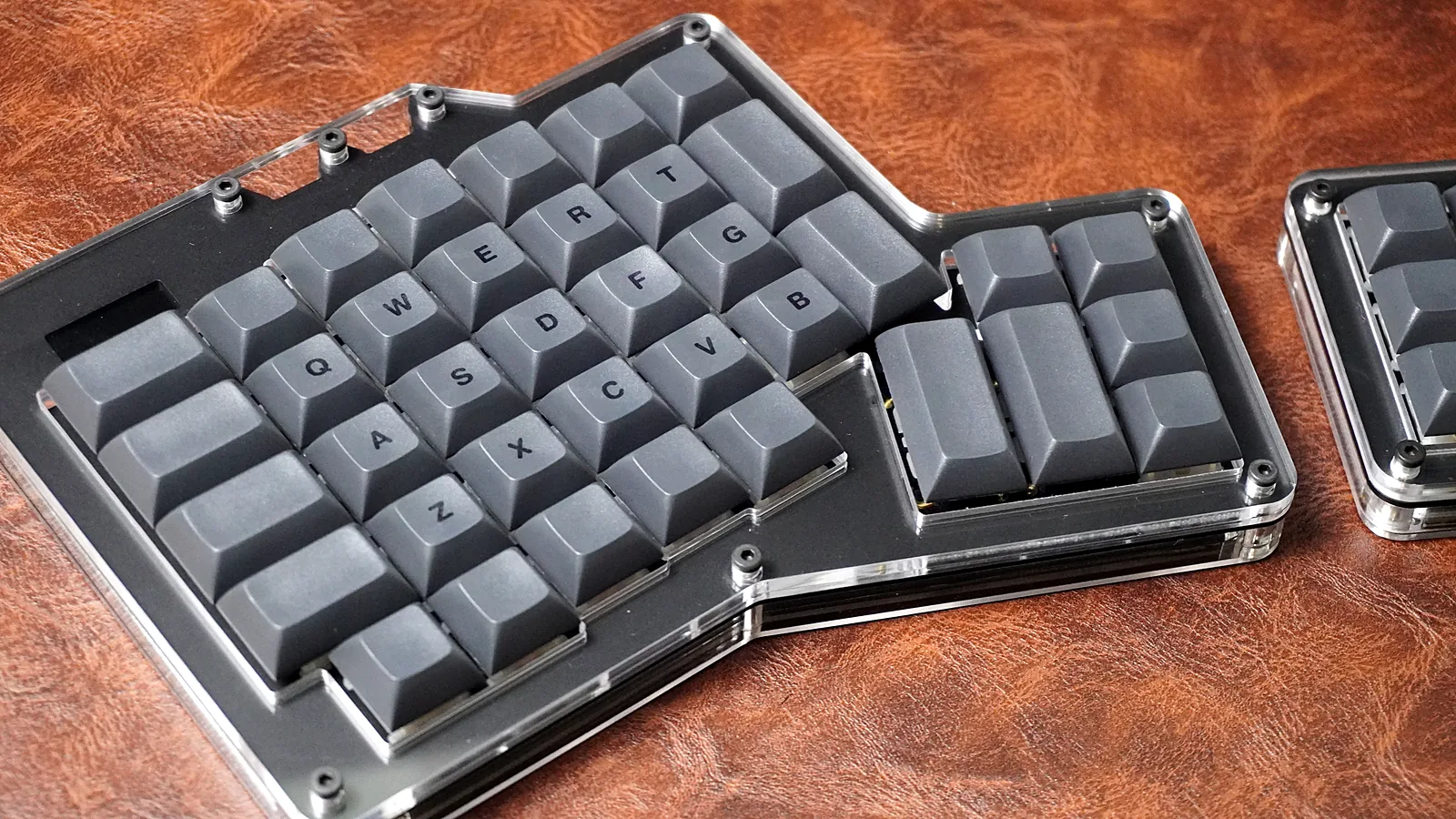
ErgoDox 76 Hot Dox V2 left half showing the layer screen above the number row
16 photos
The original ErgoDox was a kit you had to solder yourself. The ErgoDox 76 "Hot Dox" V2 from Alpaca Keyboards keeps the same split layout but arrives assembled, with hot-swap sockets, VIA support, and a small screen on each half. We got a review copy of the Dark version with Gateron Milky Yellow Pro linear switches and DSA dye-sub keycaps, and this review covers what I found.
Quick Verdict
The ErgoDox 76 Hot Dox V2 is a great quality split ergonomic keyboard. It suits people who like to tinker, and it's just as good for people getting started with split keyboards.
- What it is: a prebuilt, 76-key ErgoDox-layout split keyboard with a 6-key thumb cluster on each half
- Price: $189.99 to $249.99. We reviewed the $229.99 Dark version with Gateron Milky Yellow Pro linears and DSA dye-sub keycaps
- Best parts: solid acrylic-and-aluminum build, smooth Milky Yellow Pros, hot-swap sockets, easy VIA remapping
- Watch for: loud, wobbly stabilizers on the 2u thumb keys (lube fixes them), non-braided cables, no tenting, no Bluetooth
- Who it's for: anyone who wants a real split keyboard without soldering one
Price and the Version I Tested
The Hot Dox V2 runs from $189.99 for the barebones kit up to $249.99 for the most expensive configuration. Some configurations were sold out at the time of writing, so check which switches and colors are available before you settle on one.
Our review copy is the $229.99 configuration:
- Color: Dark
- Switches: Gateron Milky Yellow Pro (linear)
- Keycaps: DSA dye-sub PBT
ErgoDox 76 Hot Dox V2 Specs
| Spec | ErgoDox 76 Hot Dox V2 |
|---|---|
| Layout | 76-key split, 6-key thumb cluster per half |
| Switches | Hot-swap. Gateron Milky Yellow Pro (linear), TTC Silent Bluish White V2, Kailh Speed Copper (tactile), Kailh Rose Red (linear), or none |
| Keycaps | DSA dye-sub PBT, or none |
| Case | Aluminum switch plate with clear acrylic layers |
| Colors | Light or Dark |
| Lighting | RGB backlight, a screen on each half |
| Firmware | QMK, remappable in VIA |
| Connection | Wired USB-C. There is no Bluetooth option |
| OS support | Windows, macOS, Linux, Android |
| Weight | About 1 kg (2.2 lb) |
| Warranty | One year |
| Price | $189.99 to $249.99 ($229.99 as tested) |
Unboxing
The box is plain white with a line drawing of the left half on the lid, and the Alpaca Keyboards llama on the side.
The cables come in a bag on top, with the two halves underneath. Besides the keyboard, this is what's in the box:
- USB-C to USB-C cable
- USB-C to USB-A cable
- Switch and keycap puller
- A QR code that links to the setup guide
Build Quality
Each half is an aluminum switch plate sandwiched between clear acrylic layers, held together with thick standoffs. On the Dark version the grey caps sit on a black plate, and from the side you can see every layer of the case. The whole board weighs about a kilogram, split across two halves, so neither half slides around on the desk.
Other reviewers agree on the build. kbd.news calls it "a nice layered acrylic case with aluminum switch plate". Tom's Hardware calls it "a more blinged-out, accessible option" next to the ErgoDox EZ.
Tenting
The one thing the case can't do is tilt or tent. Tenting means raising the inner edge of each half so your palms angle toward each other, closer to a handshake position than flat on the desk. It's a common next step after going split. The Hot Dox halves sit flat, with no tenting legs or tilt feet built in, so if you want a tented keyboard you'll need a third-party tenting stand.
The Layout and Thumb Clusters
This is the part that takes getting used to. Instead of the row stagger on a normal keyboard, the keys sit in straight columns, staggered vertically to follow the length of your fingers. There's no spacebar. Each half has a 6-key thumb cluster instead, with two tall 2u keys.
Because each thumb gets six keys, you can move Space, Backspace, Enter, and modifiers off your pinkies. After the split itself, that's the main ergonomic benefit, and it's why most ErgoDox owners end up remapping the default layout.
The hardest part for touch typists: keys on your thumbs
If you already touch type, the column stagger isn't the hardest thing to adjust to. Moving keys onto your thumbs is. On a normal keyboard your thumbs only hit the spacebar. On the Hot Dox, they also take over keys your pinkies have pressed for years.
Here's my layout in VIA. The left thumb cluster has Space and Backspace on the two big 2u keys, and the right thumb cluster has Tab and Enter. So Backspace, Tab, and Enter all move from your pinkies to your thumbs. At first, your pinky will keep reaching for Backspace and Enter where they used to be, and find nothing there.
It clicks with practice. Once it does, hitting Backspace or Enter with your thumb feels better than stretching a pinky for them. Until then, expect to type slower, especially when you're making a lot of corrections or starting new lines. Remapping in VIA takes seconds, so you can keep moving keys around until the layout fits your hands.
If you haven't used a split keyboard before, it will probably take you a little while to get used to. Plenty of people swear by the layout once it clicks, but it isn't instant. kbd.news found the thumb cluster "slightly too far" from the main keys and suggested remapping to avoid stretching.
If a full split feels like too big a jump, an Alice-layout keyboard is an easier first step. We cover a few picks at the end of this review.
Setting Up an Ergonomic Split Keyboard
The USB-C to USB-C cable links the two halves, and the other cable runs to your computer. That lets you set the halves shoulder-width apart and keep your wrists straight, instead of angling them in toward one board.
One thing I wish were different: the cables aren't braided. Straight out of the box, the connecting cable holds the coil from its packaging and spirals a little, which you can see in the photo above, and it doesn't look great. Then again, plenty of people use this with a laptop in the middle and the halves far apart on either side, so a cable that stays flexible makes sense. It should relax and lie flatter after you've used it for a while.
This setup belongs on a desk. Two halves and two cables make it awkward to carry around, which kbd.news also points out. If you're still deciding whether you need a true split, our roundup of ergonomic mechanical keyboards compares the Hot Dox with one-piece ergonomic layouts.
Gateron Milky Yellow Pro Switches
Our review copy came with Gateron Milky Yellow Pros. They're one of the best affordable linears you can get, and one of the smoothest at the price. You won't be disappointed with them. Every key on the board feels good to type on. You can see the yellow stem once you pull a keycap.
The one weak spot: thumb key stabilizers
The one thing I noticed was the stabilizers on the big 2u thumb keys. They were a bit loud and wobbly compared with the rest of the board. It's nothing a little lube won't fix, and if that isn't enough, try the band-aid mod: a small piece of fabric bandage on the PCB where the stabilizer wire hits, to dampen the rattle. With an hour or two, both thumb clusters will sound as good as the rest of the board.
Every socket is hot-swap, so none of this is permanent. The included puller handles both switches and keycaps. If you haven't swapped switches before, see how to remove keyboard switches. For more on this switch family, see our Gateron Yellow switches guide.
DSA Dye-Sub Keycaps
The Dark version ships with dark grey DSA dye-sub PBT keycaps. DSA is a uniform profile, so every row is the same height and shape. That matters on an ErgoDox: sculpted profiles like Cherry or OEM are designed for row-staggered boards, and their rows won't line up on these columns. kbd.news notes that the homing keys have deeper dishes, which helps you find home row without looking. More on the profile in our DSA keycaps guide.
VIA, RGB, and the Screens
The Hot Dox V2 runs QMK, and it's nice that you can set it up with VIA. VIA is the most accessible way to edit keymaps: you remap keys and layers in real time, and there's no firmware to compile or flash. Setting up QMK directly can be cumbersome, and VIA makes it easy. The QR code in the box takes you to the Hot Dox V2 setup guide, and kbd.news described setup as going "like a breeze".
If you haven't used VIA before, there's plenty of documentation on it. A few keycodes, like A(KC_TAB), look cryptic at first, but a quick read of the VIA docs clears them up.
There's RGB backlighting with underglow, and each half has a small screen. The left screen shows the active layer, which matters on a board where you'll lean on layers.
The right screen shows your recent keypresses.
Who Should Buy the ErgoDox 76 Hot Dox V2?
Buy it if:
- you want a true split keyboard and don't want to solder one
- you have wrist or shoulder strain from a standard board
- you're willing to spend a couple of weeks relearning where keys are
- you want to try different switches without buying a second keyboard
- you don't mind spending an hour lubing the thumb stabilizers
Skip it if:
- you need to type at full speed on day one (try an Alice layout first)
- you need wireless, since there's no Bluetooth option
- you want built-in tenting or tilt
- you'll carry your keyboard between places
Verdict
This is a great quality split keyboard. It's a good fit if you like to tinker, and just as good if you want to get started with split keyboards. The Hot Dox V2 is one of the easier ways into a real split keyboard. It arrives built, it's hot-swap, the Milky Yellow Pros are great, and VIA handles remapping without touching firmware. The trade-offs are a flat case, thumb stabilizers that need an hour of tuning, and a learning curve if you're new to splits. If you know you want an ErgoDox and don't want to build one, I'd buy it. If you're only curious about ergonomic keyboards, start with an Alice-layout board and work up to this. To see how it stacks up against other splits, read our roundup of the best split keyboards.
More boards from the same shop are on our Apos keyboards page.
Not Ready for a Full Split? Try an Alice Layout
If going straight to a full split feels like a lot, an Alice-layout keyboard is an easier step up. The keys are split and angled in a single board, and they keep a normal row stagger, so you get some of the wrist benefit without relearning where every key is. Once that feels natural, a board like the Hot Dox is a much smaller jump.
- Keychron Q8 Max: a 65% Alice board with a full aluminum gasket-mount case, QMK/VIA, hot-swap, and wireless.
- Keychron Q8 Pro: the previous-generation Q8 with the same aluminum gasket-mount case and QMK/VIA, plus Bluetooth.
- Keychron Q8: the original wired Q8, and the most affordable aluminum Alice board Keychron still sells.
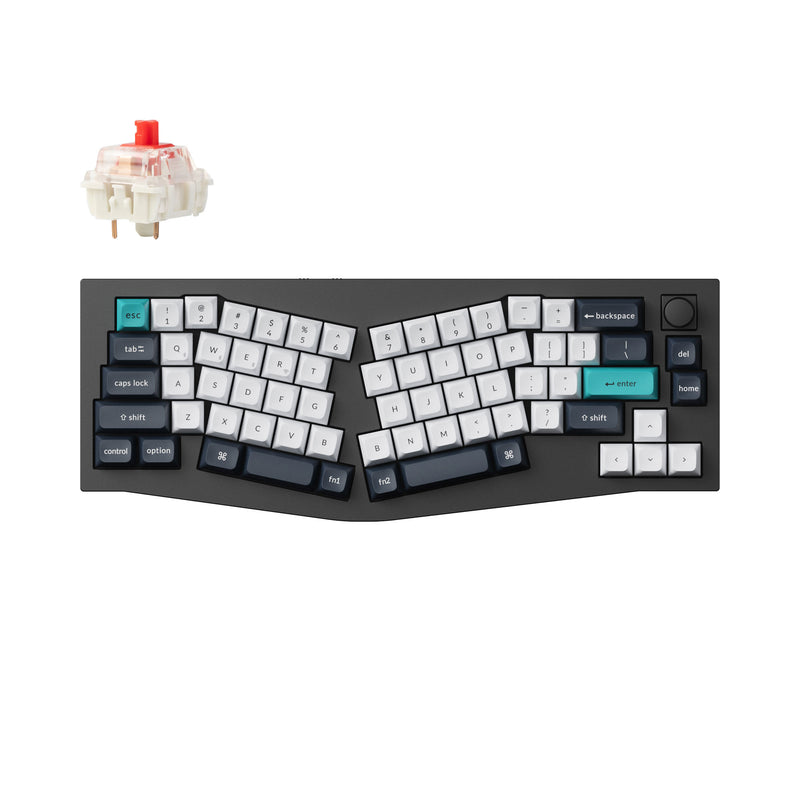
For more options, see our Alice keyboards page, or read the Alice layout explained if you're new to it.
Frequently Asked Questions
Is the ErgoDox 76 Hot Dox V2 worth it?
Yes, if you want a real split keyboard without soldering one. It arrives assembled with hot-swap sockets, VIA remapping, and good switches. It's a great fit if you like to tinker, and just as good if you're getting started with split keyboards. Expect a learning curve and plan to lube the thumb-key stabilizers.
How many keys does the ErgoDox have?
The ErgoDox 76 Hot Dox V2 has 76 keys across two halves, including a 6-key thumb cluster on each half. The original open-source ErgoDox design uses 76 to 80 keys depending on the build.
Do split ergonomic keyboards actually work?
A split keyboard lets you set each half at shoulder width so your wrists stay straight instead of angling in toward one board, and the thumb clusters move keys like Space, Enter, and Backspace off your pinkies. Many people swear by them, but expect a few weeks to get used to the layout.
What's the hardest part of switching to an ErgoDox as a touch typist?
Moving keys onto your thumbs. On a normal keyboard your thumbs only press the spacebar, but on an ErgoDox the thumb clusters usually take over Backspace, Enter, and Tab too, so your pinkies keep reaching for keys that aren't there. It gets easier with practice, and you can remap the thumb keys in VIA until they suit you.
Does the ErgoDox 76 Hot Dox V2 have Bluetooth?
No. There is no Bluetooth option. It's a wired USB-C keyboard, and it comes with a USB-C to USB-C cable and a USB-C to USB-A cable.
Is the Hot Dox V2 hot-swappable?
Yes. Every socket is hot-swap, so you can change switches without soldering. A switch and keycap puller is included.
Is the Hot Dox V2 good for beginners?
Yes. It's prebuilt and you set it up with VIA, which is the most accessible way to edit keymaps. If a full split feels like too big a jump, an Alice-layout keyboard such as the Keychron Q8 Max is an easier first step.
How is the Hot Dox V2 different from the ErgoDox EZ?
Both use the ErgoDox split layout. The Hot Dox V2 adds a layered acrylic case, hot-swap sockets, a screen on each half, and VIA support, and Tom's Hardware notes it costs a fraction of the price of an ErgoDox EZ.
Does the ErgoDox 76 Hot Dox V2 work with Mac?
Yes. It works with Windows, macOS, Linux, and Android.
How much does the ErgoDox 76 Hot Dox V2 cost?
It ranges from $189.99 for the barebones kit to $249.99 for the most expensive configuration. The Dark version with Gateron Milky Yellow Pro switches and DSA dye-sub keycaps we reviewed is $229.99.