MOA profile keycaps have quietly become the default shape for the most eye-catching dye-sublimation sets on the market — uniform height, spherical dished tops, and a deep printable surface that artwork-heavy designs love. If you've been shopping for cute, Y2K, or ukiyo-e keycap sets and noticed "MOA" in half the listings, this is why. Below we explain what the MOA profile actually is, how it compares to Cherry, OEM, XDA, and DSA, who it suits (and who it doesn't), and the best MOA profile keycaps you can order today.
What Is the MOA Profile?
MOA is a uniform, spherical-top keycap profile. Two things define it:
- Uniform height. Unlike Cherry or OEM, MOA is not sculpted — every row sits at the same height and angle rather than stepping up toward the back of the board. Akko, which uses the profile across much of its own lineup, describes MOA simply as "uniform" with a "spherical top with curved edge lines."
- A spherical (dished) top. Each keycap top is scooped in a shallow bowl that cups the fingertip from all sides, rather than the cylindrical front-to-back scoop used by Cherry, OEM, and SA.
Almost every MOA set on the market is PBT with dye-sublimated legends, which is a big part of the appeal: PBT resists the shine that ABS develops on heavily used keys, and dye-sub bonds the artwork into the plastic instead of printing on top of it, so the legends can't wear off. The spherical top also gives artists a slightly deeper, rounder canvas than a flat profile does, which is why MOA has become the go-to for illustrated and novelty-heavy sets.
Because the profile is uniform, you can move caps between rows freely — handy on ortholinear boards, 40% layouts, and any keyboard with an unusual bottom row.
MOA vs Cherry, OEM, XDA, and DSA
Here's where MOA sits in the wider profile landscape:
| Profile | Sculpted? | Height | Top surface | Best for |
|---|---|---|---|---|
| OEM | Yes | ~11.5 mm | Cylindrical | Default feel, easy to find |
| MOA | No | ~9.8 mm | Spherical | Artwork sets, cute/novelty builds |
| Cherry | Yes | ~9.4 mm | Cylindrical | Typists, enthusiasts |
| XDA | No | ~9.1 mm | Spherical | Aesthetics, minimalist & custom builds |
| DSA | No | ~7.6 mm | Spherical | The shortest, flattest uniform look |
One honest note on that height figure: no vendor publishes an official MOA measurement. Akko's own profile guide uses only relative descriptors, grouping MOA with the shorter profiles rather than giving millimetres. The ~9.8 mm above is the figure the community consistently cites, and it matches how MOA feels in hand — a touch taller than Cherry, noticeably lower than OEM. Treat it as a good approximation, not a spec sheet.
The useful comparison is with the other two uniform, spherical profiles. MOA, XDA, and DSA share the same basic idea, and the difference is mostly height and wall shape: DSA is the shortest and roundest, XDA sits in the middle with a wide flat-ish top that suits minimalist designs, and MOA is the tallest of the three with more pronounced walls around the dish. If you want the dramatically tall sculpted spherical look instead, that's the SA family at the opposite end of the same lineage. Our keycap profiles comparison stacks all of them — spherical and cylindrical, uniform and sculpted — in one table.
Against the sculpted profiles, the trade is comfort-by-familiarity versus consistency. Cherry and OEM are shaped row by row to meet your fingers where they already are; MOA asks your hands to adapt once, then behaves identically everywhere on the board.
MOA vs XDA vs Cherry Keycaps
These are the three profiles most MOA shoppers end up choosing between, so here they are side by side:
| MOA | XDA | Cherry | |
|---|---|---|---|
| Sculpted rows? | No (uniform) | No (uniform) | Yes |
| Approx. height | ~9.8 mm (community figure) | ~9.1 mm | ~9.4 mm |
| Top shape | Spherical dish, pronounced walls | Spherical, wide and flatter | Cylindrical scoop |
| Swap caps between rows? | Yes | Yes | No |
| Typical sets | Artwork, cute and novelty dye-sub PBT | Minimalist and graphic dye-sub PBT | Enthusiast GMK-style and doubleshot sets |
| Pick it if you want | The roundest, most "bubbly" uniform look | A lower, cleaner uniform look | The most familiar typing feel |
If you like the uniform idea but want something lower and flatter, see our best XDA keycaps guide. If you want a tall sculpted profile with deep scoops instead, MT3 keycaps sit at the opposite end. The full keycap profiles comparison covers every major profile in one place.
Who MOA Is (and Isn't) For
MOA is an easy recommendation if you're buying a set for how it looks — the artwork-first sets in this category are genuinely the best-designed budget keycaps you can buy, and the spherical dish is comfortable for most people after a short adjustment.
But it's worth being straight about the downsides, because they're real:
- There's an adjustment period. Coming from Cherry or OEM, uniform height feels odd for the first day or two, particularly on the number row and bottom row where your fingers expect a step up.
- The walls are more pronounced than XDA's. MOA's spherical dish has a noticeable rim, and typists who slide laterally between keys rather than lifting cleanly tend to catch on it. Enthusiast reviewers who prefer Cherry's shallow cylindrical ramps often bounce off MOA for exactly this reason — it encourages a lift-and-place typing motion rather than a gliding one.
- Uniform height is a downgrade for thumb clusters. On ergo and split boards where varying key heights genuinely help, a uniform profile removes a useful cue.
- Consider spacebar foam. Akko specifically recommends it for MOA sets — the taller uniform caps can leave the spacebar sounding hollow otherwise.
None of that makes MOA a bad profile. It makes it a profile you should choose deliberately, ideally because you want a specific set, rather than as a default upgrade from stock caps. If you type with a gliding motion and love your Cherry caps, MOA probably isn't the profile to switch to.
The Best MOA Profile Keycaps in 2026
Every set below is a genuine MOA-profile PBT dye-sub set from our catalog, ordered to cover a range of styles rather than six versions of the same look.
COOMICKEY MOA Profile Black & Pink Keycaps (134 Key)
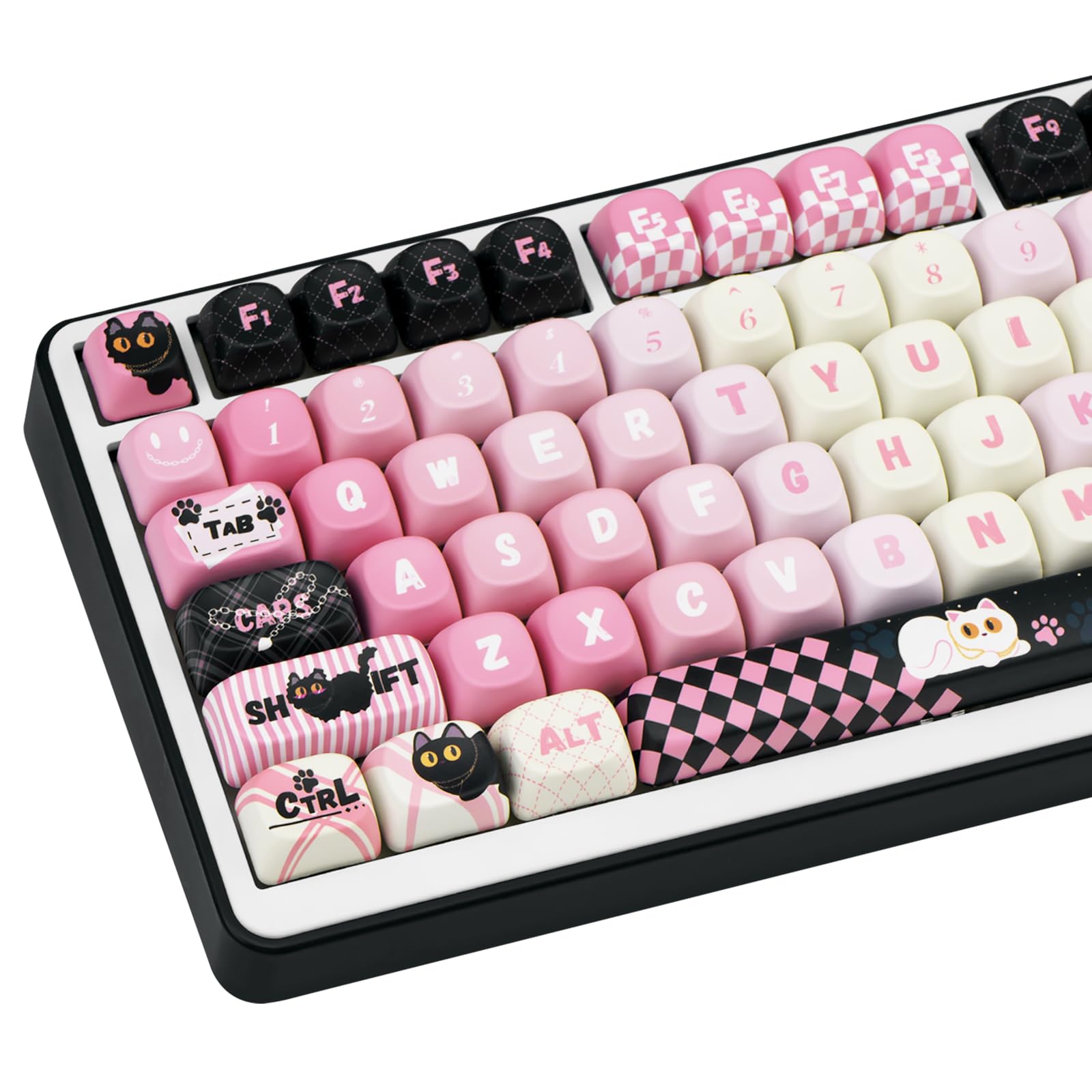
The best all-round introduction to MOA, and the set that shows the profile off most clearly. It pairs a soft pink gradient across the alphas — deeper rose at the bottom rows fading to cream — with a black quilted function row and a pink-and-black checkerboard spacebar. The novelties carry the theme properly rather than as an afterthought: a black cat on Escape, chained Caps and Shift keys, paw-print Tab, and a white cat lounging on the spacebar. At 134 keys it covers 60%, 65%, 75%, TKL, and full-size layouts, and the dye-sub legends are crisp against both the light and dark caps.
Pros: Clearest showcase of the MOA shape; 134 keys covers every common layout; genuinely coordinated novelty set; works on both black and white cases Cons: The Y2K/coquette styling is a strong aesthetic commitment — not a neutral set
KiiBoom x Elyxirine Digital Dreams Pastel Y2K Keycap Set
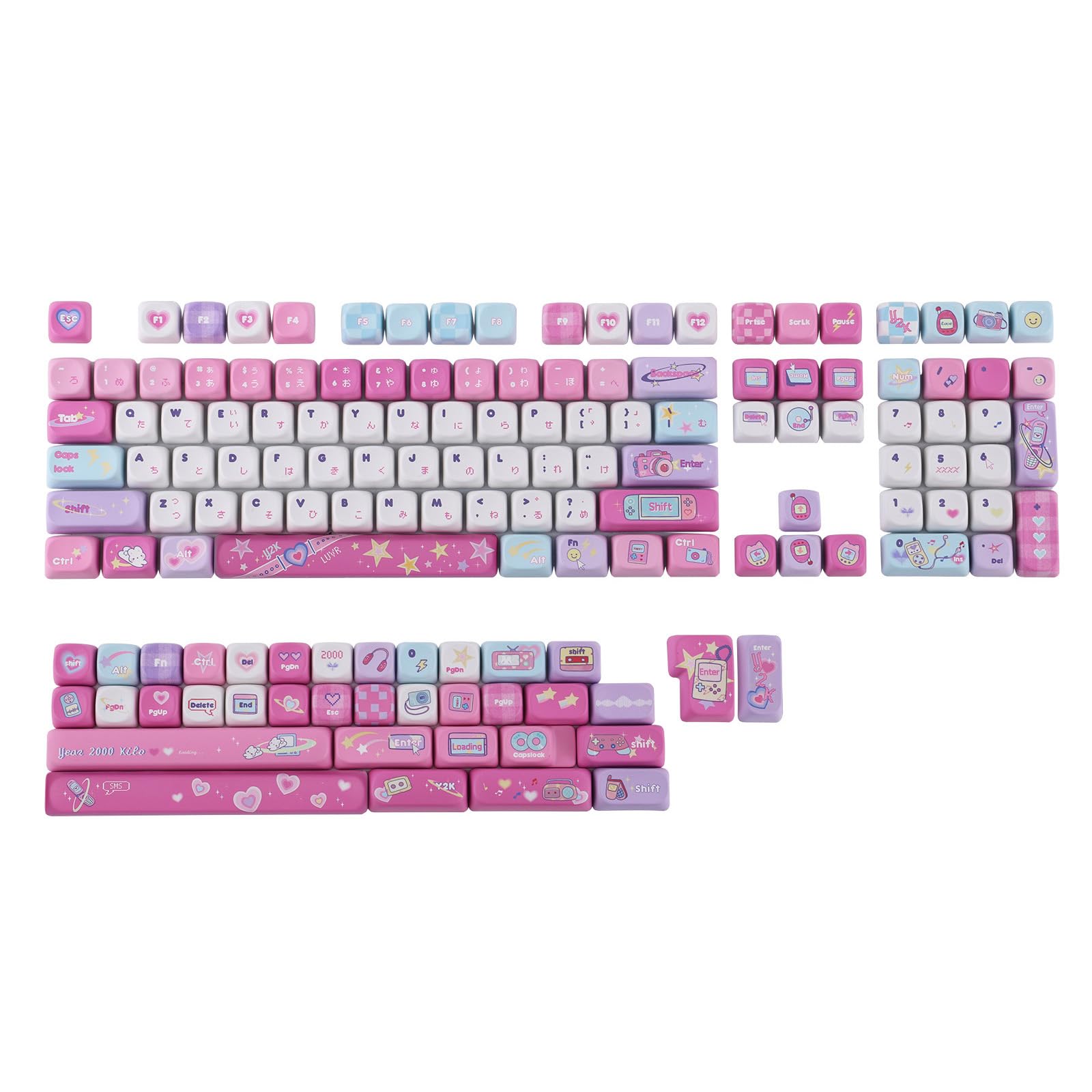
The most designed set here, and the one to buy if you want something that looks like a collaboration rather than a catalog listing. The Digital Dreams palette runs hot pink through lavender, baby blue, and white, with early-2000s motifs scattered across the novelties — flip phones, a camera, a handheld console, cassettes, shooting stars. Japanese sub-legends sit under the alphas, and the set ships with multiple spacebar and shift options including a "Year 2000 Kilo" bar. At 144 keys it's one of the most complete sets in this roundup.
Pros: 144 keys with multiple spacebar/shift variants; genuine designer collaboration; cohesive Y2K theme executed across the whole set; covers 60% through full-size Cons: Loud, saturated palette that will dominate any build it goes on
XVX MOA Profile Japanese Fuji Mountain Keycaps (140 Key)
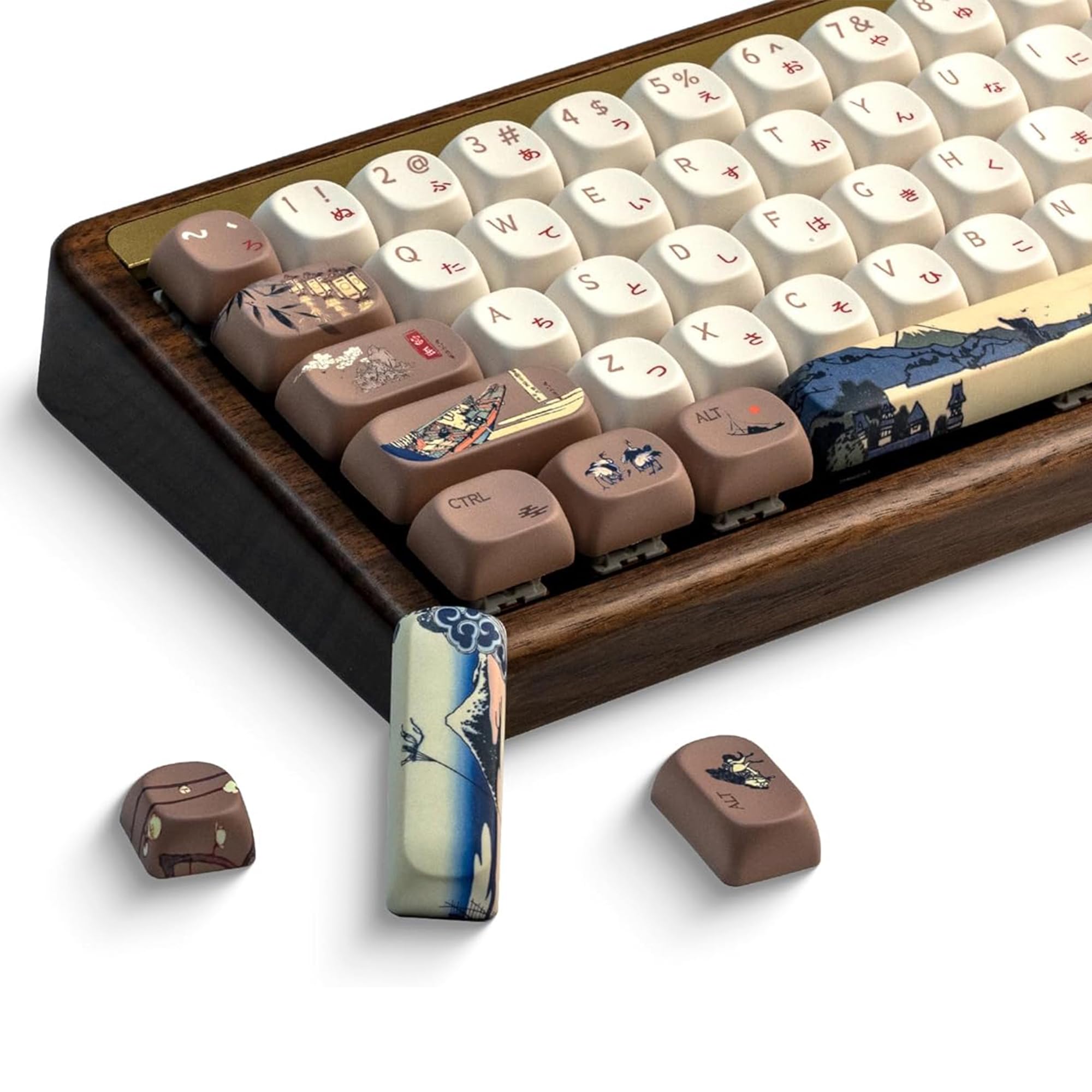
Proof that MOA isn't only a cute-set profile. This 140-key set puts cream alphas with red-brown Latin legends and hiragana sub-legends against warm taupe modifiers illustrated with ukiyo-e scenes — boats, cranes, lanterns, and a blue Mt. Fuji landscape running across the spacebar. It's the most grown-up-looking set in this list and pairs especially well with wood and brass cases. If you like this direction, our Japanese keycaps roundup covers the category in full.
Pros: 140 keys; sophisticated ukiyo-e artwork that suits wood/brass builds; hiragana sub-legends add character without clutter; excellent contrast for readability Cons: Warm cream and taupe won't match cool-toned or RGB-heavy setups
OHY XVX MOA Profile Ceramic White Keycaps
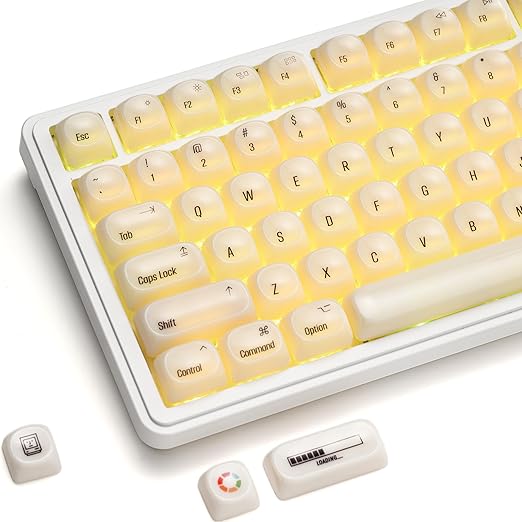
The minimalist pick. Where most MOA sets lead with artwork, this one leads with finish — a clean ceramic white that photographs beautifully and keeps the focus on the profile and the case rather than the legends. It's the MOA set to choose if you want the spherical feel without committing to a theme, and it's the easiest of these to build a coordinated setup around. Compatible with standard MX-style switches; see our ceramic keycaps guide for the wider ceramic-finish category.
Pros: Genuinely neutral — pairs with any case colour; ceramic finish resists shine and finger oils; the most "quiet desk" option here Cons: White colourway only; light legends need backlighting in dim rooms
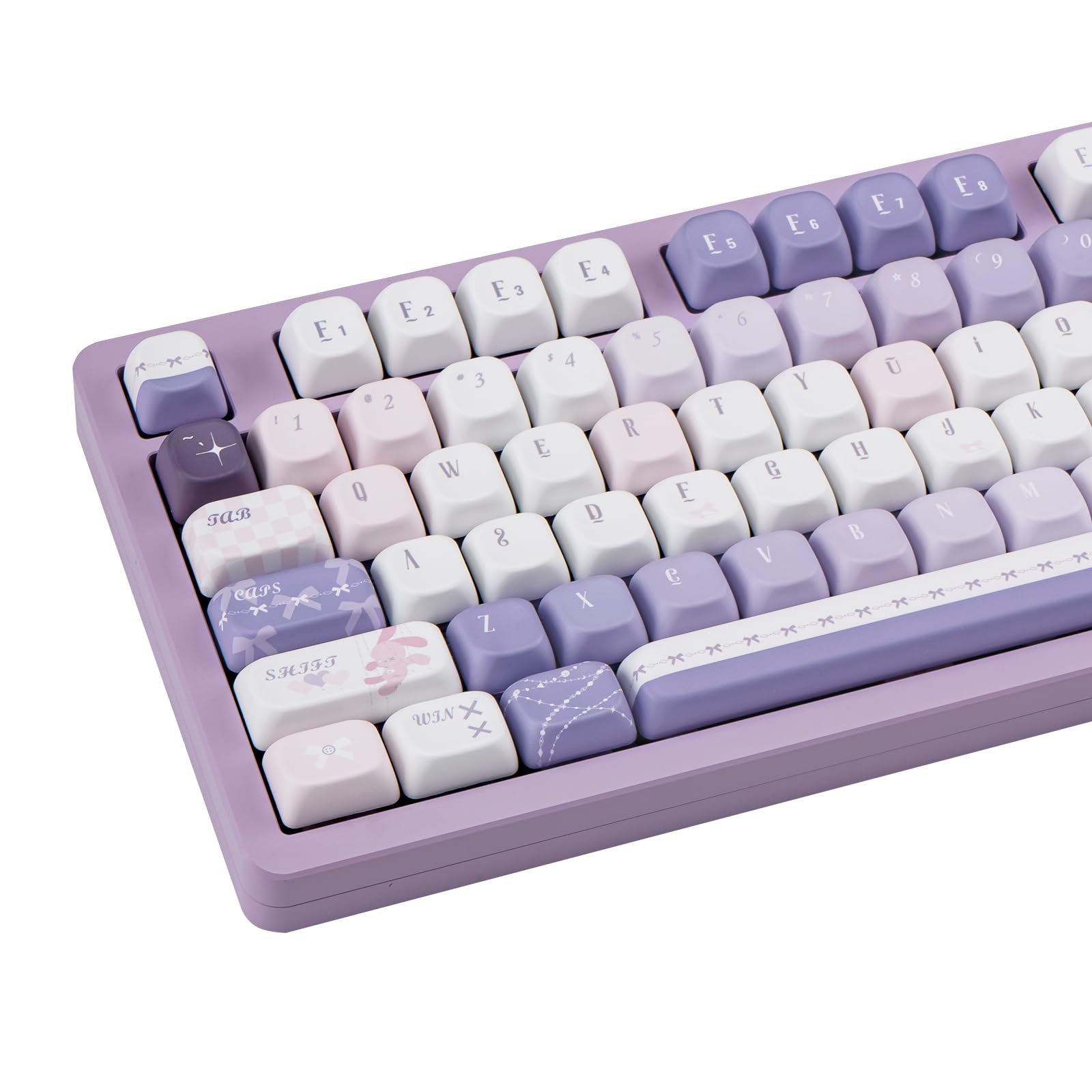
COOMICKEY MOA Profile Purple Anime Keycaps (150 Key)
At 150 keys this is the largest set in the roundup, which makes it the safest choice for custom builds with awkward bottom rows — 65% and 75% boards that need unusual modifier widths are exactly where big sets earn their money. The deep purple and blue palette carries anime-style character art rendered in high-detail dye-sublimation, and it's dark enough to hide wear on the keys you hit most. Also featured in our purple keycaps and anime keycaps roundups.
Pros: 150 keys — the most complete layout coverage here; dark palette hides wear and oils; high-detail dye-sub art Cons: Dark caps with light legends are harder to read without backlighting
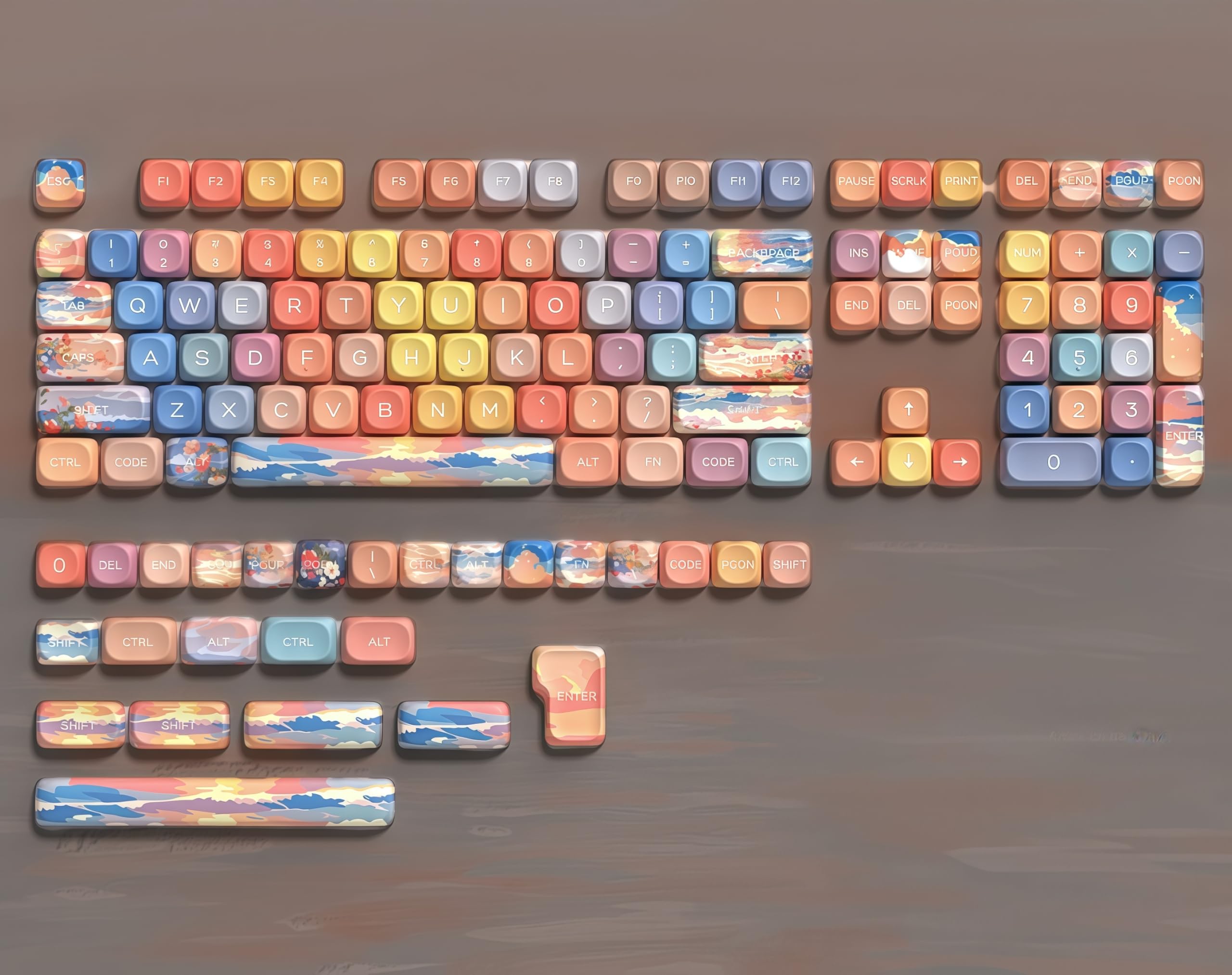
dagaladoo Sunset MOA Profile Keycaps
The most painterly set of the six. Instead of a single repeated motif, the alphas are colour-blocked across a sunset palette — coral, peach, gold, periwinkle, dusty lavender, soft grey — while the larger keys carry painted landscape scenes of clouds, sea, and sky. The spacebar is a full painted sunset panorama, and the set includes several alternative spacebars and shifts so you can tune the look. It's the pick if you want something warm and artistic that doesn't read as "cute."
Pros: Distinctive impressionist artwork; multiple spacebar and shift options; warm palette that suits both light and dark cases Cons: The multi-colour alphas are busier than a single-colour set; not for anyone who wants uniform legends
How to Choose an MOA Set
- Count your keys, not your keyboard. MOA sets range from 134 to 150 keys here. Uniform profile means any cap fits any row, but you still need the right widths — if you're on a 65%, 75%, or anything with a non-standard bottom row, favour the 144–150 key sets.
- Check the legend method. Every set above is dye-sublimated PBT, which is what you want. Avoid pad-printed budget sets where the artwork wears off the keys you actually use.
- Match the palette to your case, not your monitor. Warm sets (Fuji, Sunset) look best on wood and cream cases; the pink and purple sets need a black or white case to anchor them.
- Decide about backlighting first. None of these are shine-through. If you rely on per-key RGB to find keys in the dark, a dark-cap MOA set will fight you — see our shine-through keycaps roundup instead.
- Budget for spacebar foam. It's a couple of dollars and it's the single most effective fix for the hollow spacebar sound uniform profiles can produce.
MOA Profile Keycaps FAQ
What does MOA stand for? Nothing officially documented — it's a profile name rather than an acronym with a published expansion, in the same way XDA and DSA are. What matters is the shape: uniform height, spherical top.
Is MOA taller or shorter than Cherry? Slightly taller. Cherry sits around 9.4 mm at its lowest row and steps up from there; MOA holds a single height across the whole board that lands a little above Cherry's front rows. The bigger difference is that MOA doesn't step at all.
Is MOA the same as XDA? No, though they're close relatives. Both are uniform with spherical tops, but XDA is a little shorter with a wider, flatter top surface, while MOA is taller with more pronounced walls around the dish. XDA tends to suit minimalist sets; MOA suits artwork-heavy ones.
Is MOA good for gaming? It's fine, with one caveat. Uniform height means WASD feels identical to the rest of the board, so you lose the tactile row cue some players use to find home position by feel. The spherical dish itself helps keep fingers centred on the key.
Will MOA keycaps fit my keyboard? If it uses standard MX-style switches — Cherry, Gateron, Akko, Kailh and the rest — yes. Check your bottom-row widths against the set's key count before ordering, and confirm your board isn't low-profile, which needs its own caps.
How long does the adjustment period take? Most people report a day or two of feeling slightly off, then it stops registering. If you're still catching the walls after a week, MOA likely isn't the right profile for your typing style — Cherry or OEM will serve you better.
The Verdict
MOA profile keycaps are the best value in artwork-driven keycap sets right now: uniform, spherical, dye-sub PBT, and available in designs that punch well above their price. Start with the COOMICKEY Black & Pink set if you want the clearest introduction to the profile, the KiiBoom Digital Dreams set if you want a genuine designer collaboration, or the XVX Fuji Mountain set if you want MOA in a more grown-up register. Just go in knowing it's a deliberate change from sculpted profiles rather than a drop-in upgrade — and if the uniform look is what's drawing you in, compare against the flatter XDA and DSA profiles or browse the full keycaps hub before you commit.