Mechanical keyboards are known for their tactile feedback and durability, but what about ergonomics? Typing for hours on end can take a toll on your wrists and fingers. Fortunately, there are mechanical keyboards designed with ergonomics in mind. Let's explore some top options that prioritize comfort without sacrificing performance.
Why Ergonomics Matter in Mechanical Keyboards
Ergonomics focuses on designing products to fit the human body, reducing strain and preventing injuries. For keyboards, this means considering factors like:
- Typing Angle: A negative tilt can reduce wrist extension.
- Keycap Profile: Sculpted keycaps can match finger contours.
- Switch Type: Lighter switches require less force.
- Layout: Compact layouts reduce reach.
Top Ergonomic Mechanical Keyboards
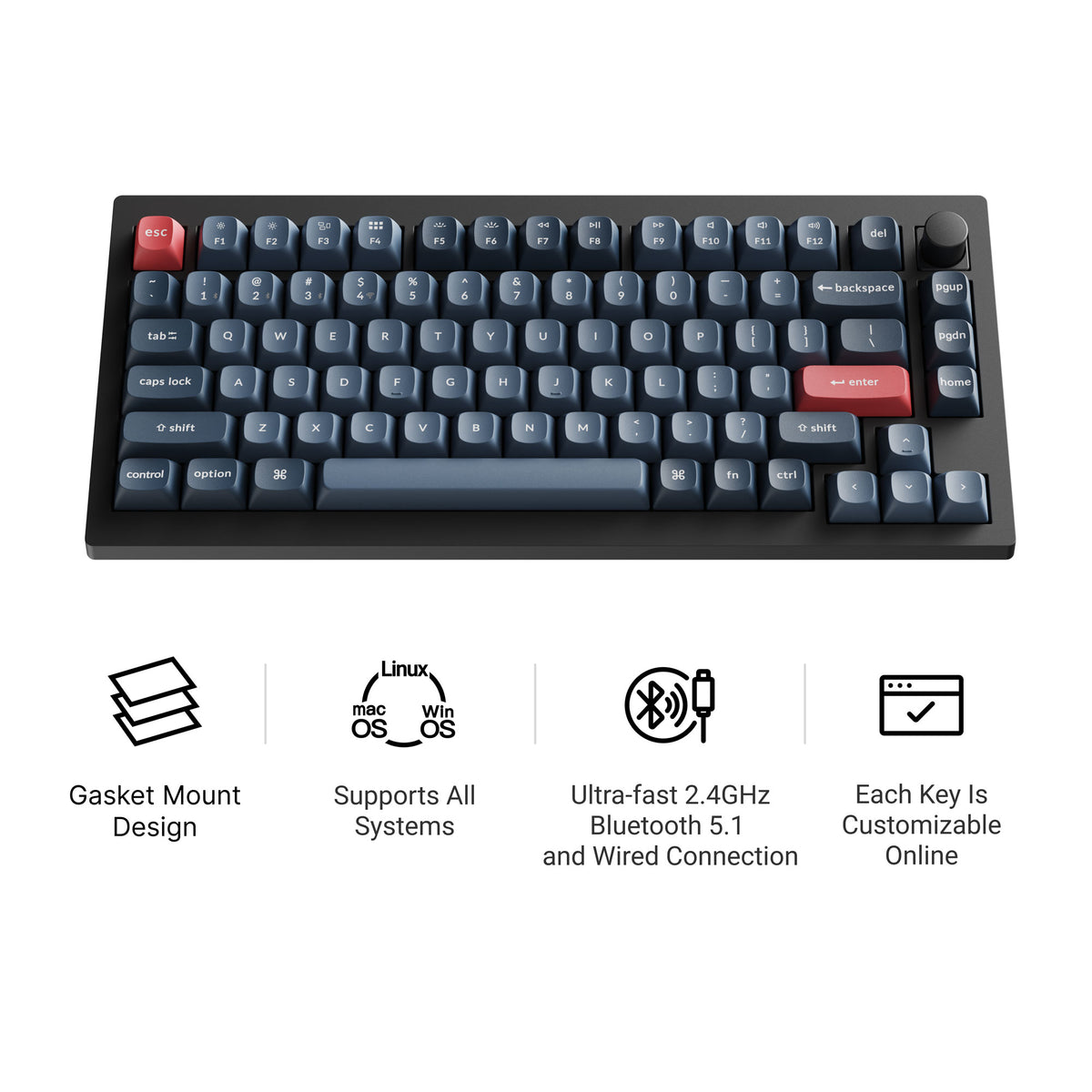
1. Keychron V1 Max
The Keychron V1 Max is a 75% hot-swappable board with tri-mode connectivity (2.4 GHz wireless, Bluetooth, and wired), a double-gasket design, factory pre-lubed switches, and screw-in stabilizers. It supports QMK/VIA and has south-facing RGB, so it feels tuned straight out of the box and stays easy to remap. Current versions all include a rotary knob; our Keychron V1 Max guide covers the full specs.
2. Keychron K2 HE
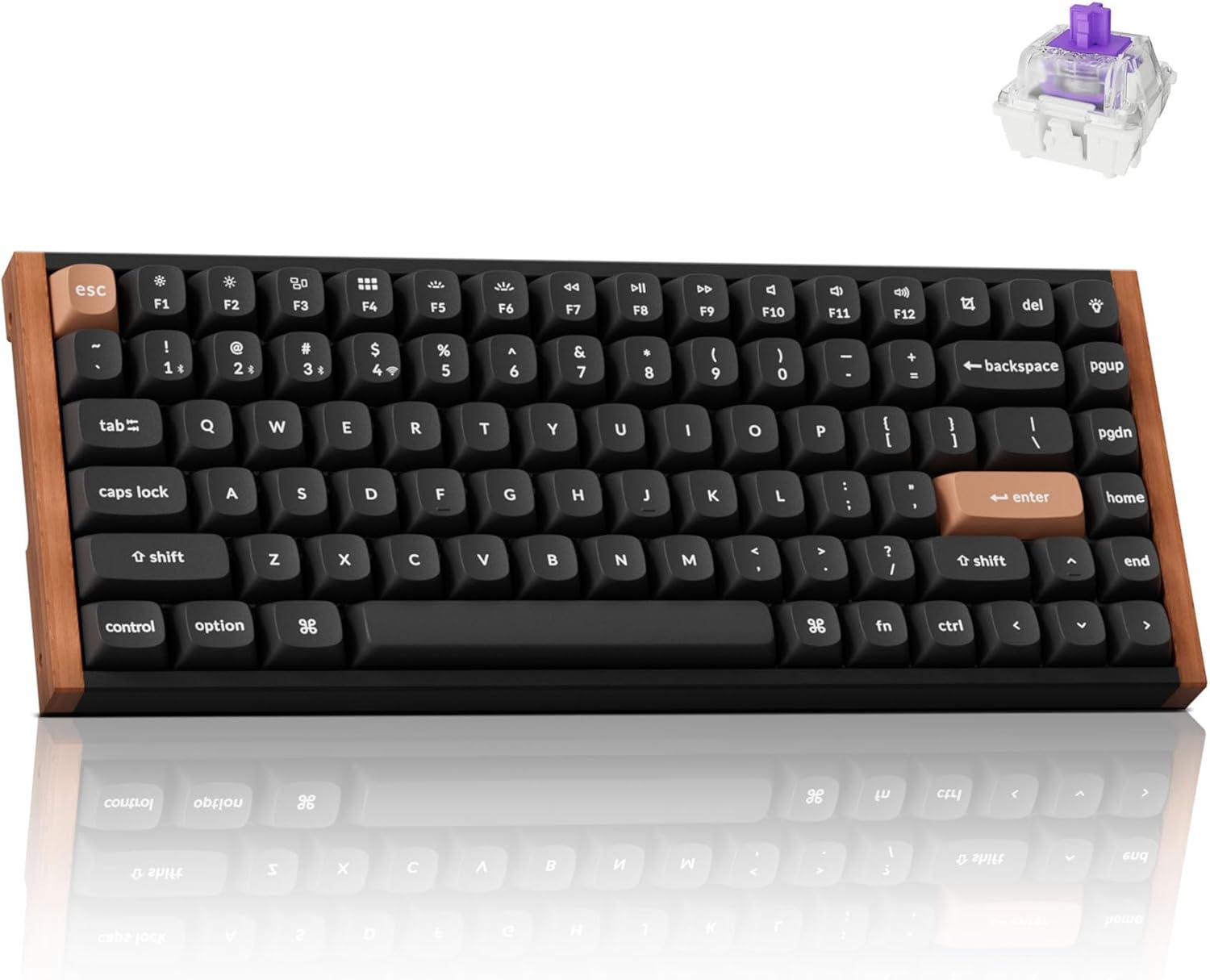
The Keychron K2 HE takes ergonomics to the next level with its Hall-Effect Gateron magnetic switches. These switches offer adjustable actuation points, meaning you can customize how far you need to press a key for it to register. This reduces the strain on your fingers, allowing for faster and more comfortable typing. The K2 HE also features a durable aluminum frame and a gasket-mounted design for added comfort.
Pros:
- Adjustable actuation points
- Durable aluminum frame
- Gasket-mounted design
- Tri-mode connectivity with low latency 2.4GHz
Cons:
- Higher price point
- Magnetic switches may feel different than traditional mechanical switches
Ideal for: Gamers and professionals who need speed and customization.
3. AULA F99
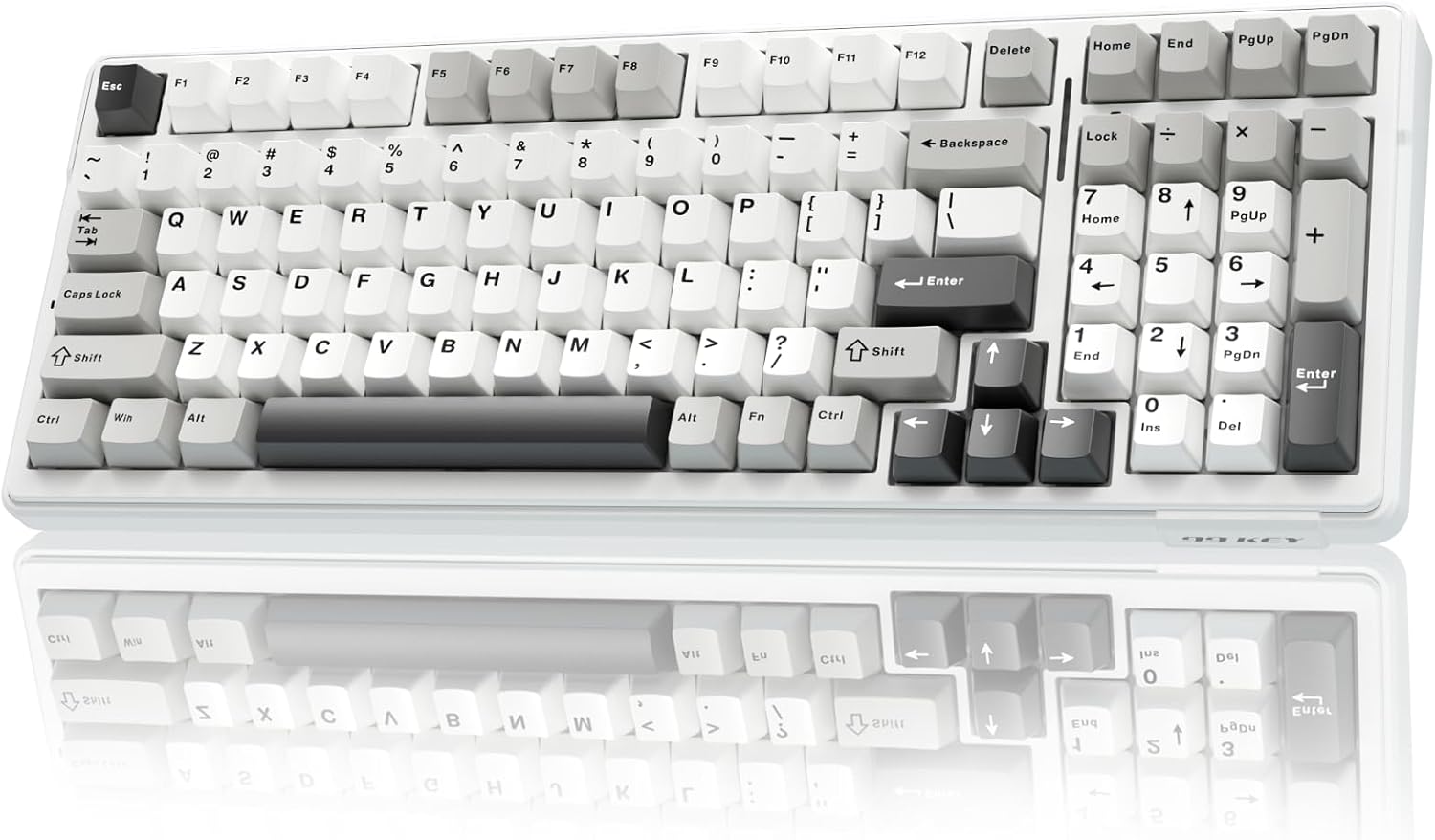
The AULA F99 offers a unique 96% layout, providing a near-full-size experience in a more compact form factor. The gasket-mounted structure and five-layer sound dampening contribute to a soft, responsive typing feel. With its large 8000mAh battery and tri-mode connectivity, the AULA F99 is perfect for extended use without sacrificing comfort.
Pros:
- Near-full-size layout in a compact form
- Gasket-mounted with excellent sound dampening
- Large battery capacity
- Hot-swappable switches
Cons:
- 96% layout may take some getting used to
- Not as portable as smaller layouts
Ideal for: Users who need a numpad but want a more ergonomic setup.
4. WOBKEY Rainy 75
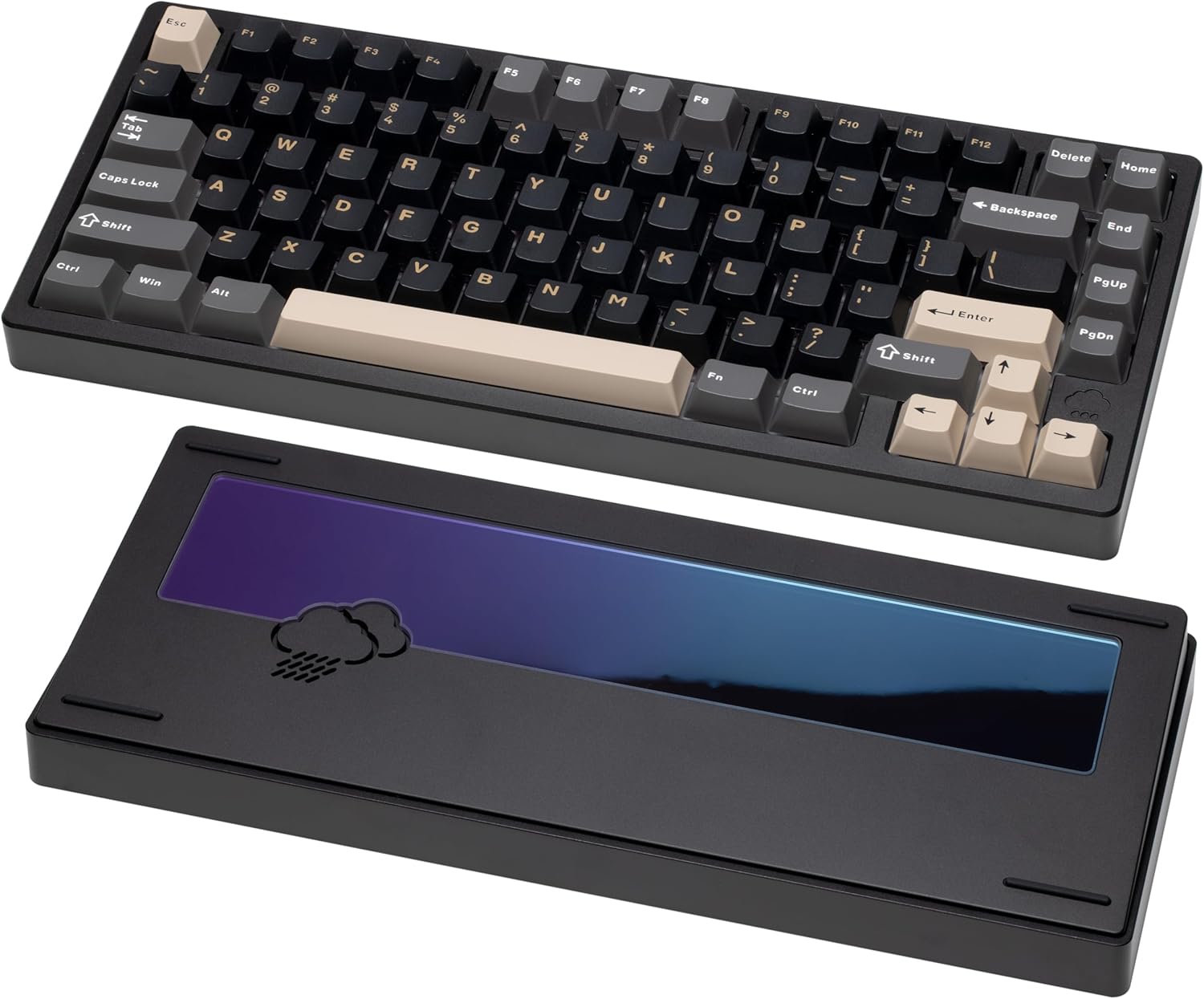
The Wobkey Rainy75 is designed with a focus on premium typing comfort. Its solid aluminum case and five-layer acoustic dampening create a quiet and pleasant typing experience. The gasket-mounted design further enhances comfort by providing a soft, cushioned feel. The tri-mode connectivity ensures compatibility with various devices.
Pros:
- Premium aluminum case
- Excellent acoustic dampening
- Gasket-mounted for comfort
- Clean, minimalist design
Cons:
- Higher price point
- May be too quiet for those who prefer louder keyboards
Ideal for: Users who value a premium, quiet, and comfortable typing experience.
5. Keychron K2 Max
The Keychron K2 Max is a 75% tri-mode keyboard that connects over 2.4 GHz, Bluetooth, or USB-C and ships with keycaps for both Windows and macOS, so Command and Option are labeled correctly out of the box. It supports QMK/VIA, remaps through the Keychron Launcher web app, has RGB backlighting, and comes in hot-swappable versions with an optional aluminum frame.
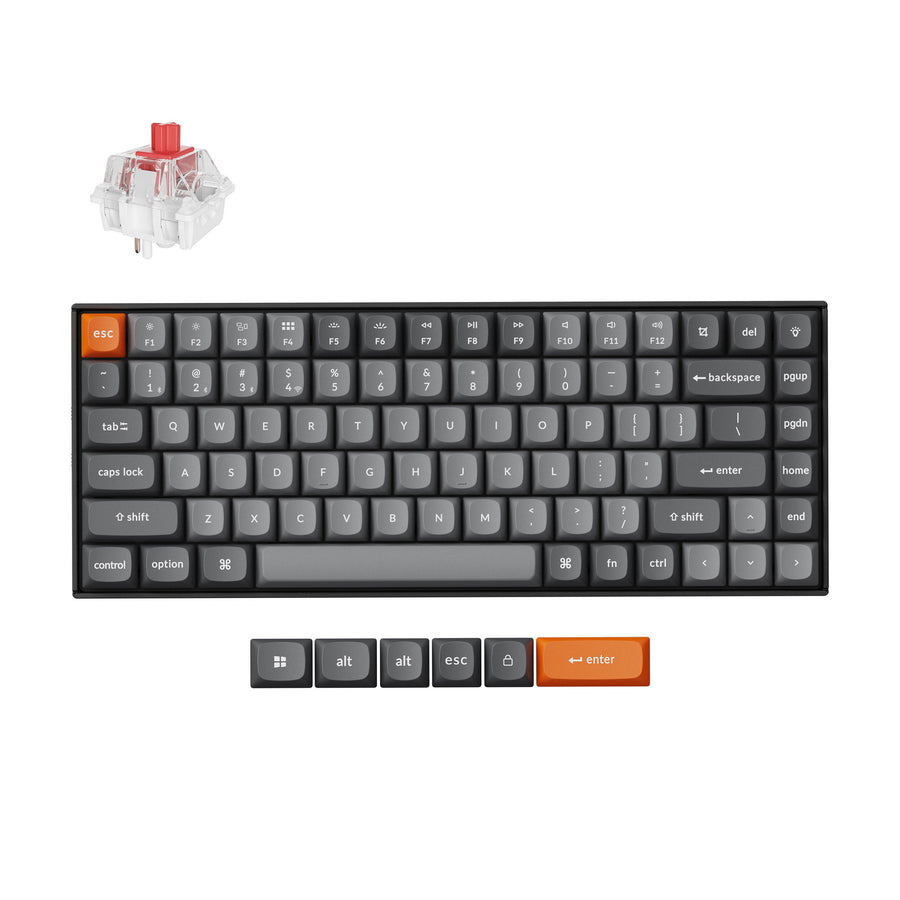
Who is it for? Mac users who want a compact wireless board that doesn't need a remapped layout.
6. ErgoDox 76 "Hot Dox" V2
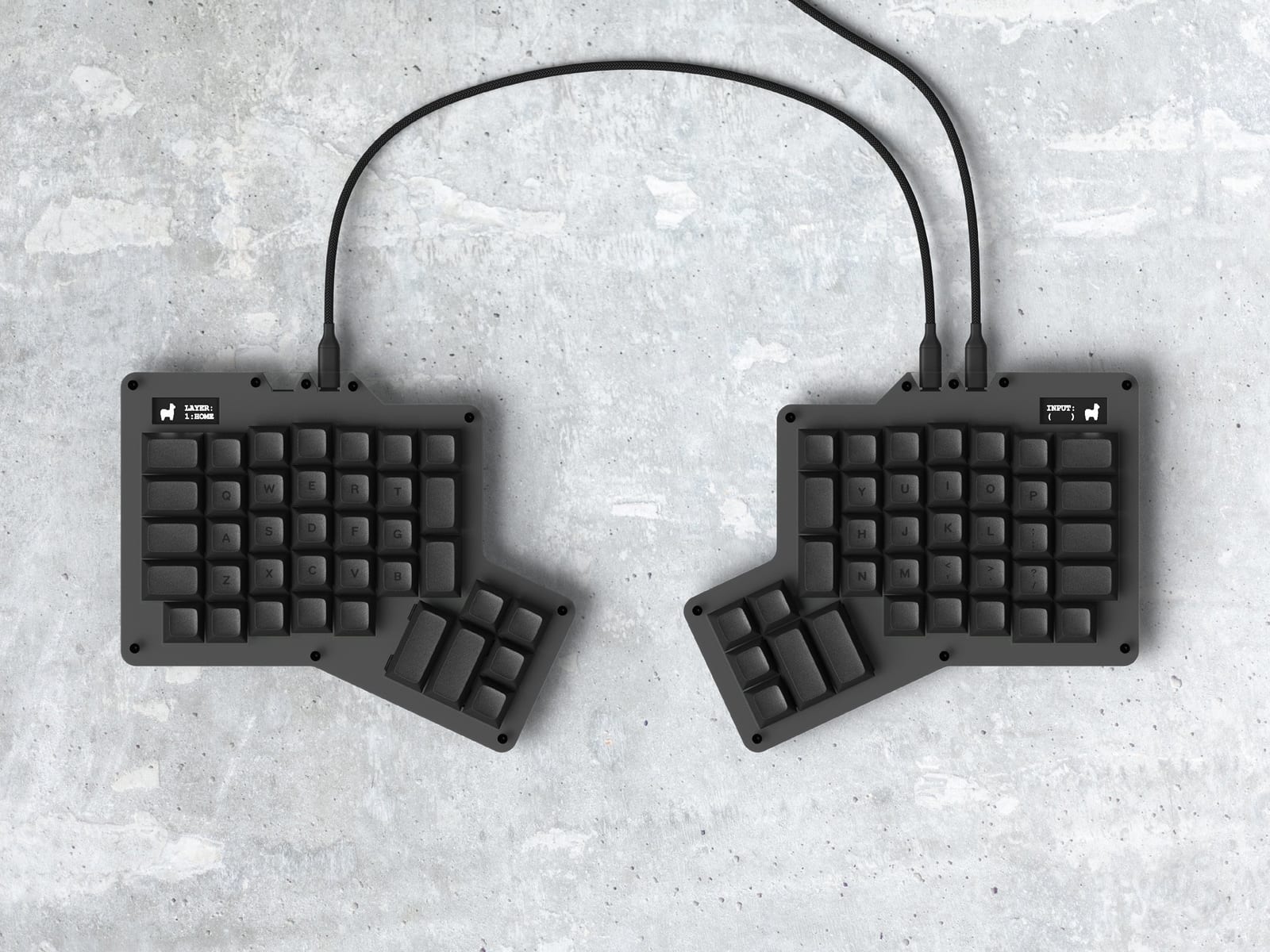
Every other keyboard on this list is a single-piece board with an ergonomics-friendly layout. The ErgoDox 76 "Hot Dox" V2 from Alpaca Keyboards is the actual split option — two independent halves you place shoulder-width apart, each with its own 6-key thumb cluster instead of a single shared spacebar. If wrist and shoulder strain is the real problem you're solving for, this is the keyboard that addresses it directly rather than just reducing reach. For more options, see our best split keyboards.
Pros:
- Fully split, independently usable halves
- Dedicated 6-key thumb cluster per side
- Fully hot-swappable, switch puller included
- QMK programmable
Cons:
- Real adjustment period — this is a bigger change than a 75% or Alice layout
- Two separate halves take more desk planning than a one-piece board
Ideal for: Anyone whose strain is coming from a straight, one-piece keyboard and wants the actual ergonomic fix rather than a smaller version of the same shape.
We've spent time with one. Read our hands-on ErgoDox 76 Hot Dox V2 review for build, switches, and the learning curve.
Choosing the Right Ergonomic Keyboard
When selecting an ergonomic mechanical keyboard, consider the following:
- Layout: Choose a layout that minimizes reach and strain.
- Switch Type: Opt for lighter switches to reduce finger fatigue. Consider linear switches for the least resistance.
- Keycap Profile: Sculpted keycaps can improve comfort.
- Connectivity: Decide whether you need wired, wireless, or both.
- Budget: Ergonomic keyboards can range in price, so set a budget beforehand.
Visual Aids and Further Exploration
To better understand the differences between keyboard switches, consider exploring switch charts that visually represent actuation force and travel distance. Additionally, watching video demos of these keyboards can provide valuable insights into their sound profiles and typing feel.
Conclusion
Investing in an ergonomic mechanical keyboard can significantly improve your typing comfort and prevent strain-related injuries. Whether you're a programmer, writer, or gamer, there's an ergonomic keyboard out there for you. Explore the options mentioned above and find the perfect fit for your needs. Ready to experience the ultimate in typing comfort? Click the links above to explore these ergonomic mechanical keyboards on Amazon and take the first step towards a more comfortable and productive typing experience!