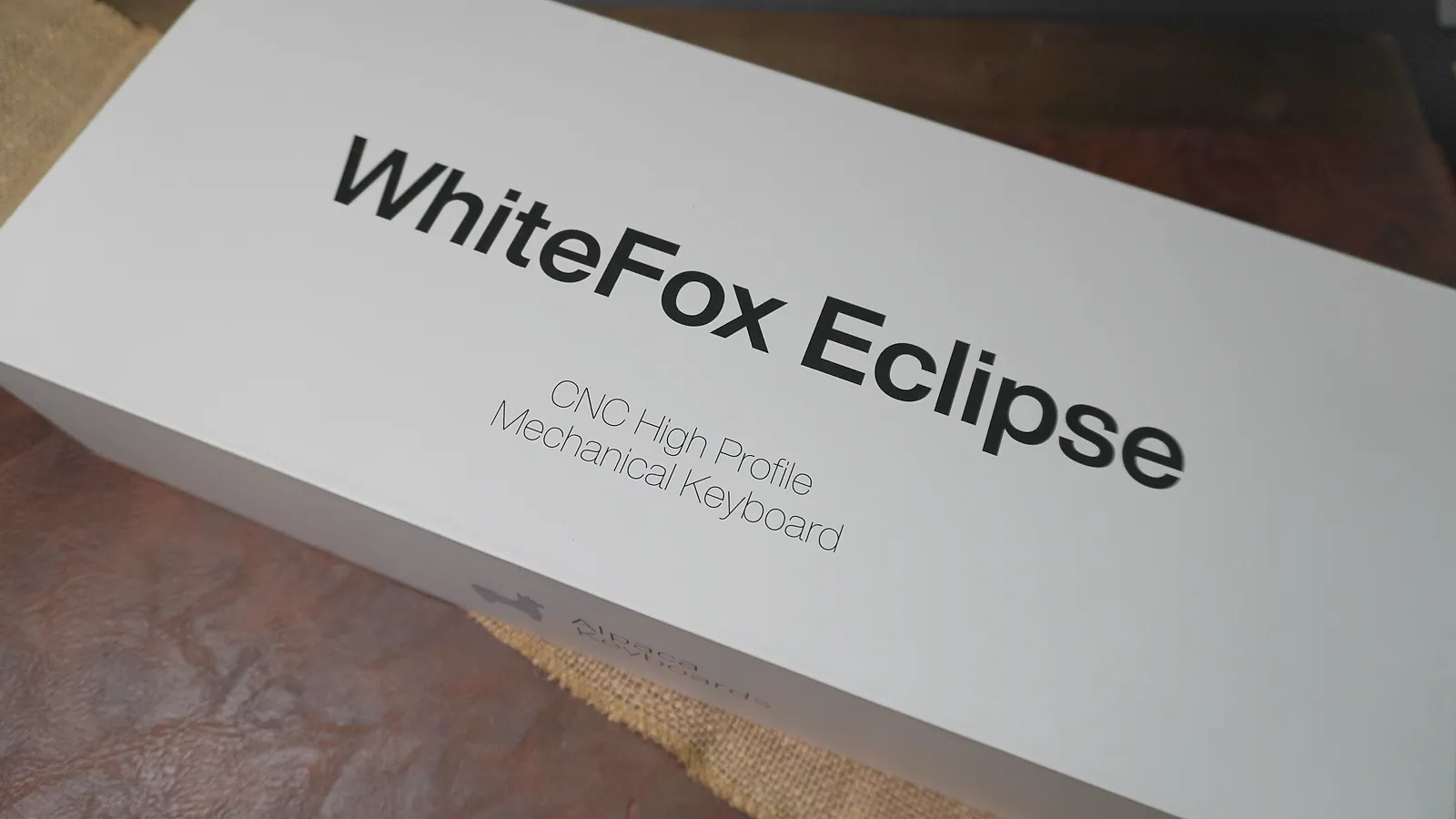
WhiteFox Eclipse CNC High Profile Mechanical Keyboard retail box lid
Side of the WhiteFox Eclipse box with the Alpaca Keyboards logo
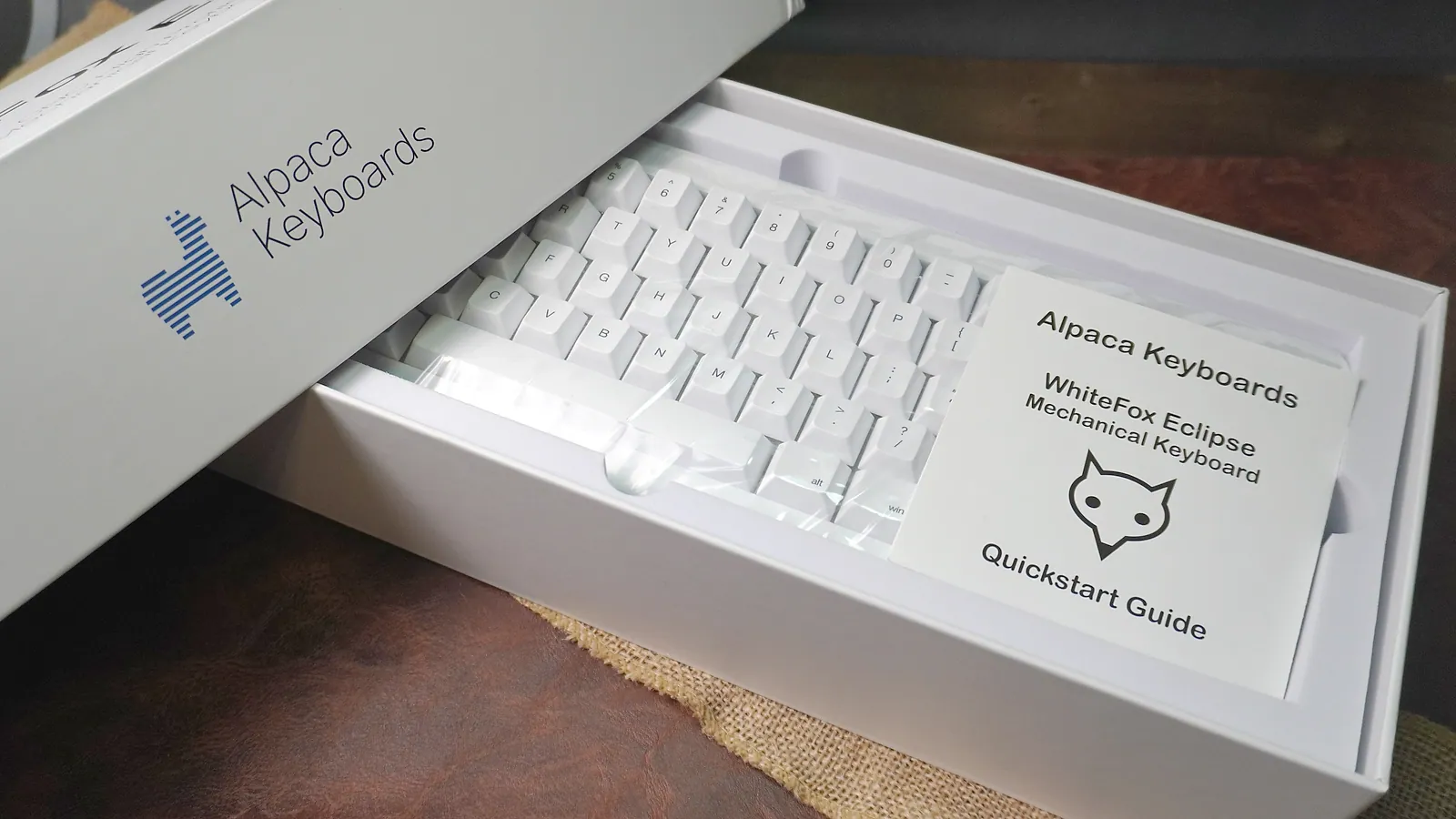
WhiteFox Eclipse in its box with the WhiteFox Eclipse Mechanical Keyboard quickstart guide on top
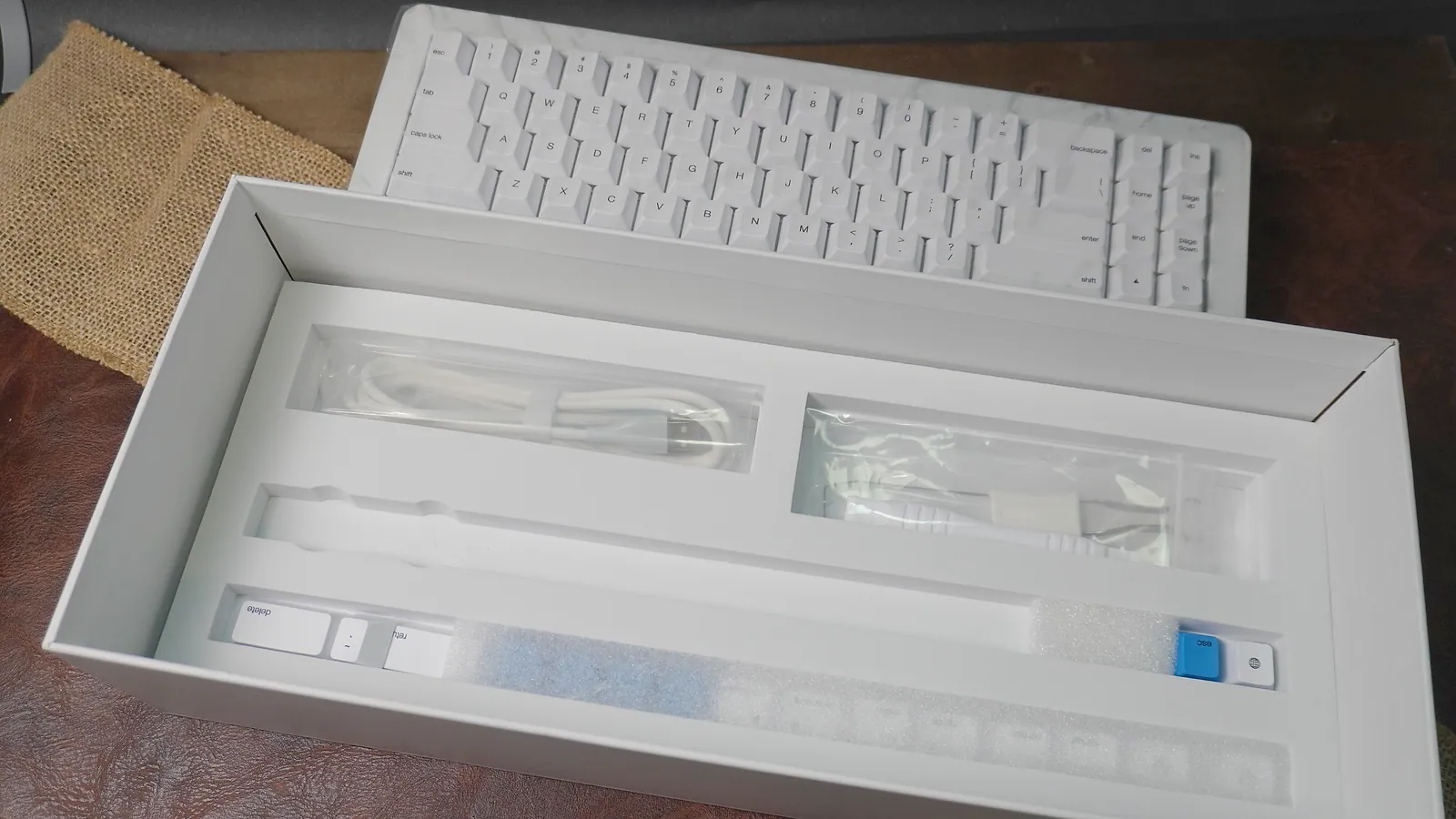
WhiteFox Eclipse accessory tray under the keyboard, holding the cable, pullers and spare keycaps
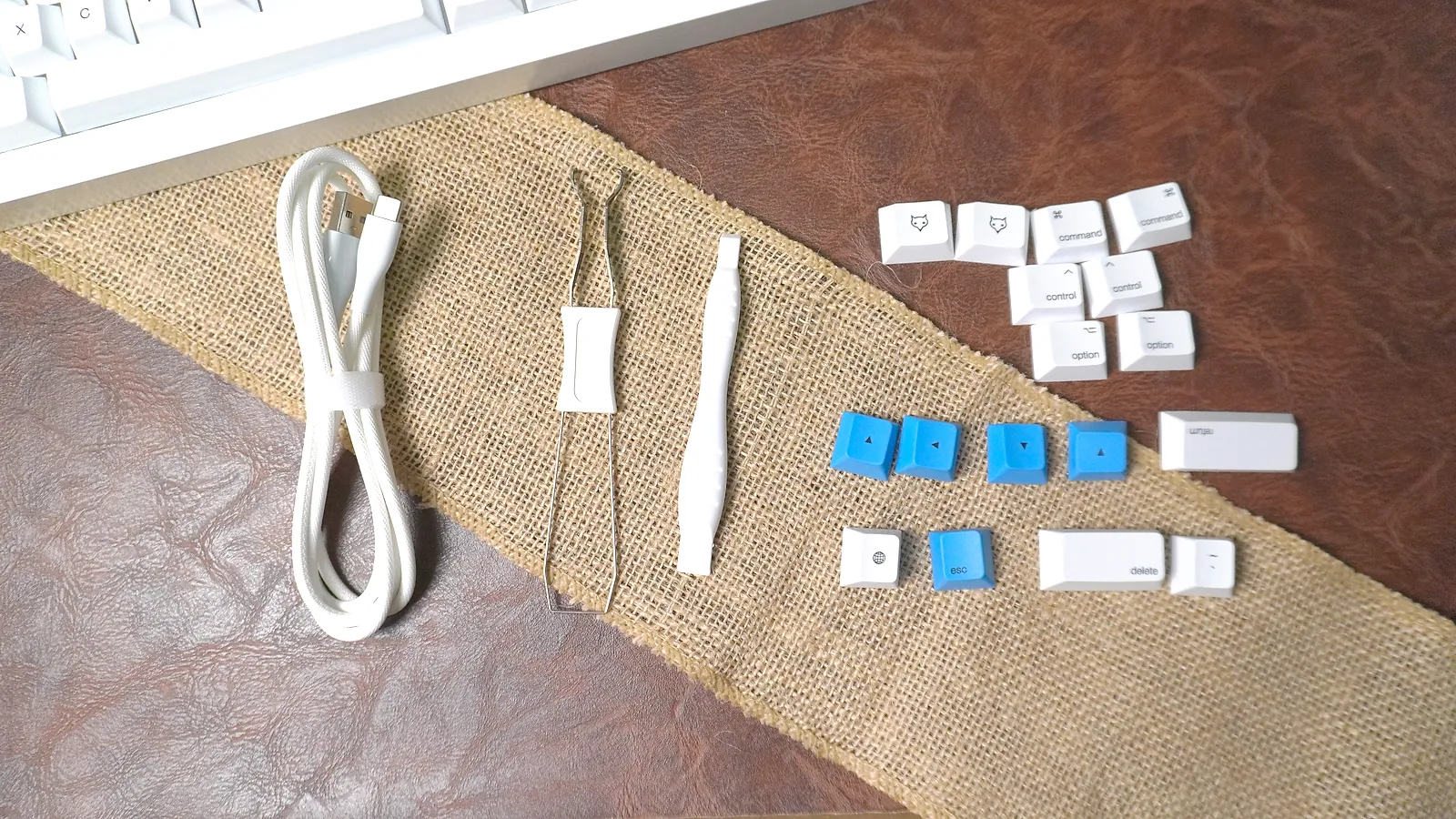
WhiteFox Eclipse accessories laid out: white USB-C cable, wire keycap puller, switch puller, and extra white and blue keycaps
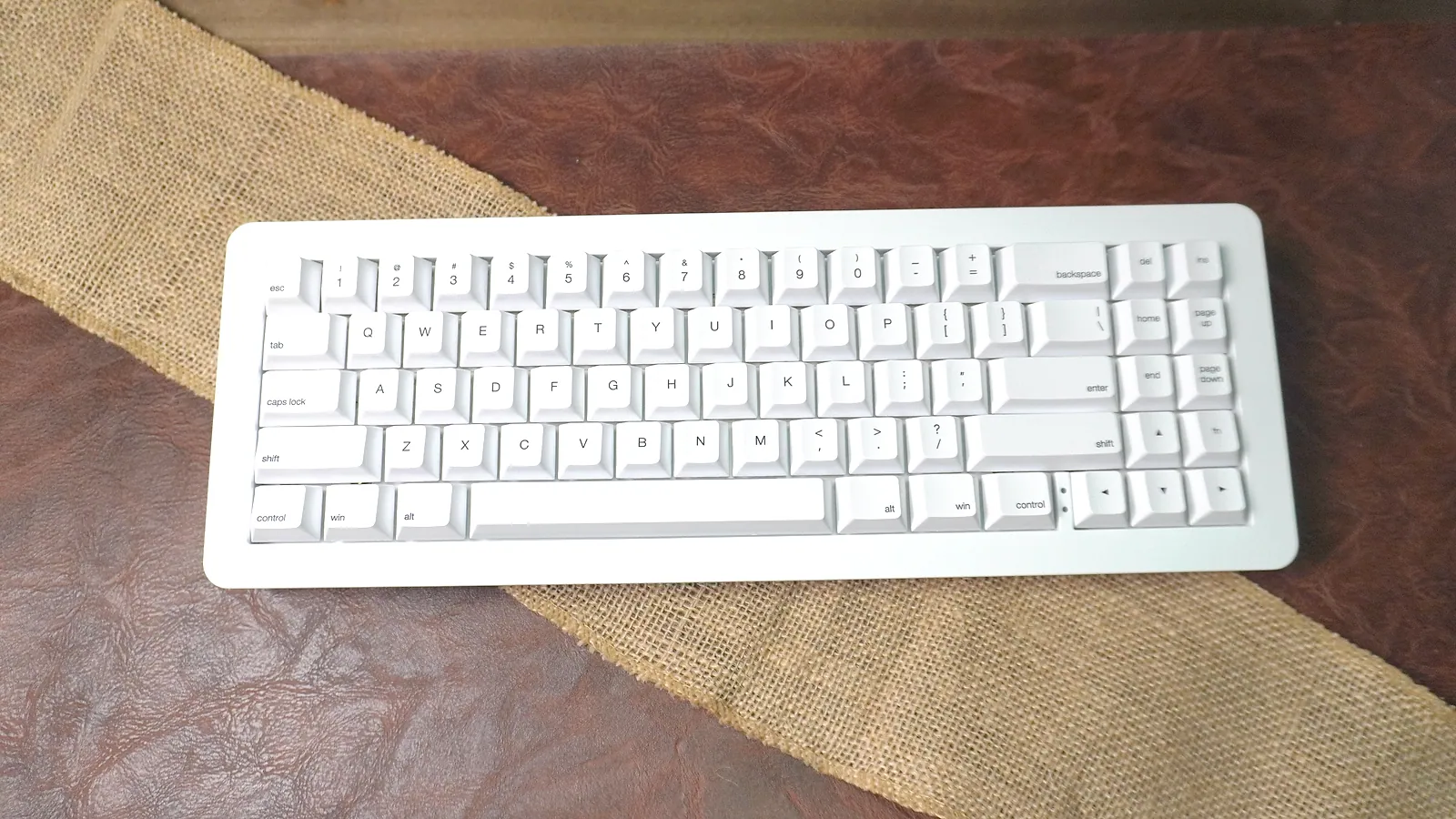
WhiteFox Eclipse High Profile from above, all-white keycaps on the white aluminum case
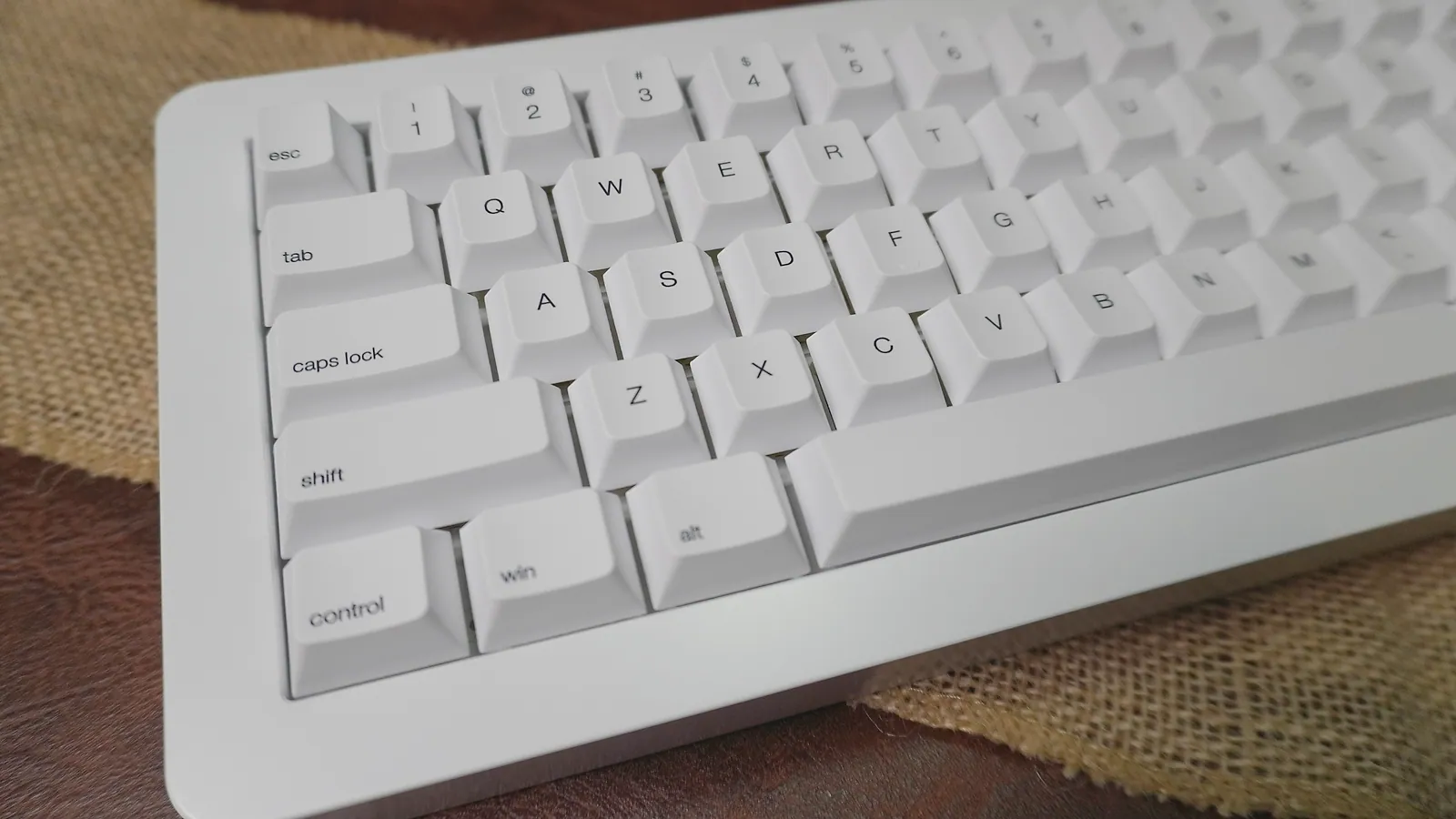
Left side of the WhiteFox Eclipse High Profile at an angle, showing the thick aluminum case wall and Cherry-profile keycaps
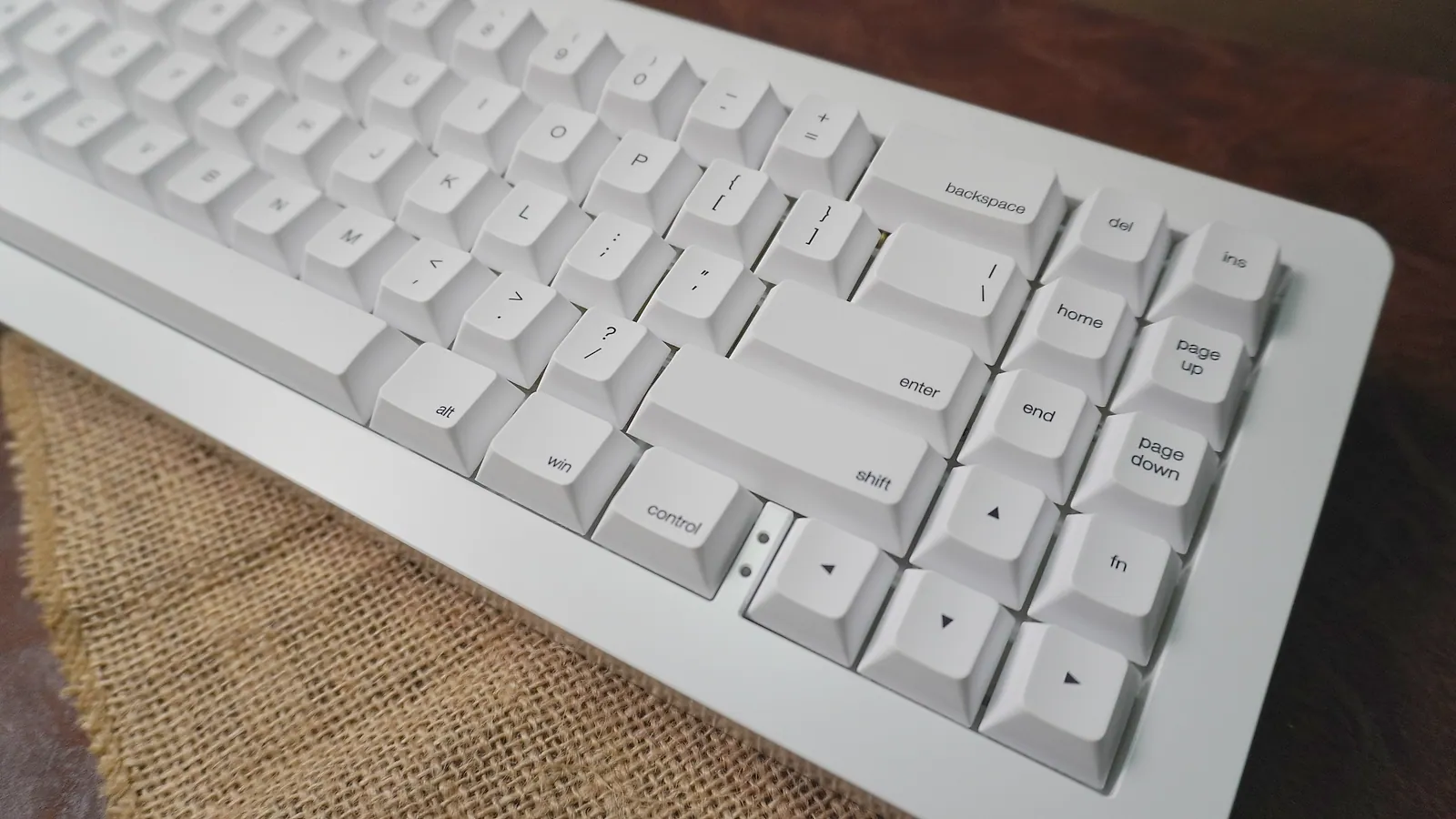
Right side of the WhiteFox Eclipse High Profile showing the arrow keys and the extra navigation column
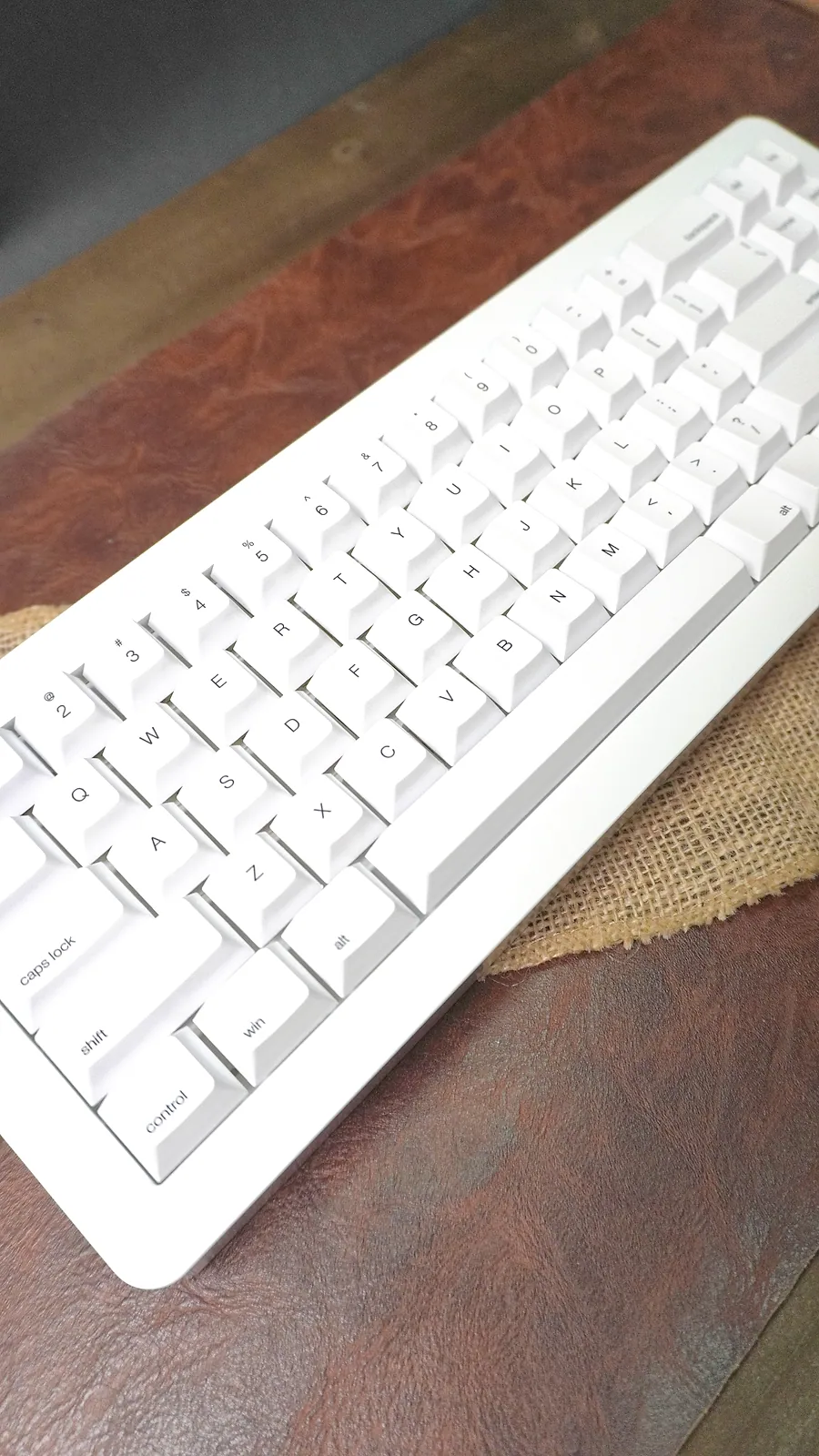
WhiteFox Eclipse High Profile at an angle on a leather desk mat
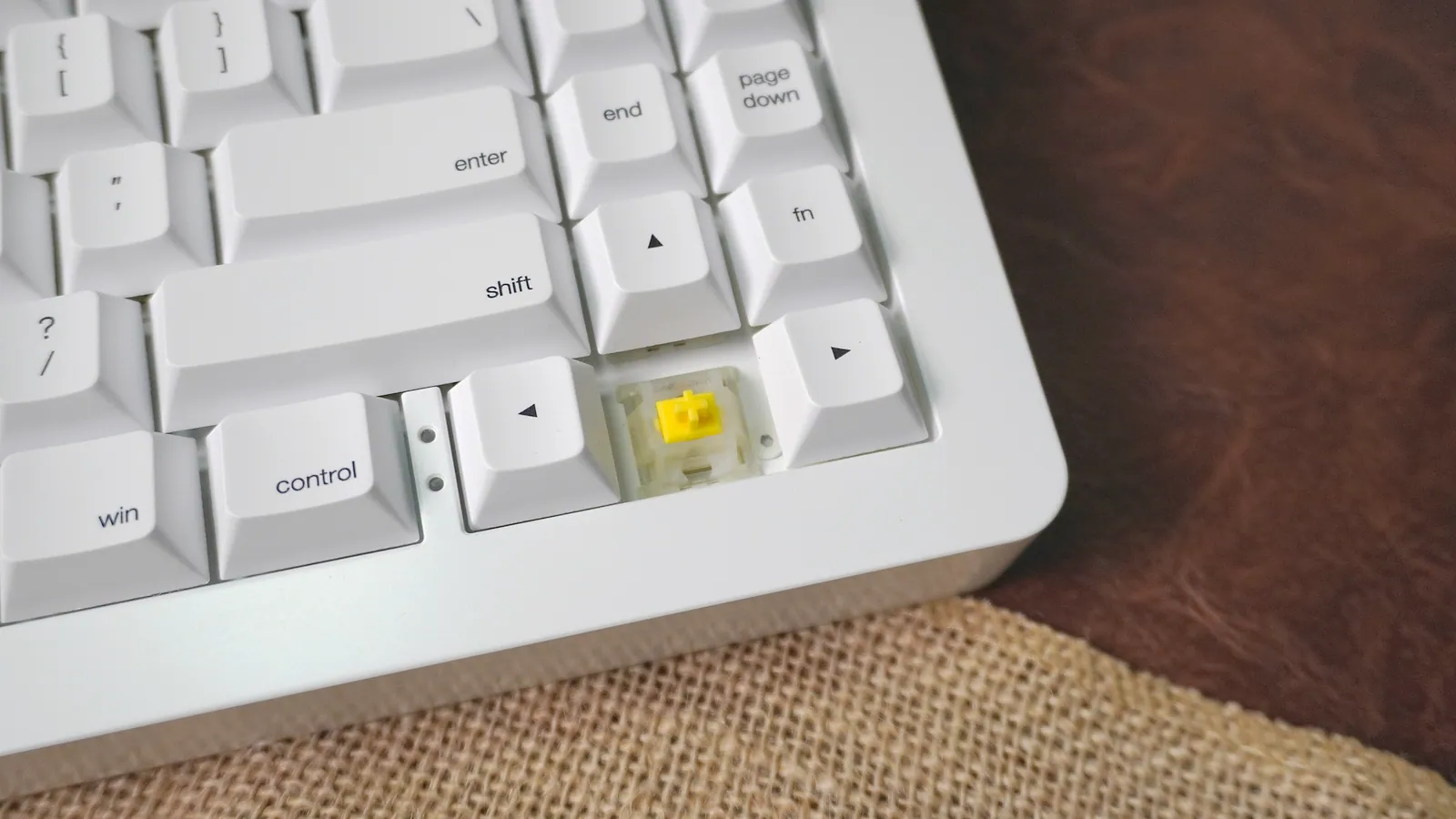
Gateron Yellow KS9 Pro 2.0 linear switch on the WhiteFox Eclipse with the keycap removed, next to the arrow keys
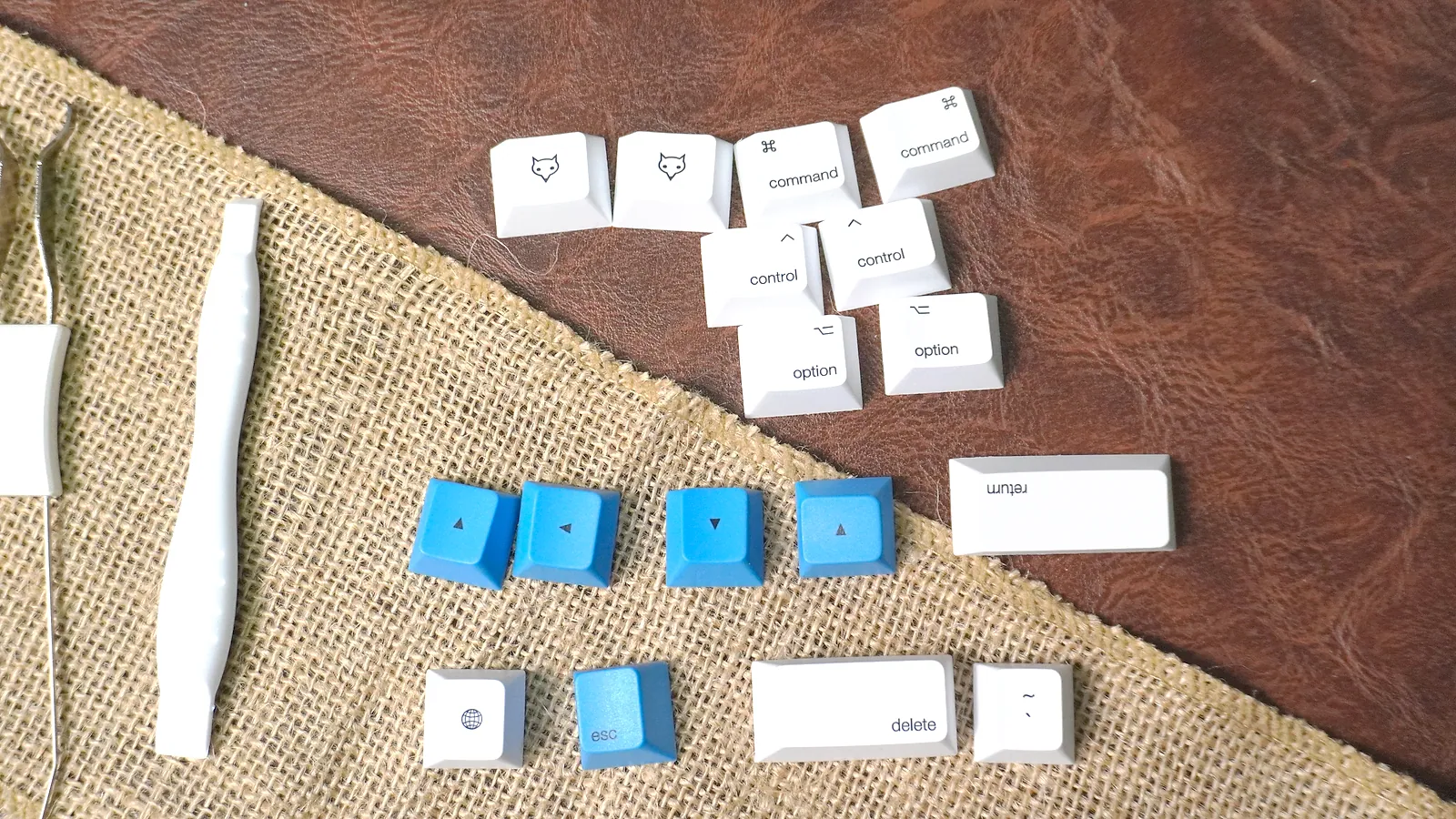
The WhiteFox Eclipse extra keycaps: blue accent keys, Mac command and option keys, and fox-logo novelty keys, next to the switch puller
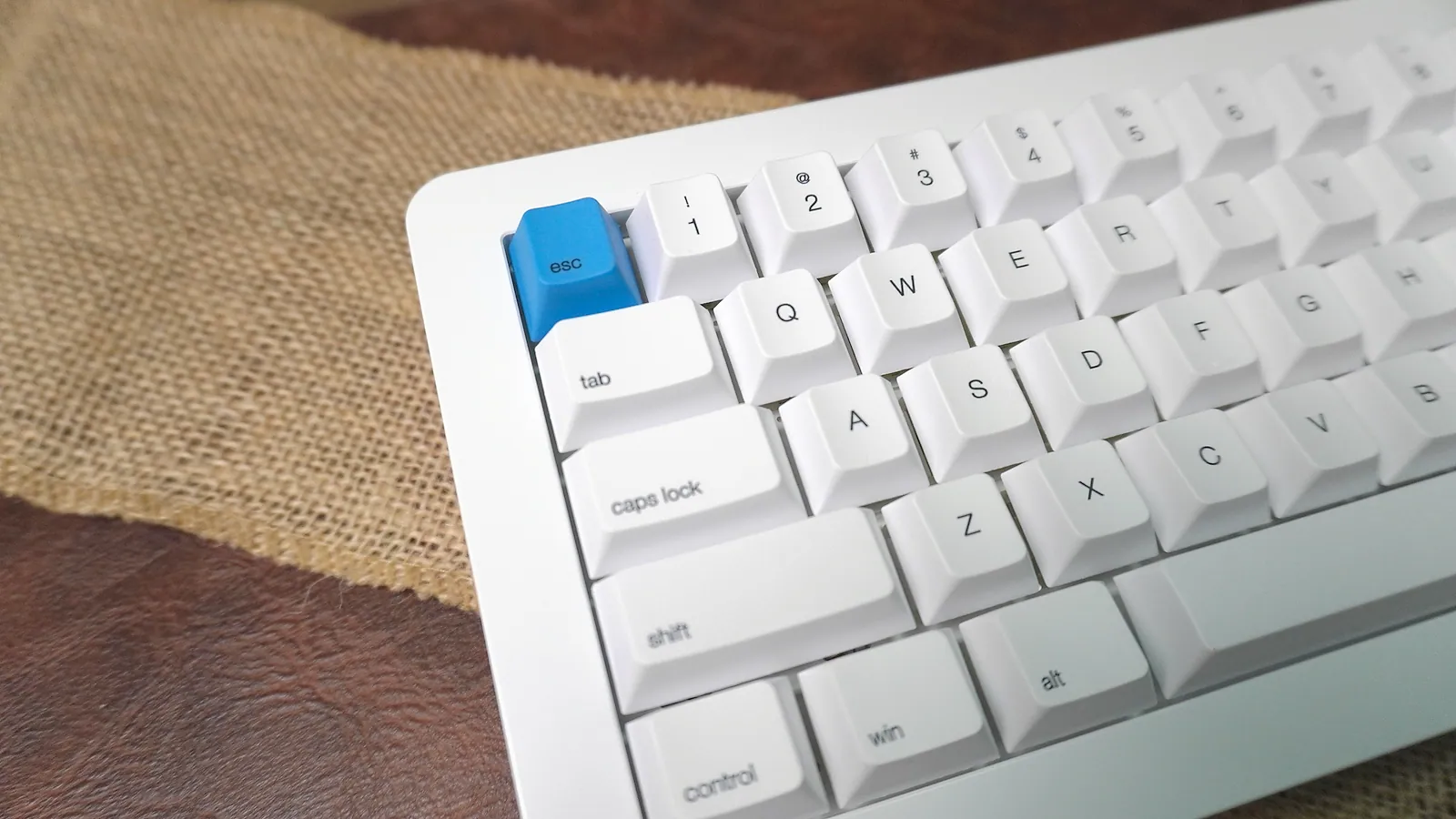
Blue accent Esc keycap on the WhiteFox Eclipse High Profile
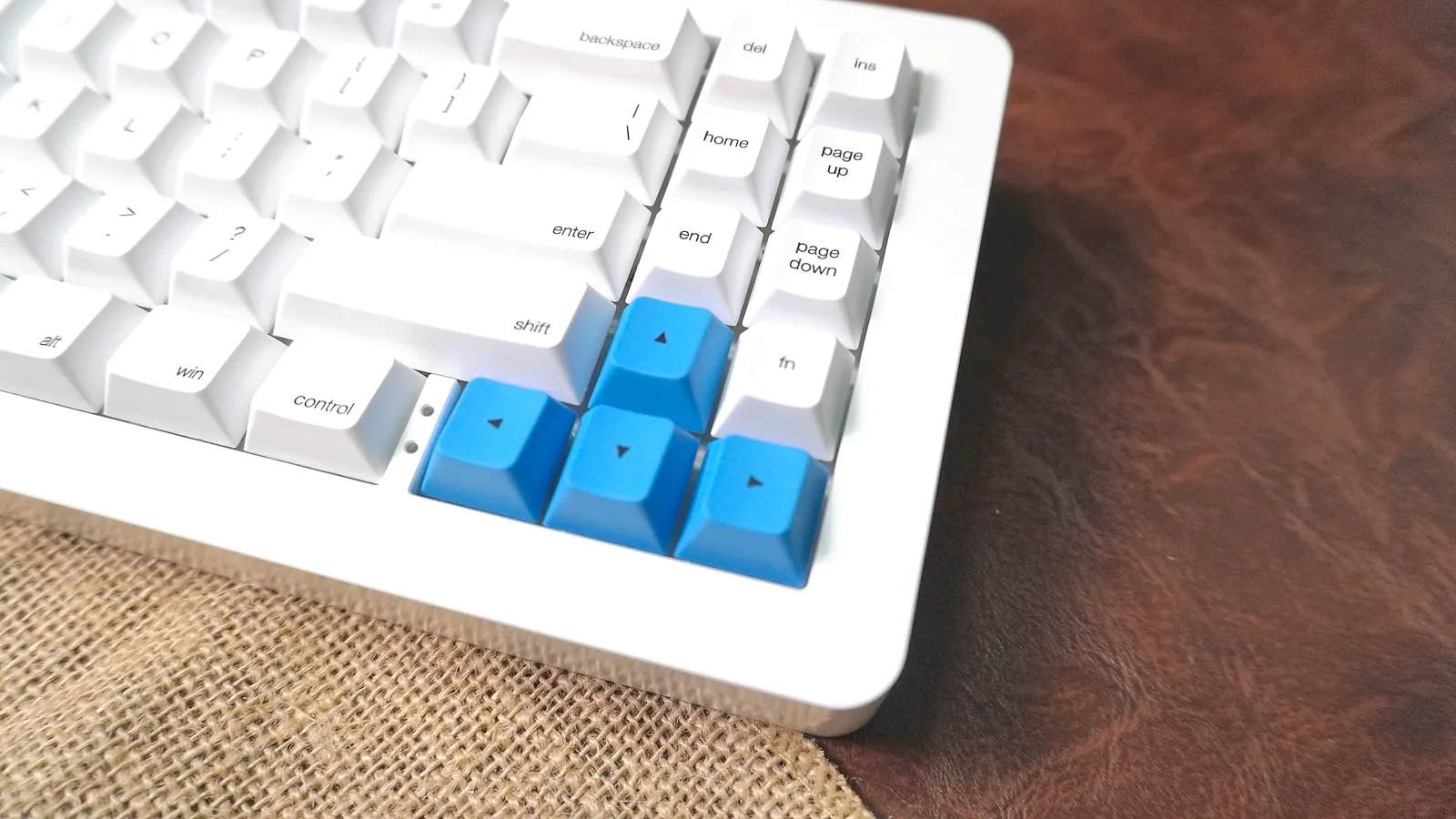
Blue accent arrow keycaps on the WhiteFox Eclipse High Profile
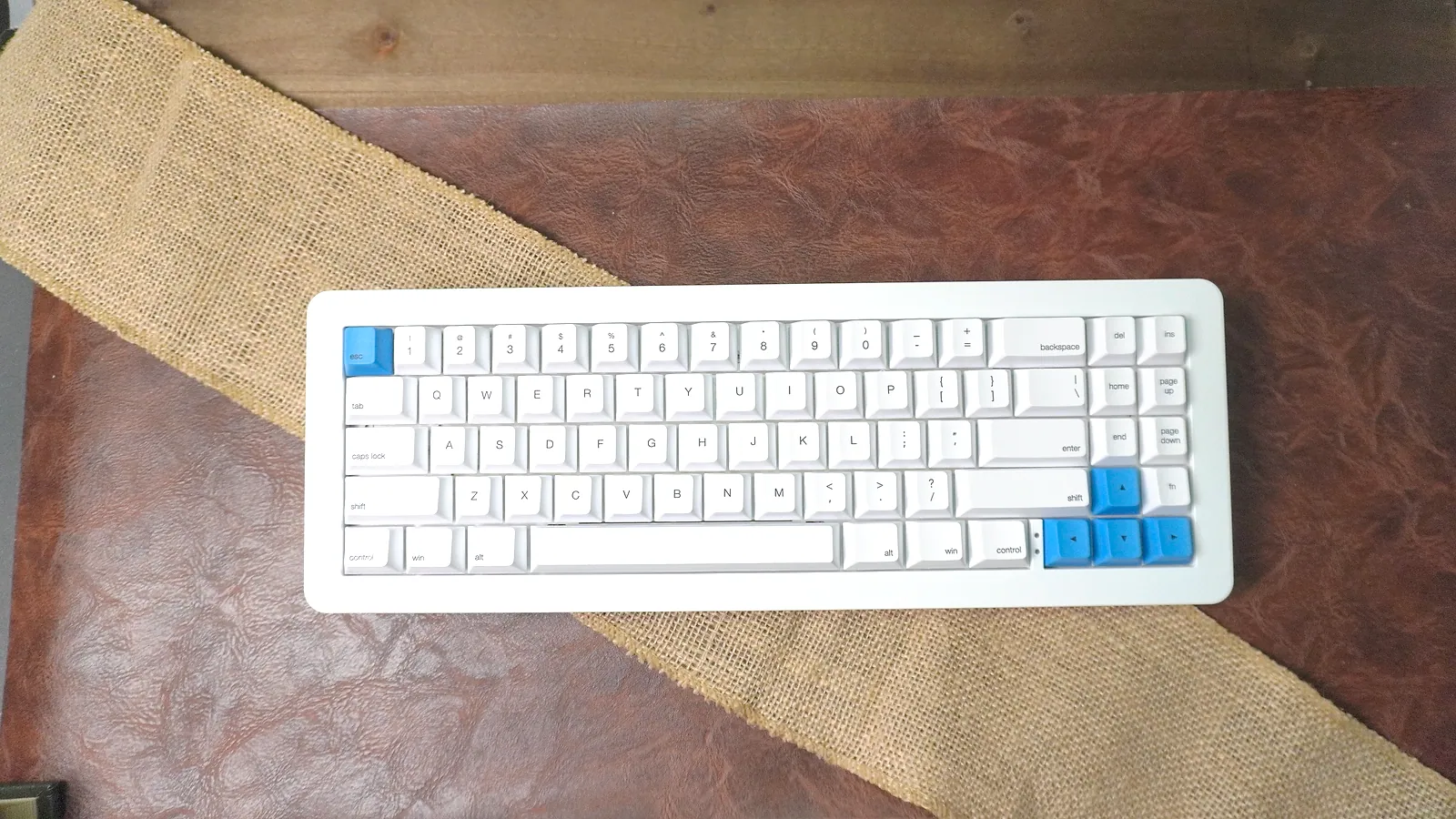
WhiteFox Eclipse High Profile from above with blue Esc and arrow keycaps on the all-white board
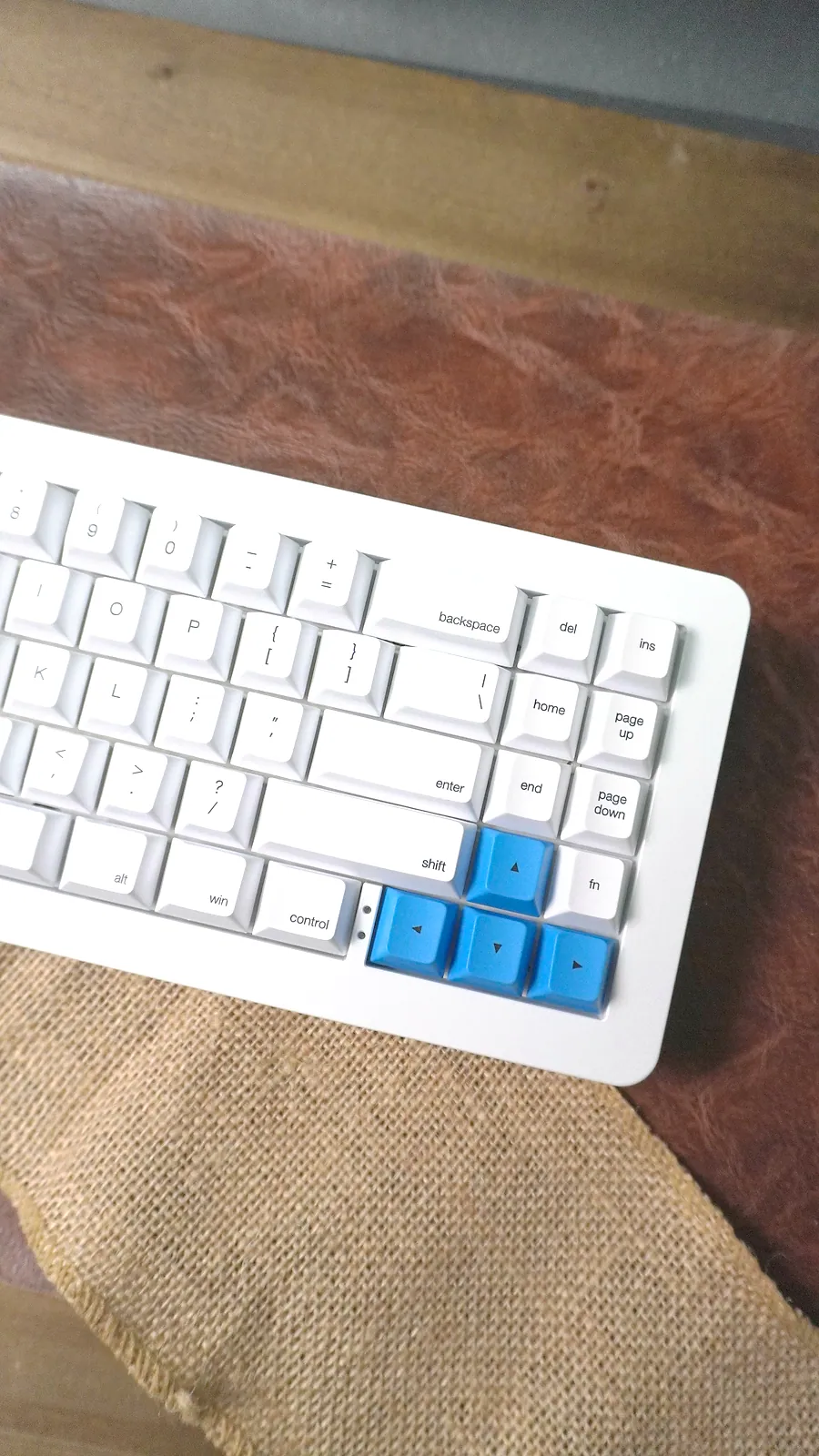
WhiteFox Eclipse navigation column (Ins, Del, Home, End, Page Up, Page Down, Fn) beside the blue arrow keys
15 photos
The original WhiteFox was one of the keyboards that made the 65% layout popular. The WhiteFox Eclipse is the new version: a wireless, hot-swap 65% keyboard whose case is held together with magnets. I've been using the Aluminum High Profile version with pre-lubed Gateron Yellow linears, and it's one of the easiest keyboards I can recommend to almost anyone.
Get the early Black Friday deal at Apos
Quick Verdict
The WhiteFox Eclipse High Profile is a great starter keyboard for a beginner, and it's just as good for people who already own a lot of keyboards.
- What it is: a 68-key, 65% wireless mechanical keyboard in a CNC aluminum High Profile case, with a magnetic, gasket-mounted design
- Price: $108 at Apos as of November 13, down from $315 (save $207), an early Black Friday deal
- Best parts: lubed Gateron Yellow switches that feel great, stabilizers that need nothing out of the box, a heavy case that stays put, tool-free magnetic case, reliable Bluetooth
- Watch for: at 5.29 lb it's a desk keyboard, not one to carry around
- Who it's for: beginners who want a great board on day one, collectors who want an easy board to tinker with, and gamers who want smooth linears
Price: An Early Black Friday Deal
As of November 13, Apos has the WhiteFox Eclipse High Profile at $108 as an early Black Friday deal, against a regular price of $315. That's a $207 saving, or 66% off, and it's an amazing deal, so jump on it now. When we checked in August it was $185. There's one configuration: white aluminum case, white keycaps with blue accents, and Gateron Yellow switches.
WhiteFox Eclipse High Profile Specs
| Spec | WhiteFox Eclipse (Aluminum High Profile) |
|---|---|
| Layout | 65% (68 keys) |
| Case | CNC aluminum, High Profile, magnetic |
| Mount | Magnetic gasket mount with an edge gasket |
| Plate | Aluminum flex plate with cutouts in the QWERTY cluster |
| Switches | Pre-lubed Gateron Yellow KS9 Pro 2.0, 50g linear, hot-swap |
| Stabilizers | PCB-mount, pre-lubed |
| Keycaps | Cherry profile, dye-sublimated PBT, 1.5mm thick, with Mac and PC keys and blue accents |
| Dampening | Poron switch foam plus a case foam layer |
| Lighting | South-facing SMD LEDs |
| Connection | USB-C wired or Bluetooth 5.0 |
| Battery | 4,000mAh |
| Firmware | QMK, remappable in VIA, with macros |
| OS support | Mac, Windows, Linux |
| Weight | 5.29 lb (2.4 kg) |
| Price | $108 (regular $315) as of November 13, early Black Friday deal |
Unboxing
The box is white with "WhiteFox Eclipse, CNC High Profile Mechanical Keyboard" on the lid and the Alpaca Keyboards llama on the side.
Lift the lid and the keyboard is on top, under a quickstart guide with the WhiteFox fox logo on it.
Under the keyboard is a tray with the accessories.
In the box:
- The keyboard
- A white USB-C cable
- A wire keycap puller
- A switch puller
- Extra keycaps: Mac modifiers, blue accent keys, and fox-logo novelty keys
- A quickstart guide
Build Quality and the High Profile Case
The High Profile case has a great weight to it. At 5.29 pounds, it doesn't move on the desk no matter how hard you type, and the CNC aluminum feels solid all the way around. The taller case also gives a steeper typing angle than the Low Profile version.
The trade-off is portability. With a case this heavy, it belongs on a desk. If you want to carry it around, look at the Low Profile or Starter case instead.
The Magnetic Case Makes Tinkering Easy
This is my favorite thing about the Eclipse. The case is held together by magnets, so it's very easy to open up to tinker or update. You lift the top case off by hand with no screwdriver, and the plate and PCB come out the same way. Cleaning under the keys, trying a different foam setup, or swapping switches takes minutes instead of an evening.
Apos describes the design as a magnetic gasket mount: the magnets that hold the switch assembly in the case are vibration-isolated, and there's an edge gasket and foam on top of that. You get the benefits of a gasket-mounted custom board without any screws to deal with every time you open it.
Gateron Yellow KS9 Pro 2.0 Switches
The switches are pre-lubed Gateron Yellow KS9 Pro 2.0 linears at 50g, and they feel great. The keys and switches together feel great. Linear switches with no bump also make this a good keyboard for gaming.
Every socket is hot-swap, so if you want to try something else later, you can. The switch puller is in the box. If you haven't done it before, see how to remove keyboard switches. For more on this switch family, see our Gateron Yellow switches guide.
Stabilizers
The stabilizers feel great out of the box and don't need anything. Many keyboards, including the ErgoDox Hot Dox V2 we reviewed, need an hour of lube or a band-aid mod before the big keys sound right. On the Eclipse, the big keys were good to go on day one. That's a big part of why I'd hand this to a beginner.
Keycaps and the Blue Accents
The keycaps are Cherry-profile, dye-sublimated PBT, 1.5mm thick, and they feel great to type on. The board ships all white, and if your setup is white, it's a great match as it comes.
It also comes with some extra keycaps. I like putting the blue accent keycaps on Esc and the arrow keys.
The extra Mac keys mean you can match your modifiers to your computer. For more on this keycap shape, see our Cherry profile keycaps guide.
The 65% Layout
The Eclipse is a 65% board with 68 keys. You lose the function row and numpad, but you keep the arrow keys and a column of navigation keys down the right side: Ins, Del, Home, End, Page Up and Page Down. The small gap between the right Control key and the arrows makes the arrows easy to find without looking. The Fn key sits above the right arrow, and if you'd rather have it somewhere else, VIA makes that kind of change easy.
It's an ANSI layout, so check that before you buy if you need an ISO Enter. If you're deciding between sizes, our 65% keyboards page compares more boards in this layout.
Bluetooth, VIA and Mac Support
The Bluetooth works well, and you can use it wired over USB-C whenever you'd rather plug in. The 4,000mAh battery is large for a 65% board.
The Eclipse runs QMK and is remappable in VIA, with macros for gaming and typing. VIA is the easy way to remap: you change keys and layers in real time with nothing to compile or flash. Apos says the firmware works with Mac and PC out of the box, and the Mac keycaps in the box finish the job.
Who Should Buy the WhiteFox Eclipse High Profile?
Buy it if:
- it's your first mechanical keyboard and you want one that's great from day one
- you already have a lot of keyboards and want one that's easy to open and tinker with
- you want smooth, light linear switches for typing and gaming
- you want Bluetooth and wired in one board
- you like a heavy keyboard that doesn't move
Skip it if:
- you'll carry your keyboard between places (look at the Low Profile version)
- you need an ISO layout or a function row
- you want tactile or clicky switches out of the box (you can swap them in, since it's hot-swap)
Verdict
The WhiteFox Eclipse High Profile is a great starter keyboard for a beginner, and it's also a great one for people who already have a lot of keyboards. The keys and switches feel great, the High Profile case has a great weight to it, and the stabilizers don't need anything out of the box. The magnetic case makes it very easy to tinker with and update, it's good for gaming, and the Bluetooth works well. At $108, down from $315 as of November 13, this early Black Friday deal is an amazing price, and I'd buy it. Jump on it now.
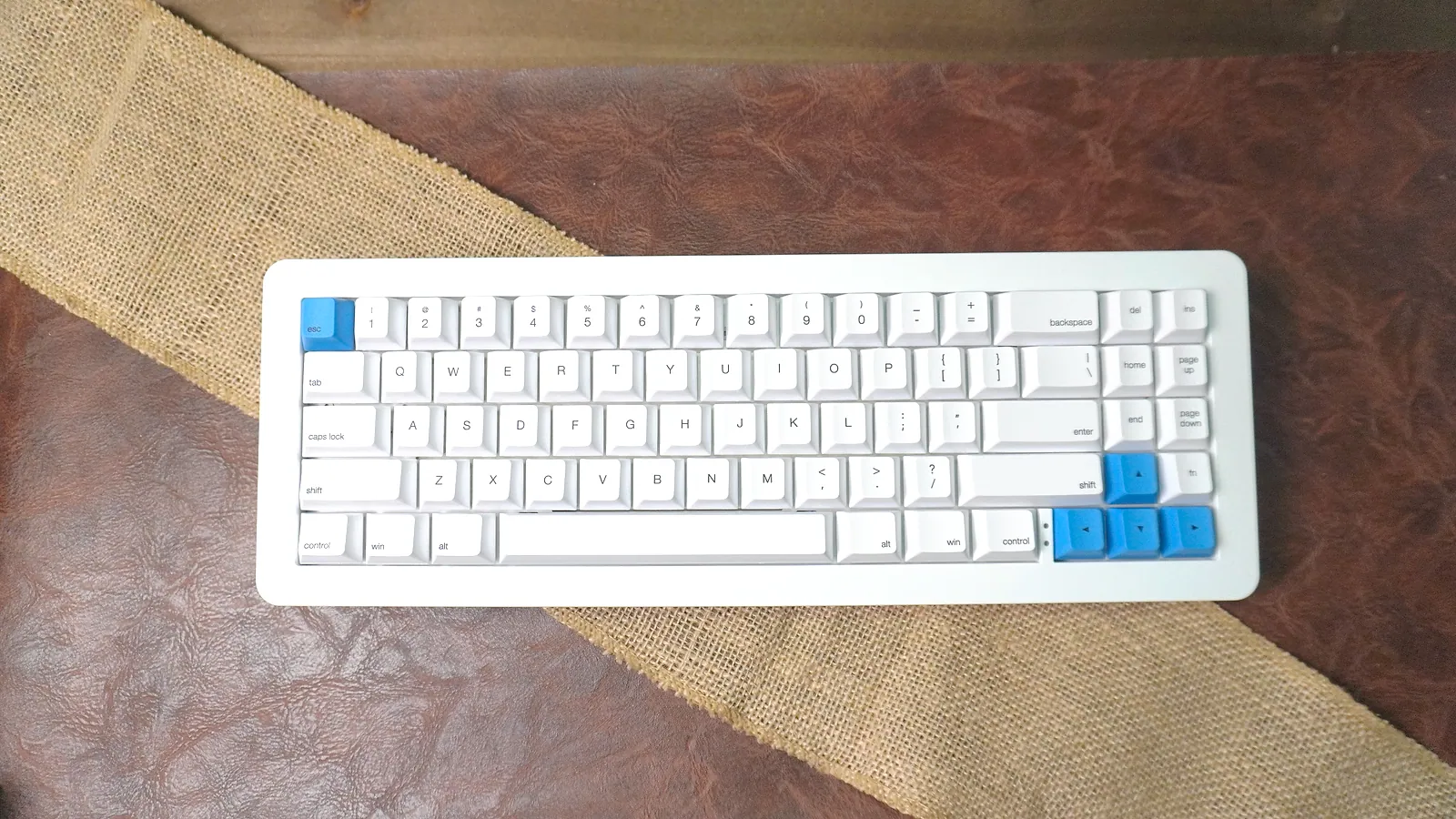
Want a flatter, lighter version? The WhiteFox Eclipse Aluminum Low Profile is the same keyboard in a lower case. More boards from the same shop are on our Apos keyboards page, and our hot-swappable mechanical keyboards guide compares the Eclipse with other hot-swap boards.
Frequently Asked Questions
Is the WhiteFox Eclipse worth it?
Yes. At $108 for the High Profile version (an early Black Friday deal on Apos, down from $315 as of November 13), you get a CNC aluminum case, lubed Gateron Yellow switches, good stabilizers, Bluetooth, hot-swap sockets and VIA support. It's a great first keyboard for a beginner and a good one to add if you already own a lot of keyboards.
Is the WhiteFox Eclipse good for beginners?
Yes. It's fully assembled, the switches come lubed, the stabilizers don't need any work out of the box, and the magnetic case opens without tools when you want to start tinkering. VIA lets you remap keys without touching firmware.
Is the WhiteFox Eclipse good for gaming?
Yes. The Gateron Yellow KS9 Pro 2.0 switches are 50g linears, so every press is smooth with no bump, and the board is fully remappable with macros in VIA. Use it wired over USB-C for the lowest latency, or over Bluetooth for everything else.
What switches does the WhiteFox Eclipse High Profile use?
Pre-lubed Gateron Yellow KS9 Pro 2.0 linear switches, rated at 50g. The sockets are hot-swap, so you can change switches without soldering.
Does the WhiteFox Eclipse have Bluetooth?
Yes. It works wired over USB-C or wireless over Bluetooth 5.0, with a 4,000mAh battery. It works with Mac, Windows and Linux.
How does the WhiteFox Eclipse magnetic case work?
Magnets hold the top case to the bottom case, and vibration-isolated magnets hold the switch assembly in the case. You lift the top off by hand to clean the board or swap switches, with no screwdriver needed.
How heavy is the WhiteFox Eclipse High Profile?
Apos lists it at 5.29 pounds (2.4 kg). The aluminum High Profile case is what makes it heavy, which keeps it planted on the desk but makes it a poor travel keyboard.
What's the difference between the WhiteFox Eclipse High Profile and Low Profile?
The same 65% hot-swap keyboard sits in two aluminum case heights. The High Profile case is taller, with a steeper typing angle and more weight. The Low Profile case is flatter and lighter. There is also a plastic Starter case.