Wireless mechanical keyboards have revolutionized the way we work and play, offering the tactile feel and responsiveness that enthusiasts crave, without the constraints of wires. But what happens when your keyboard dies mid-battle or during a crucial work session? That’s where long battery life comes in. Let's dive into some top contenders in the wireless mechanical keyboard market, focusing on models that promise extended battery life and versatile connectivity options.
Why Battery Life Matters in Wireless Mechanical Keyboards
For many, the allure of a mechanical keyboard lies in its tactile feedback, durability, and customization. Wireless models add another layer of convenience, freeing up desk space and allowing for greater flexibility. However, this freedom comes at a price if your keyboard constantly needs charging. A keyboard with long battery life ensures uninterrupted workflow, whether you're a gamer, programmer, or writer.
Top Wireless Mechanical Keyboards with Impressive Battery Life
AULA F99: The Marathon Runner
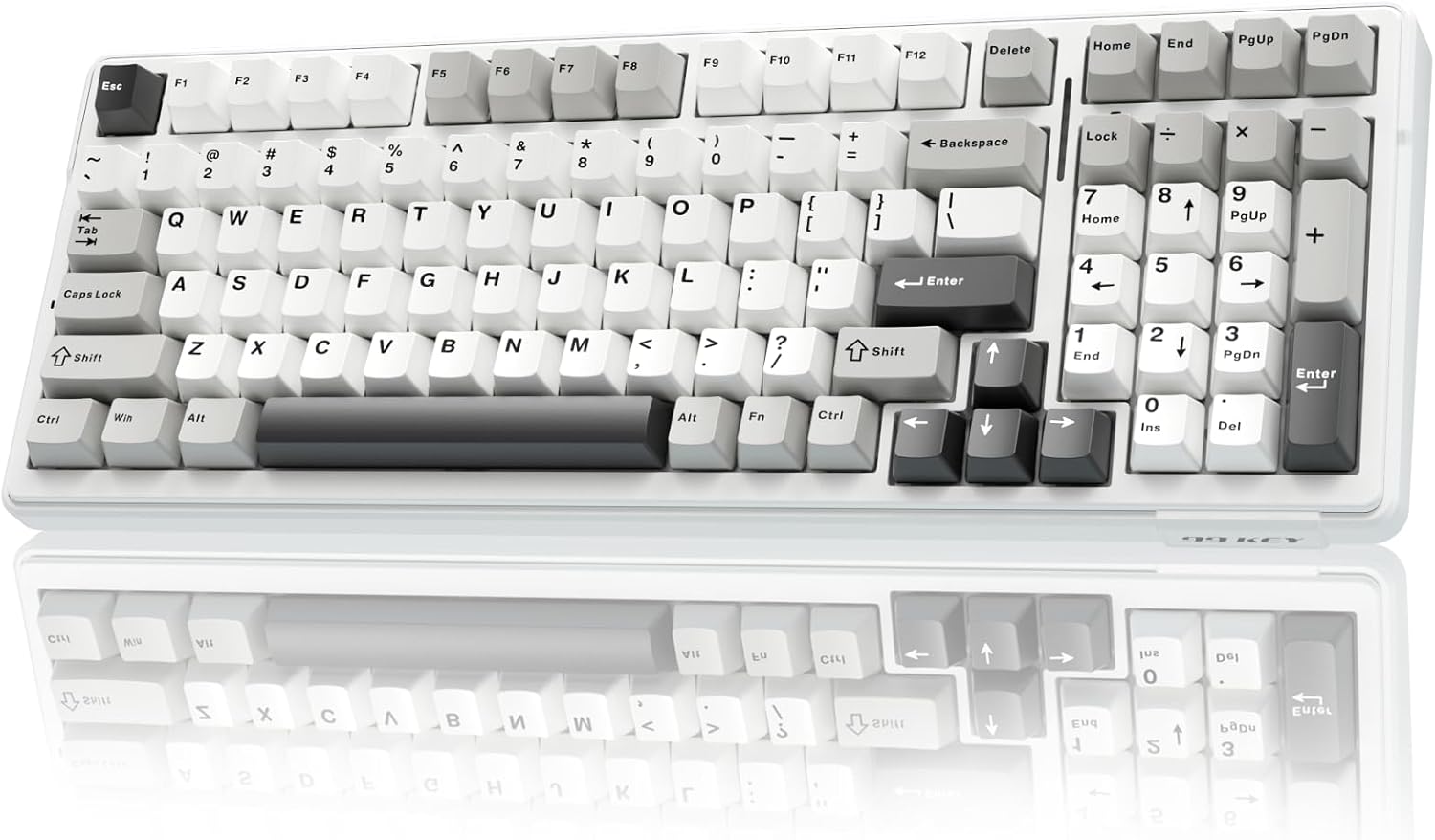
The AULA F99 stands out with its massive 8000mAh battery. This powerhouse ensures that you can work or game for extended periods without worrying about running out of juice. Its tri-mode connectivity (Bluetooth 5.0, 2.4GHz wireless, and USB-C) adds versatility, allowing you to switch between devices seamlessly. The gasket-mounted structure and five-layer sound dampening contribute to a comfortable and quiet typing experience.
Pros:
- Exceptional battery life
- Tri-mode connectivity
- Gasket-mounted design
- Hot-swappable switches
Cons:
- 96% layout might not be for everyone
- Potentially longer charging times due to battery size
Ideal for: Users who prioritize battery life above all else and need a reliable keyboard for long work sessions or gaming marathons.
Keychron K2 HE: The High-Performance Wireless Option
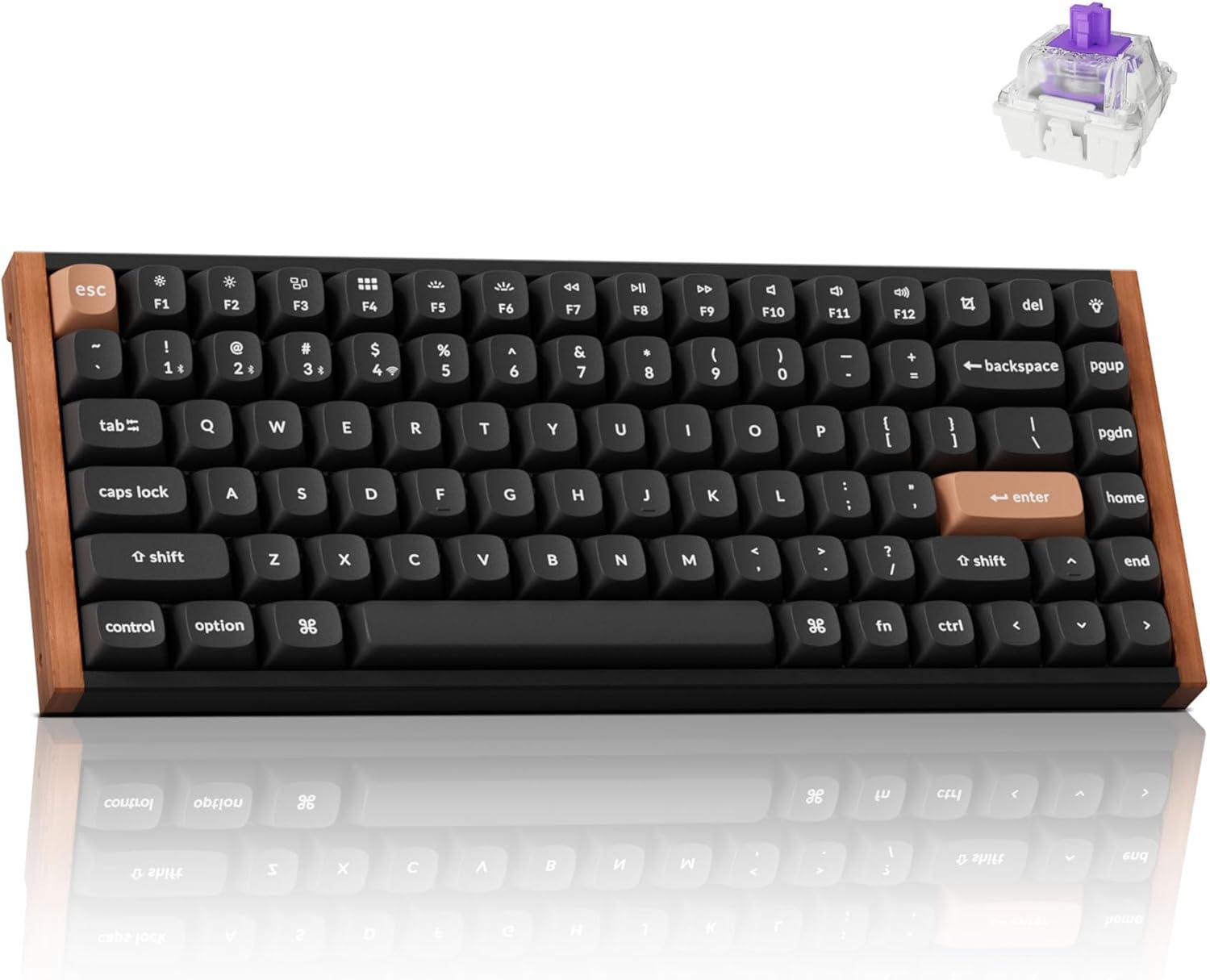
The Keychron K2 HE is a 75% layout keyboard that blends performance with convenience. While it boasts a slightly smaller 4000mAh battery compared to the AULA F99, it compensates with Hall-Effect Gateron double-rail magnetic switches, offering ultra-responsive input and customizable actuation. Its tri-mode connectivity, QMK/VIA programmability, and hot-swappability make it a top choice for serious gamers and keyboard enthusiasts.
Pros:
- High-performance magnetic switches
- Customizable actuation
- QMK/VIA programmability
- Tri-mode connectivity
Cons:
- Shorter battery life compared to some competitors
- Magnetic switches might require getting used to
Ideal for: Gamers and power users who demand top-notch performance and customization options in a wireless keyboard.
Keychron V1 Max
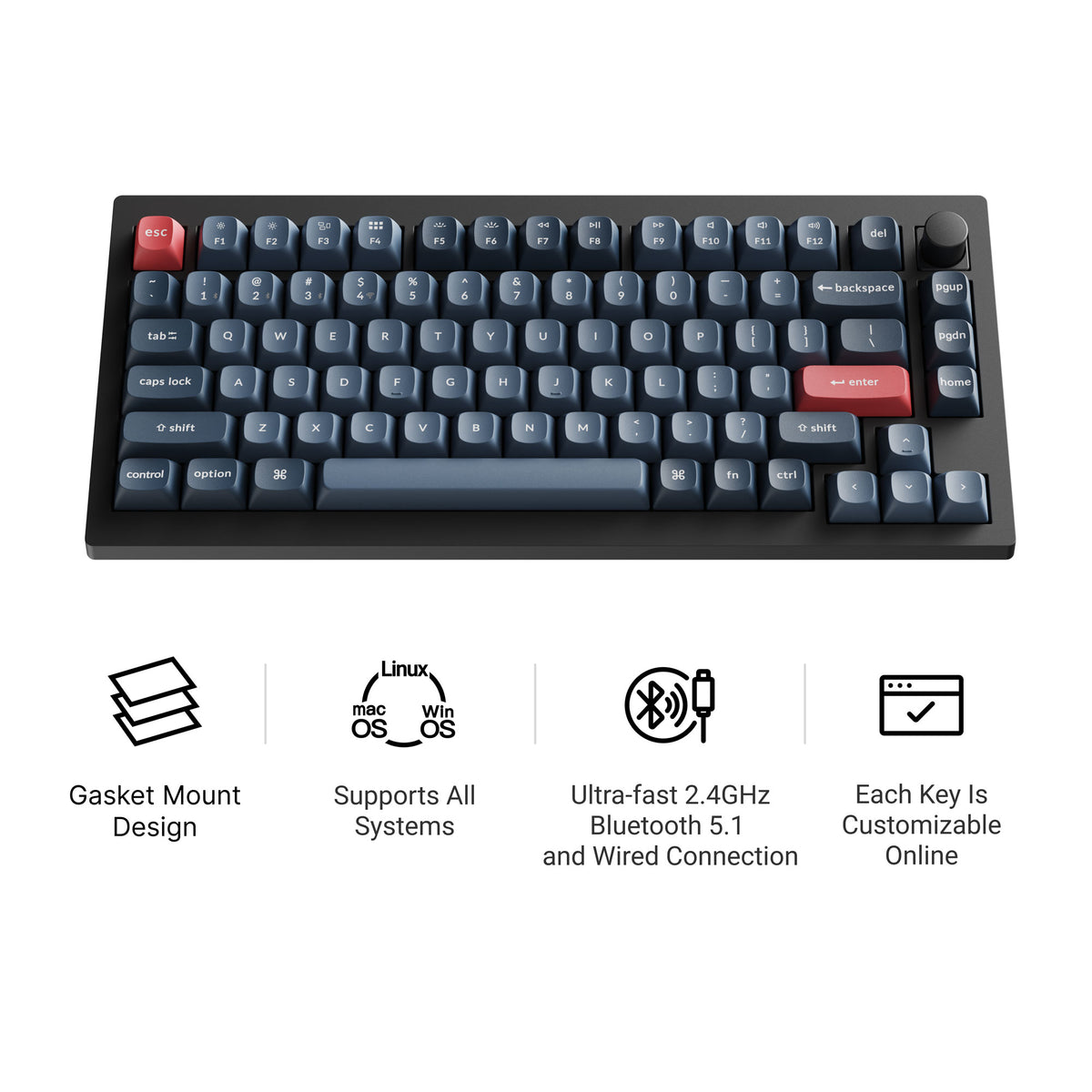
The Keychron V1 Max is a 75% hot-swappable board with tri-mode connectivity (2.4 GHz wireless, Bluetooth, and wired), a double-gasket design, factory pre-lubed switches, and screw-in stabilizers. It supports QMK/VIA and has south-facing RGB, so it feels tuned straight out of the box and stays easy to remap. Current versions all include a rotary knob; our Keychron V1 Max guide covers the full specs.
WOBKEY Rainy 75: The Premium Choice
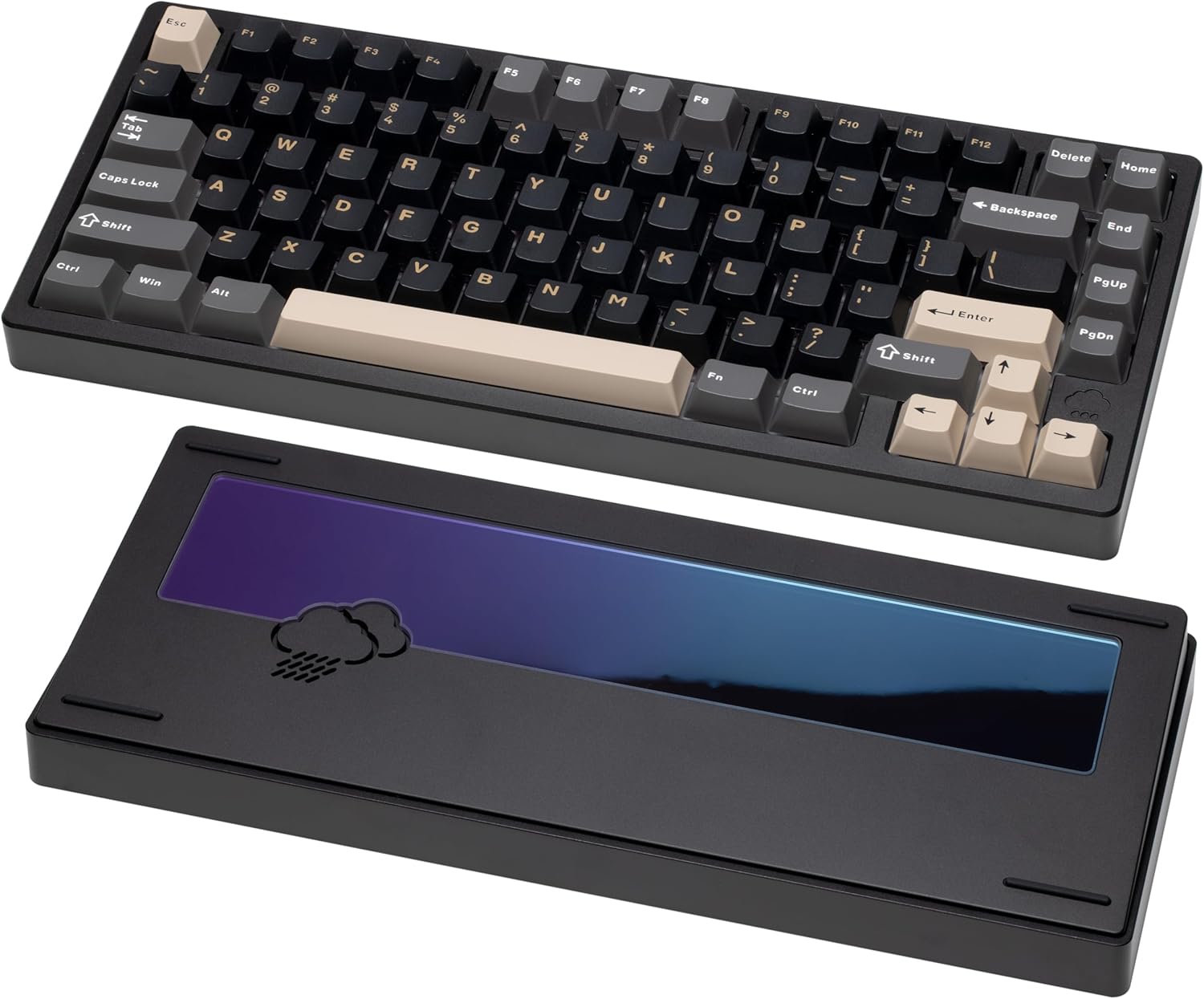
The Wobkey Rainy75 focuses on delivering a premium typing experience with its solid aluminum case, five-layer acoustic dampening, and gasket-mounted design. Its tri-mode connectivity ensures compatibility with various devices, while its hot-swappable switches allow for easy customization. Although battery specs aren't explicitly highlighted, its efficient design contributes to decent wireless performance.
Pros:
- Premium build quality
- Excellent sound dampening
- Tri-mode connectivity
- Hot-swappable switches
Cons:
- Higher price point
- Battery life details less prominent
Ideal for: Users who prioritize typing feel and build quality and are willing to invest in a premium wireless keyboard.
Keychron K2 Max: The Stylish Contender
The Keychron K2 Max is a 75% tri-mode keyboard that connects over 2.4 GHz, Bluetooth, or USB-C and ships with keycaps for both Windows and macOS, so Command and Option are labeled correctly out of the box. It supports QMK/VIA, remaps through the Keychron Launcher web app, has RGB backlighting, and comes in hot-swappable versions with an optional aluminum frame.
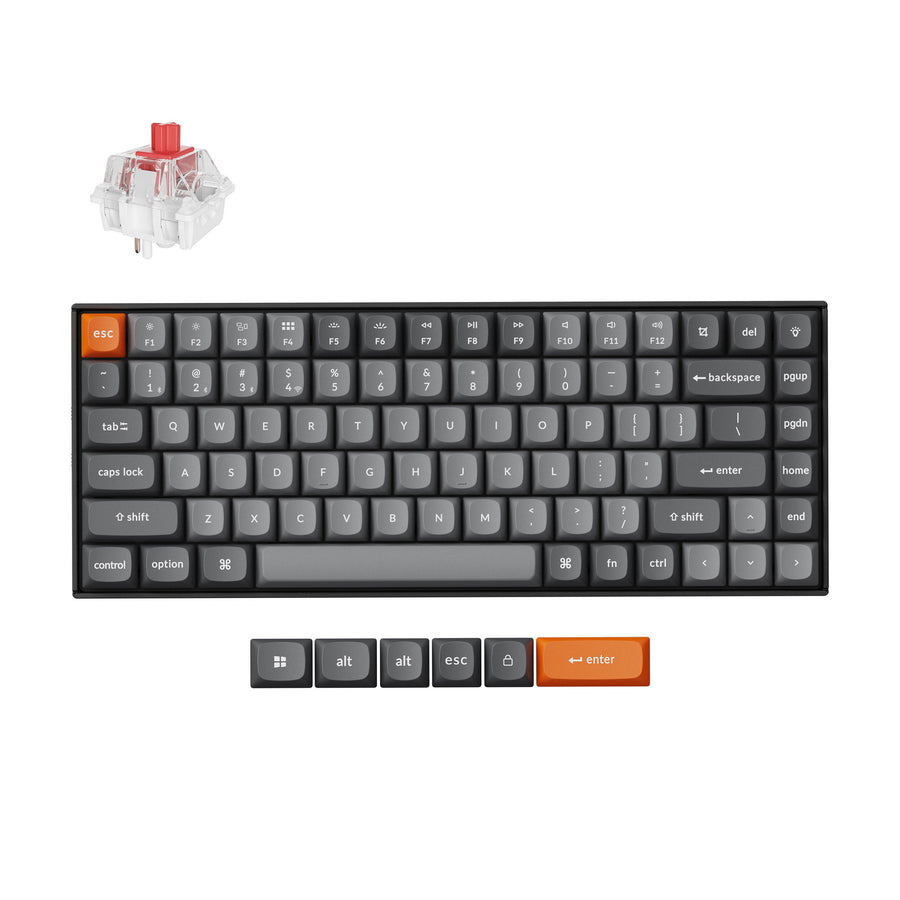
Who is it for? Mac users who want a compact wireless board that doesn't need a remapped layout.
Factors Affecting Battery Life
Several factors can influence the battery life of a wireless mechanical keyboard:
- RGB Lighting: Turning off or dimming RGB lighting can significantly extend battery life.
- Polling Rate: Higher polling rates consume more power. Adjusting the polling rate can help conserve battery.
- Usage Patterns: Heavy usage, especially with backlighting and high polling rates, will drain the battery faster.
- Connectivity Mode: 2.4GHz wireless typically consumes more power than Bluetooth.
Tips for Maximizing Battery Life
- Turn off RGB lighting: When not needed, disable RGB lighting to save power.
- Lower polling rate: Reduce the polling rate to a more moderate level.
- Use Bluetooth: When possible, use Bluetooth for less power consumption.
- Turn off the keyboard: When not in use, turn off the keyboard to prevent unnecessary battery drain.
Final Thoughts
Choosing a wireless mechanical keyboard with long battery life is essential for uninterrupted productivity and gaming. The AULA F99 leads the pack with its massive battery, while the Keychron K2 HE offers a balance of performance and convenience. The Keychron V1 Max, WOBKEY Rainy75, and Keychron K2 Max provide unique features and designs to cater to different preferences. Consider your specific needs and usage patterns to make the best choice.
Ready to upgrade your typing experience? Explore these top wireless mechanical keyboards and find the perfect fit for your needs!