Best XDA Keycaps: Profile Guide & Top Picks
Back to blog

Best XDA Keycaps: Profile Guide & Top Picks

XDA keycaps offer a flat, uniform profile perfect for custom builds. Here are the best XDA keycap sets to upgrade your keyboard in 2026.

XDA keycaps have become one of the most popular choices for mechanical keyboard enthusiasts who want a clean, low-profile look with maximum design flexibility. Whether you're after retro pixel art, Japanese sub-legends, or botanical aesthetics, the XDA profile's wide, flat top surface is built for bold dye-sublimation prints — and the prices are hard to beat.

What Is the XDA Profile?

XDA is a uniform keycap profile, meaning every row sits at the same height and angle. Unlike Cherry or OEM profiles — which sculpt each row differently to match the natural curve of your fingers — XDA keeps all keys flat and consistent.

Key specs at a glance:

  • Height: ~9.1 mm (shorter than OEM, slightly taller than DSA)
  • Top surface: Wide and flat with gently spherical scooping
  • Row sculpting: None — all rows are identical
  • Compatibility: Standard MX-style stems; works with 60%, 65%, 75%, TKL, and full-size layouts

The wide top surface is what makes XDA special for designers. There's simply more printable area per key, which is why XDA sets so often feature intricate dye-sublimated artwork, dual-language legends, and colorful novelties.

XDA vs OEM vs Cherry: Which Profile Should You Choose?

Profile Sculpted? Height Top Surface Best For
OEM Yes ~11.5 mm Cylindrical Default feel, easy to find
Cherry Yes ~9.4 mm Cylindrical Typists, enthusiasts
XDA No ~9.1 mm Spherical Aesthetics, custom builds
DSA No ~7.6 mm Spherical Compact, minimal

XDA sits in a sweet spot: lower than OEM for a more modern feel, but taller than DSA so the transition from sculpted keycaps is less jarring. If you're coming from a stock keyboard and want to try a uniform profile without going fully flat, XDA is the natural starting point.

One trade-off: some touch typists find uniform profiles take a week or two to adjust to, since there's no physical row differentiation to guide fingers. Most people adapt quickly and never look back.

The Best XDA Keycaps in 2026

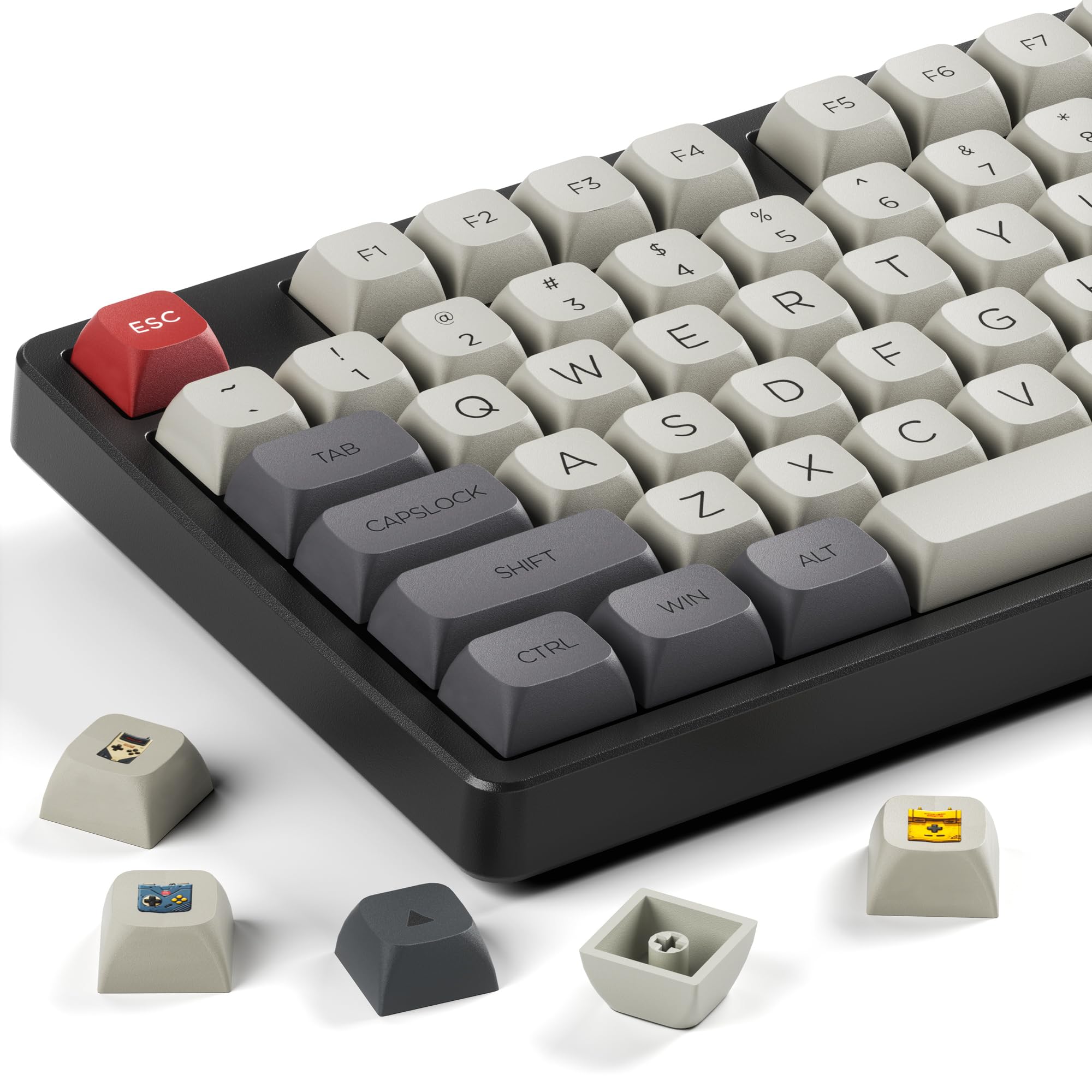
XVX XDA Profile Retro Game Console Keycaps

These retro-themed XDA keycaps are a standout pick for anyone who wants their keyboard to look like it belongs next to a SNES. The PBT dye-sublimation legends are crisp and vibrant, and the classic game controller color palette pairs well with dark or neutral board colors. Available on Amazon with Prime shipping, making them easy to grab.

Pros: Unique retro aesthetic, durable PBT construction, great dye-sub print quality Cons: Theme is very specific — not for minimalist setups

XVX XDA Retro Game Console Keycaps

XVX XDA Profile Retro Game Console Keycaps

Check Price

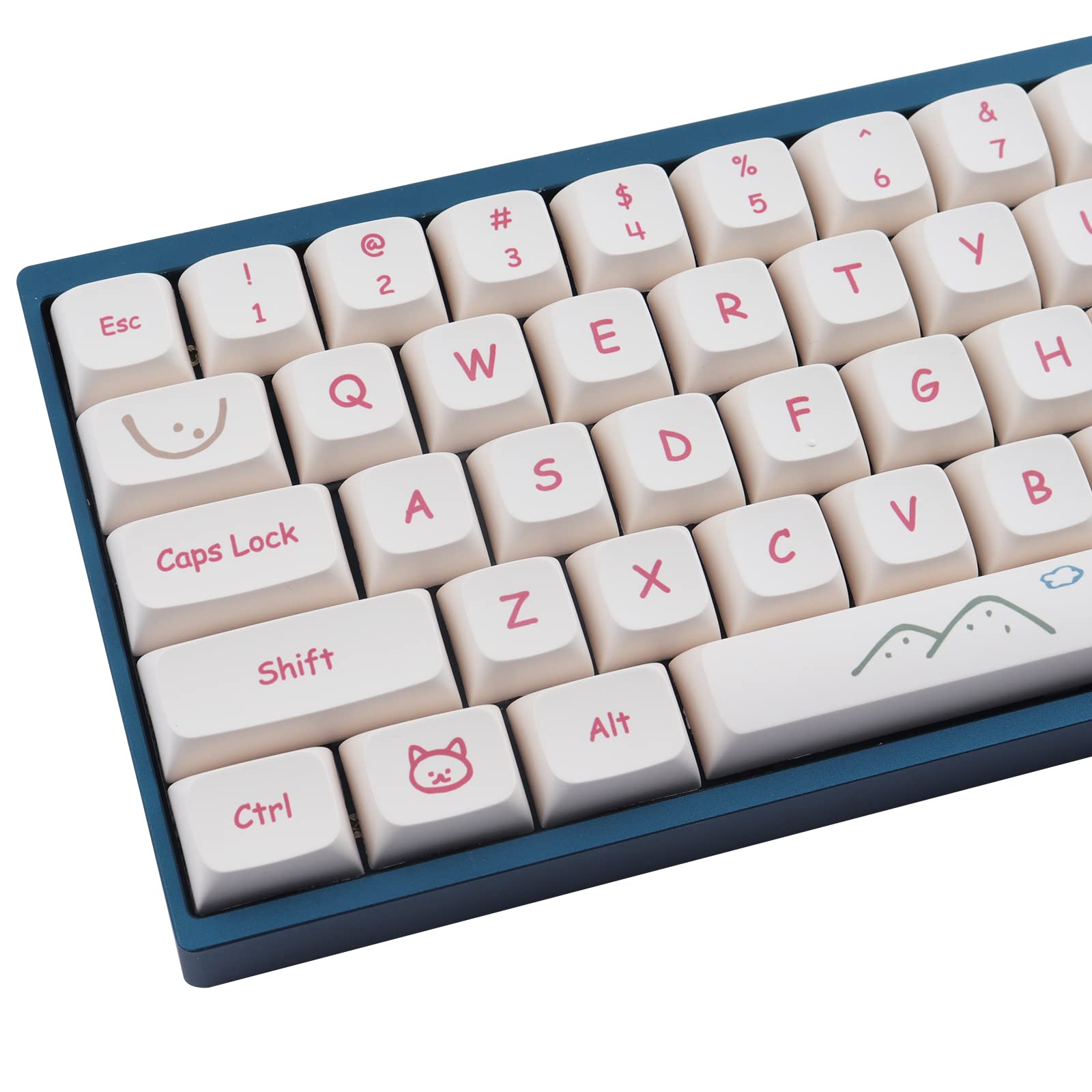
Hyekit PBT Graffiti Dye-Sublimation XDA Keycaps

If you want your keyboard to make a statement, the Hyekit Graffiti set delivers 135 keys of bold, street-art-inspired color. The PBT material keeps the surface matte and fingerprint-resistant, while the dye-sublimation process ensures legends won't fade. The high key count means you'll have enough spares for most layouts.

Pros: Bold design, 135-key count, excellent legend durability, PBT quality Cons: Colorful aesthetic won't suit every desk setup

Hyekit Graffiti XDA Keycaps

Hyekit PBT Keycaps 135 Keys Graffiti Dye-Sublimation XDA Profile

Check Price

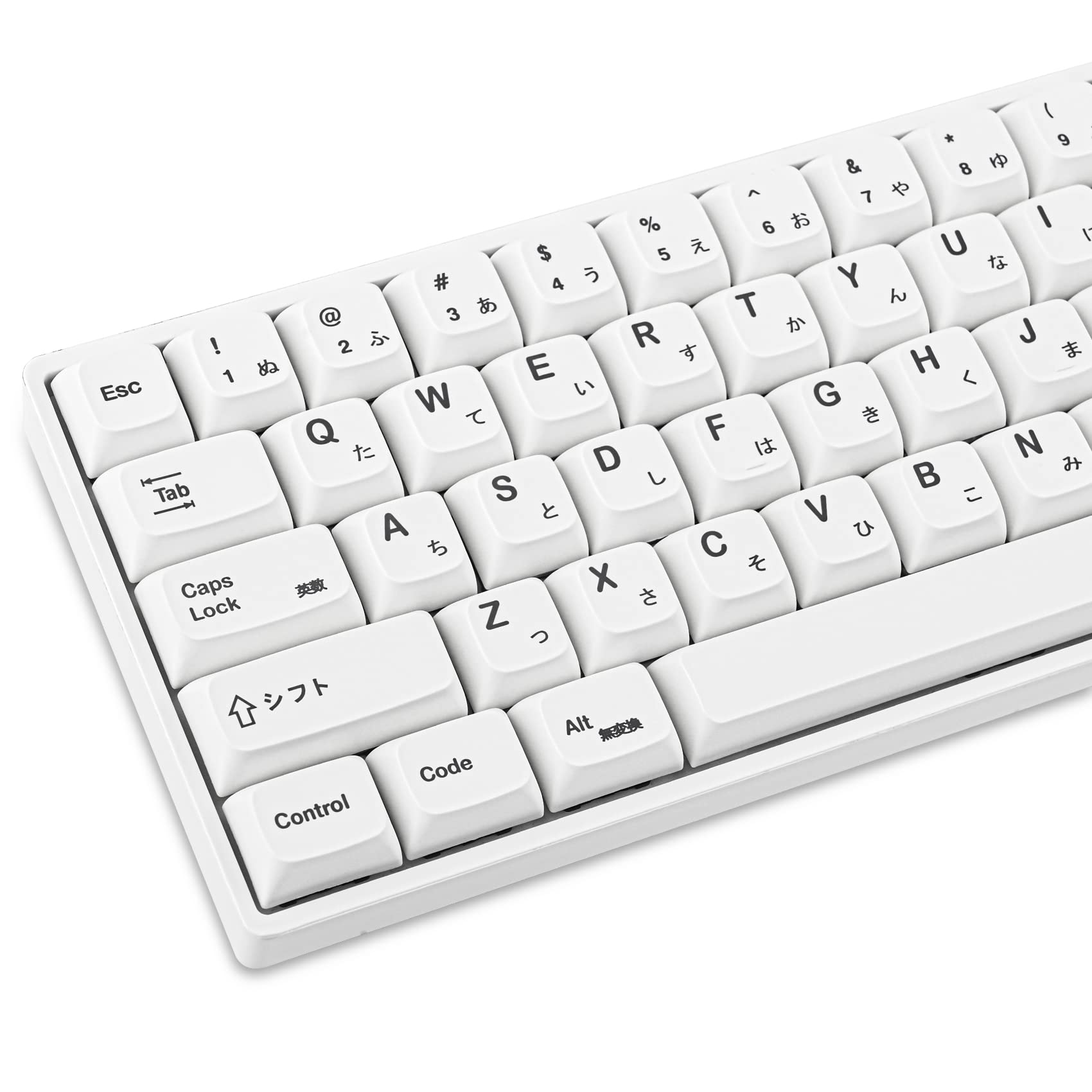
GTSP 135-Key Japanese White XDA Keycaps

For a minimalist look with a subtle Japanese flair, these white XDA keycaps from GTSP are hard to beat. The clean white base works with virtually any keyboard color, and the Japanese sub-legends add character without overwhelming the design. The 135-key count covers 65% and most other compact layouts with spares left over.

Pros: Clean, versatile white colorway, Japanese legends, wide layout compatibility Cons: White keycaps show grime over time — wipe regularly

GTSP Japanese White XDA Keycaps

GTSP 135-Key Japanese White Keycaps 65% XDA Profile

Check Price

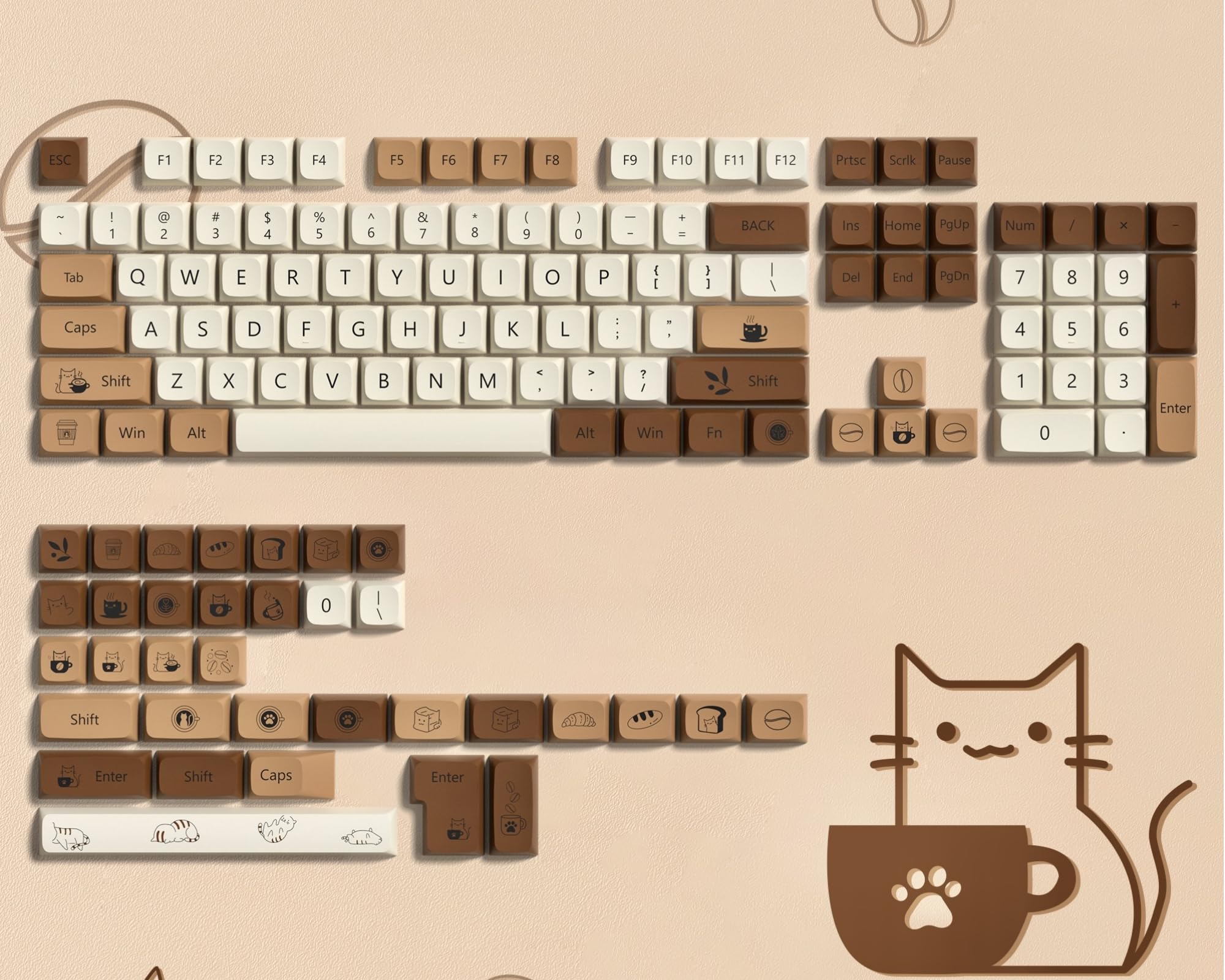
dagaladoo Brown PBT XDA Keycaps (140 Keys)

The dagaladoo Brown set leans into a warm, earthy aesthetic that pairs especially well with wooden desk setups and brown or bronze keyboards. At 140 keys, it's one of the most complete XDA sets on this list — plenty of coverage for full-size boards. PBT dye-sublimation ensures the legends stay readable for years.

Pros: 140-key count, warm earthy colorway, PBT with dye-sub legends Cons: Limited appeal if your setup skews cool or neutral in tone

dagaladoo Brown XDA Keycaps

dagaladoo Brown PBT Keycaps 140 Keys XDA Profile Dye-Sublimation

Check Price

Botanical XDA Profile Keycaps

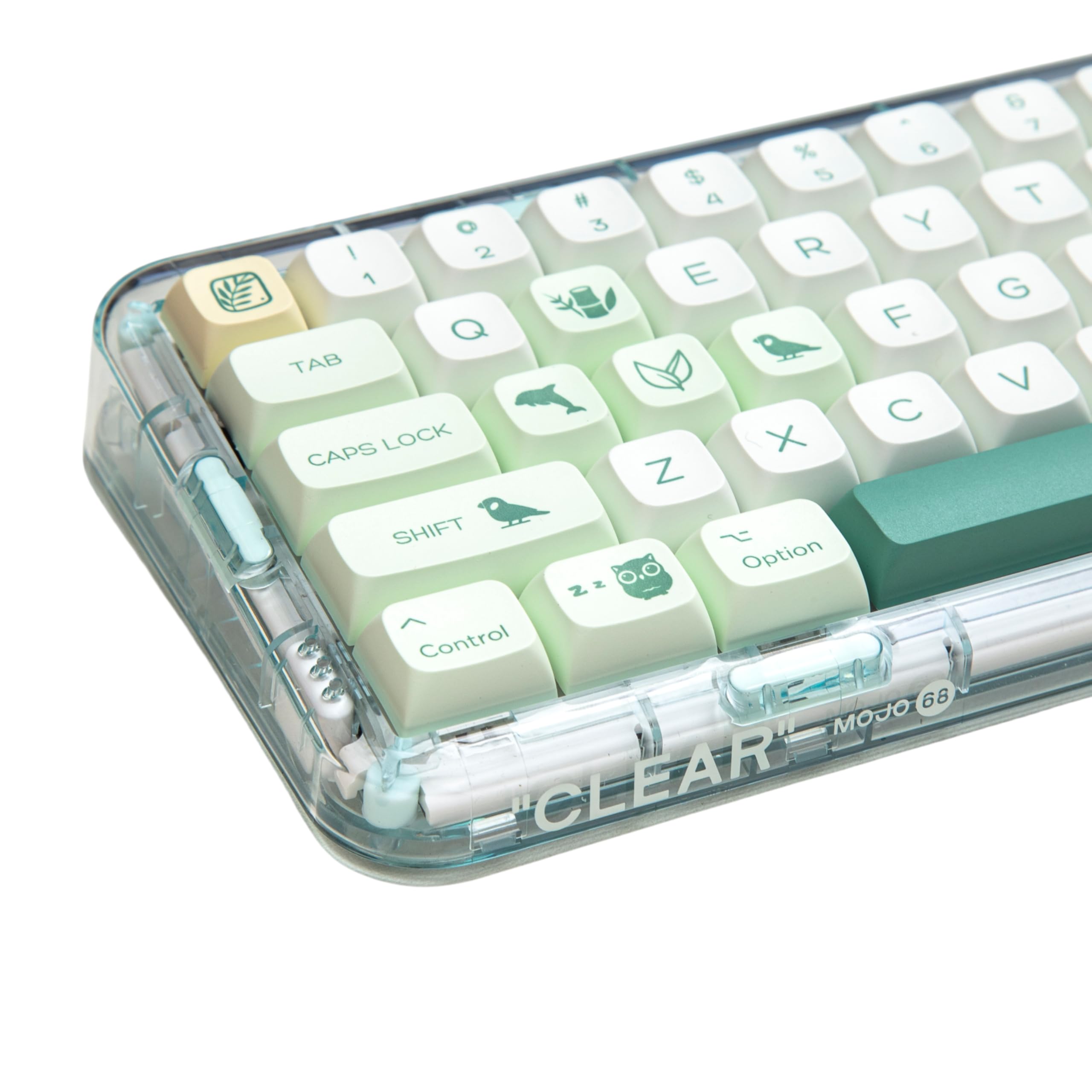
Amazon's Choice in the XDA keycap category, this 144-key botanical set is one of the most popular options for nature-inspired builds. The green garden aesthetic is consistently executed across every key, and the uniform XDA profile means you can mix and match rows freely. Compatible with 60%, 65%, 75%, TKL, and full-size boards.

Pros: Amazon's Choice, 144-key set, works with nearly every layout, cohesive botanical design Cons: Green colorway is best-suited for light or white keyboard cases

Botanical XDA Keycaps

Botanical XDA Profile Keycaps

Check Price

What to Look for When Buying XDA Keycaps

PBT vs ABS: Nearly all the XDA sets worth buying use PBT plastic. It's thicker, resists shine, and holds dye-sublimation legends better. Avoid ABS XDA sets unless the price is exceptional.

Dye-sublimation vs pad printing: Dye-sub legends are fused into the plastic and won't wear off. Pad-printed legends can fade within months. Every set on this list uses dye-sublimation.

Key count: A 104-key set covers full-size only. If you run a 65% or 75% layout, look for 135-key or 140-key sets that include the extra modifiers and function row variations.

Compatibility: XDA keycaps use standard MX stems and fit any switch with a + cross stem — Cherry, Gateron, Kailh, and most clones. Check that the spacebar size (6.25U vs 7U) matches your board before ordering.

For a deeper look at how keycap materials affect feel and durability, see our guide to mechanical keyboard keycap materials. If you're exploring specialty profiles, check out our ceramic keycaps guide for a completely different aesthetic direction.

Final Verdict

XDA keycaps are an excellent entry point into the world of custom keycap profiles — they're affordable, widely available, and come in a huge range of designs that would be impossible to produce in sculpted profiles. Whether you go retro, botanical, or minimalist Japanese, there's an XDA set here that fits your build without breaking the bank.

Keep exploring

Need the broader mechanical keyboard foundation first?

The starter guide is still the best path if you want layout basics, switch families, and the most important keyboard terms in one place.