A keyboard cleaning kit for a mechanical keyboard needs a keycap puller, a soft brush, compressed air, a microfiber cloth and a cover cloth to keep dust off. That's the core. Everything else on the list is optional, and you can buy the pieces one at a time.
We build ours from single pieces for two reasons. Pre-bundled kits sometimes leave out the puller, which is the one tool you cannot do without on a mechanical board. And a separate puller and brush cost less than most bundles and tend to be better made. If you are shopping for someone else, our mechanical keyboard gift guide has more ideas, and a cleaning kit pairs well with a small upgrade like the ones in our stocking stuffers for gamers post or a holiday set from our Christmas keycaps guide.
This post is about the kit itself. For the cleaning steps, we already have how to clean keycaps and five tips to keep your mechanical keyboard clean. Prices below are what we saw on November 29, 2026, before shipping and tax. Most of them are Black Friday sale prices, so we give the regular price too.
What Each Piece Does on a Mechanical Keyboard
Mechanical keyboards collect dust differently from a laptop or a membrane board. The keycaps sit up on stems, so hair, crumbs and skin flakes fall into the gaps between switches and drop down onto the plate. Each tool in the kit handles one part of that.
- Keycap puller: takes the caps off cleanly. Pulling with your fingernails scuffs caps and can bend a stabilizer wire.
- Soft brush: sweeps the plate and the gaps between switches once the caps are off.
- Compressed air: blows out what the brush leaves behind, and dries things quickly.
- Microfiber cloth: wipes the case, the plate and the tops of the caps without leaving lint.
- Cover cloth: keeps dust off between cleanings, so you have to clean less.
- Tweezers and a switch puller: only for hot-swap boards, where a hair or a crumb ends up inside a switch.
The Tools We'd Buy
Keycap and Switch Puller
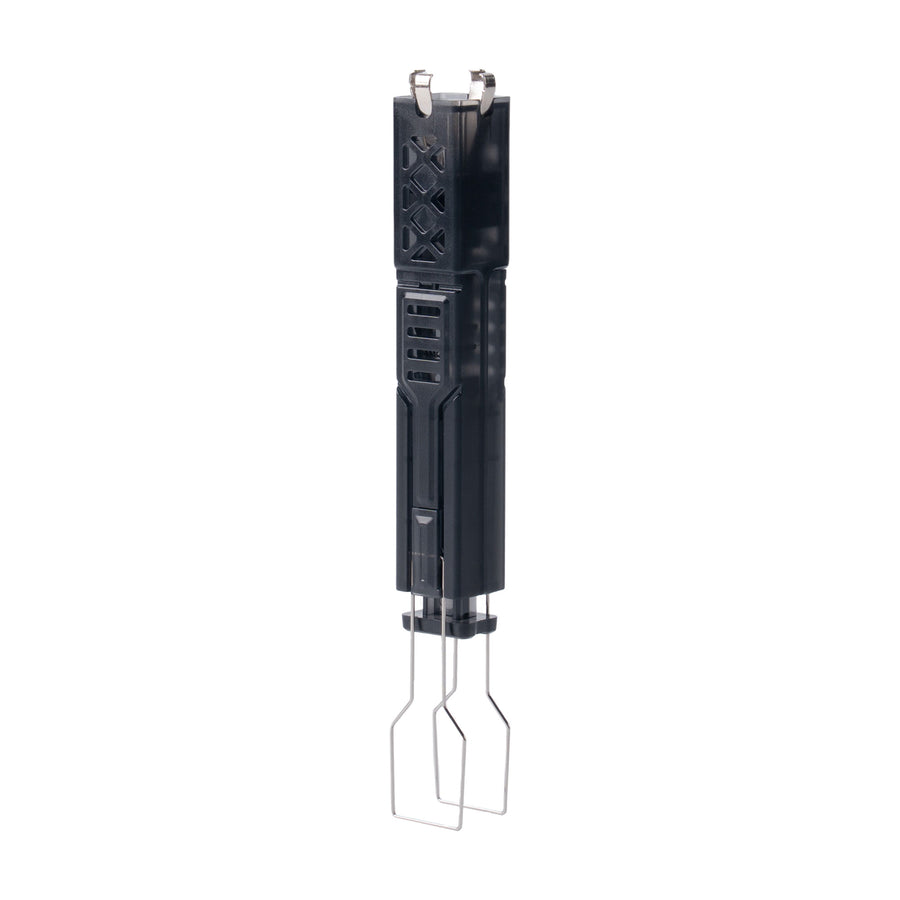
Keychron 2-in-1 Switch and Keycap Puller: the one tool every kit needs, $11.19 on sale when we checked on November 29 ($13.99 regular). One end is a wire loop that pulls keycaps without scuffing the sides. The other end is a clamp that grips the upper and lower latches of a switch, so it lifts straight out of the socket instead of being pried out, and prying is how pins get bent. It is a good gift because it works on any board and the person using it will reach for it often. The caveat is that the switch end only matters on hot-swap boards. On a soldered board you will use the wire loop and nothing else.
The Gateron puller we also listed here was sold out at Keychron on November 29. Our keycap puller page lists other options if you want a different shape.
Brush and Tweezers
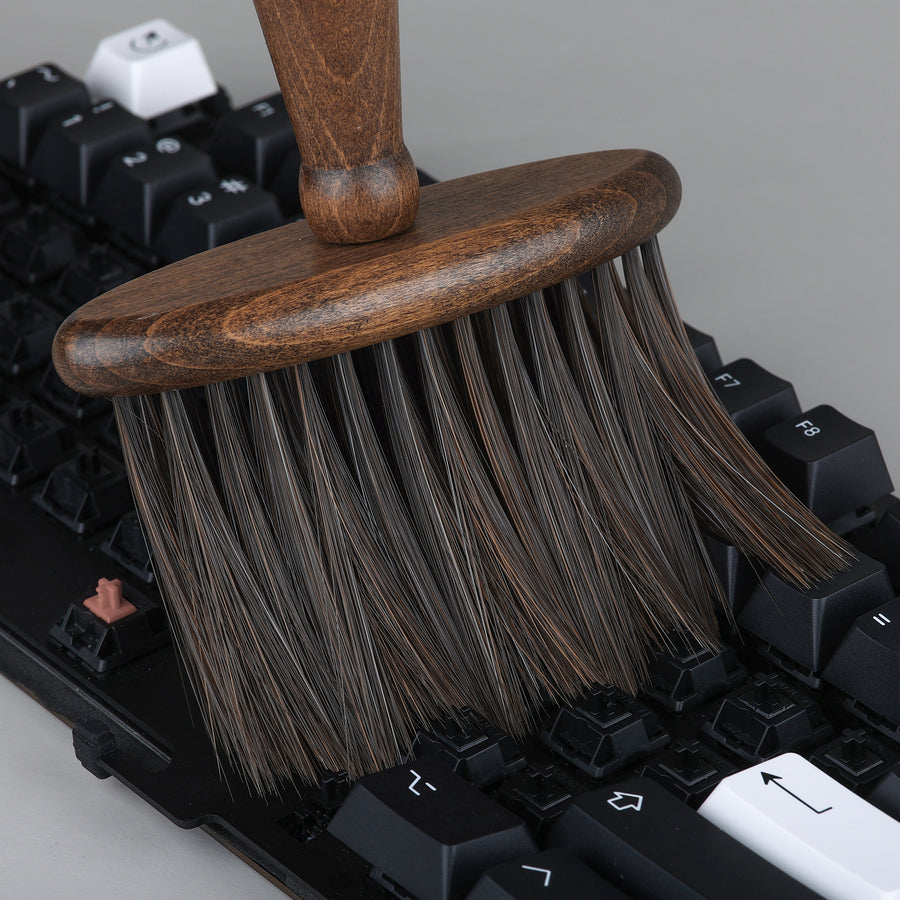
KBDfans Keyboard Mahogany Cleaning Brush: the best value in the kit, $3 when we checked on November 29. The head is 138mm wide with soft fiber bristles and a wooden body, so nothing in it is hard enough to scratch a case or a keycap set. It does the work between pulling the caps and putting them back, and it does it better than compressed air alone. The caveat is that it sweeps the surface. It will not reach inside a switch.
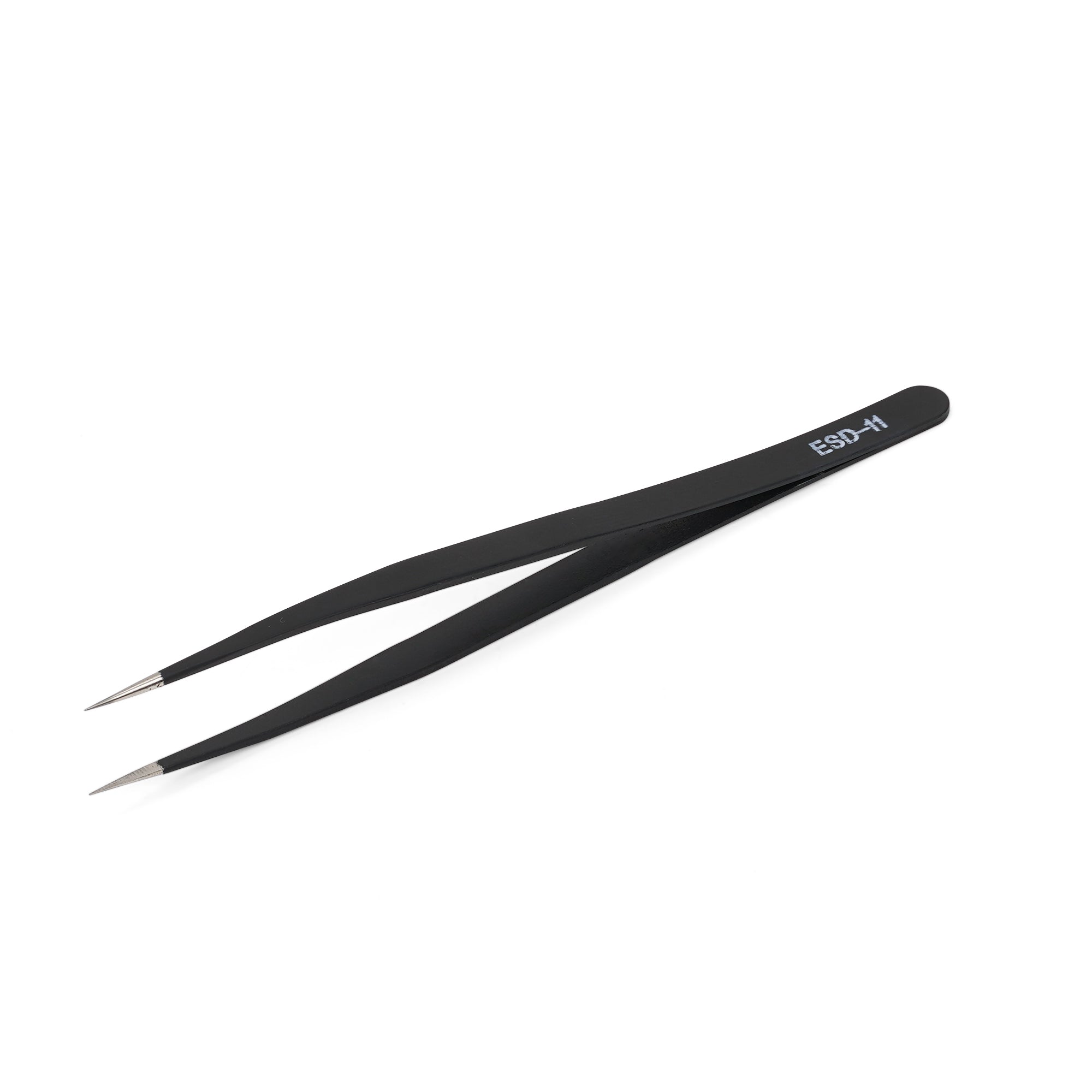
KBDfans Anti-Static ESD-11 Tweezers: for what fingers cannot reach, $0.80 on sale when we checked on November 29 ($1 regular). These are 14cm stainless steel tweezers with a fine curved tip, useful for lifting a hair out of a switch housing or fishing a stabilizer clip out of the case. They are anti-static, which matters near an exposed PCB. It is a small gift on its own, but it makes a kit feel complete. Only buy them for someone who opens up their board.
Cloths

KBDfans Keyboard Cover Cloth: the cheapest habit in the kit, $1.70 on sale when we checked on November 29 ($2 regular). At 596mm by 391mm it drapes over a full-size board with room to spare, and covers a TKL or a 75% easily. Dust that never lands between the keycaps is dust you do not have to remove. The caveat is color: only the milky white version was in stock when we checked, and the plain white one was sold out.
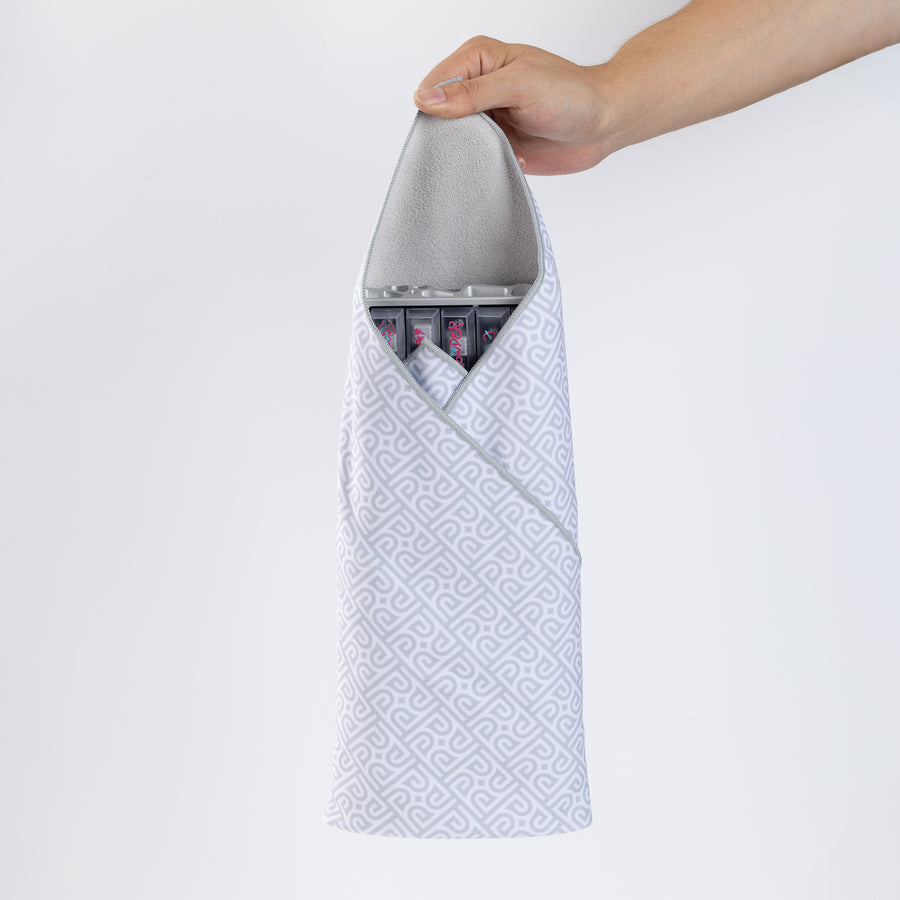
KBDfans Magic Wrapper Cloth: a work mat that doubles as a travel wrap, $5.02 on sale when we checked on November 29 ($5.90 regular). It is a 490mm square cloth. Wrapped, it keeps a keyboard from getting scratched in a bag. Unfolded, it gives you a clean surface to lay keycaps and switches on while you work, so nothing rolls off the desk. It suits someone who carries a board around. If the board never leaves the desk, skip it.
The Pieces You Can Buy Anywhere
Four items on the kit list are generic, so we did not pick specific products for them. Any reputable version will do.
Compressed air. A can of air is useful for blowing dust out from under the caps, but use it carefully. Keep the can upright. If you tilt it, liquid propellant can spray out, and that can leave a film on the PCB and switches. Spray in short bursts from a few inches away, and brush loose debris out first so the air is not pushing it further in.
Cleaning gel. A gel pad can lift loose dust and crumbs from the plate and the tops of the caps. Its limits matter on a mechanical board. It can leave residue, so do not push it down into switch housings, where it is hard to remove. Use it on open, flat surfaces only.
Microfiber cloths. A multi-pack is cheap and does most of the wiping. Use one dry cloth for the case and one for drying keycaps. Microfiber leaves less lint than paper towels.
Warm water and mild soap. For dirty PBT or ABS keycaps, a short soak in warm water with a drop of mild soap is enough. Rinse and dry them fully before they go back on. We keep this short here because how to clean keycaps walks through it. If your kit includes a desk mat, how to clean a desk mat covers that part.
Keyboard Cleaning Kit by Budget
These totals use only the prices we verified on November 29, with the regular-price total next to the sale total. They leave out the generic pieces above, and they leave out shipping, which will be separate because the Keychron and KBDfans items come from different stores.
| Kit | What is in it | Sale total (Nov 29) | Regular total |
|---|---|---|---|
| Starter | Keychron 2-in-1 puller, mahogany brush | $14.19 | $16.99 |
| Full | Keychron 2-in-1 puller, mahogany brush, tweezers, cover cloth, magic wrapper cloth | $21.71 | $25.89 |
If you want a quick gift, the starter kit plus a can of air and a microfiber cloth from any store is a complete set. The full kit suits someone who swaps switches or keycaps and works away from their desk. For more accessories, our accessories page has the rest.
What Not to Use
A few common shortcuts do more harm than good on a mechanical keyboard. We keep our claims cautious here, because outcomes depend on the board.
- Disinfecting wipes on switches. Wipes are fine on a case. Soaking switches with them can push liquid down into the switch and onto the PCB. Wring a wipe out, and keep it away from the stems.
- A dishwasher for keycaps. Shine-through keycaps have thin legends that can be damaged by detergent and heat, and caps can get lost or knocked about in the rack. Wash by hand.
- Hot water on ABS keycaps. Hot water can warp ABS plastic. Warm is enough.
How to Choose
Start with the person. If they own a hot-swap board and like to tinker, give them a puller, tweezers and a work mat. If they type on one board at one desk, give them a brush, a puller and a cover cloth. If you do not know, the starter kit costs under $17 at regular prices and works on almost any mechanical keyboard. Add the generic pieces from your own shelf, and gift it in a small box or a pouch.
For ongoing care, the cover cloth does more than any other piece, since it cuts down how often you need the rest.
Frequently Asked Questions
What should a keyboard cleaning kit include?
For a mechanical keyboard, a keycap puller, a soft brush, compressed air, a microfiber cloth and a cover cloth cover most jobs. Add a switch puller and tweezers if the board is hot-swap and you plan to open up the switches. Gel is optional.
Is compressed air safe for a mechanical keyboard?
Yes, if you use it carefully. Keep the can upright, spray in short bursts and hold it a few inches away. Tilting the can can spray liquid propellant, which can leave a film on the PCB and switches. Brush loose debris out first, because air alone can push it deeper.
Can you use cleaning gel on a mechanical keyboard?
On the surface, with the keycaps off, it can lift loose dust from the plate and case. Do not press it into switch housings. Gel can leave a sticky residue behind, and it is hard to get out of a switch once it is in there.
What is the best way to clean a keycap puller and brush after use?
Wipe the metal wire of a puller with a dry or barely damp cloth, and tap a brush against your palm to shake out dust. Neither needs anything stronger. Let anything damp dry fully before it goes back in the kit.
Can you wash keycaps with soap and water?
Most PBT and ABS keycaps can take a short wash in warm water with a little mild soap. Use warm rather than hot water, rinse them, and let them dry completely before you put them back on the switches. Check a rare or printed set with the maker first.