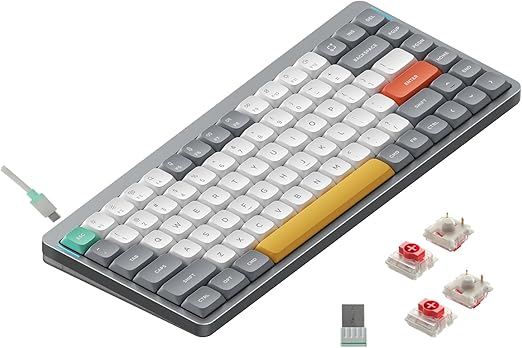
The NuPhy Air75 V2 is a low-profile, wireless 75% mechanical keyboard. It is thin enough to sit at laptop height, small enough to carry, and it keeps a function row and arrow keys. This guide covers its specs and features and who it suits. It is not a hands-on review; the details come from NuPhy's listing.
NuPhy Air75 V2 at a Glance
- Layout: 75%, with function row and arrow keys
- Profile: low-profile keyboard and switches
- Connectivity: Bluetooth 5.1, 2.4 GHz wireless and USB-C wired
- Devices: up to four
- Firmware: QMK, with VIA support
- Switches: hot-swappable low-profile switches (Gateron low-profile on the listing we checked)
- Keycaps: PBT
- Battery: 4000 mAh; about 35 to 57 hours with backlight on, up to 220 hours with it off (listing figures)
- Build: aluminum frame with a translucent bottom case and two height stands
- Lighting: RGB backlight with 21+ effects, plus side light bars for status
- OS support: macOS, Windows, Linux, Android, iOS
Layout: Why 75%
A 75% layout drops the numpad and compresses the navigation keys into a column on the right, but keeps a full function row and dedicated arrow keys. It is a middle ground between a TKL and a 60% keyboard. If you use F-keys or arrows often, it is easier to live with than a 60% or 65%. Our 75% layout guide explains the trade-offs in more detail.
Low Profile: The Main Reason to Buy It
The Air75 V2's defining feature is that it is thin. Low-profile switches and keycaps bring the typing surface much closer to the desk than a standard mechanical keyboard. That has a few effects:
- It feels closer to a laptop keyboard, which makes switching between the two easier.
- Many people can use it without a wrist rest.
- It fits in a laptop bag more easily.
The trade-off is that low-profile switches have shorter travel and a different feel from full-height mechanical switches, and the choice of replacement switches and keycaps is smaller. For more on the category, see our low-profile mechanical keyboards page and our best low-profile mechanical keyboards roundup.
Wireless and Battery
The Air75 V2 is tri-mode: Bluetooth 5.1, a 2.4 GHz receiver, and USB-C wired. The listing says it can connect to up to four devices and switch between them, which is useful if you move between a desktop, a laptop and a tablet.
NuPhy rates the 4000 mAh battery at around 35 to 57 hours with the backlight fully on and up to 220 hours with it off. As with any wireless keyboard, lighting is the biggest factor, so expect less if you run bright RGB all day. For general tips on battery life, see our guide to wireless mechanical keyboards with long battery life.
QMK/VIA, Lighting and Status Bars
The V2 runs QMK firmware and supports VIA, so you can remap any key, build layers and record macros without proprietary software. This was one of the headline changes from the original Air75.
The RGB backlight has more than 21 effects, and NuPhy's online console lets you customize it further. The listing notes that the keycaps are not backlit. There are also two RGB light bars on the sides of the frame: the left shows Caps Lock and connection mode, and the right shows battery level and system mode.
Hot-Swap: Low-Profile Only
The Air75 V2 is hot-swappable, so you can change switches without soldering. It uses low-profile switches, so standard-height MX switches will not fit. If you plan to experiment with switches, check that replacements are low-profile and compatible with the board before you buy.
Who the NuPhy Air75 V2 Is For
A good fit if you:
- want a mechanical keyboard that feels closer to a laptop
- work across several devices and want one keyboard for all of them
- travel or move between desks
- use a Mac and want a board that supports it out of the box (see our mechanical keyboard for Mac roundup)
Probably not for you if you:
- want deep, full-travel keystrokes and the widest switch choice
- plan to swap in standard MX switches or common keycap sets
- need a numpad
NuPhy has released newer versions of the Air75 line since the V2, including a Hall-effect Air75 HE. Our NuPhy brand page covers the brand and alternatives in one place.
NuPhy Air75 V2
A low-profile, tri-mode 75% keyboard with an aluminum frame, hot-swappable low-profile switches, QMK/VIA support, PBT keycaps and a 4000 mAh battery. Stock was checked on the date of this post.
Pros: thin and portable; tri-mode with up to four devices; QMK/VIA; status light bars Cons: low-profile switch and keycap choice is limited; not for people who want full-height travel
An Alternative: Keychron K3 Max
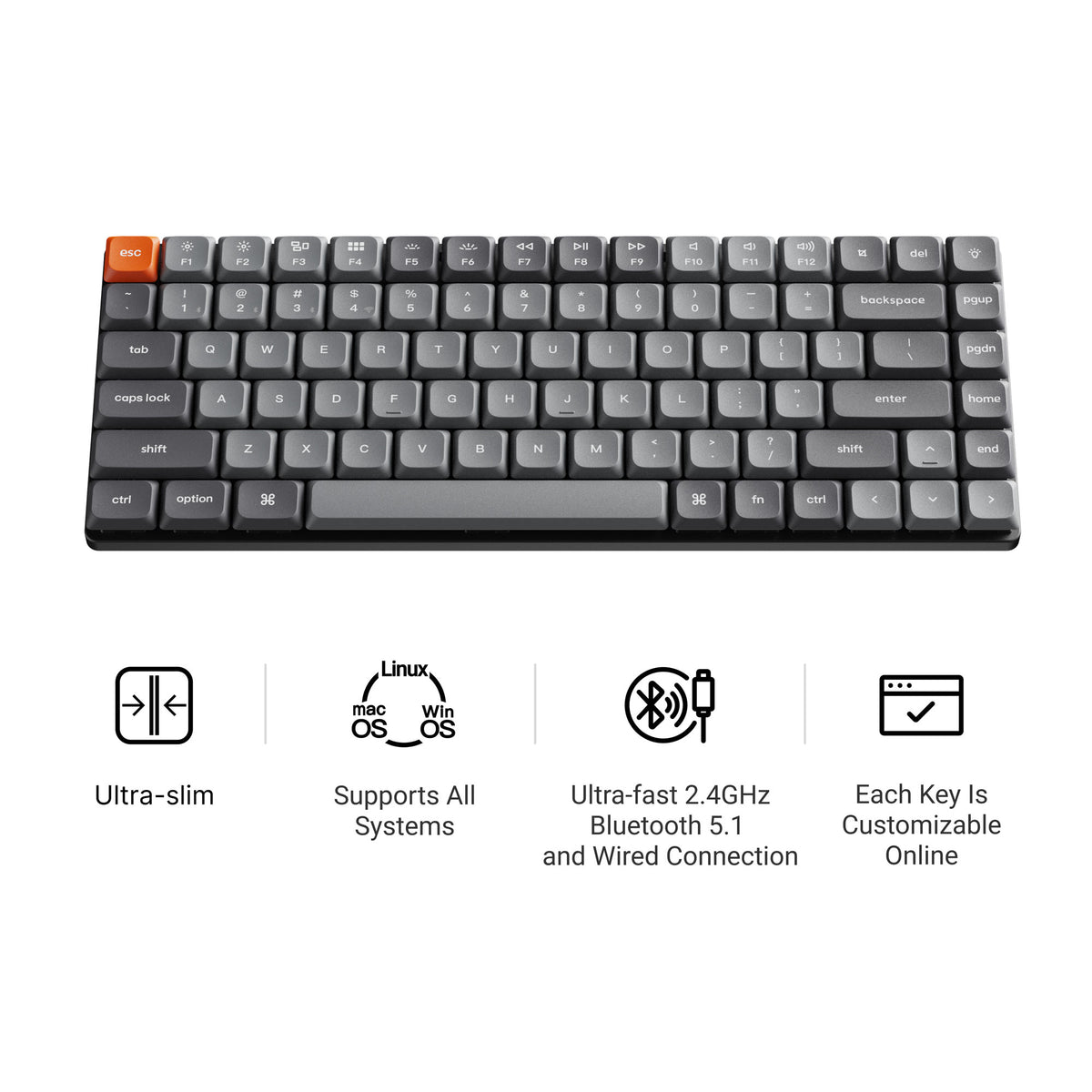
If you want a low-profile 75% from another brand, the Keychron K3 Max is the closest match in our catalog. It has QMK/VIA support, 2.4 GHz and Bluetooth 5.1, and hot-swappable low-profile switches. When we checked, only some configurations were in stock.
Keychron K3 Max
A low-profile 75% wireless board with QMK/VIA, 2.4 GHz, Bluetooth 5.1 and hot-swappable low-profile switches. A good option if you prefer Keychron's Launcher software or want a slimmer Mac-style setup. More on the brand at our Keychron hub.
Pros: low profile; QMK/VIA; wireless Cons: stock varies by configuration
Bottom Line
The NuPhy Air75 V2 is for people who want a thin, wireless 75% keyboard that works across several devices and still runs QMK/VIA. If low profile is what you are after, it is one of the most complete options. If you want full-height switches and the widest customization, look at a standard-height 75% instead.
Frequently Asked Questions
Is the NuPhy Air75 V2 wireless?
Yes. It connects over Bluetooth 5.1, a 2.4 GHz wireless receiver, or a USB-C cable, and the listing says it can connect to up to four devices.
Is the NuPhy Air75 V2 hot-swappable?
Yes, but for low-profile switches. It is built around low-profile switches, so standard-height MX switches will not fit. Check that any replacement switches are low-profile and compatible before you buy.
Does the NuPhy Air75 V2 support QMK and VIA?
Yes. The V2 runs QMK firmware and works with VIA for key remapping, macros and lighting.
How long does the NuPhy Air75 V2 battery last?
The listing gives a 4000 mAh battery rated at about 35 to 57 hours with the backlight fully on and up to 220 hours with the lights off. Real-world life depends on your lighting and how much you type.
Does the NuPhy Air75 V2 work with Mac?
Yes. The listing says it works with macOS, Windows, Linux, Android and iOS.
What is the difference between the Air75 and the Air75 V2?
The overall layout is similar, but the V2 adds a translucent bottom case, two height stands, side RGB light bars that show status, and QMK/VIA support.